Release version: 10.3
Release date: 31st March 2023
Video Overview
Watch this short video to learn more about the headline features included with Autoform DM 10.3!
New Features
This release of Autoform DM builds on the document import feature, with a focus this time on updating documents and Customer Unique Key (CUK) matching. There are also improvements to managing document retention policies, plus a new module to search and review audit logs. Read on to learn more!
Document Import – Update Documents and CUK Match
When uploading a new document, the Customer Unique Key (CUK) will be checked against existing documents to see whether the CUK matches that of an archived document.
Note
If there is a match, a checkmark icon will indicate this and the fields will be pre-populated with seed data.
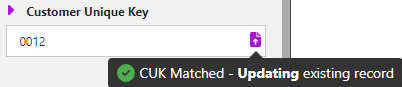
Importing will overwrite the latest version of the existing file with the latest inputs. This will also overwrite the metadata. Document history remains available for auditing.
Note
If there is no match, a new document will be created.
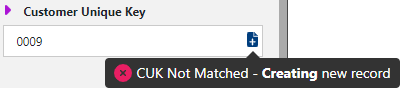
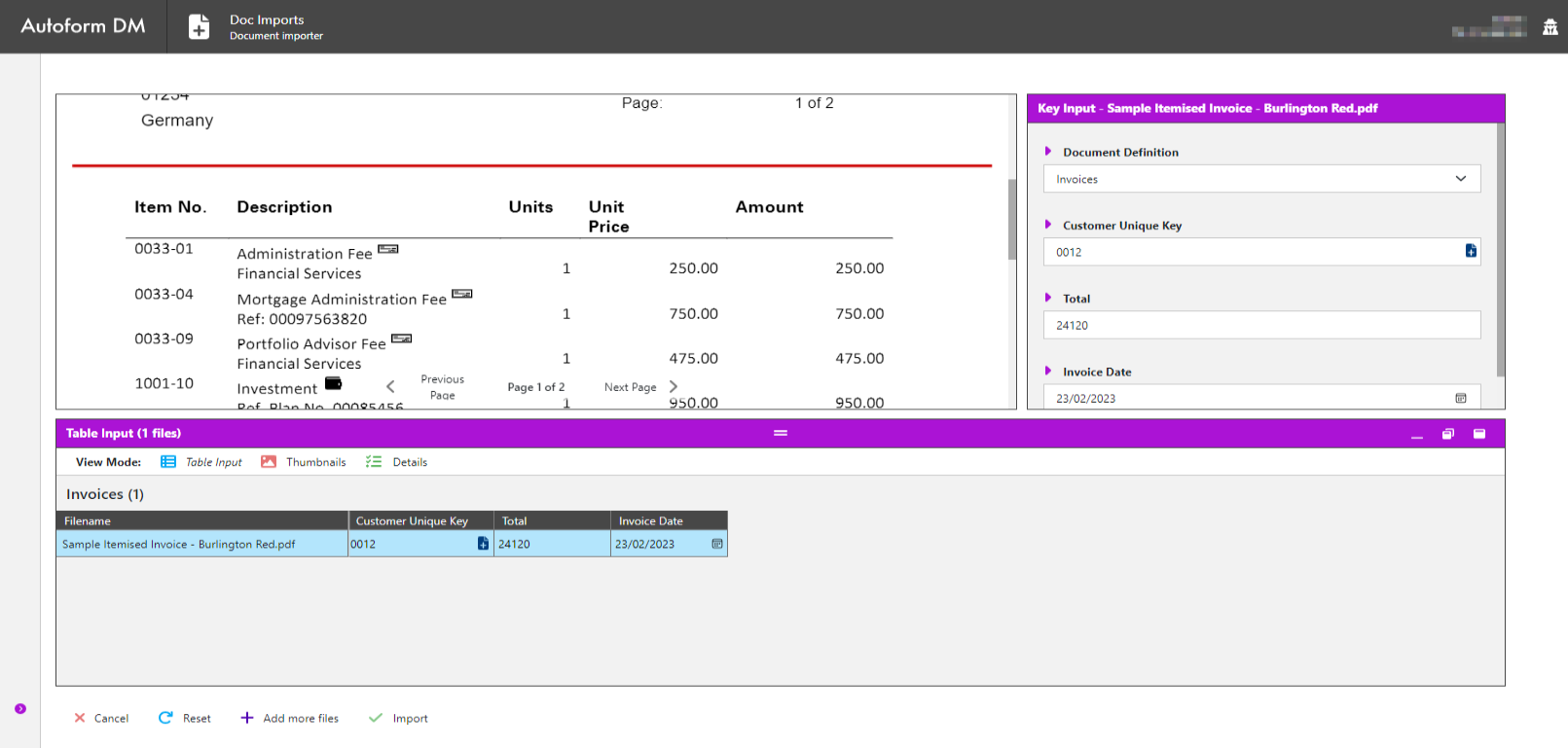
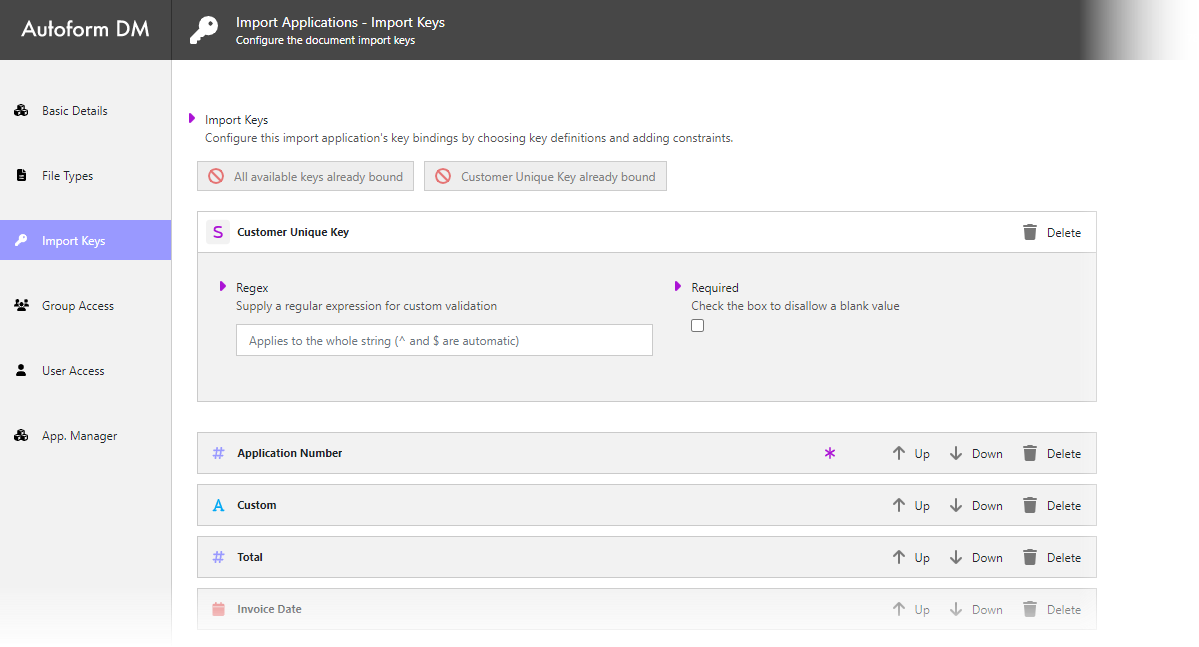
CUK is now shown as a separate field when importing the Key Input pane.
Document Retention Policy
This release represents a step change in document retention, with the ability to set policies that govern when a document will be automatically deleted from the archive from within Autoform DM.
The new functionality facilitates the management of documents, particularly those subject to retention periods as part of regulatory requirements.
This supersedes the associated BPM functionality.
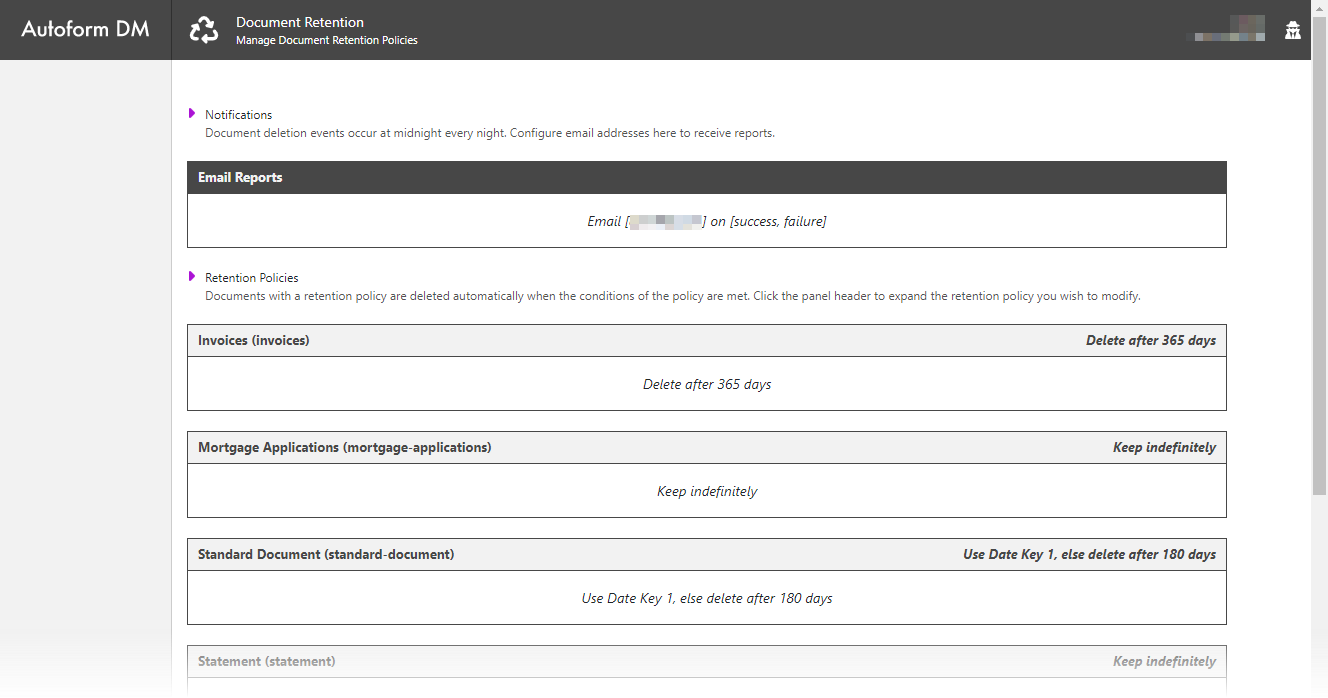
You can schedule a retention period, which is attached to a document definition date key.
Choose from one of the following options:
Define a maximum age in days, using the document created date as the starting date
Identify a date key to associate with the document definition, which will contain the expiry date of the document
Key Benefits
Facilitates compliance with regulatory requirements
Reduces storage / Azure costs by deleting documents that are not needed
Audit logs for policy changes and report views
Secure By Default – View Audits
This release adds a new front-end administration module, called View Audits, for searching and viewing audit logs.
Search efficiently by preset audit log types, including document event history and user login history. Define the audit types and filter by date, Document ID, and User.
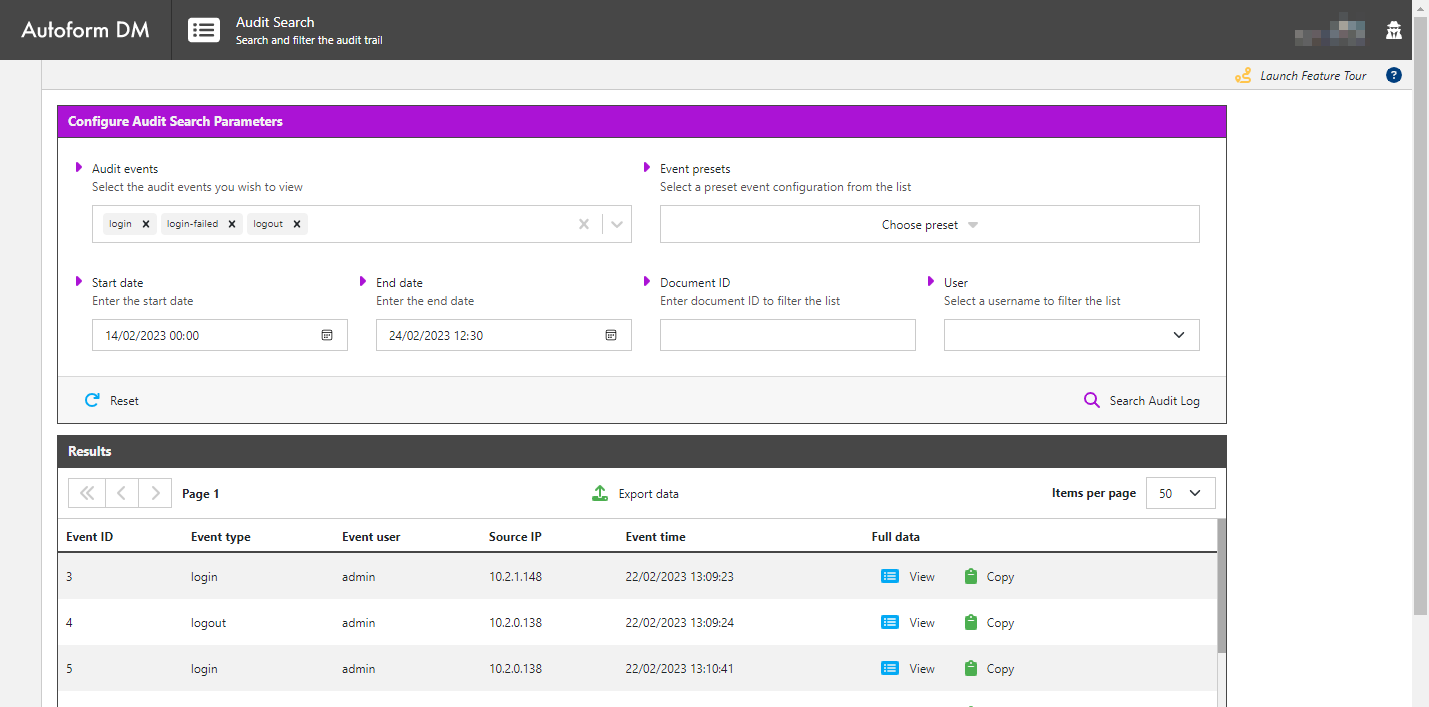
You can view data individually and export it to a CSV file if required.

Key Benefits
Efficiently search and filter relevant results
Presets included
Export data to a CSV file
Remote Search Behaviour Change
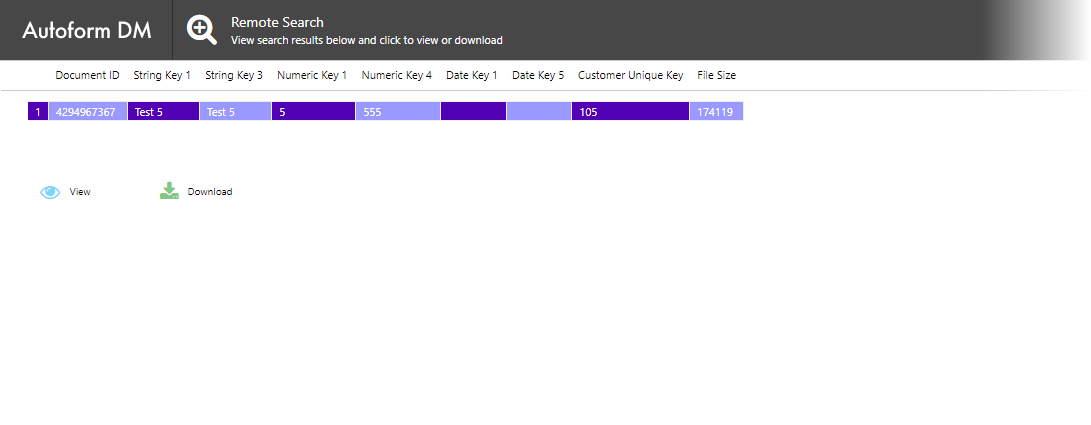
The results table will now be shown by default, even if there is only one record.
The previous behaviour when there was one record was to show the file.
Note
It is possible to revert to the previous behaviour, if preferred. See Configure Remote Document Search.