Applies to: Lasernet Core 10
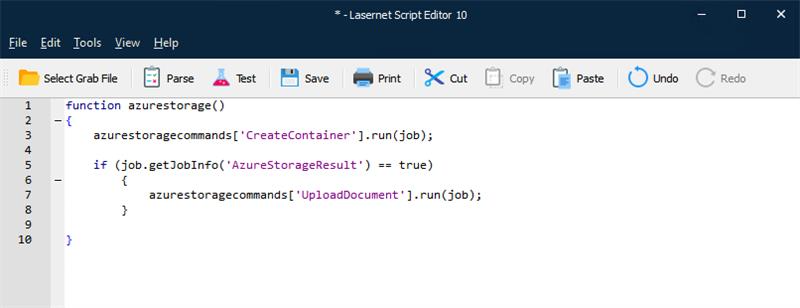
It is possible to call Azure Storage commands directly via scripting in Lasernet Core, just like modifiers and SharePoint commands. This is done via an array called azurestoragecommands. In order to retrieve a specific command, use the index operator “[]” and a string with the name of the command as an argument. You can then use the “run” function to invoke the command.
Please see the screen-shot below for an example.
Tip
You can drag any Azure Storage command from the configuration into the Script editor window and the script for running it (including the value and parameter) will be automatically inserted.