Applies to: Lasernet Core 10
Lasernet Core can read a wide range of linear and 2D barcode formats in PDF documents, PNG, JPEG and TIFF images.
Some common barcode types that can be read by this module are:
Code 128
Code 39
Data Matrix
EAN-13
QR
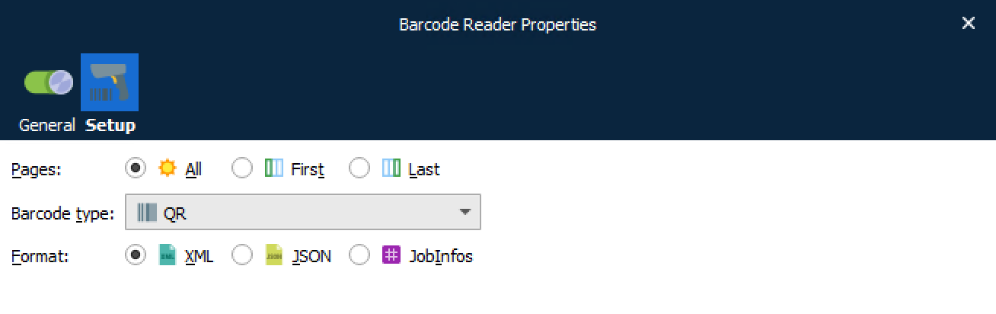
Pages
Select the pages of the document you want to be scanned for barcodes.
All: All pages in the document will be scanned for barcodes.
First: Only the first page the document will be scanned for barcodes.
Last: Only the last page the document will be scanned for barcodes.
Barcode Type
Select, from the drop-down menu, the barcode type for which you want to scan:
One particular barcode type
All supported barcode types
Note: We recommend scanning a document for one particular barcode type if possible because processing time will be reduced compared to scanning for all barcode types.
Format
The extracted output will be formatted according to the selection:
XML: The barcode read data will be presented in XML format.
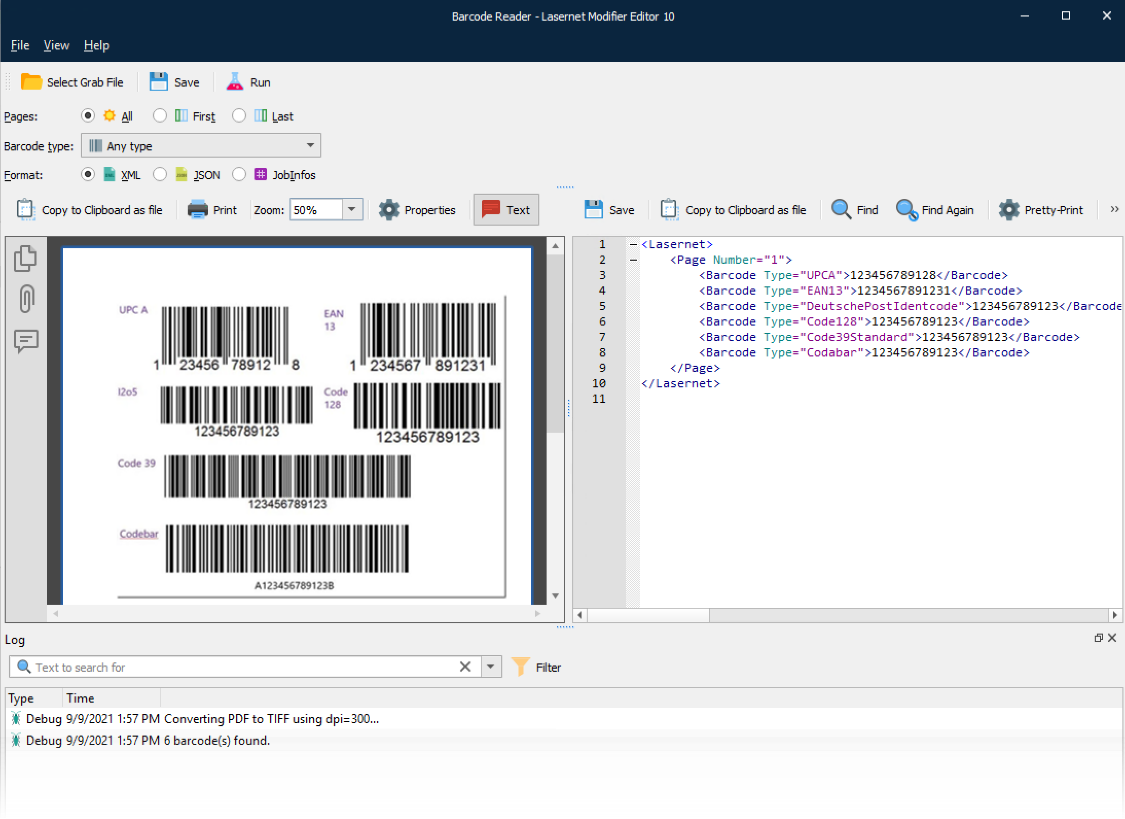
No additional JobInfos are created by the modifier.
The following information is captured and presented in XML format:
Page
Barcode Type
Barcode Value
JSON: The barcode read data will be presented in JSON format.
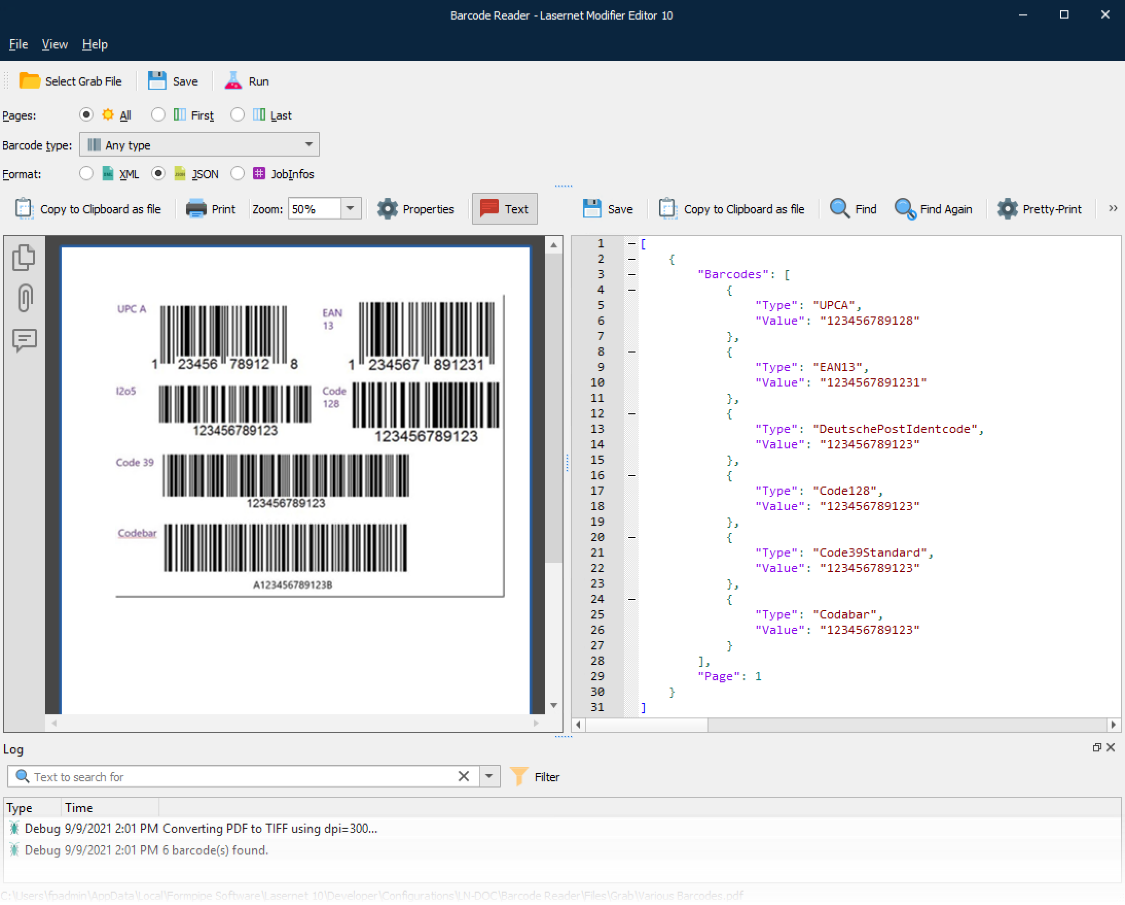
No additional JobInfos are created by the modifier.
The following information is captured and presented in JSON format:
Page
Barcode Type
Barcode Value
JobInfos: The barcode read data will be presented in the Lasernet Core native format.
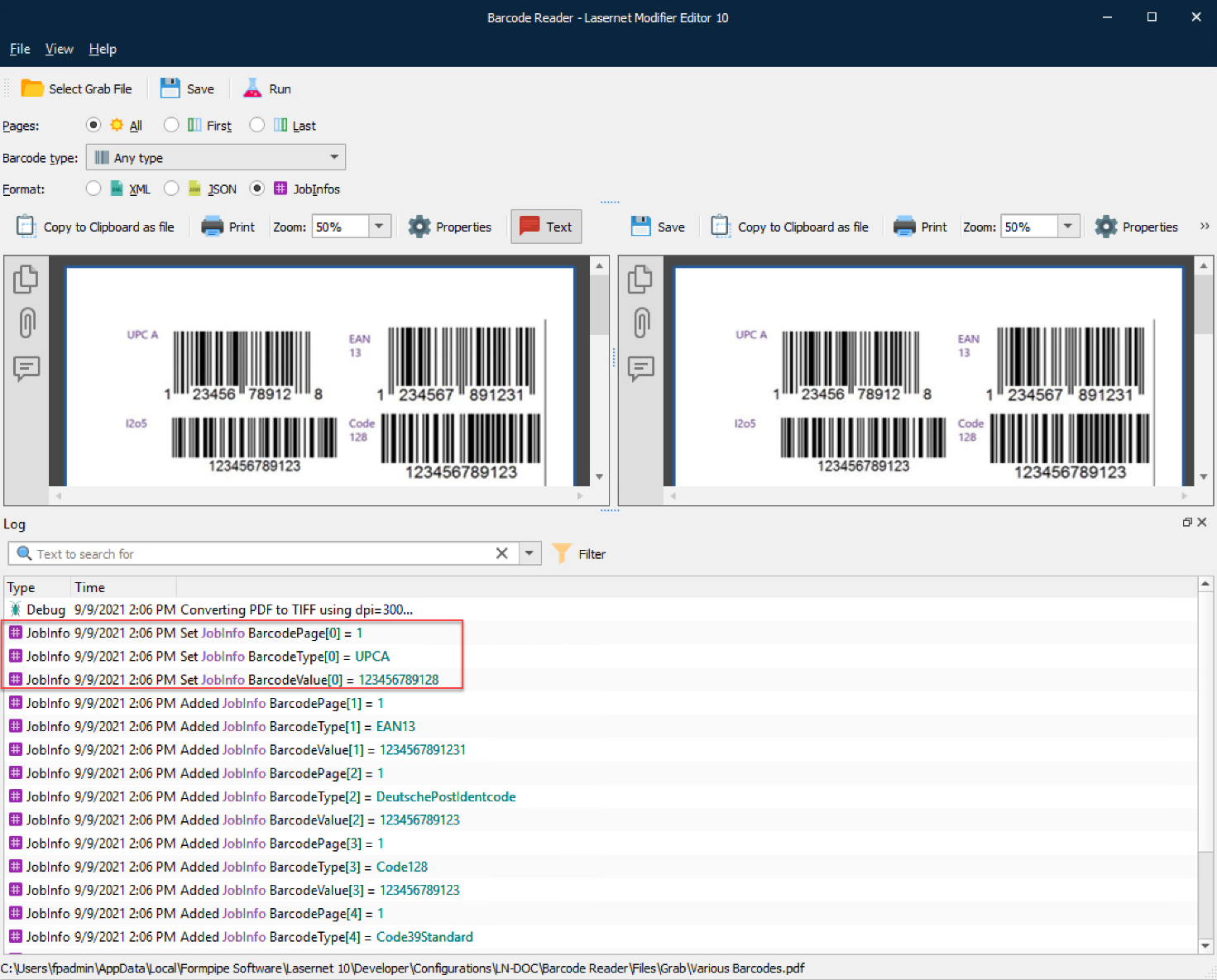
PDF output has an array of JobInfos.
There are names and values for:
BarcodePage
BarcodeType
BarcodeValue