Applies to: Lasernet Core 10
The modifier works by searching for a regular expression. For each match, it will replace it with another string.
Both the regular expression and the replace text are written in the Latin-1 (ISO-8859-1) character set. However, because this modifier is intended for binary searches, most (if not all) characters should be written in hex using the \x escape.
The 'replace' text field supports the $1 $2… $n markers, to include portions of matched regular expressions in the replacement. This provides the ability to create fairly advanced filters, e.g., if the regular expression is '(\d+)\x20(\d+)' and the replacement string is '$2\x20$1', then the filter will search for two numbers separated by a space character and swap the numbers.
Settings
| Find Regular Expression | Regular expression to search for. |
| Replace With | The search value to be replaced, typed as a string or hex value. For example, \x0d\x0a. |
| Replace Only Once | If the check box is set, it will only replace the first match. If it is not checked, it will replace all matches. |
Example
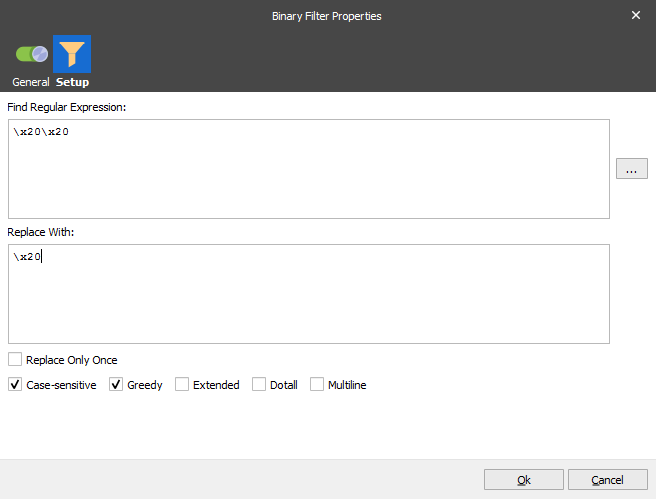
This example searches for two spaces and replaces it with one space.