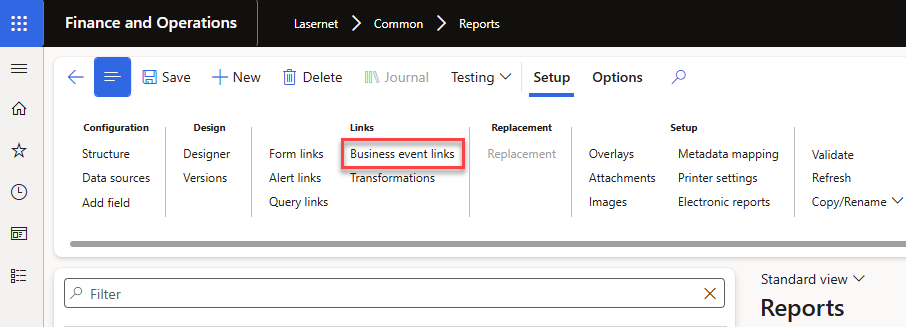
Business event links on Lasernet > Common > Reports
Business events is created by Microsoft, read more here: Business events overview - Finance & Operations | Dynamics 365 | Microsoft Learn
It is possible to trigger a Lasernet report to start from a Business Event. This is especially smart in Production and warehouse flows, were you do not want to wait by the label printer for up to a minute.
The report runs as soon as the status is change or a business document is posted, with no alert batch job and no one-minute delay, and the setup moves between environments together with the report.
Business event links on the report. A new Business event links page (Reports > Links) connects a report to any business event in the catalog. Each link has its own destination and a data filter, so the report prints only the document that raised the event (for example the confirmed purchase order or the posted invoice).
Two execution modes. Synchronous runs the report inside the posting itself, so the document is ready immediately. Asynchronous runs it through the standard Business events delivery, using a new Lasernet report trigger endpoint type, so the posting is never slowed down.
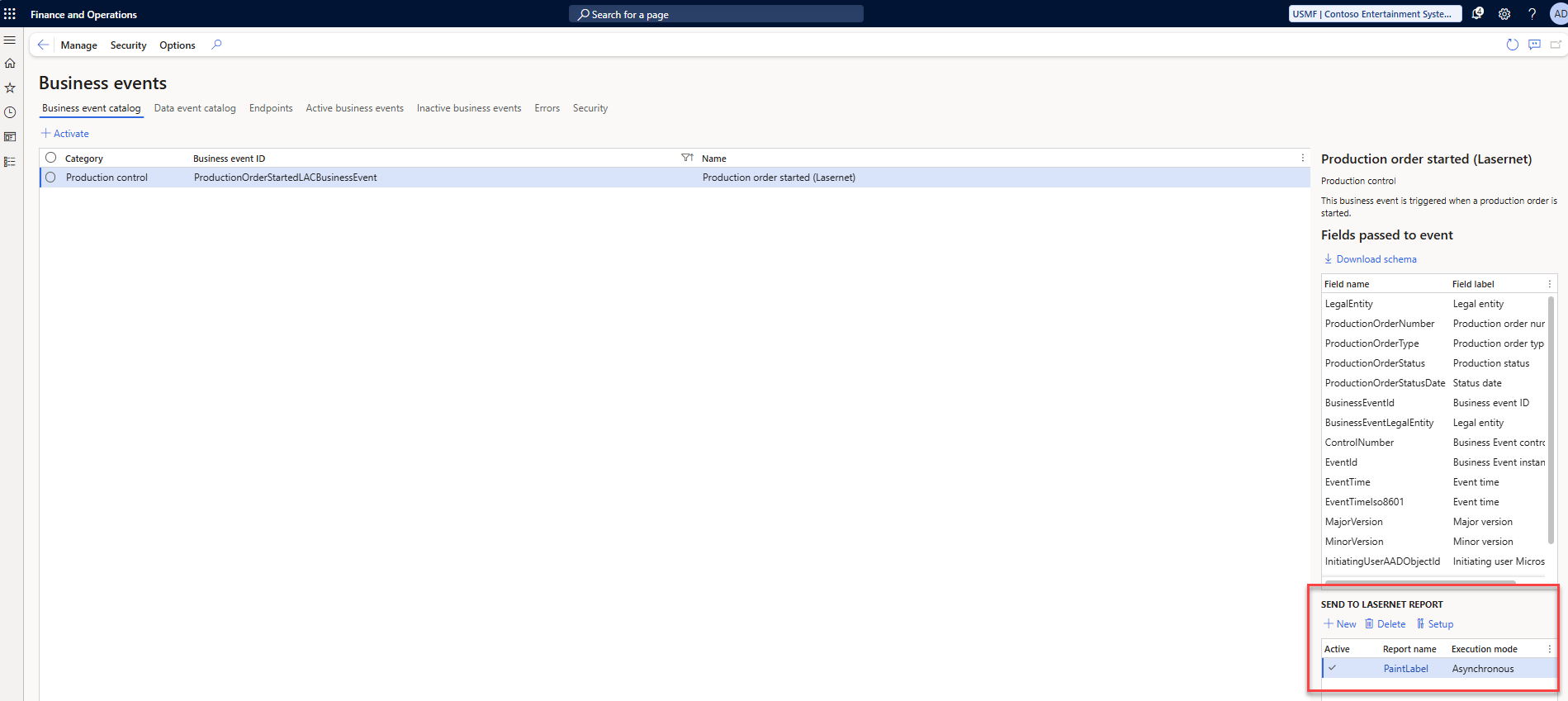
Visibility in the Business events catalog. The catalog shows which Lasernet reports are linked to each event.
Backup, copy and validation. Links are included in report export and import, copied with the report, removed together with it, and checked by report validation.
Lasernet Business Events in the Business event catalog
The Business events catalog is located at System administration > Setup > Business event > Business events catalog
The Business events catalog does not hold many triggers for Production Control, only one for production order released.
In order to show the Lasernet business events in the Business events catalog, click Manage - then Rebuild business events catalog
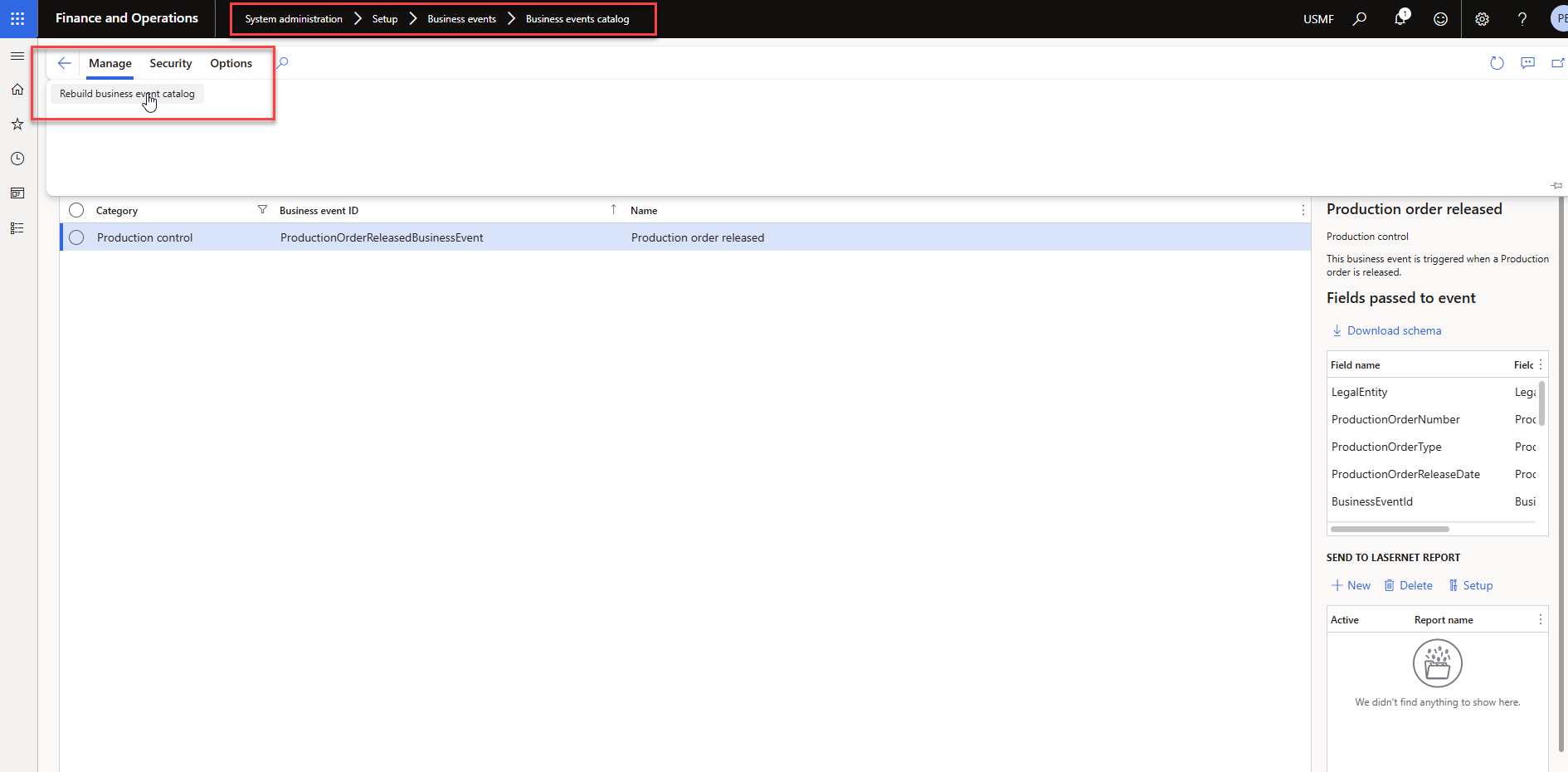
The Business events catalog is located at System administration > Setup > Business event > Business events catalog
When the Business events catalog is rebuild you will be able to see the business events created by Lasernet. They work as normal business events and can be used for other events than Lasernet.
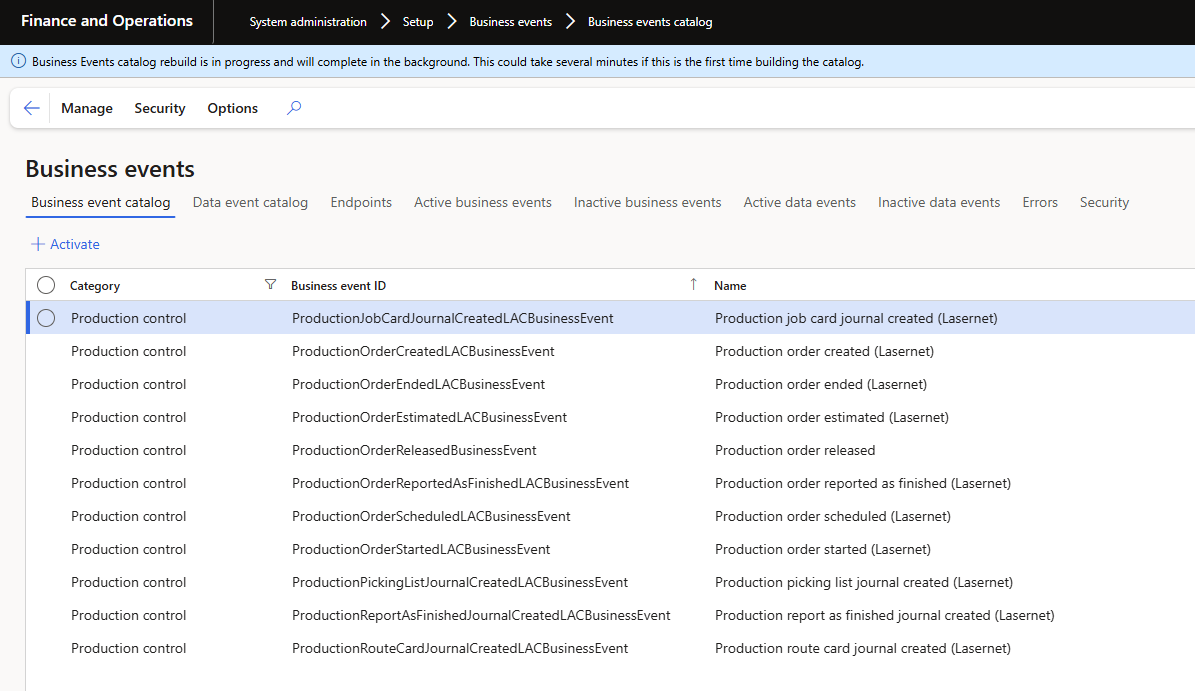
Lasernet has therefor created 10 new business events for usage in Production order working flows. Below we are covering every status in the production order:
Owner | Category | Business event ID | Name | Description | Data | Status |
Standard Dynamics | Production Control | ProductionOrderReleasedBusinessEvent | Production order released | This business event is triggered when a Production order is released. | Prodtable.ProdStatus = | Released |
Lasernet | Production Control | ProductionOrderCreatedLACBusinessEvent | Production order created (Lasernet) | This business event is triggered when a production order is created. | Prodtable.ProdStatus = | Created |
Lasernet | Production Control | ProductionOrderEstimatedLACBusinessEvent | Production order estimated (Lasernet) | This business event is triggered when a Production order is estimated. | Prodtable.ProdStatus = | Estimated |
Lasernet | Production Control | ProductionOrderScheduledLACBusinessEvent | Production order scheduled (Lasernet) | This business event is triggered when a production order is scheduled. | Prodtable.ProdStatus = | Scheduled |
Lasernet | Production Control | ProductionOrderStartedLACBusinessEvent | Production order started (Lasernet) | This business event is triggered when a production order is started. | Prodtable.ProdStatus = | Started |
Lasernet | Production Control | ProductionOrderReportedAsFinishedLACBusinessEvent | Production order reported as finished (Lasernet) | This business event is triggered when a production order is reported as finished. | Prodtable.ProdStatus = | Reported as finished |
Lasernet | Production Control | ProductionOrderEndedLACBusinessEvent | Production order ended (Lasernet) | This business event is triggered when a Production order is ended. | Prodtable.ProdStatus = | Ended |
Below we are covering all Journal logs for the production order:
Owner | Category | Business event ID | Name | Description | Data | Status |
Lasernet | Production Control | ProductionJobCardJournalCreatedLACBusinessEvent | Production job card journal created (Lasernet) | This business event is triggered when a job card journal is created for a production order. | ProdJournalTable.JournalNameId = | Job |
Lasernet | Production Control | ProductionPickingListJournalCreatedLACBusinessEvent | Production picking list journal created (Lasernet) | This business event is triggered when a picking list journal is created for a production order. | ProdJournalTable.JournalNameId = | Pick |
Lasernet | Production Control | ProductionRouteCardJournalCreatedLACBusinessEvent | Production route card journal created (Lasernet) | This business event is triggered when a route card journal is created for a production order. | ProdJournalTable.JournalNameId = | Route |
Lasernet | Production Control | ProductionReportAsFinishedJournalCreatedLACBusinessEvent | Production report as finished journal created (Lasernet) | This business event is triggered when a report as finished journal is created for a production order. | ProdJournalTable.JournalNameId = | Finish |
For warehouse management we have added 3 for the container status.
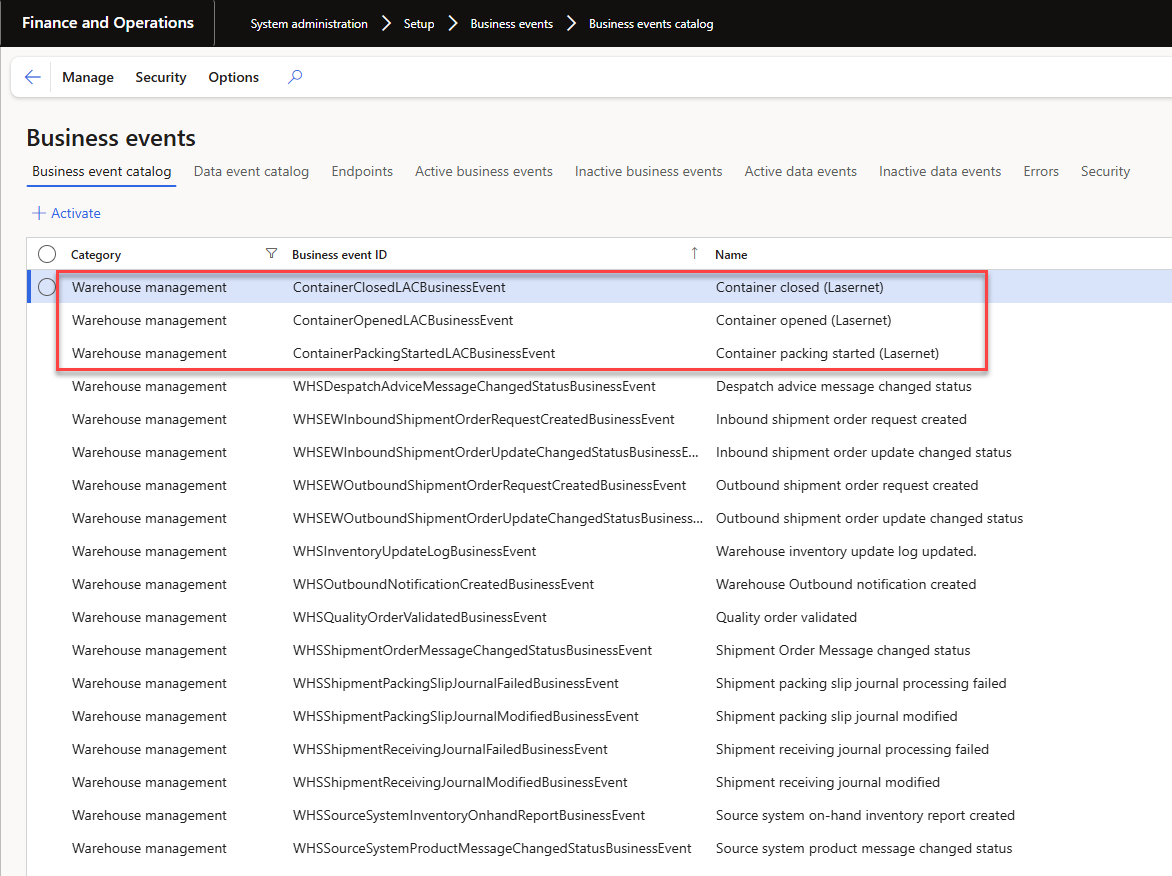
Owner | Category | Business event ID | Name | Description | Data | Status |
Lasernet | Warehouse management | ContainerOpenLACBusinessEvent | Container opened (Lasernet) | This business event is triggered when a container gets the status Open, when it is created or reopened. | WHSContainerTable.ContainerStatus = | Open |
Lasernet | Warehouse management | ContainerPackingLACBusinessEvent | Container packing started (Lasernet) | This business event is triggered when a container gets the status Packing. | WHSContainerTable.ContainerStatus = | Packing |
Lasernet | Warehouse management | ContainerClosedLACBusinessEvent | Container closed (Lasernet) | This business event is triggered when a Container is closed. | WHSContainerTable.ContainerStatus = | Closed |
Now we have all the Lasernet business events in the Business event catalog
Business events Endpoints
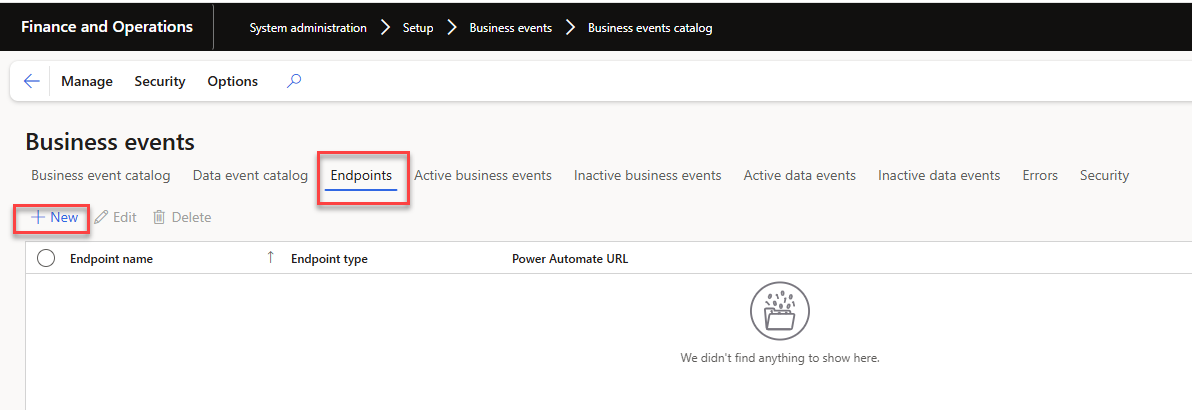
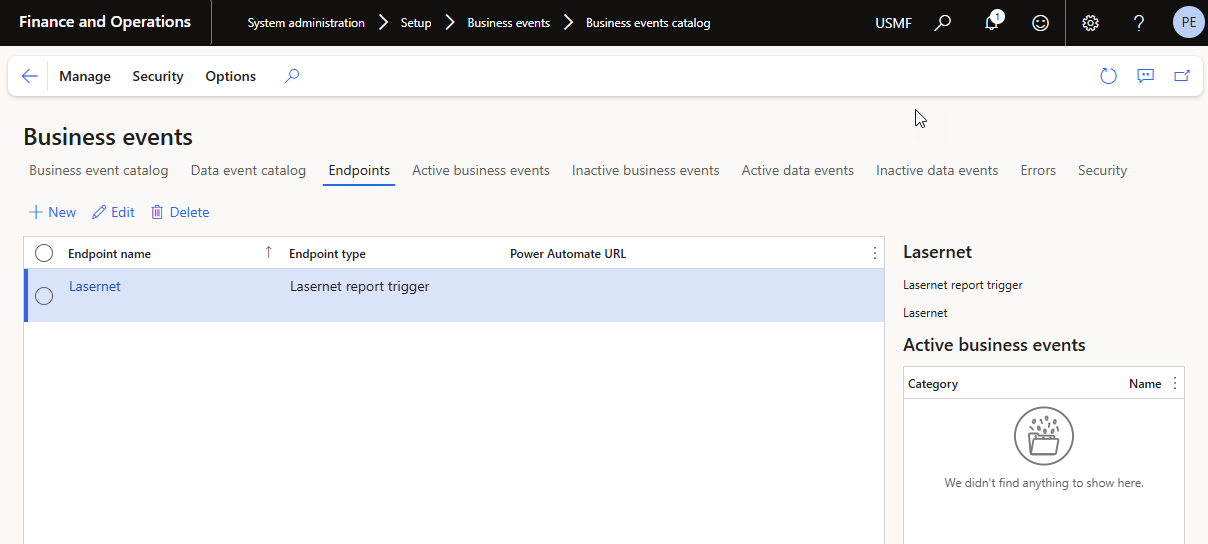
Next we need to setup an endpoint. Go to System administration > Setup > Business events > Business events catalog
Instead of standing in the Business event catalog - click Endpoints. Then click New
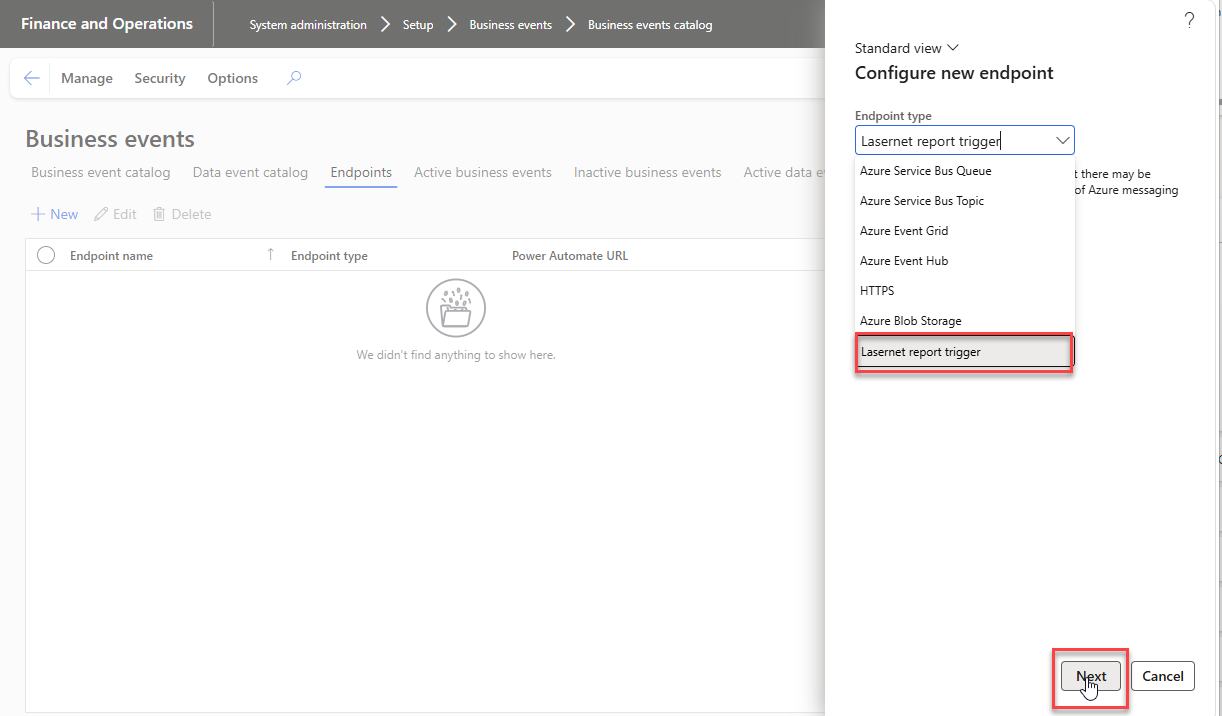
 Choose Lasernet report trigger and Next
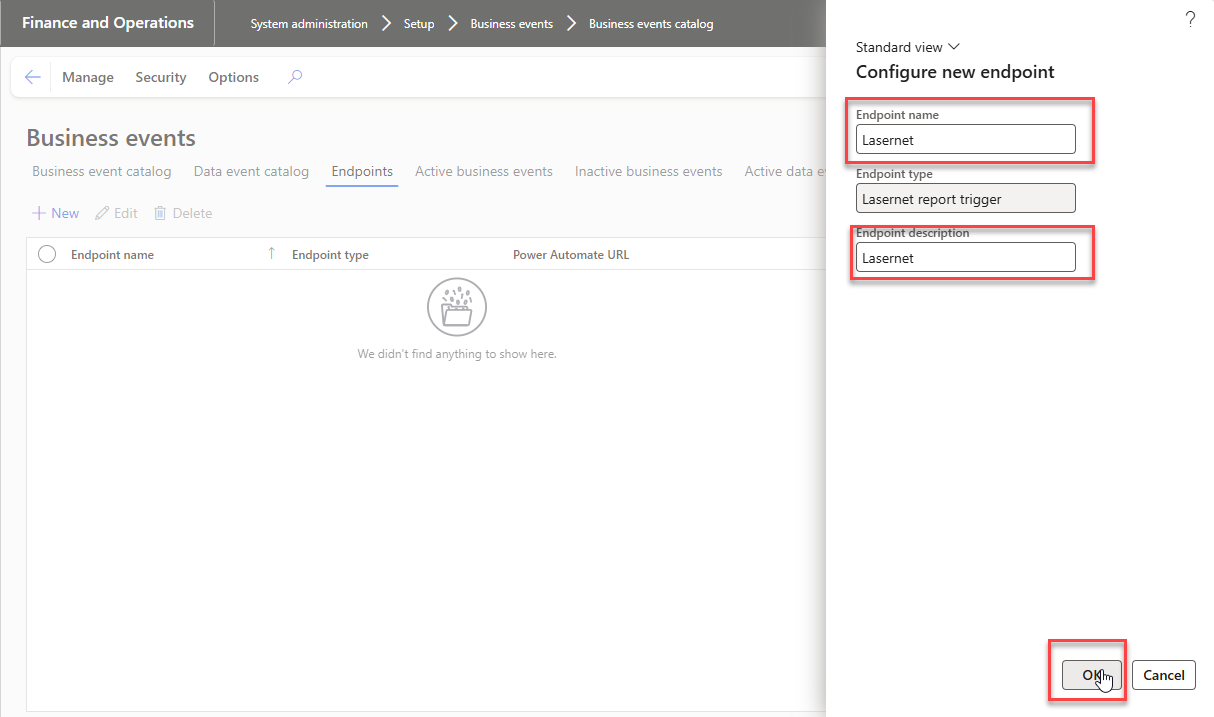
Give it a Endpoint name and Endpoint description, click OK
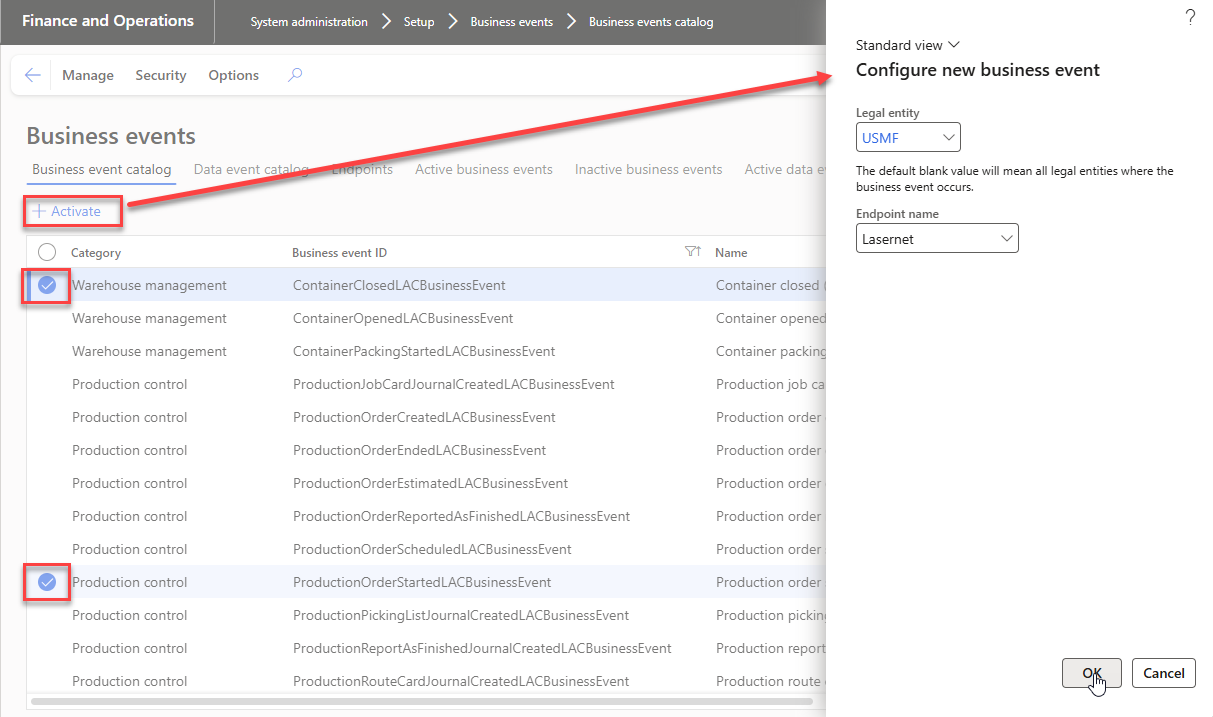
How to activate a Business event
Go to System administration > Setup > Business events >
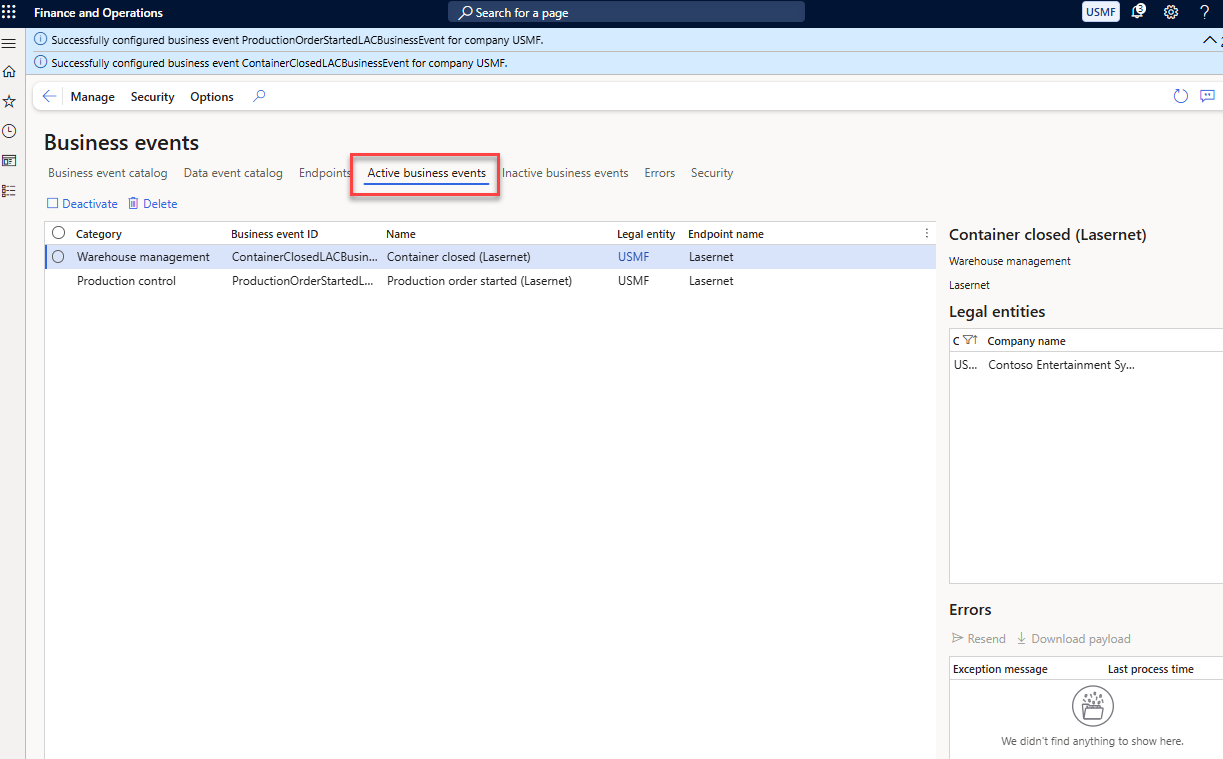
You have now successfully configured business events. They are visible on Active business events.
How to use business events to trigger a Lasernet report
Go to Lasernet > Common > Reports action pane Links > Business event links
The Business event links form is build up similar as the Formlinks and Alerts links. Clik New
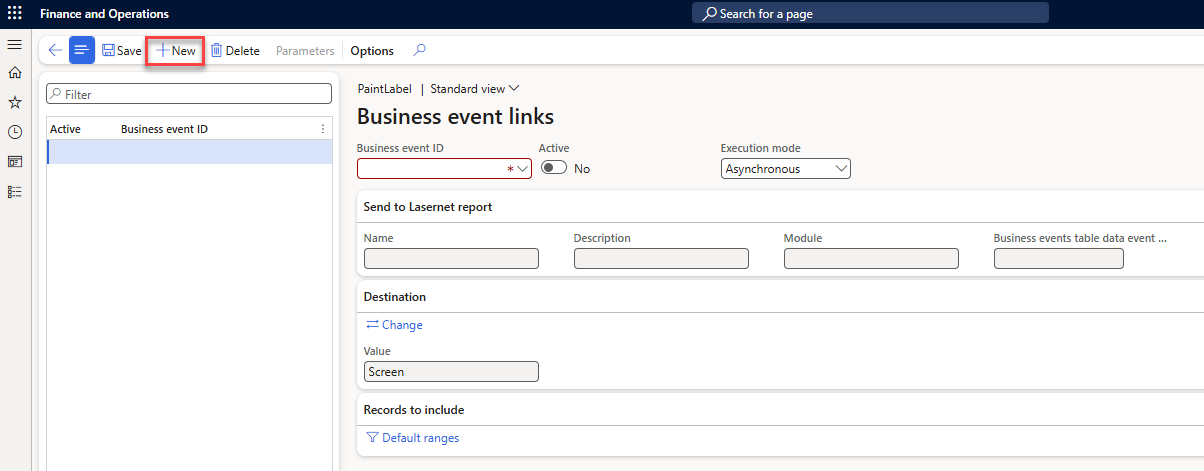
First you choose your Business Event Id
Execution mode: Two execution modes. Synchronous runs the report inside the posting itself, so the document is ready immediately. Asynchronous runs it through the standard Business events delivery, using a new Lasernet report trigger endpoint type, so the posting is never slowed down.
Destination: Change to everything other than screen
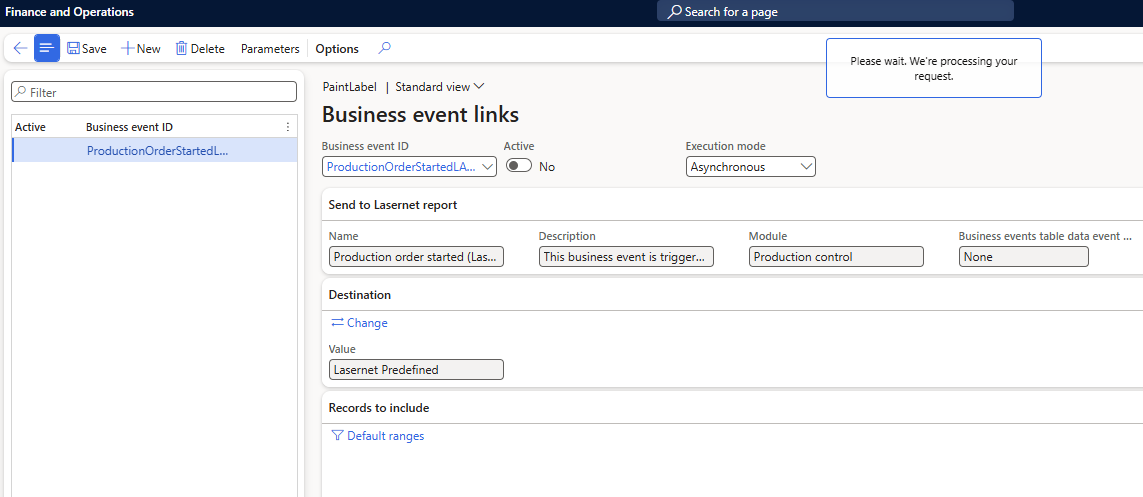
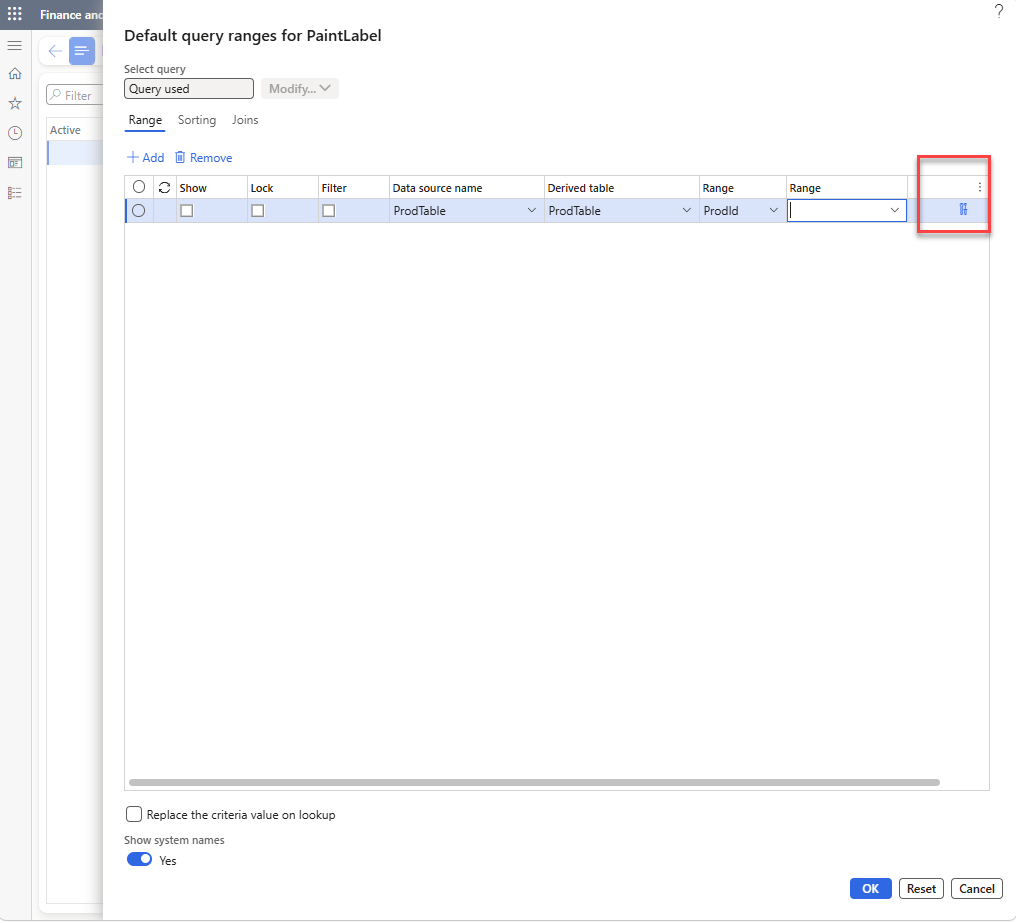
Then click on Default ranges
Similar as the alert links - we have to match the event link data with the report execution data. Click tools in order to create the range
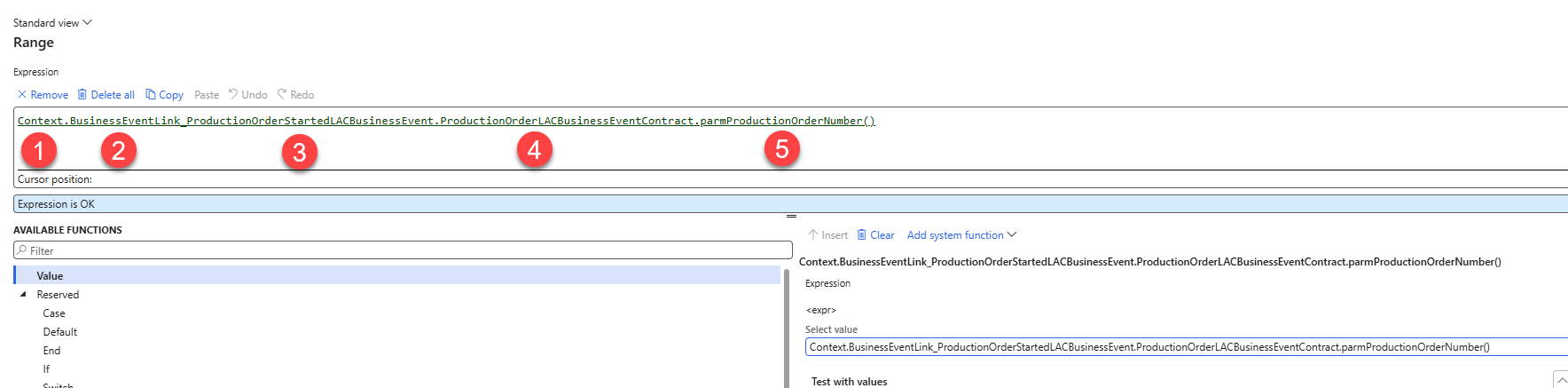
Afterwards you will be able to have the visibility on Business events as well