
Applies to: Lasernet Core 11 and 10 (not Lasernet Essentials / Professional / Advanced)
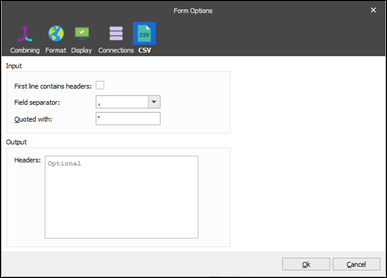
The CSV input type has the following settings:
Setting | Description |
|---|---|
First line contains headers | It is common that the first line of a CSV file contains the headers of the fields. If First line contains headers is selected, Lasernet Core uses these header names, and skips the first line because it contains headers and does not contain data. |
Field separator | Defines the separator between the fields in the CSV. |
Quoted with | Defines which character is used to represent quotes within fields. This is useful when a field separator occurs within a field. |
Headers | (Optional) You can manually specify the field header names. Use this capability if the CSV file does not contain header names or if the header names in the CSV file are not correct. If no header names exist, Lasernet Core names the fields itself. |