This article provides information about the hosted Lasernet and Autoform DM deployments.
Note
The details shown in images are examples.
Lasernet Connection Properties
Lasernet Version: 10.2
License Type: Developer 1
Activation Code: /
No. of Activations: /
Property | Value |
|---|---|
Web URL for Lasernet Portal | |
URL for Developer | |
Username | admin |
Password | p3rbC9lW]@ty |
Autoform DM Connection Properties - TEST
Autoform DM Version: 10.2.1
Property | Value |
|---|---|
Web URL for DM | |
Username | admin |
Password | hXMco8d1=ph& |
Lasernet Service Properties
Service Details
Property | Value |
|---|---|
Lasernet Instance | Test1 |
Lasernet Instance | Production1 |
Azure Service Bus Details
Instance | Connection String |
|---|---|
Test | Endpoint=sb://sb-rct-test.servicebus.windows.net/;EntityPath=test;SharedAccessKeyName=FormpipeCloud;SharedAccessKey=4KDaa2dg0Ljdrp8hpnzUi8YVTbZazM8PbjE4neLd9GU=; |
Production | Endpoint=sb://sb-rct-test.servicebus.windows.net/;EntityPath=prod;SharedAccessKeyName=FormpipeCloud;SharedAccessKey=4KDaa2dg0Ljdrp8hpnzUi8YVTbZazM8PbjE4neLd9GU=; |
Azure Print Storage Account Details
Instance | Connection String |
|---|---|
Test-Spool | DefaultEndpointsProtocol=https;AccountName=saprintrcttest8303;AccountKey=OSCK+JCd4s7ASqpaZlNsiJmFruTDm4qjAx0UWWe2EDOvWfVP61UVTw6cylzg8lsNWfG2hv/NvFsM+ASt2a3cgA==;EndpointSuffix=core.windows.net |
Connect to Formpipe Cloud
Lasernet
Open your local copy of the Lasernet Developer Licence Manager.
Activate the Developer application using the Developer Licence Activation Code.
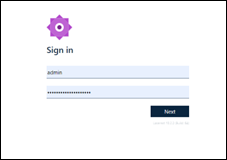
Navigate to the web URL to access the config portal using the Username and Password provided.
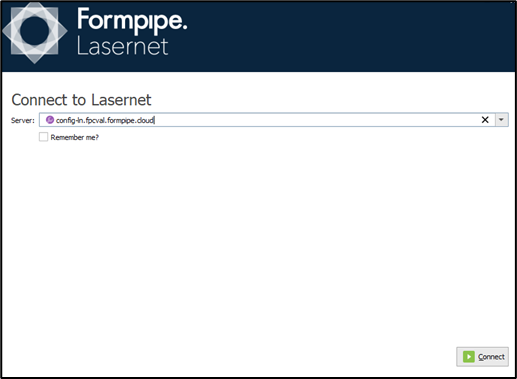
Access the Lasernet Developer by using the URL for Developer to connect and the Username and Password provided.
Click Connect.
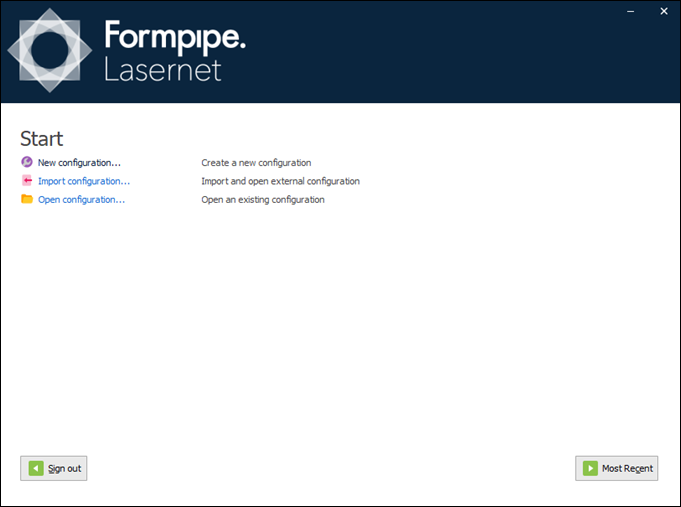
The Lasernet Start page is displayed:
Autoform DM
Copy the Autoform DM URL into your web browser and navigate to the site.
Enter the Username and Password provided.