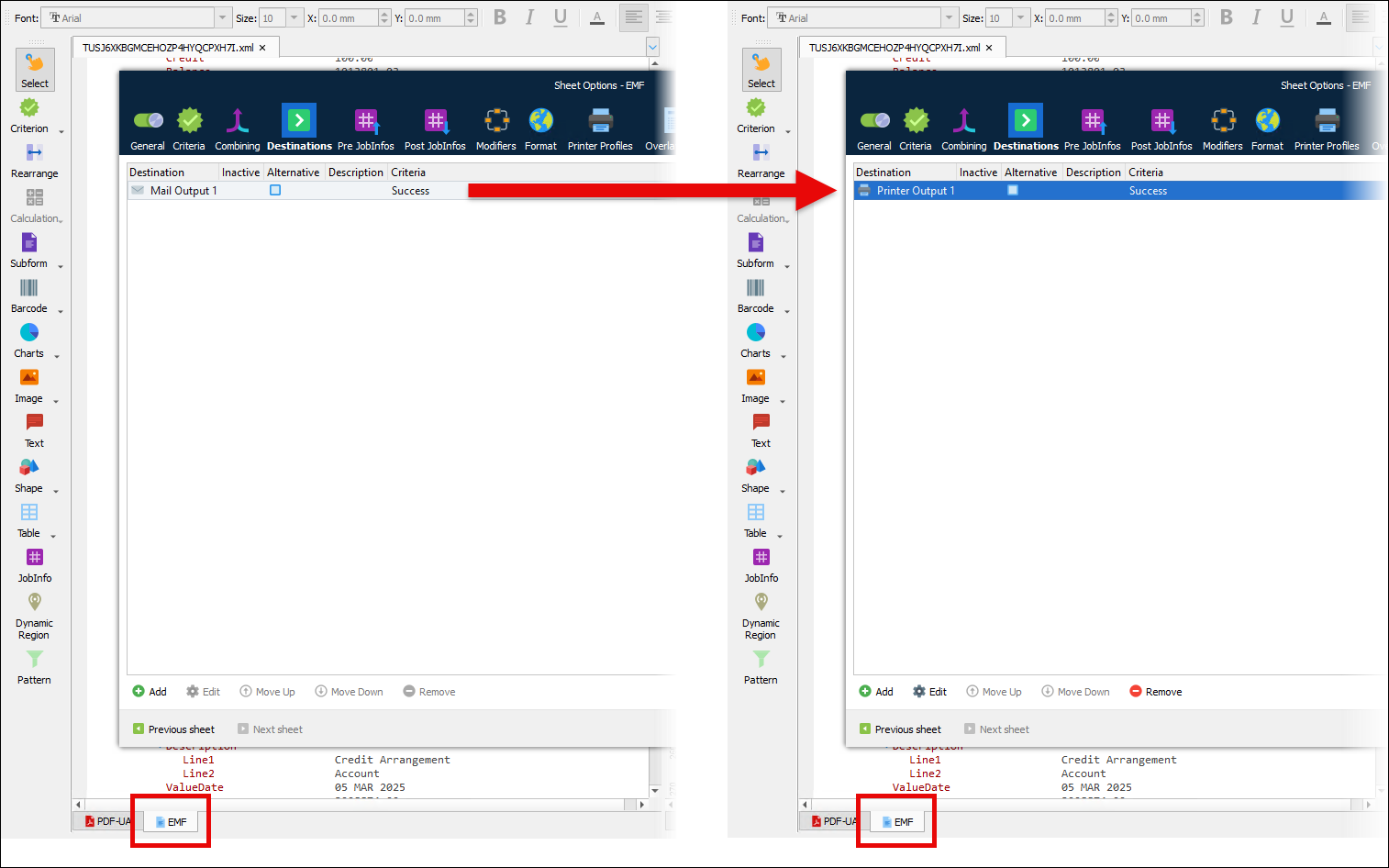
A common requirement is for Lasernet Core to output a document in multiple formats, so it can be distributed to its recipient through multiple channels. For example, you might send an EMF-format invoice to a printer for postal distribution and also generate it as a PDF that is emailed to the recipient.
From Lasernet Core 10.13 and 11.2, PDF/UA sheets are compatible with master sheet processing. However, to use PDF/UA sheets with the master sheet feature, you must design and configure your form in a specific way.
For steps on how to convert an EMF (master sheet) > PDF form to output PDF/UA documents instead, see Convert EMF (Master) > PDF Forms to PDF/UA (Master) > EMF.
Note
PDF/UA master sheet processing is available in:
Lasernet Core 10: Lasernet Core 10.13 and later.
Lasernet Core 11: Lasernet Core 11.2 and later.
PDF/UA Considerations for Master Sheet Processing
From Lasernet Core 10.13 and 11.2, PDF/UA sheets are compatible with master sheet processing. A PDF/UA sheet can be a master sheet or a receiving sheet.
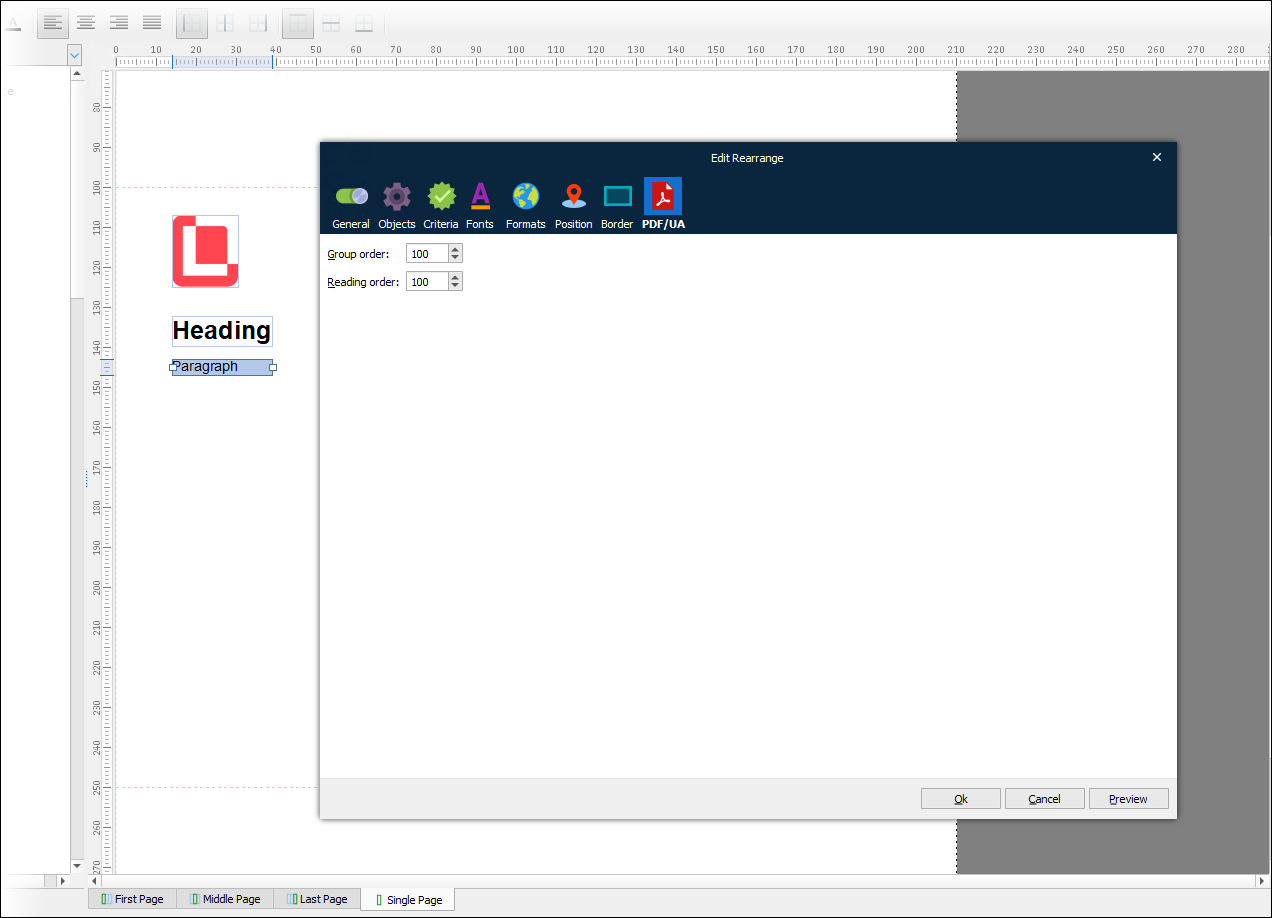
However, using the master sheet feature with PDF/UA sheets requires you to design and configure your form in a specific way. This is because you cannot modify the form items that a sheet inherits from its master sheet. This is relevant for PDF/UA sheets because the form items they contain must have Group order and Reading order property values.
As a result, if you want to use PDF/UA sheets with the master sheet feature:
The master sheet for a PDF/UA sheet must be another PDF/UA sheet, so that the receiving sheet inherits form items that have Group order and Reading order values. Because inherited form items cannot be modified in the receiving sheet, they must be inherited from the master sheet with that metadata already present in them. You must appropriately set the Group order and Reading order values for any form items that you manually add to the receiving sheet.
If you intend for Lasernet Core to generate a document in a different format (such as EMF) as well as PDF/UA, the form design must be created in the PDF/UA sheet with Group order and Reading order values assigned to form items there. Then, the other sheets (such as an EMF sheet) can use the PDF/UA sheet as their master sheet and inherit form items from it.
The second of the two points above is relevant to forms that currently have an EMF sheet as the master sheet for a PDF sheet. If you want to modify the form to output a PDF/UA document instead of a PDF, you must switch the order of the master sheet processing and also change the output type of each sheet, as described in Convert EMF (Master) > PDF Forms to PDF/UA (Master) > EMF.
Note
For more information about Lasernet Core’s PDF/UA capability, about Group order and Reading order, and to learn how the Group order and Reading order of each form item affects the structure tree within a PDF/UA document, see Configure PDF/UA Output.
Convert EMF (Master) > PDF Forms to PDF/UA (Master) > EMF
If your form currently has an EMF master sheet and a PDF sheet that inherits from it, and you want to modify the form to output PDF/UA documents instead of PDFs, the master sheet must be a PDF/UA sheet and the EMF sheet must inherit form items from it.
To convert your form, follow these steps:
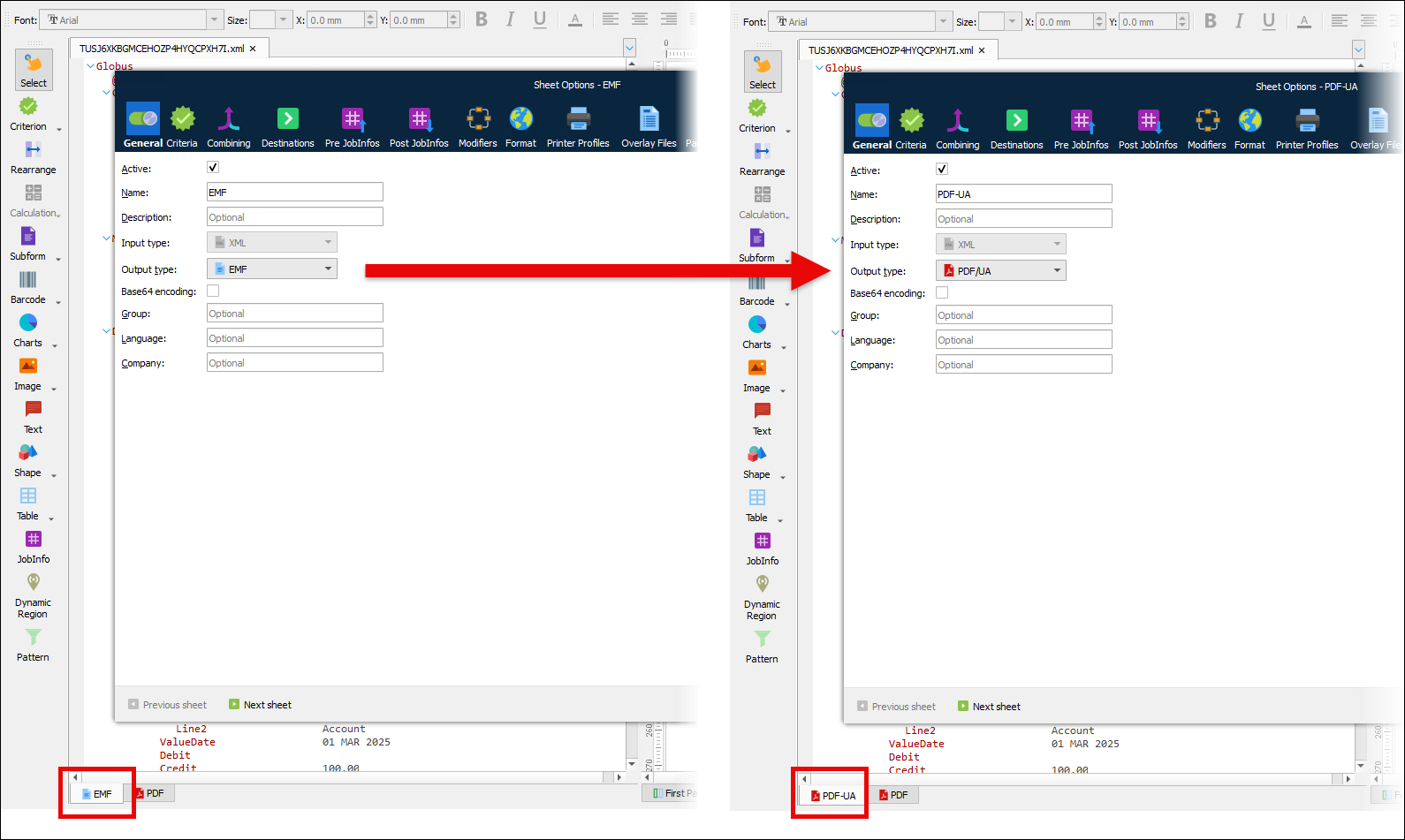
Change the Output type of the EMF sheet from EMF to PDF/UA. The Properties window for the sheet’s form items now contain a PDF/UA tab.
Provide Group order, Reading order, and Alt text metadata for form items in the PDF/UA sheet.
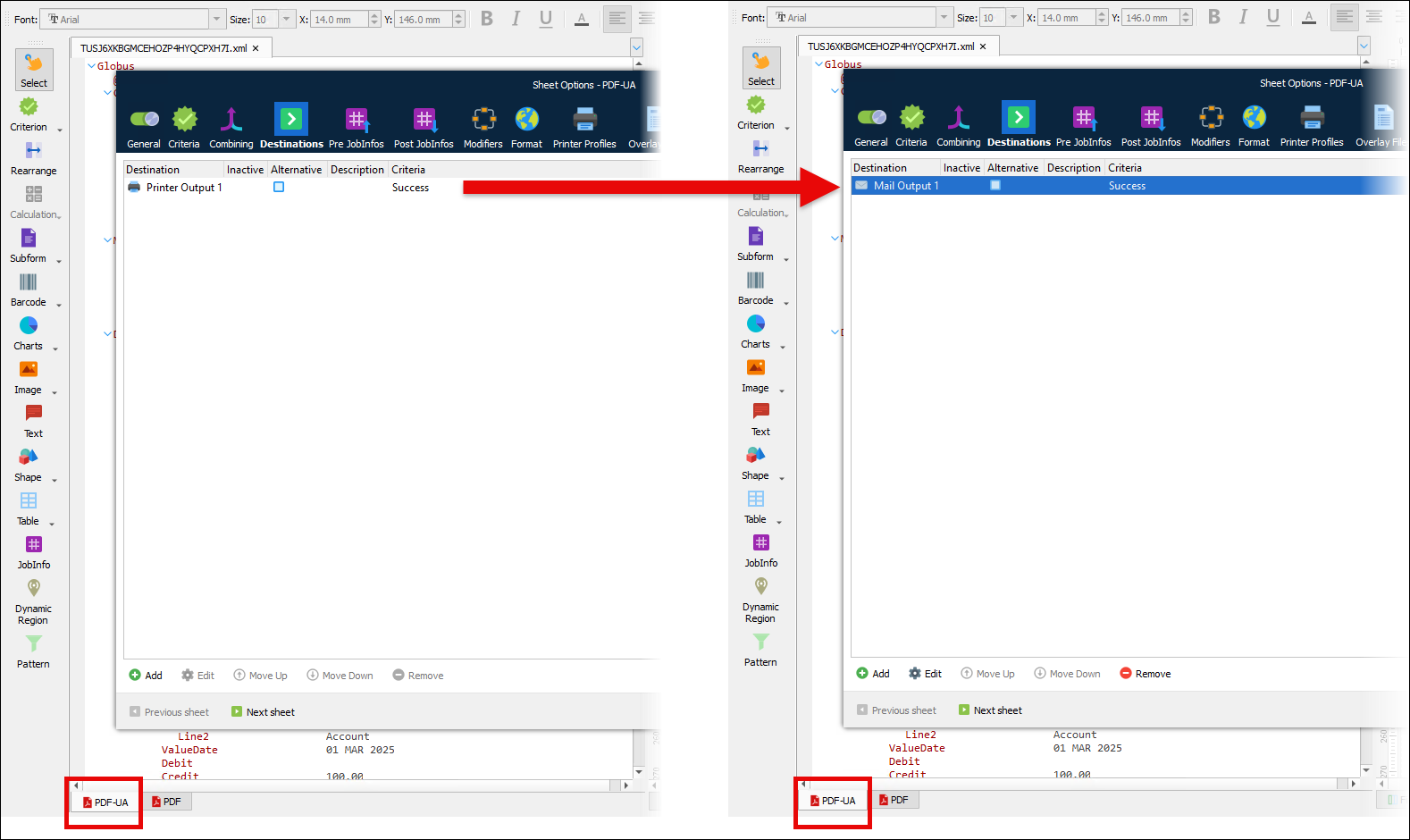
Appropriately change the PDF/UA sheet’s destination.
Change the Output type of the PDF sheet from PDF to EMF. The form now has an EMF sheet that contains form items inherited from the PDF/UA sheet.
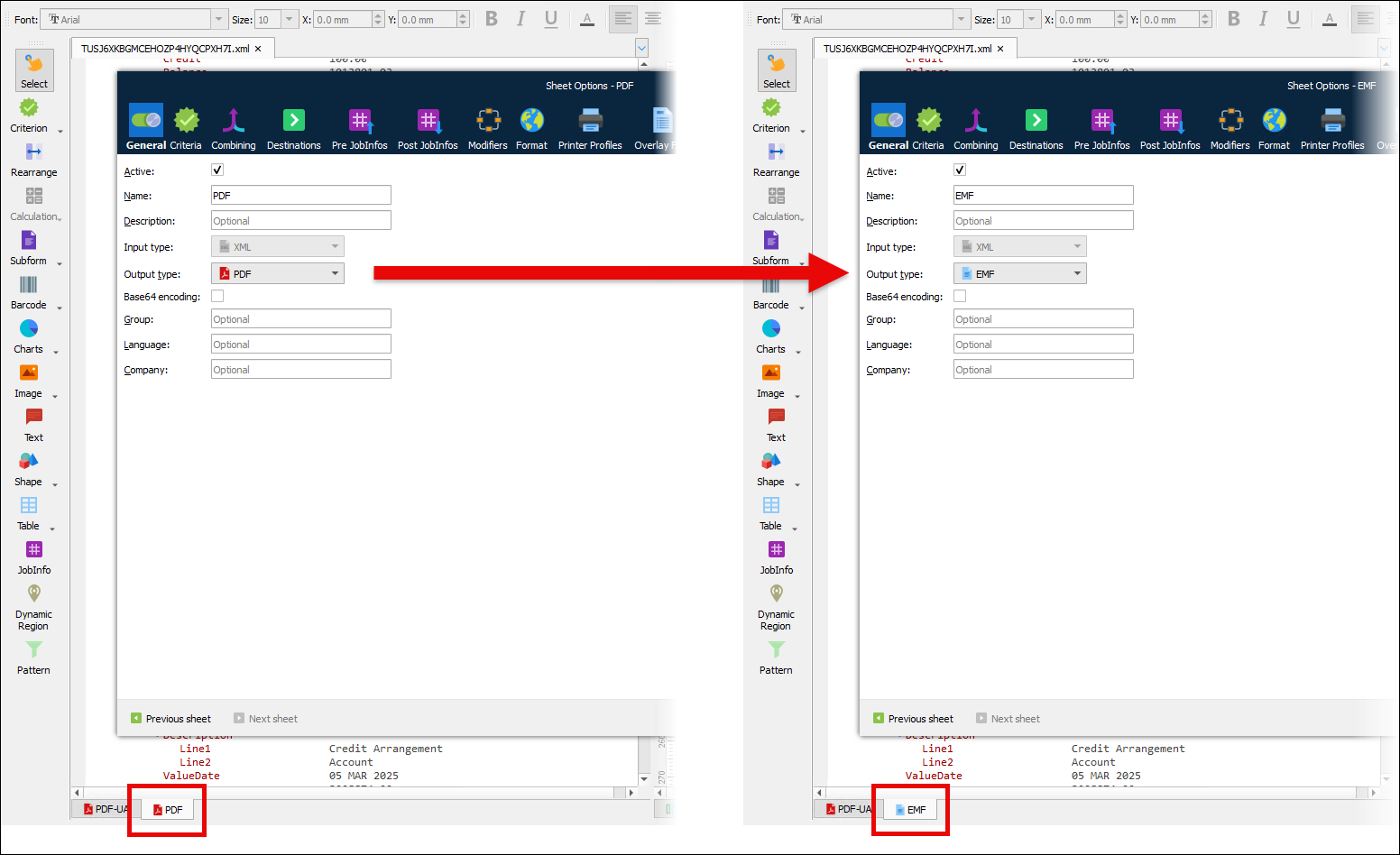
Appropriately change the EMF sheet’s destination.