This article provides a solution for the following error that may appear in AX 2012 when trying to run a report:
Error
Error executing code: Wrong type of argument for conversion function.

Resolution
This error is caused by at least one of the elements on the reports having the wrong argument type.
To correct this, apply the following steps:
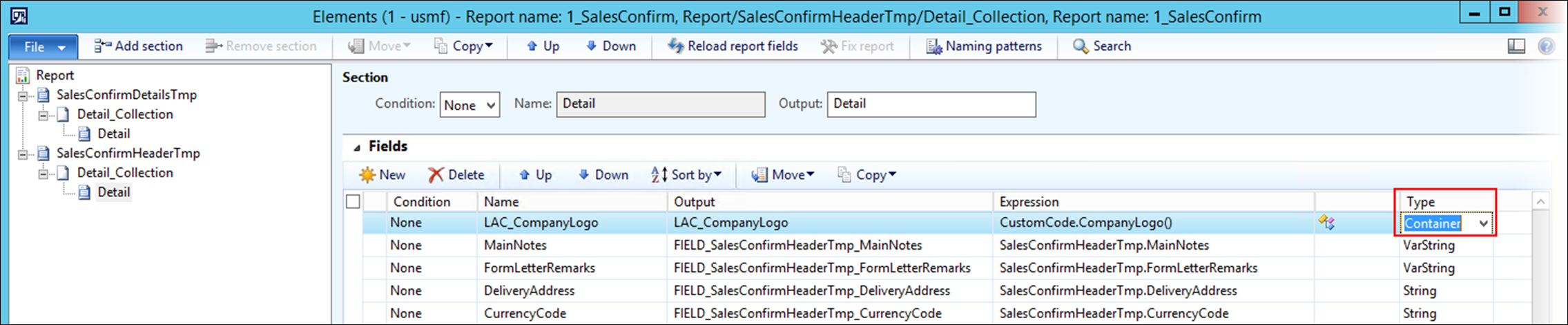
Select the report Elements and review that the type is correct for all the fields.
If necessary, change the type by clicking the drop-down menu and selecting a different type.
This issue is more common with manually added fields but can also occur for fields that have been added via the Query Wizard and whose type has been changed in Elements. This issue is also most common with the type Container, as in the following example.
One of the elements may have the wrong type, for instance, a Container when it should have been a Base64File. This scenario and the drop-down used to fix it are highlighted in the following image: