
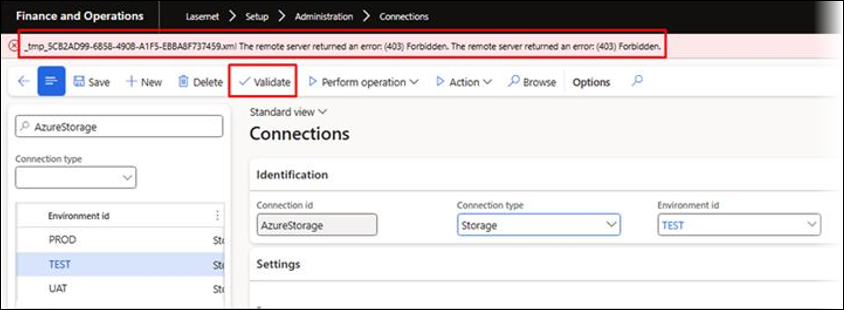
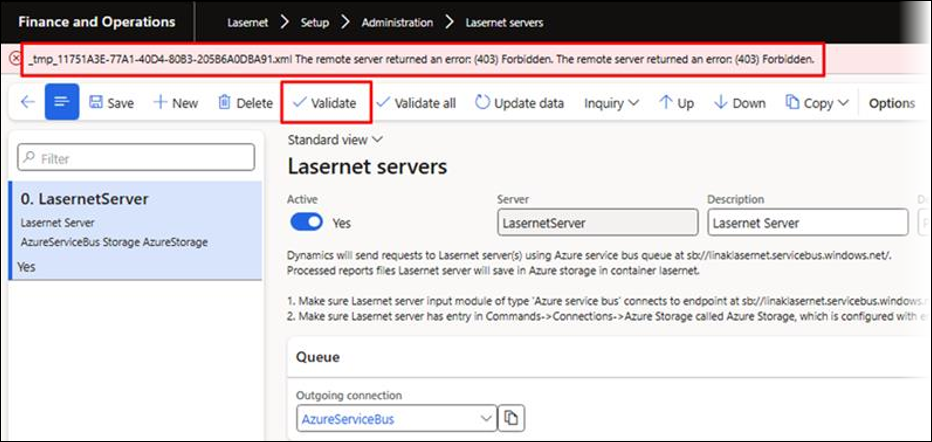
When validating a connection or Lasernet server in Lasernet FO Connector, the following error message may be displayed:
Error
The remote server returned an error: (403) Forbidden. The remote server returned an error: (403) Forbidden.
When clicking Validate in Lasernet > Setup > Administration > Connections:
When clicking Validate in Lasernet > Setup > Administration > Lasernet servers:
Solution
To resolve this issue, replace the existing Azure Storage connection string in both your Lasernet configuration and Lasernet FO Connector settings with a valid one.
Follow these instructions if you are using the Internal Azure Storage account:
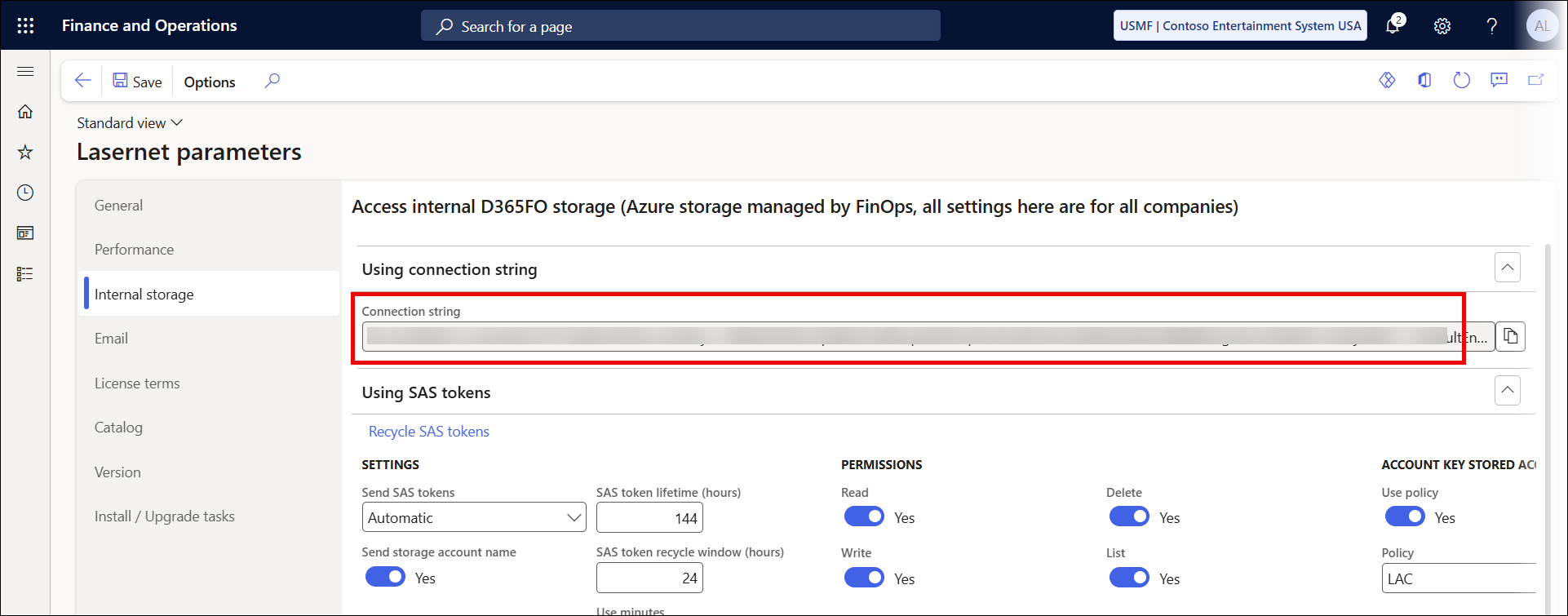
In Lasernet FO Connector 7.1.1, navigate to Lasernet > Setup > Parameters > Internal storage and copy the string found in the Connection string field.
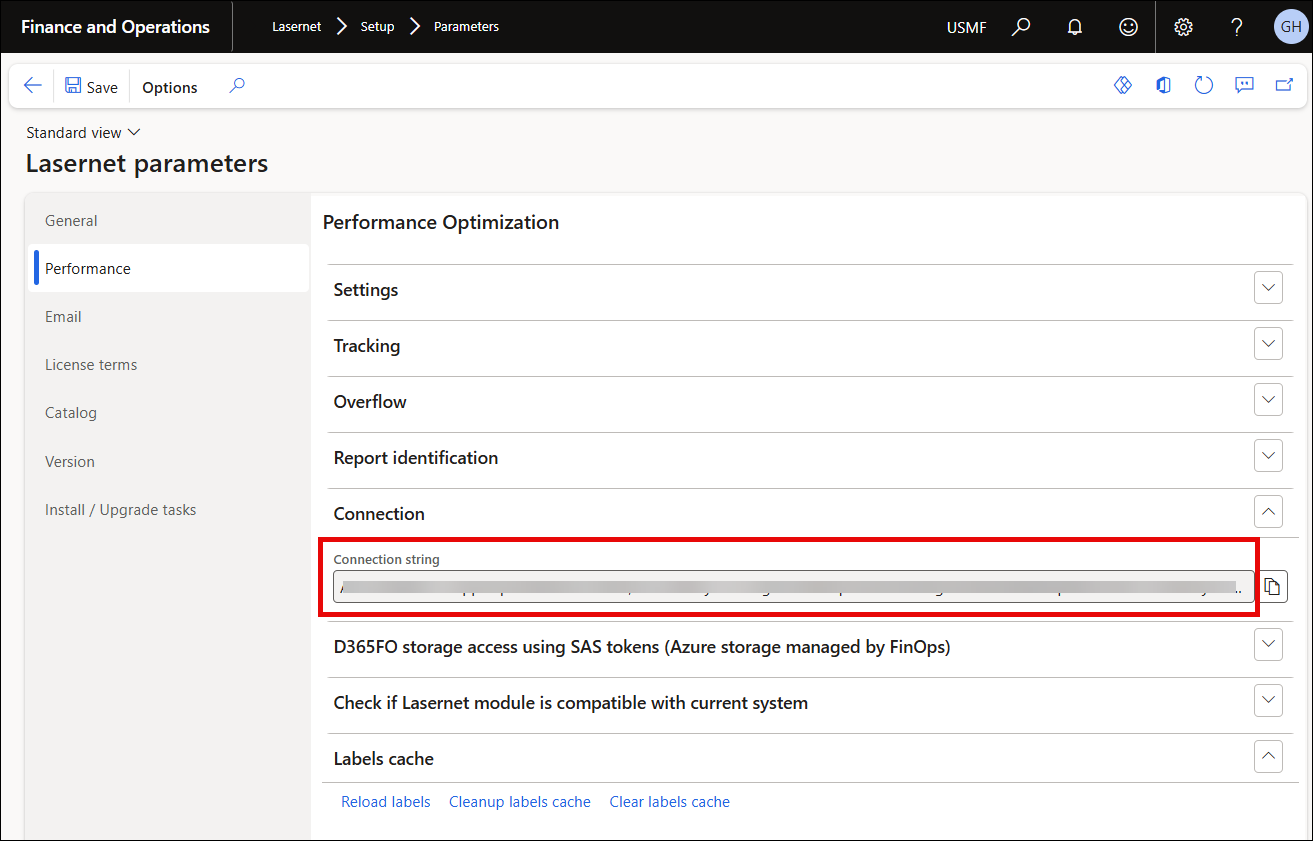
In Lasernet FO Connector 7.1 and earlier, navigate to Lasernet > Setup > Parameters > Performance > Connection and copy the string found in the Connection string field.
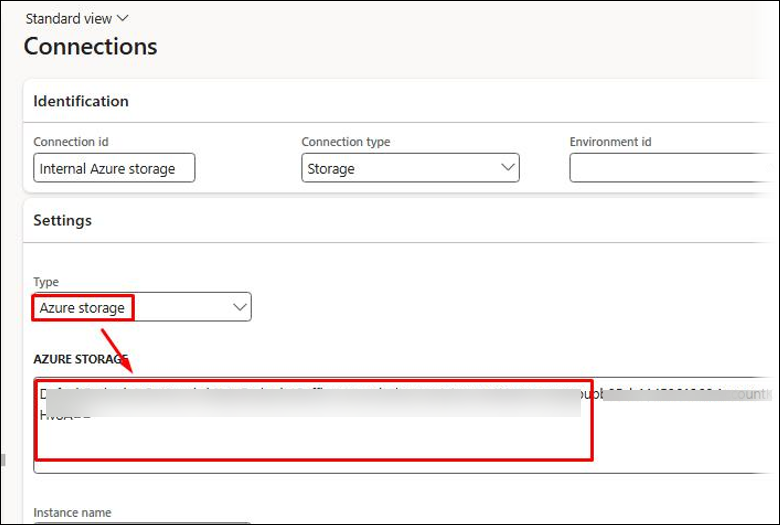
While the Dynamics 365 Azure storage connection Type can be used to connect to the Internal Azure Storage managed by FinOps, it is also possible to use the Azure storage connection Type and paste the connection string in the AZURE STORAGE field.
Additional Information
This error message can indicate there is a problem with the connection string you are using.
One possible reason the connection string may suddenly become invalid is that the access keys for the Azure Storage have been rotated. This can be done by a user from within Azure as well as by Microsoft, as they manage the Internal Azure Storage.
A similar error may occur when looking up a container for which the expired connection string was used.
The solution proposed in this article will only work if you have a valid connection string for your Azure Storage, which contains the complete access key.
Note
The use of connection strings for the Internal Azure Storage managed by FinOps will be deprecated by Microsoft in 2025. If your connection string is no longer valid, you may need to switch to SAS. For more info, consult this news post.