Applies to: Lasernet Core 10
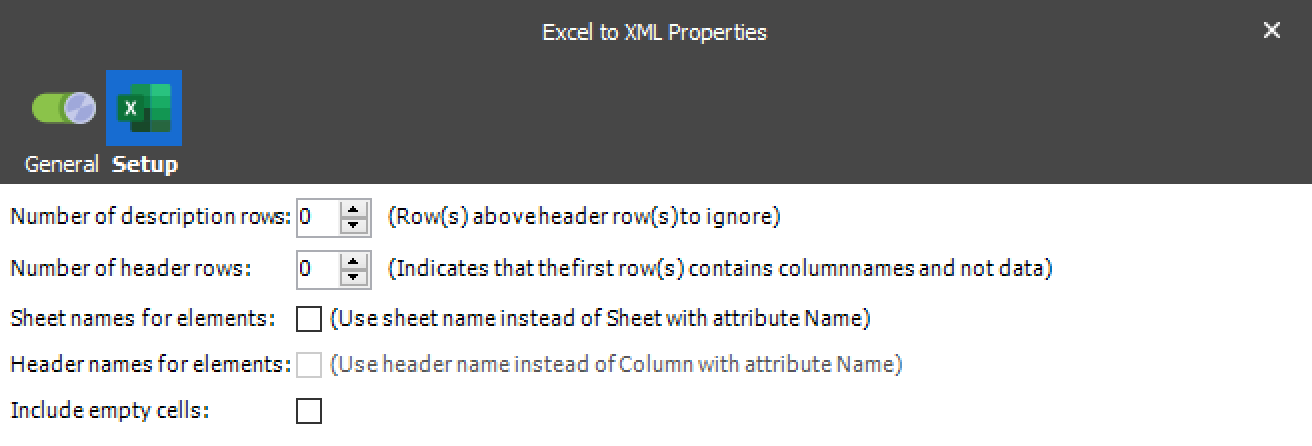
The Excel to XML modifier is used for converting a Microsoft Excel spreadsheet into an XML structure. In the list of modifiers, “Excel to XML” must be added and the properties for the conversion must be set.
Spreadsheets created by Microsoft Excel 2007 or newer are supported without any dependencies to Microsoft Excel.
Data fields
Rows and columns on all sheets are extracted and saved into the XML structure.
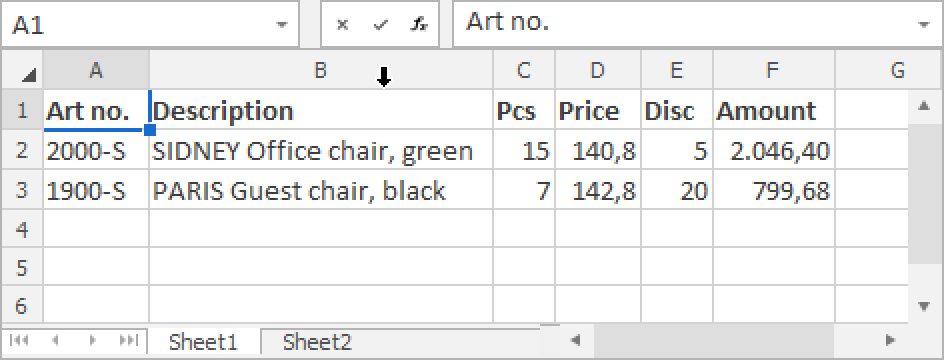
Above is an example of the first sheet named Sheet1, containing a header and two rows.
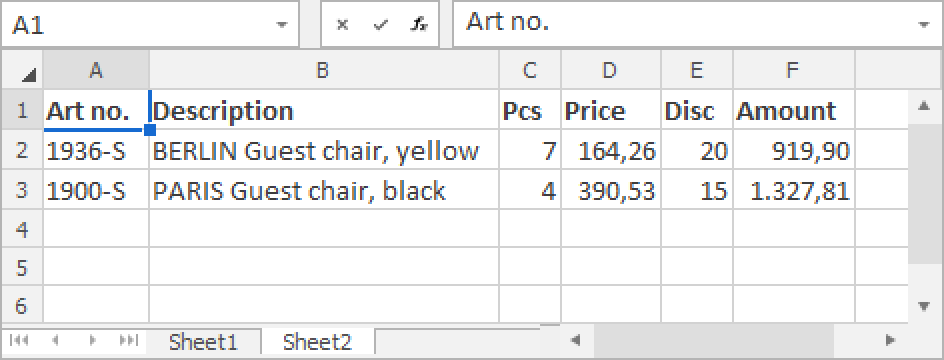
Above is an example of a second sheet named Sheet2, containing a header and two rows.
The final result is:
An XML file containing a root node <Excel>
A child for each sheet named <Sheet> with attributes for @Id = Sheet index, @Name = Sheet name
Sub node for each row named <Row> with attribute for @Id = Row index
Sub node for each column named <Column> with attributes for @Id = Column index, Name = Header Row (if available/selected)
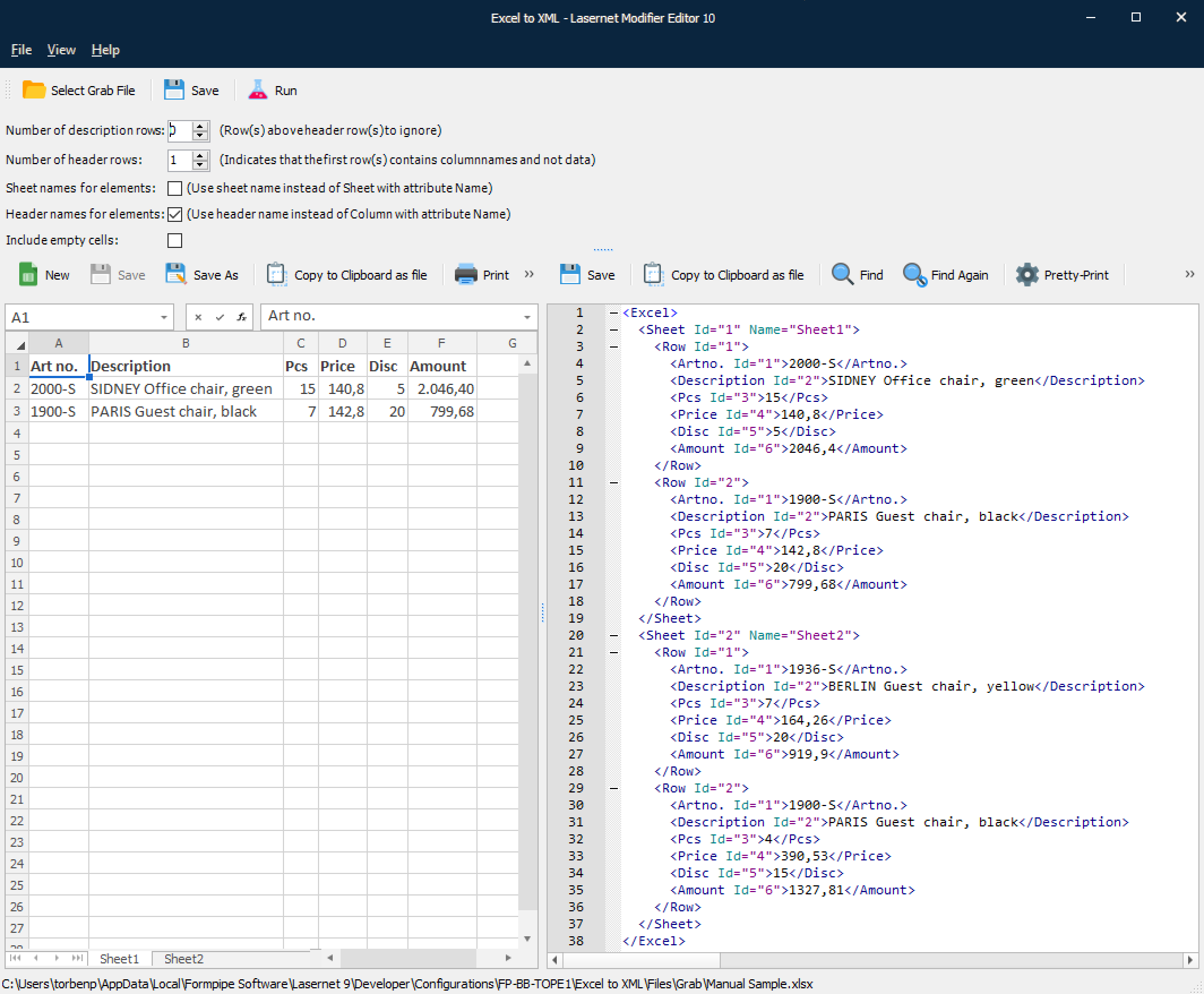
Above is the example XML file containing the two sheets with header, rows and columns.
Number of description and Number of header rows
The Number of description rows defines a number of rows to ignore before the first row is extracted from the spreadsheet.
Number of header rows setting will affect the final structure of the generated XML file. If set to 0 (zero), it indicates that the spreadsheet has no header and represents the first row in data.
It is used for determining if the first row in the Excel spreadsheet should be parsed as column names and not as data:
Value is 1 or higher: Indicates that the first row contains columns and not data
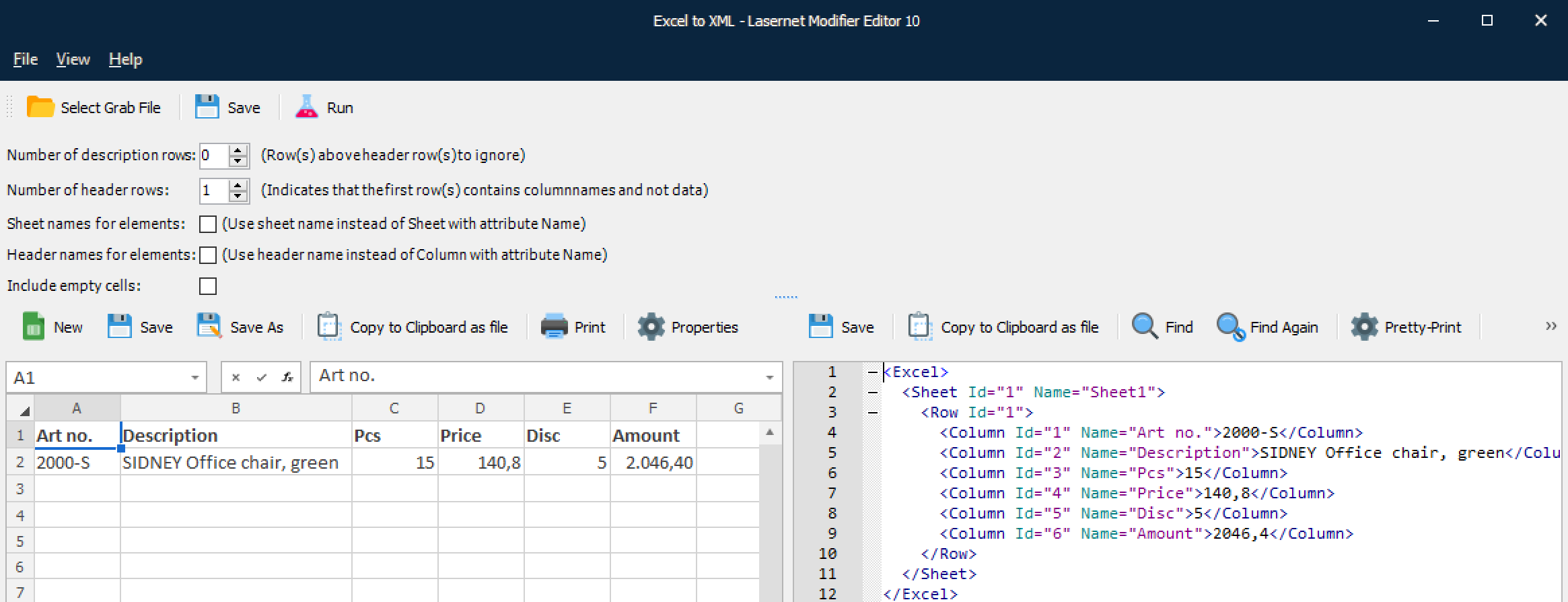
Excel sample with header information and XML sample with header information included as an attribute.
Value is 0 (zero): Indicates that the first row contains data and not columns
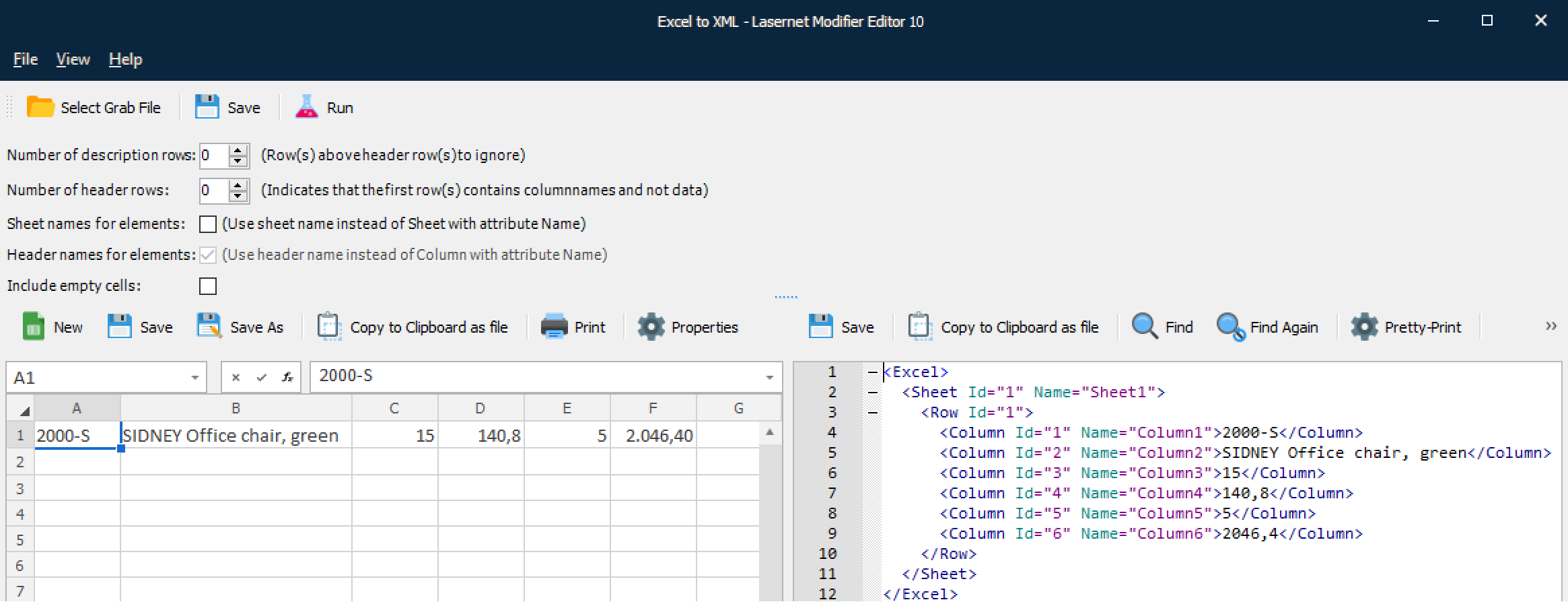
Excel sample without header information and XML sample without header information.
Sheet Names for Elements and Header Names for Elements
Sheet names for elements and Header names for elements settings will affect the final structure of the generated XML file. Header names for elements is only available if Number of headers rows is larger than 0 (zero).

If selected, the header name for the first row is used as element name.
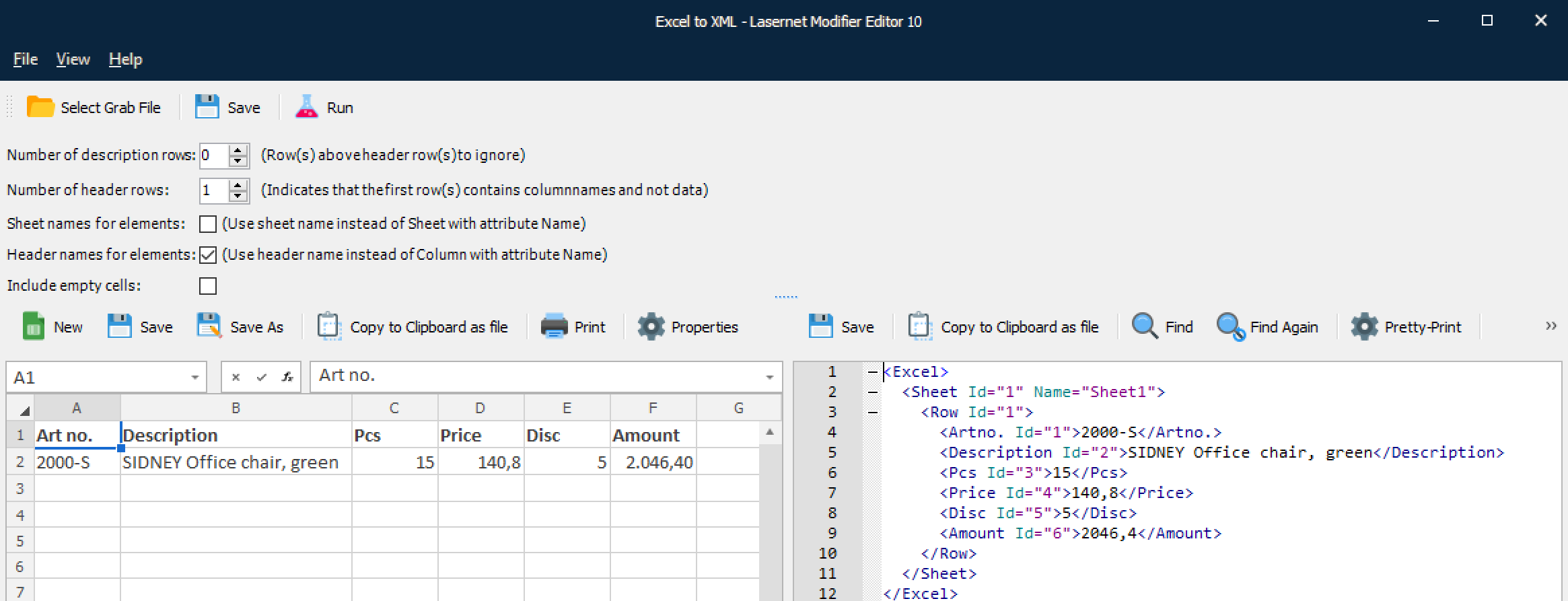
Excel sample with header information and XML sample with header information included as element names.
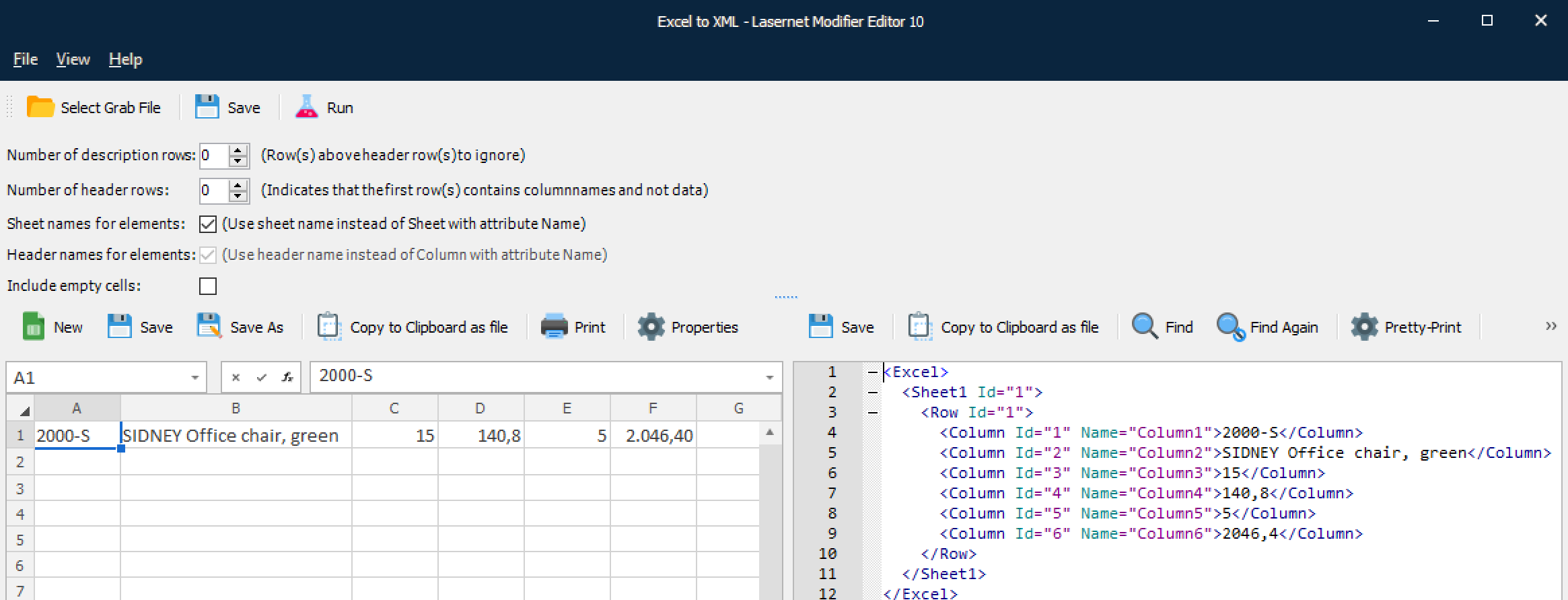
Excel sample with header information and XML sample with sheet and header information included as element names.
Include Empty Cells
If the Include empty cells setting is activated, the XML data will also include the cells with empty values; otherwise, they will be ignored and not present in XML.
Unsupported Features
The Excel to XML modifier does not support protected spreadsheets. If the spreadsheet is protected, the output result will be empty.