Applies to: Lasernet Core 10
Used for sending jobs to a directory.
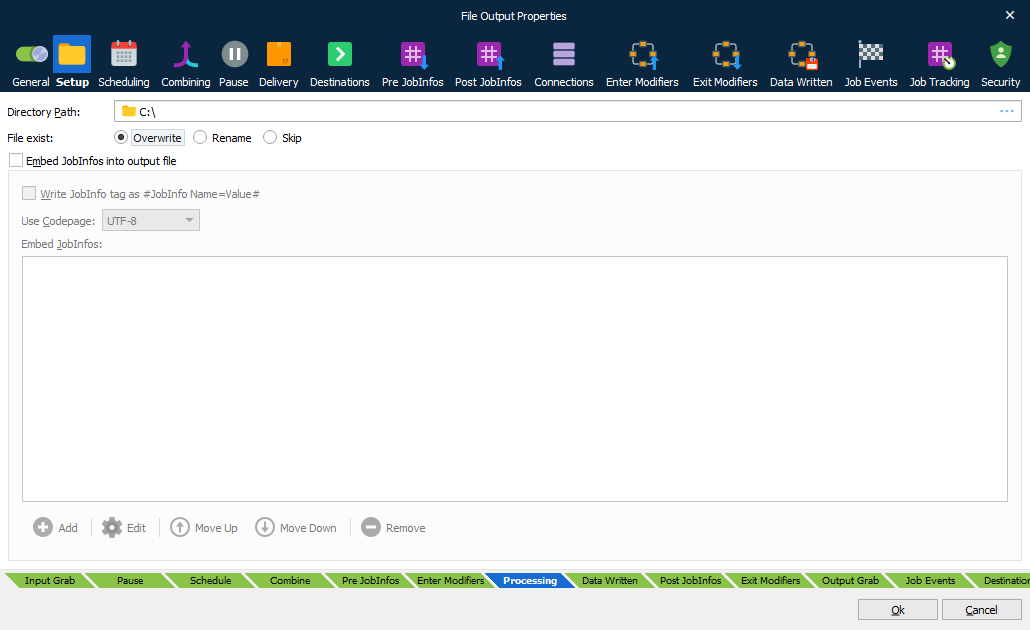
| Directory Path | Sets the directory or UNC path where to store files. By default, the maximum length for a path is 260 characters. The filename should not be included. A local path is structured as follows: C:\Lasernet\Output\ or \\<Local machine>\<Local path>\ An extended length path is supported for a maximum total path length of 32,767 characters. To specify an extended length path you can use a prefix: \\?\C:\<Very long local path>\ or \\?\<Very long local path>\ To support an extended length path for a shared network drive type: \\?\UNC\<Server>\<Path>\ The directory path can also be stored in a JobInfo. A JobInfo substitution is defined as the value of the directory path, e.g.: #UNCDirectoryPath# |
| File exist | Behaviour for files that already exist. By default, the file will be overwritten. If rename is activated, a splitter symbol and number of digits for suffix can be defined. Skip setting is used to skip file or fail a job. |
When printing to a File Output module the “Filename” JobInfo attribute sets the filename of the file produced. The file is created in the directory path entered into the Directory Setup dialog.
Embed JobInfos into Output File
It is possible to make the File Output module insert specific JobInfos into the file. This is useful if the file is to be picked up by Lasernet Core again (the File Input module can collect the embedded JobInfos automatically) or if other programs have support for extracting the data. To enable insertion of JobInfos, check the Embed JobInfos checkbox. The JobInfos will then be placed at the beginning of the file before the contents of JobData.
The JobInfo keywords can be embedded as “#JobInfo Name=Value#”.