Applies to: Lasernet Core 10
Google Drive lets you store and access your files anywhere.
Important
This module is deprecated in Lasernet Core and will not be supported in future versions of Lasernet Core.
Input
Lasernet Core can poll a folder on Google Drive. When a file has been downloaded it is either permanently deleted or deleted to the trash bin on Google Drive.
Authentication
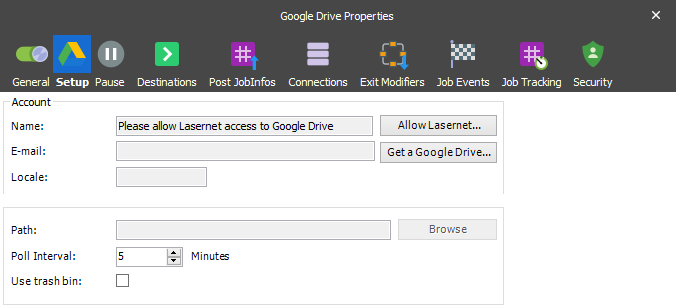
Google Drive uses OAuth 2.0 authentication. The OAuth 2.0 authorization framework enables Lasernet Core to obtain limited access to Google Drive by orchestrating an approval interaction between the resource owner and Google Drive. This basically means that you need to give Lasernet Core access to your Google Drive.
Giving Lasernet Core access to Google Drive is done by pressing the “Allow Lasernet” button, which launches a web browser Window where the user can login to the Google Drive account and allow Lasernet Core access to it. By doing this, an encrypted token is stored in the configuration. This token is used later to regain access to Google Drive.
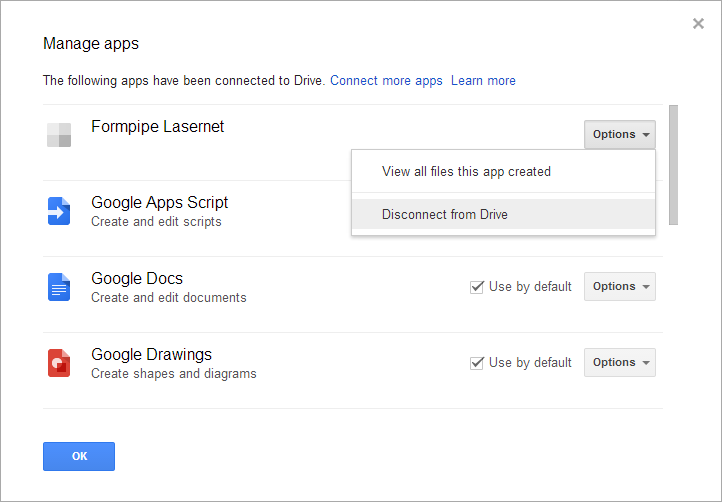
Revoking access is done via the web interface for Google Drive where it’s possible to disconnect an app, in this case Formpipe Lasernet, from the Drive.
JobInfos
A Job is created per file downloaded. The following JobInfos will be set on the Job.
| FileLastModified | When the file was last modified |
| FileCreated | When the file was created |
| FullFilename | Full path to the file including the filename |
| Filepath | Location of the file |
| Filename | Name of the file including extension |
| Extension | Extension of the file prefixed with a dot |
| FilenameWithoutExt | Name of the file without an extension |
| Filesize | Size of file in bytes |