Applies to: Lasernet Core 10
Google Drive lets you store and access your files anywhere.
Important
This module is deprecated in Lasernet Core and will not be supported in future versions of Lasernet Core.
Output
Lasernet Core can save files in a folder in Google Drive. Google Drive interfaces with many applications and other services like Google Docs. Since a drive can store files of different types, it is necessary to specify a MIME type when saving a file.
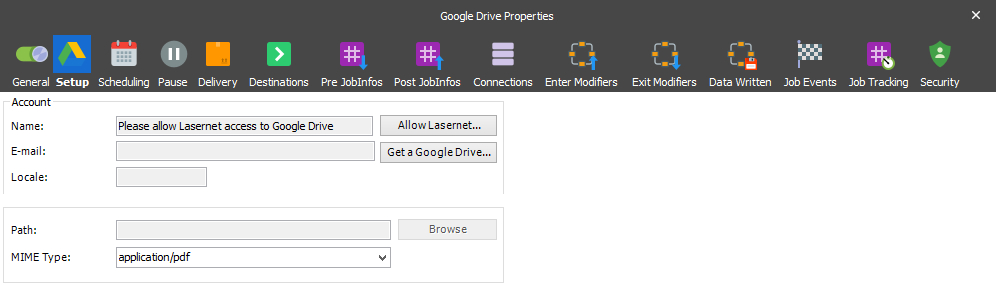
JobInfo substitution is supported for both the JobInfo ‘Filename’ and the MIME Type setting above. The path cannot be substituted as an id is actually used behind the scenes – not the path shown in the settings of the module.
Please note that Lasernet Core does not currently support overwriting files in the folder. This is because a file is assigned an id upon saving. If must be overwritten, this id should be used – not the filename. Without using the id, Google Drive will create a new file with the same name but with a different id. There is no relation between these files.
Authentication
Google Drive uses OAuth 2.0 authentication. The OAuth 2.0 authorization framework enables Lasernet Core to obtain limited access to Google Drive by orchestrating an approval interaction between the resource owner and Google Drive. This basically means that you need to give Lasernet Core access to your Google Drive.
To allow Lasernet Core access to a Google Drive press the “Allow Lasernet” button, which launches a web browser Window where the user can login to the Google Drive account and allow Lasernet Core access to it. Doing this stores an encrypted token in the configuration. This token is then used to regain access to Google Drive at a later stage.
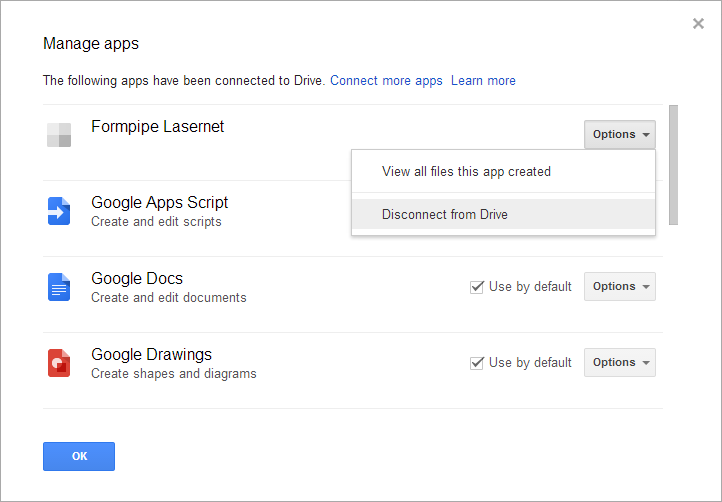
Revoking access is done via the web interface for Google Drive where it is possible to disconnect an app, in this case Lasernet Core, from the Drive.
JobInfos
| FileID | ID of uploaded file. |