End result: An email to the customer with the collection letter, the invoices mentioned in the collection letter should be attached in the email.

In our collection letter it mentions 2 sales invoices - we want to ensure that they are the ones added to the email as attachments
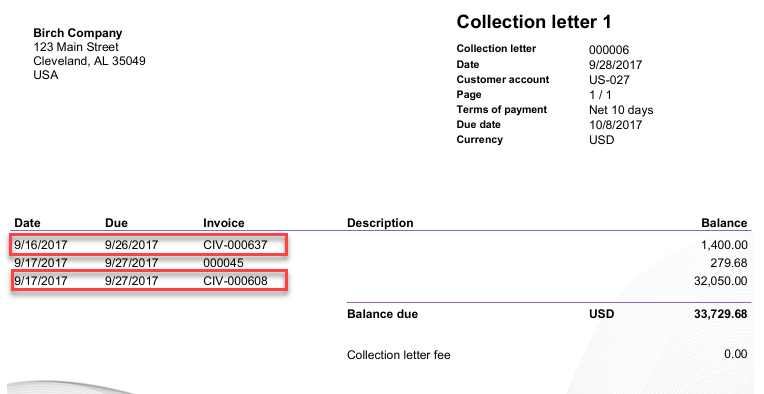
We will be picking the invoices up from Lasernet log, so ensure that archive is added on the sales invoice report.

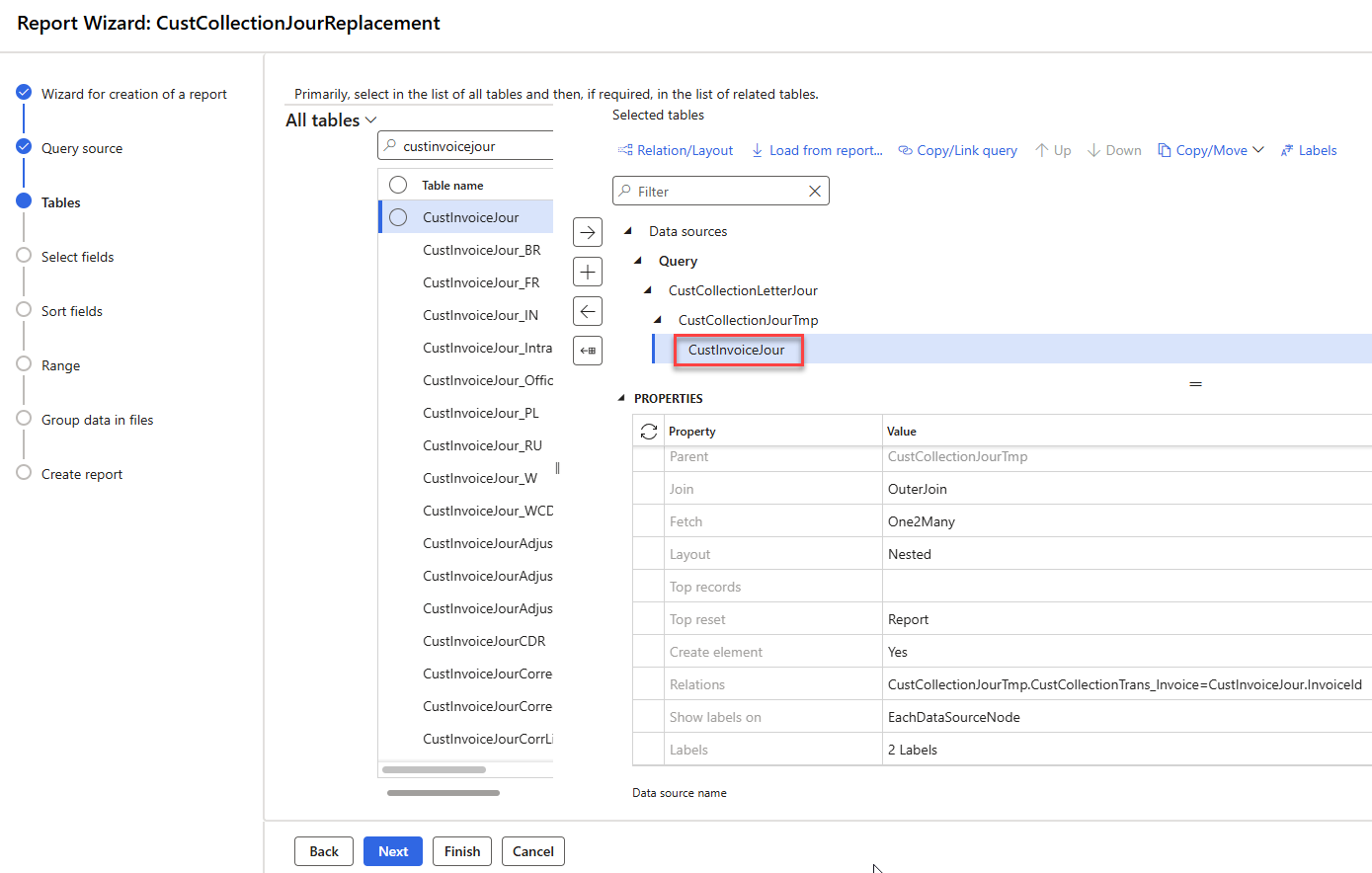
Add CustInvoiceJour Table to CustCollectionJour Query Wizard
The reference table in which the archived invoices files are stored must be added to the CustCollectionJour report.
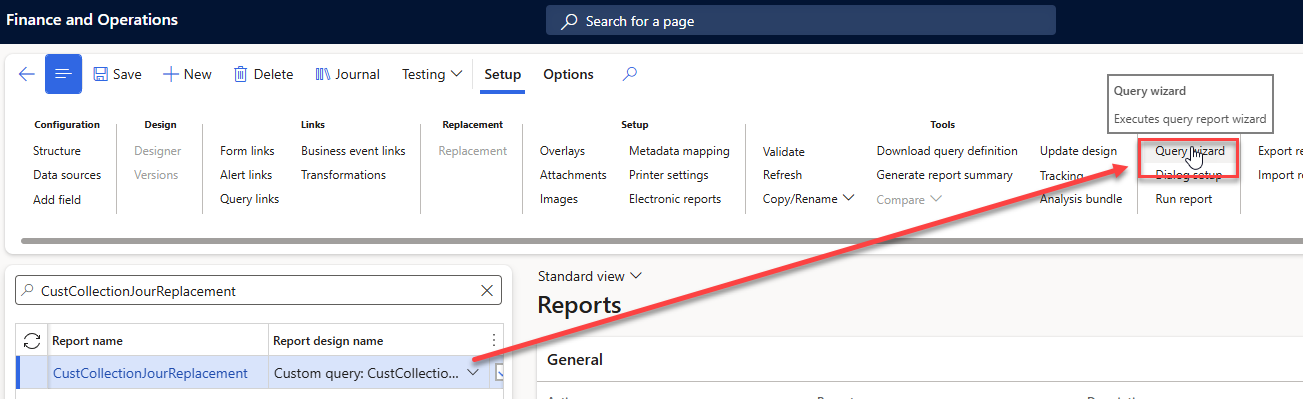
From the ribbon, click Query wizard and add the CustInvoiceJour table to CustCollectionJourTmp.
I like to add the invoiceId as well for xml visibility - but its not required for adding the invoices as attachements
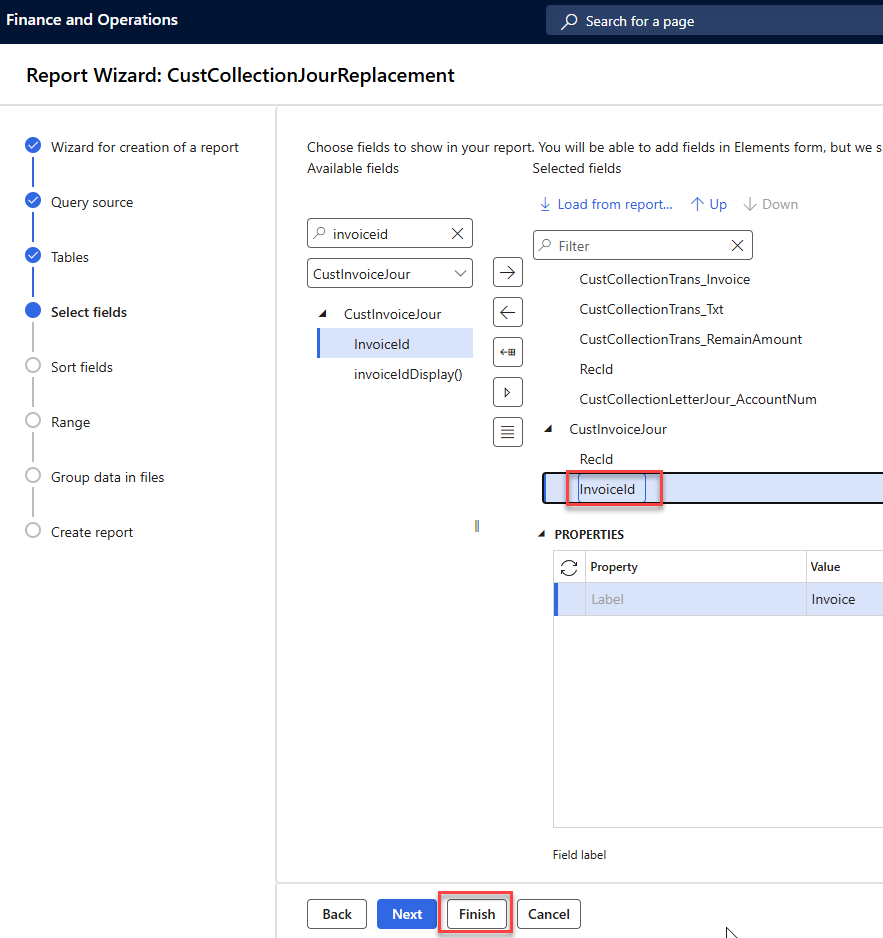
Click Finish
Attach the Sales Invoice to the Collection Letter
Navigate to Lasernet > Reports, find the Collection letter, and click Attachments.
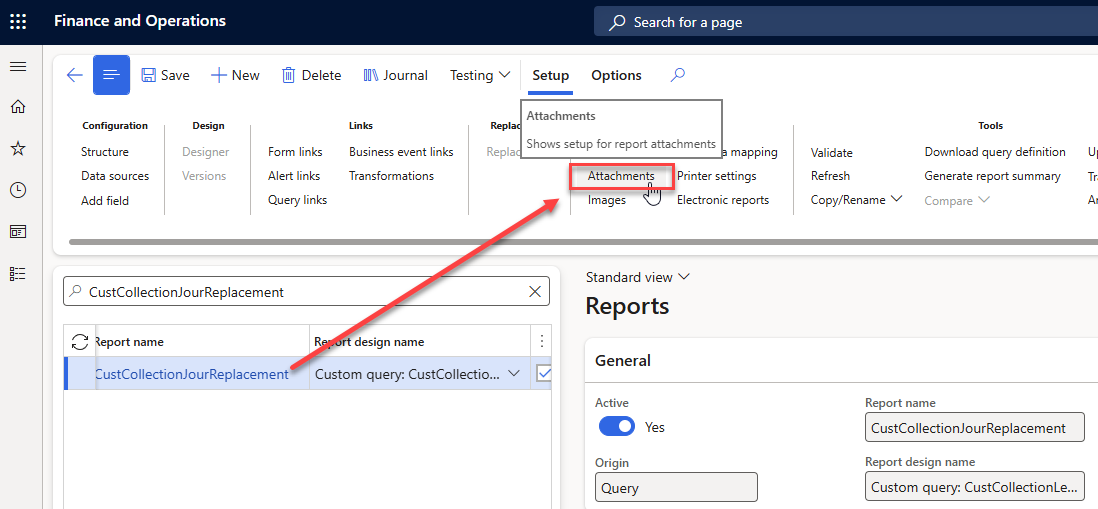
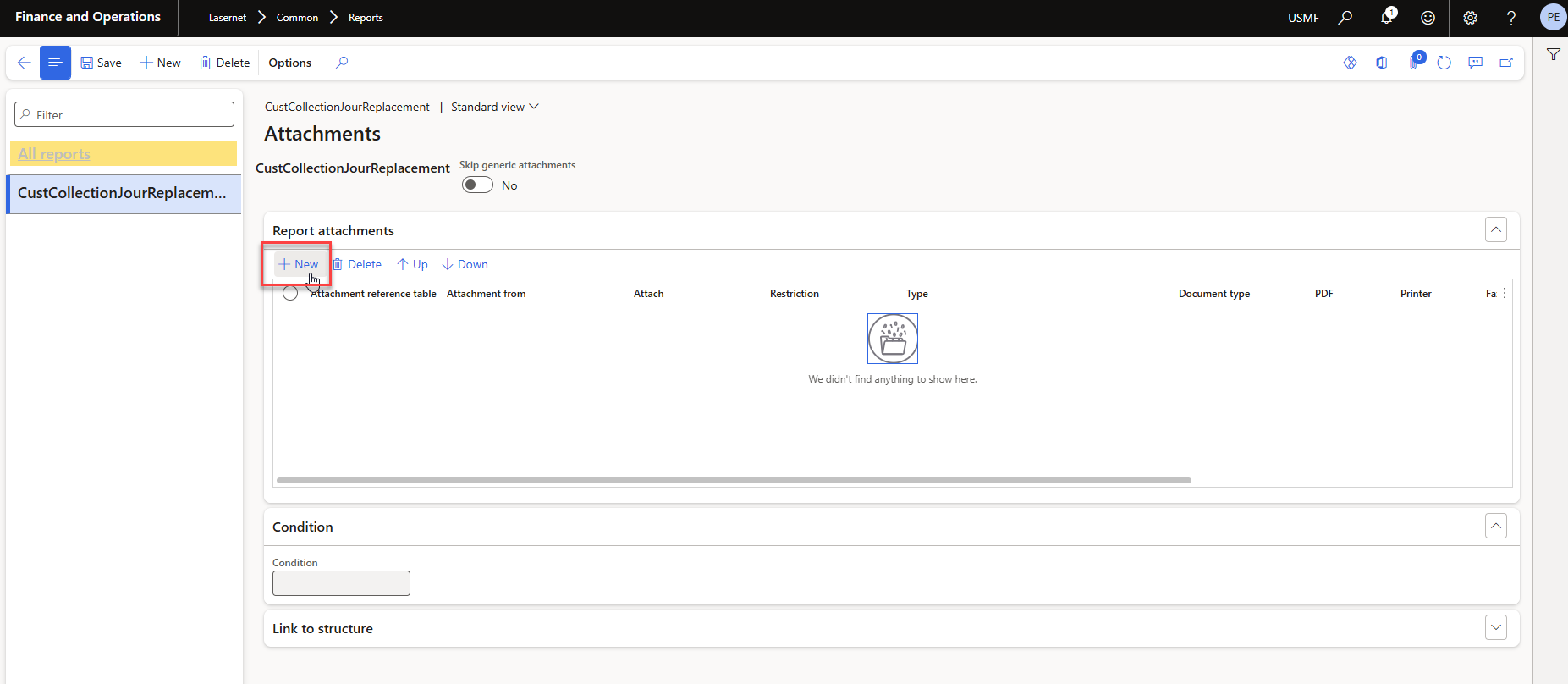
Click New to create a new line.
Add the Attachment reference table (in this case, the CustInvoiceJour table) and setup as below:
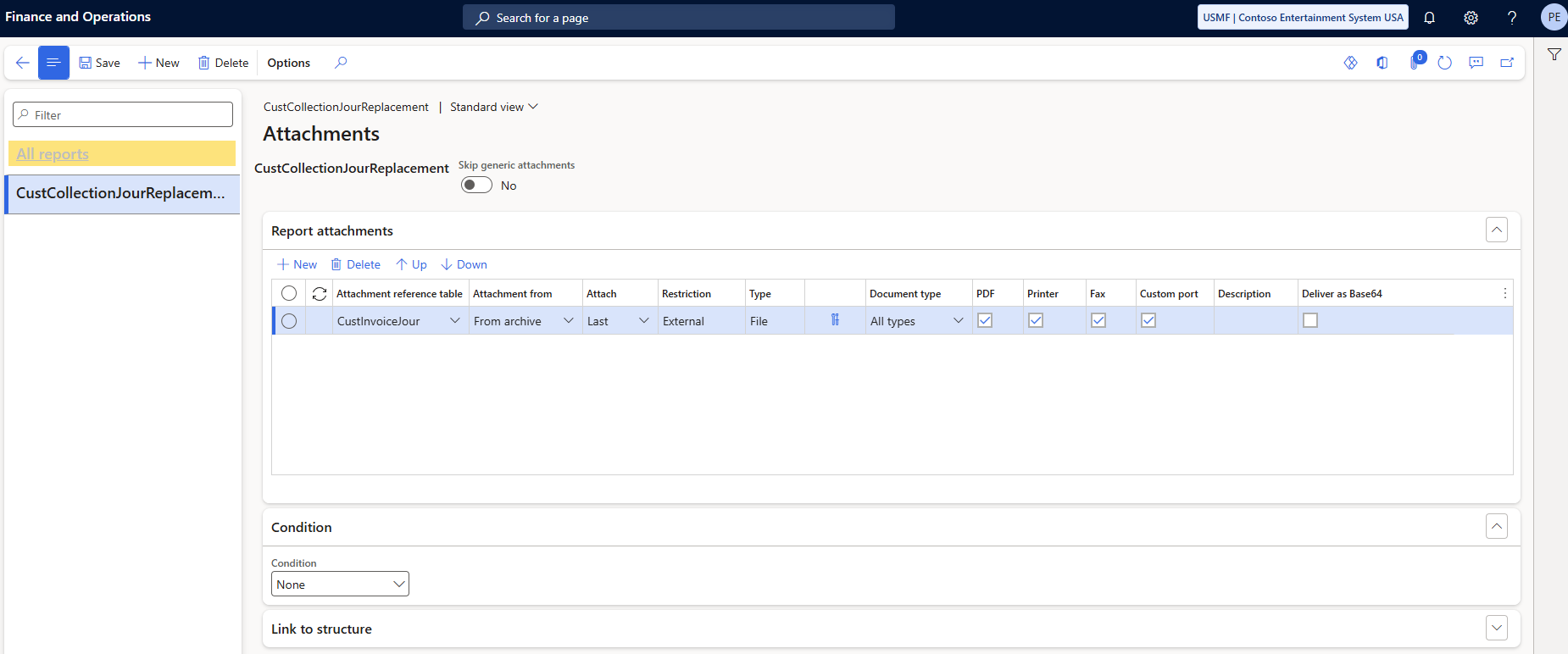
The sales invoices archived will now be attached to your CustCollectionLetter emails as follows:
