Lasernet Connector for Dynamics 365 Finance and Operations
Release version: 6.17.1
Release date: 6th May 2022
Introduction
This page describes the bug fixes and enhancements in Lasernet FO Connector 6.17.1.
Click to view the Lasernet FO Connector 6.17.1 Release Notes.
Bug Fixes and Enhancements – Lasernet FO Connector 6.17.1
Lasernet FO Connector version 6.17.1 is released for Dynamics 365 for Finance and Operations PU49, PU50, and PU51.
The same source code is used across all versions.
Lasernet FO Connector 6.17.1 only contains bug fixes, minor enhancements, and no major enhancements.
Query report with maximum layout should have old format of Output naming, which should contain table name, rather than data source name
In previous versions, when using Maximum for the Layout, the system used the Name (Alias) for the output name of the labels.
Maximum in the Layout property is a similar approach to the versions before Lasernet FO Connector 6.17 and this could cause issues as the naming in previous versions of Lasernet FO Connector used the table-names and not the Name (Alias).
Lasernet FO Connector 6.17, as in older versions, uses the tablename and not the Name/Alias for the naming of the labels when Maximum is specified in the Layout.
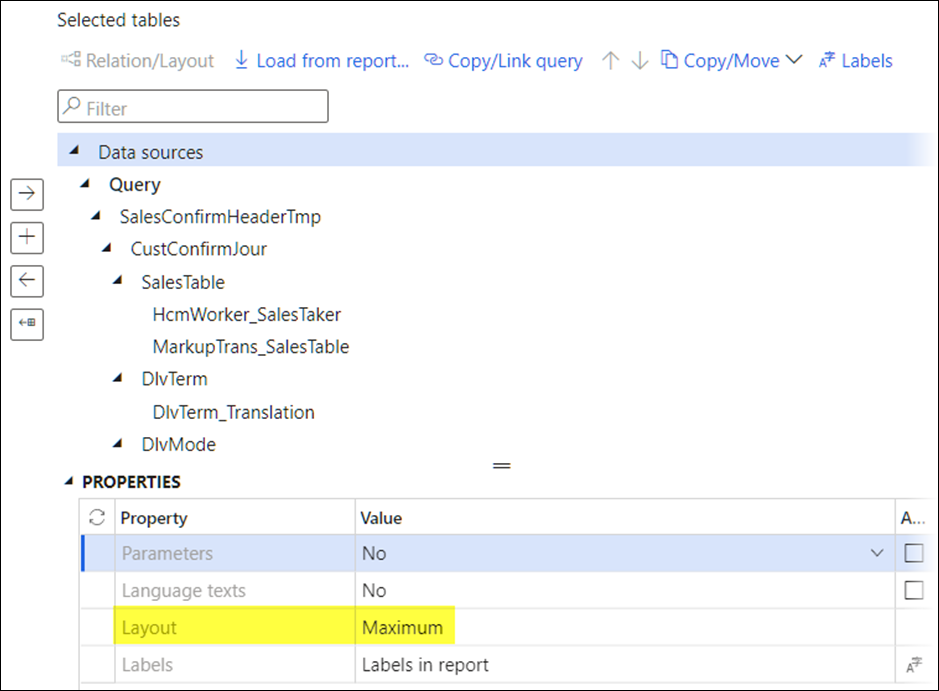
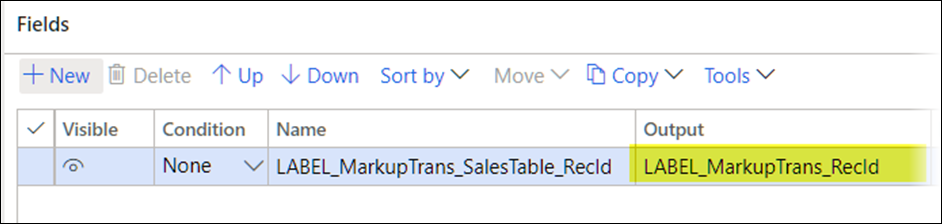
Adding a table such as MarkupTrans having the name (Alias) MarkupTrans_SalesTable:
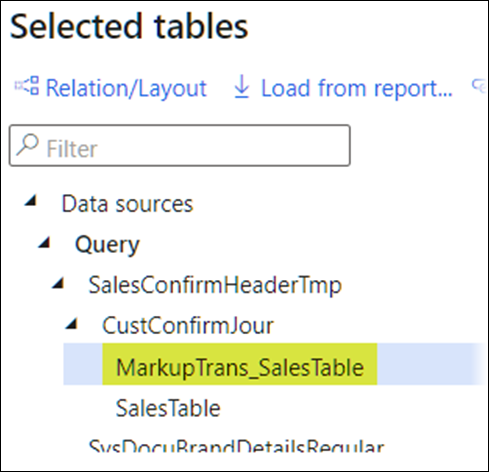
Lasernet FO Connector 6.17 included the Name (Alias) – MarkupTrans_SalesTable:
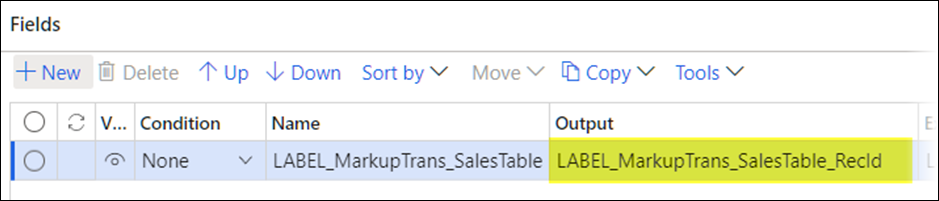
Lasernet FO Connector 6.17.1 and previous versions will now use the tablename - MarkupTrans:
Error Message: "The path is not of a legal form"
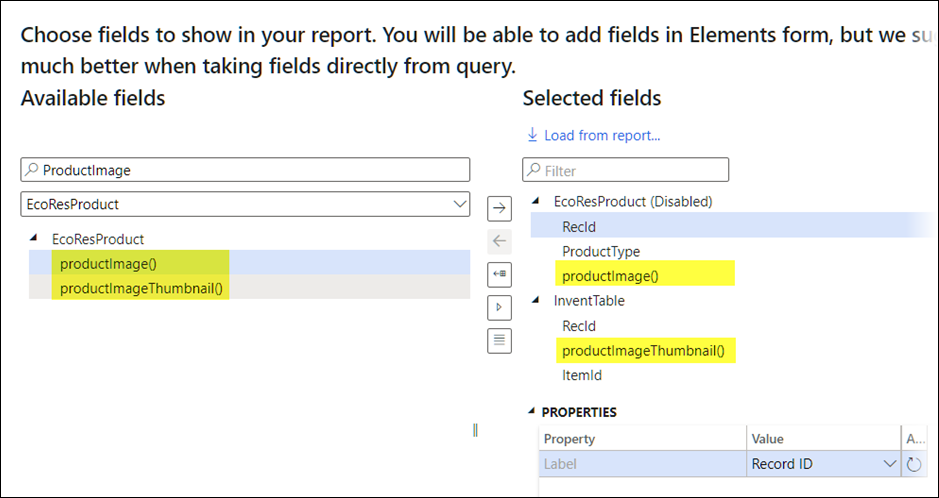
The following error was thrown when running a report/Query for which the method productImage() or productImageThumbnail() was added within the Query Wizard:
Error
The path is not of a legal form. at System.IO.Path.LegacyNormalizePath(String path, Boolean fullCheck, Int32 maxPathLength, Boolean expandShortPaths) at System.IO.Path.GetFullPathInternal(String path)
This is fixed in Lasernet FO Connector 6.17.1.
Group data in files + subreport 6.17 - only the first report (xml) is correct
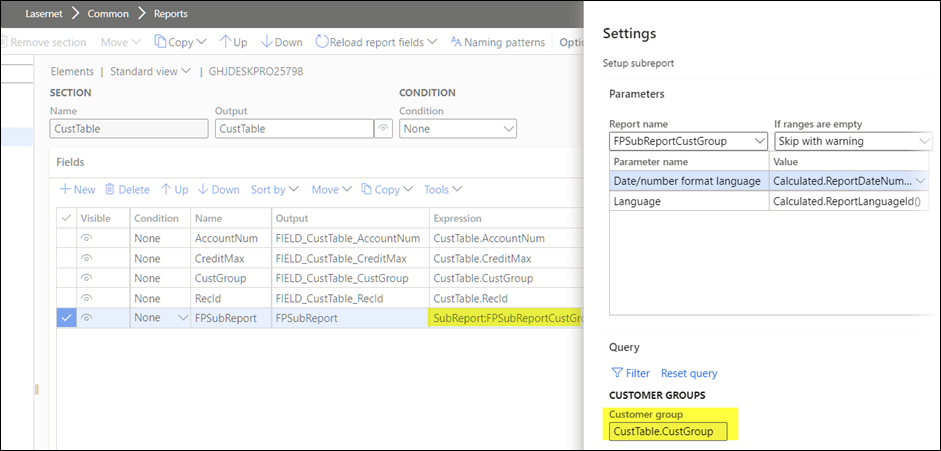
Lasernet FO Connector 6.17 had an issue when a report contained a subreport and when Group data in files (splitting of XML files) was used.
When using the Group data in files:
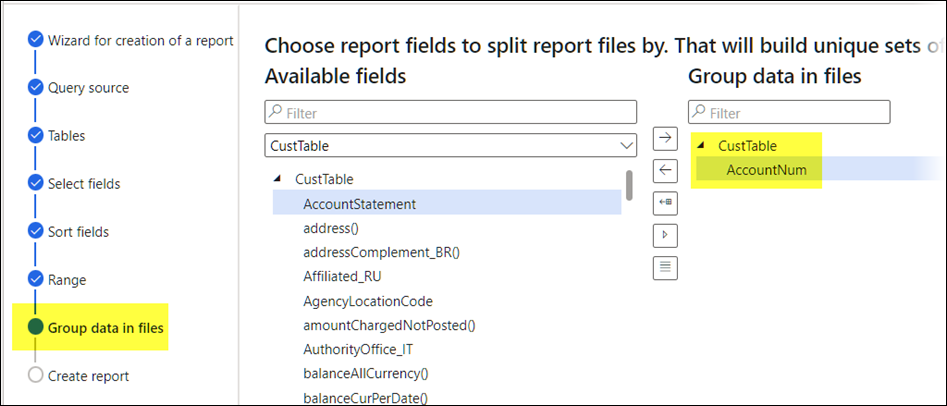
The system would add the values for the subreport from the previous runs, not just for the current one. The first run would be successful; however, subsequent runs would include information from previous runs.
Adding LACLanguageTextsReportRoot() or LACLanguageTextsReportRootSubReport() in QW causes an Object reference... error
Using one of the following context methods within the Query Wizard would throw the following error message:
Error
Object reference not set to an instance of an object.
This is fixed in Lasernet FO Connector 6.17.1.
LACLanguageTextsReport()
LACLanguageTextsReportRoot()
LACLanguageTextsReportRootSubReport()
If enums are used in expressions > error 'Value formula is not complete'
Using an Enum within an Expression (like in a Condition) could throw the following warning and error:
Warning
EInvoice is not found in CustTable
Error
Value formula is not complete
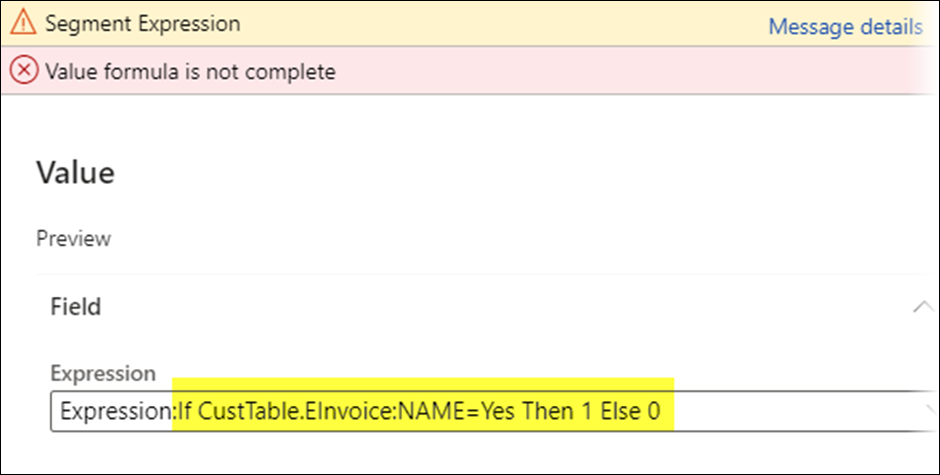
This is now fixed.
Incorrect Purchase Journal being executed when using LAC Print 6.17
Sorting is reverted when resending PurchInquire from standard Journal.
The wrong entry/record was selected when resending the report Purchase inquiry and when having multiple entries in the Journal.
When resending the second entry:
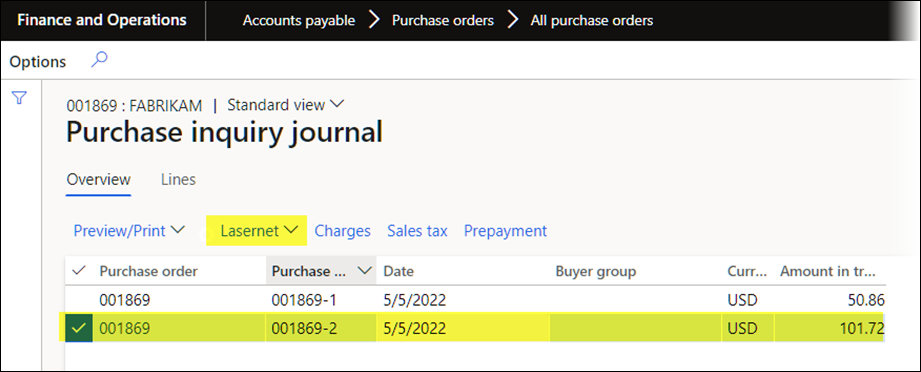
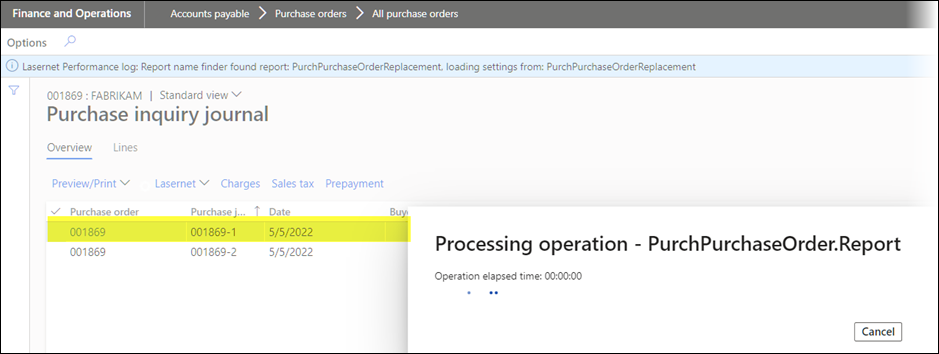
The system would resend the first entry and move the cursor to this entry:
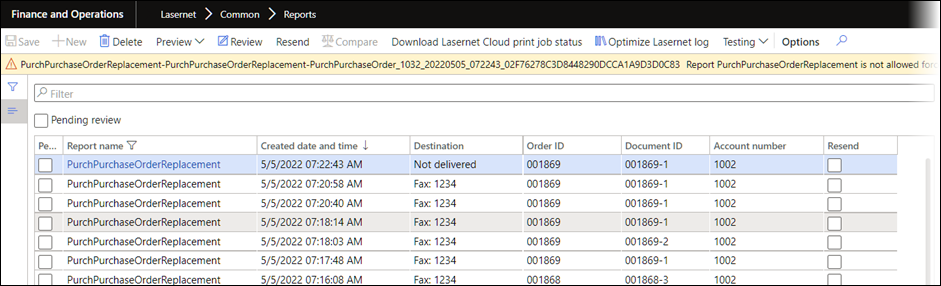
The following warning was thrown when resending from the Archive:
Warning
Report PurchPurchaseOrderReplacement is not allowed forced rerun On archive or On forms and archive. Skipping report resend
This is now fixed.
ReturnAcknowledgementAndDocumentTmp issue when attempting to set TempDB record as TMP buffer
Running the report ReturnAcknowledgement in Lasernet FO Connector 6.17 would throw the following error:
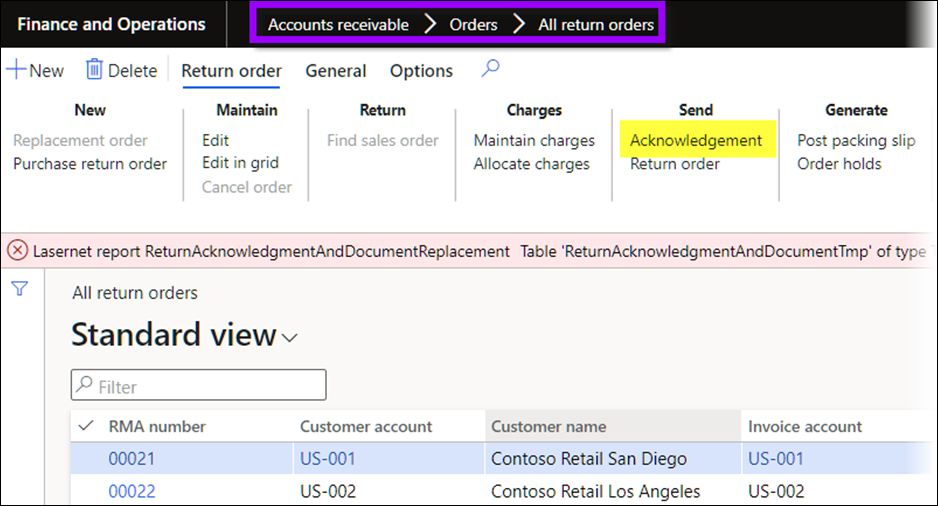
Error
Table 'ReturnAcknowledgmentAndDocumentTmp' of type TempDB cannot be changed to table of type InMemory.
Random error "Unable to create folder" when using SharePoint 365 for archive
In previous versions, connection to SharePoint could timeout which could cause issues when creating and saving within SharePoint.
The following error message was thrown when using SharePoint as storage (connection):
Error
Sending to destination Unable to create folder sites
This is now fixed.
Error with printing report with three or more data source entities in a class report in 6.17
When Using an OData (Dataverse) Query with more than two data entities in Lasernet FO Connector 6.17, the following error could be thrown:
Error
Object reference not set to an instance of an object.
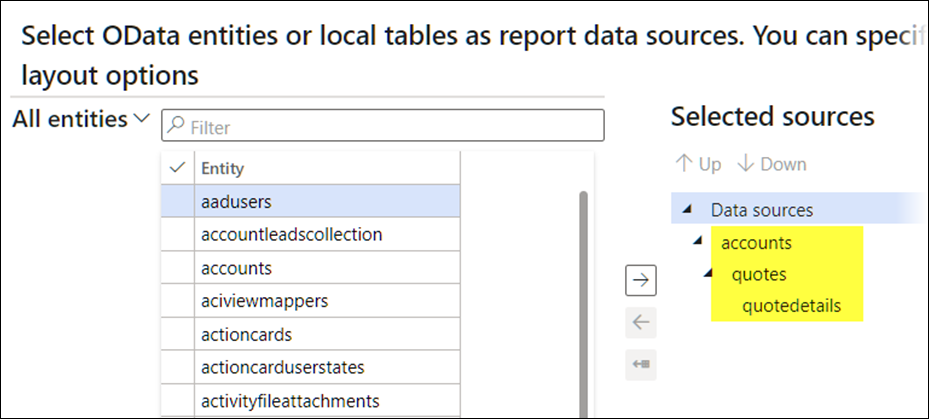
DB Sync issues during Lasernet FO Connector 6.17 installation
An index was made unique in Lasernet FO Connector 6.17 to improve performance. However, this could cause an issue when multiple records were resent from the Archive without Force rerun.
The issue was caused when resending more documents from the Archive without a force-rerun, therefore creating multiple entries/records and conflicting with the unique index:
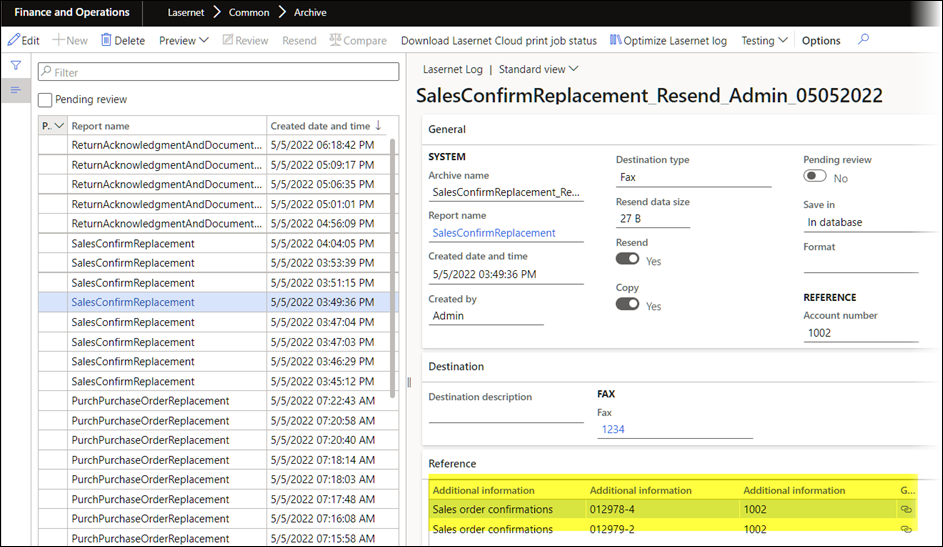
Therefore, this unique index has been reverted back to non-unique.
Non-Cache - issue with table archive
Disabling the cache for a report could cause missing values for the Archive (table for Archive) and the mapping fields.
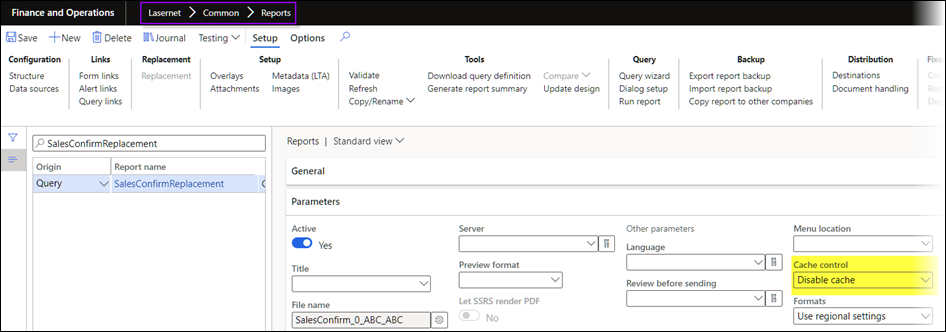
The following warning was thrown after running a Report for which the Cache was disabled (Cache control = Disable cache):
Warning
Table for archive is not specified or not found.
Customer or vendor account not found, ignoring all customer related destination setups
Customer or vendor group not found, ignoring all customer/vendor group related destination setups
Order Id not found. Archiving with empty order Id
Document Id not found. Archiving with empty document Id
This is now fixed.
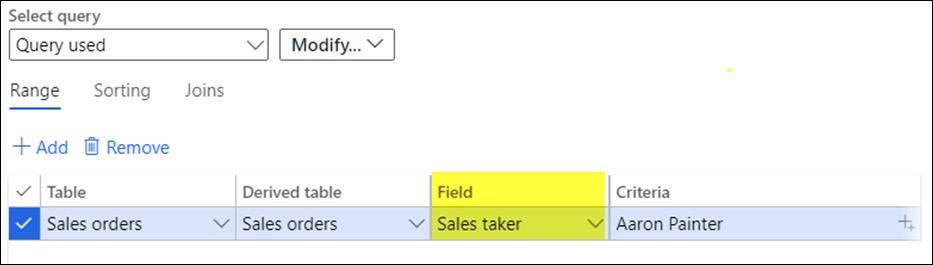
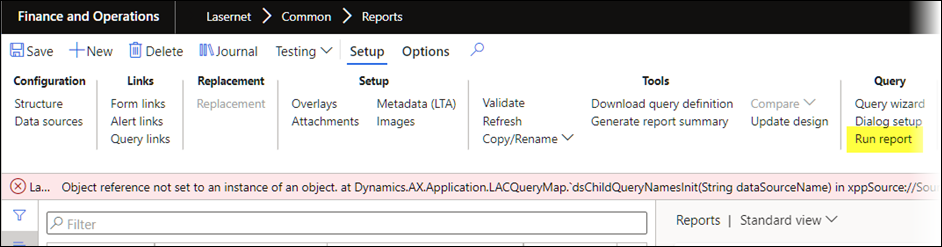
Object reference not set to instance of object Sales person Filter
The following error was thrown when running a report for which SalesTaker (HcmWorker.Name ) was used as a range for the report:
Error
Object reference not set to an instance of an object. at
Dynamics.AX.Application.LACQueryMap.`dsChildQueryNamesInit(String dataSourceName) in
xppSource://Source/Lasernet\AxClass_LACQueryMap.xpp:line 101 at
Dynamics.AX.Application.LACQueryMap.dsChildQueryNamesInit(String dataSourceName) at
Dynamics.AX.Application.LACQueryMap.`dsChildQueryNames(Boolean refresh, Boolean @refresh_IsDefaultSet) in
xppSource://Source/Lasernet\AxClass_LACQueryMap.xpp:line 83 at
Incorrect language in CE Reports when using an Expression
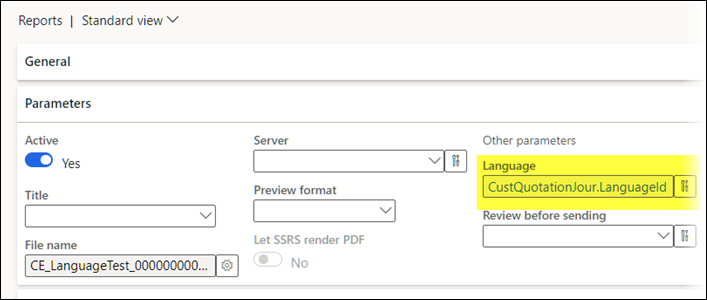
In previous versions of Lasernet FO Connector, it was not possible to set/overwrite the report language when using an OData (Dataverse) report/query.
Lasernet FO Connector 6.17.1 supports the option to set/overwrite the report language when using OData/Dataverse.
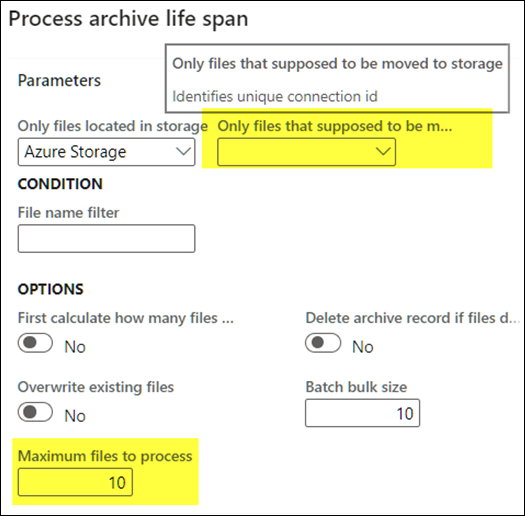
Life span processing does not react to max files to process, and the life span destination connection ID choosing was faulty
The Maximum files to process was not respected in previous versions of Lasernet FO Connector and Only files that supposed to be moved to storage was not always properly identified. Both these issues are now fixed.