Lasernet Connector for Dynamics 365 Finance and Operations
Release version: 6.18.1
Release date: 3rd November 2022
Introduction
This page describes the fixes and enhancements in Lasernet FO Connector 6.18.1.
Click to view the Lasernet FO Connector 6.18.1 Release Notes.
Bug Fixes and Enhancements – Lasernet FO Connector 6.18.1
Lasernet FO Connector version 6.18.1 is released for Dynamics 365 for Finance and Operations version 10.0.28 (PU52), 10.0.29 (PU53) and 10.0.30 (PU54).
The same source code is used across all versions.
This is aimed to be a quality update, provided through the following fixes and enhancements in Lasernet FO Connector 6.18.1.
323342@LAC365FO – Resending an XML file name does not follow report file naming patterns, and instead follows the insufficient pattern ReportName_resend_UserId_Date
A GUID-Id has been added as part of the file name to ensure exclusivity when a document is sent without using Force rerun.
THISONE__Resend_ARNIE_10312022_3093358E-98D6-41B1-9BAB-6E4B68A5E2C0.XML
323220@LAC365FO – The same level in QW does not return data
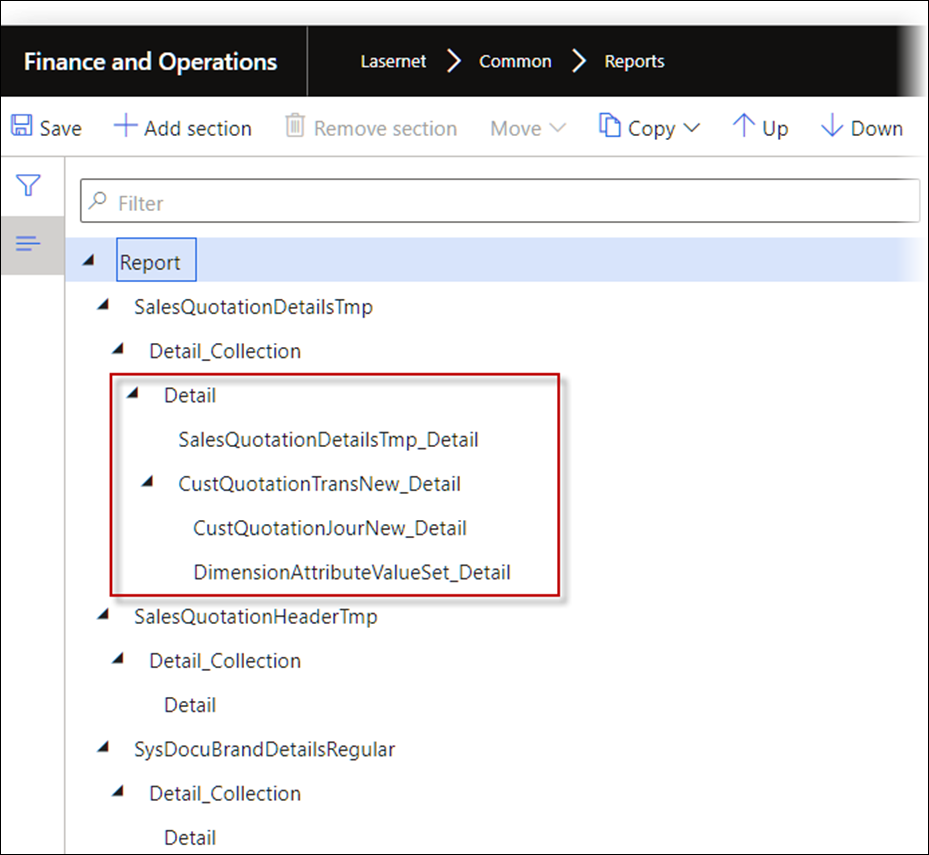
The use of SameLevel as the Layout for multiple data sources/tables could cause the wrong structure and wrong output.
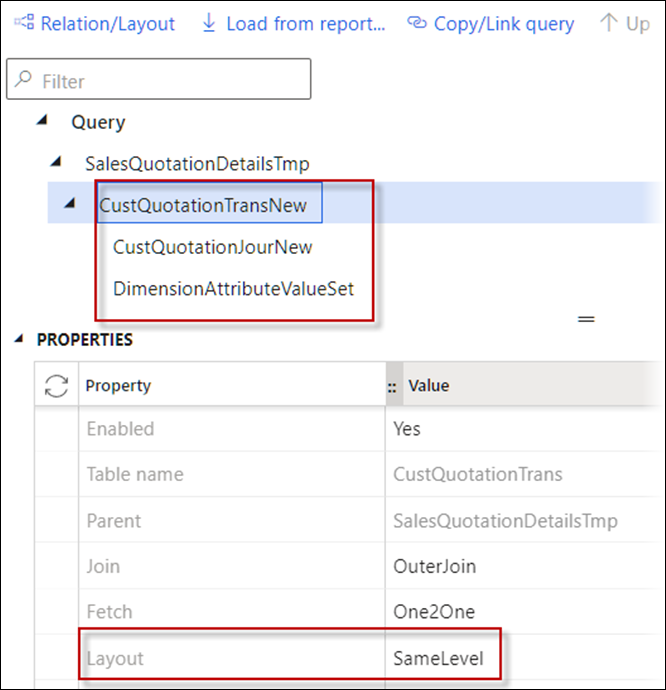
The structure would appear as follows:
This would also cause the wrong output within the XML file:
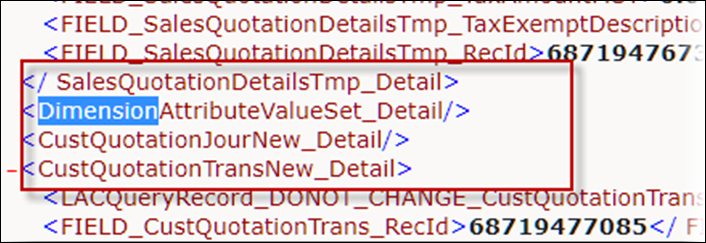
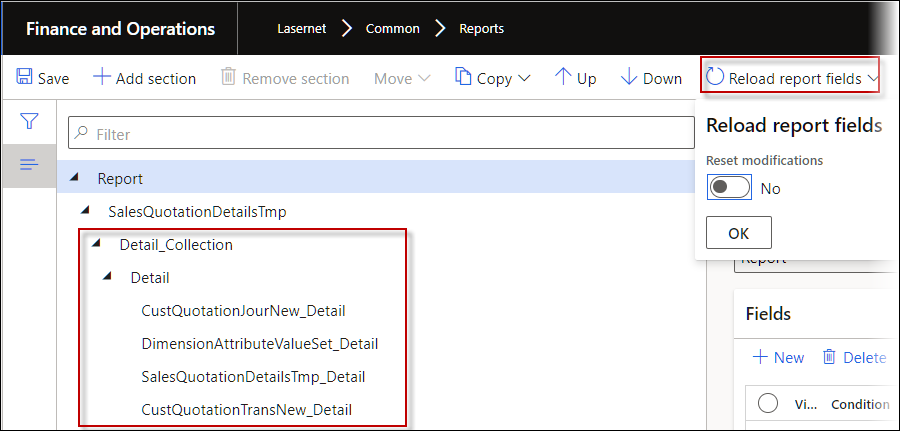
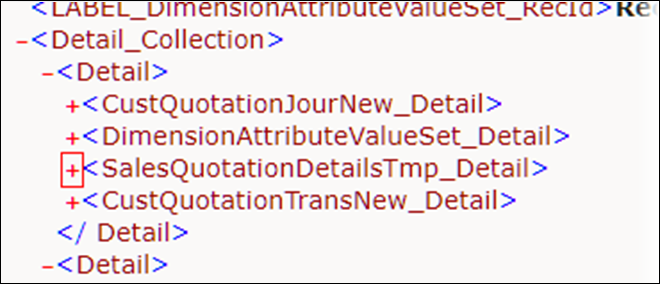
A reload of the report fields in Lasernet FO Connector 6.18.1 provides the correct structure and output.
The structure after a reload of report fields would appear as follows:
The output after a reload of report fields would appear as follows:
323211@LAC365FO – Attachments have issues on Sharepoint when the file name contains Danish characters
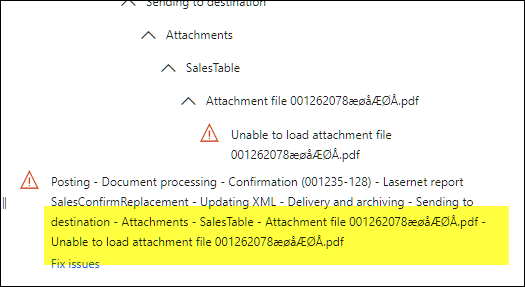
The following warning occurred with attachments that use Danish characters in the filename.
Lasernet FO Connector 6.18.1 supports Danish characters in the file name as the file name is URL-encoded.
323139@LAC365FO – Missing LACArchive/LACArchiveRef on ResendMenuItem
323010@LAC365FO – Expression Editor: Unknown value in LACArchiveRef object
It was not possible to add the tables LACArchive and LACArchiveRef within the new Expression editor introduced in Lasernet FO Connector 6.18. The following warning message appeared:
Warning
Unknown value in LACArchiveRef. object
The tables are required in the Resend menu item if both the report Purchase inquiry and Purchase order confirmation are used.
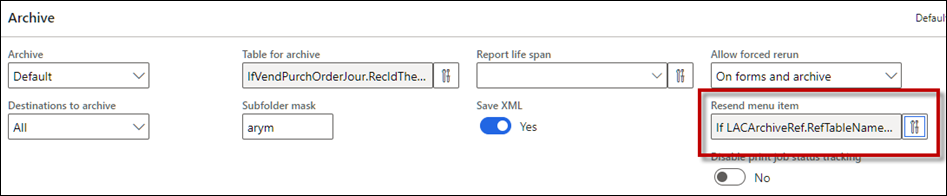
In Lasernet FO Connector 6.18 it was not possible to select and use LACArchiveRef for the Resend menu item.
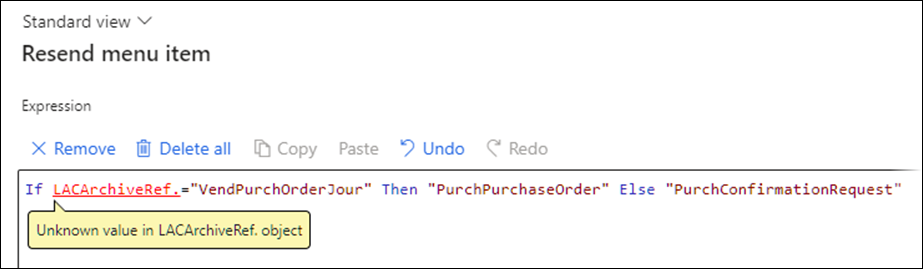
Lasernet FO Connector 6.18.1 supports the option to use the tables LACArchive and LACArchiveRef within the Expression for the Resend menu item.
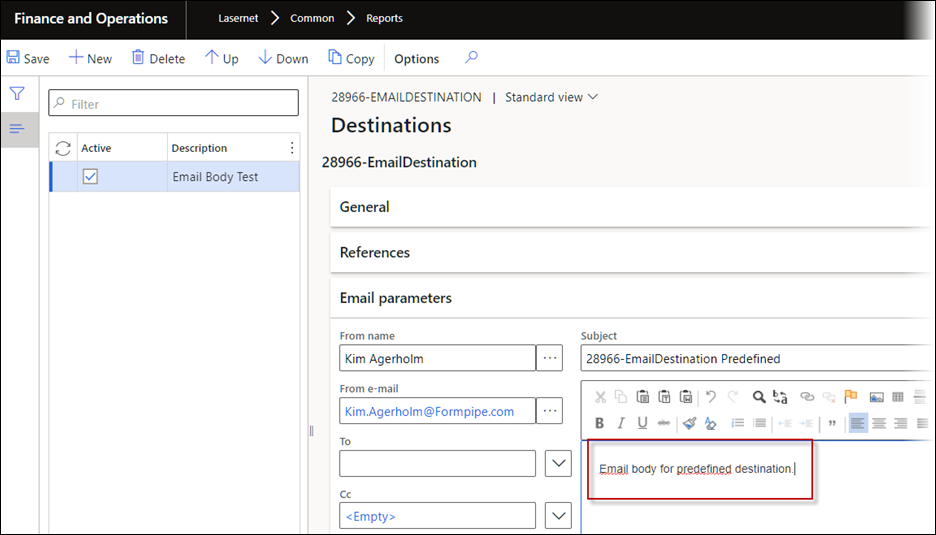
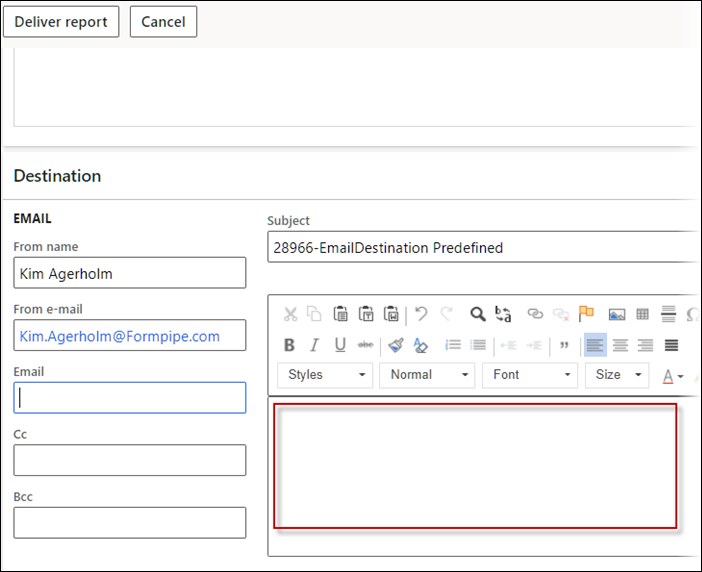
323123@LAC365FO – Review before sending and pre-defined print destination setup for email
The Email body was affected when reviewing a document where predefined destinations were used.
322510@LAC365FO – Report preview in new tab does not load until user clicks elsewhere
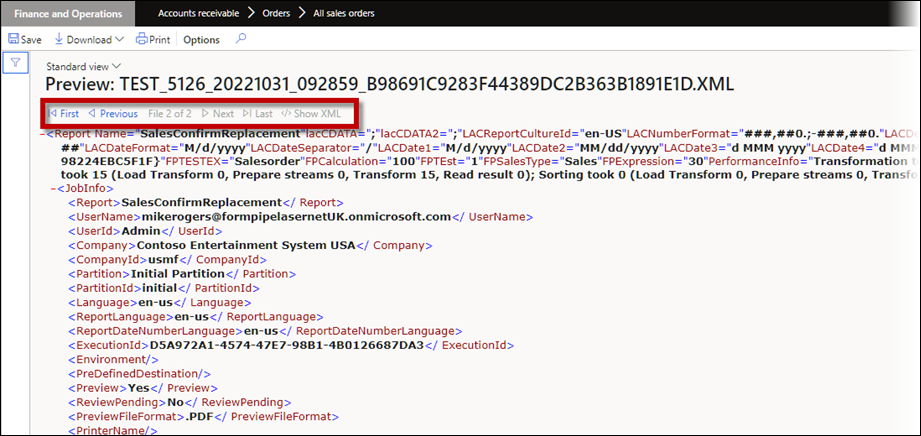
The preview of documents in Lasernet FO Connector 6.18.1 contains the option to choose whether to show the PDF or the XML file. This is useful when there is a need to find and/or verify the data which was provided for the designer.
Preview
Click Show XML to access the preview.
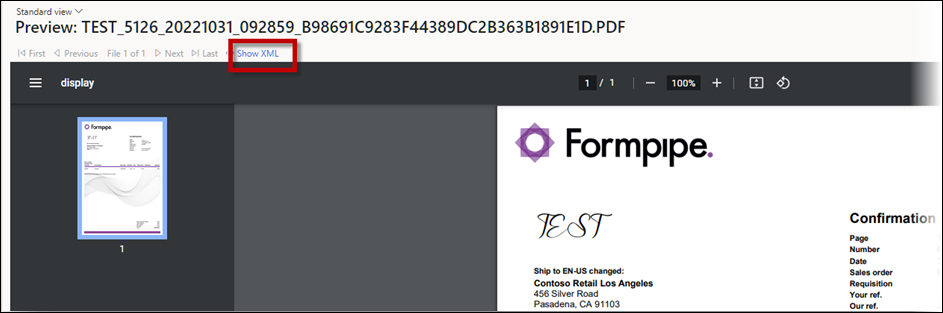
This creates the following preview where it is possible to navigate between the PDF and XML files:
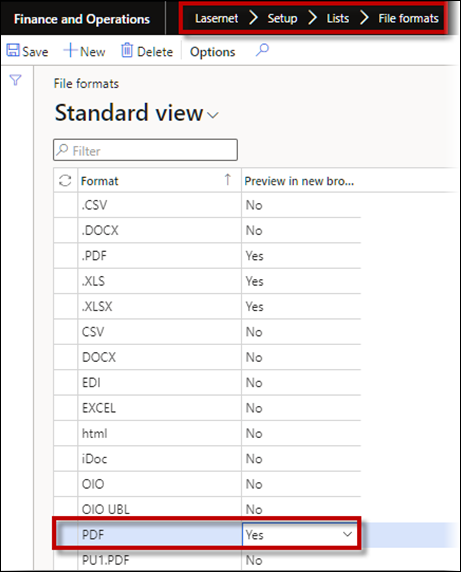
Remember that the setting within the File formats that will show the document (such as a PDF file) is located within a separate browser tab where it is not possible to toggle between XML and document (normally PDF). This can be found by navigating to Lasernet > Setup > Lists > File formats.
322300@LAC365FO – SubReports range issue (added warning)
A warning is added when validating a report and will inform the user if an issue with the Report Structure should be fixed by refreshing the Stylesheet for the report. The warning appears as follows:
Warning
ValidateLasernet report LACAdditionalWarning Report structure contains missing links between elements and sections. Please refresh style sheet to fix it.
321475@LAC365FO – Format aggregate summary field
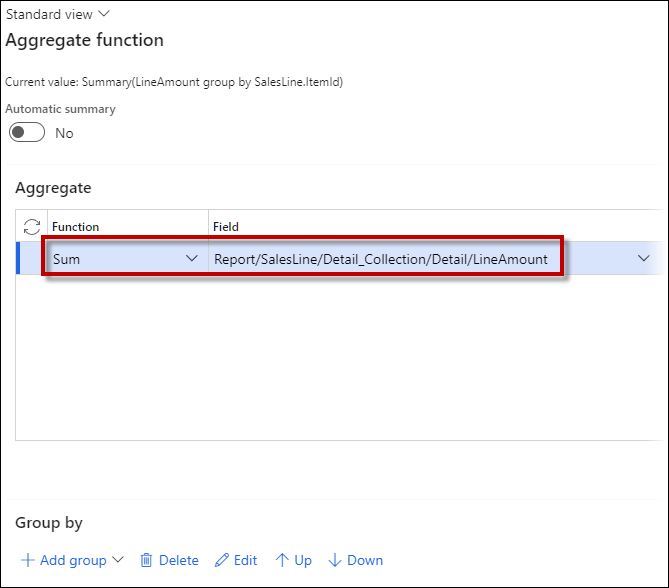
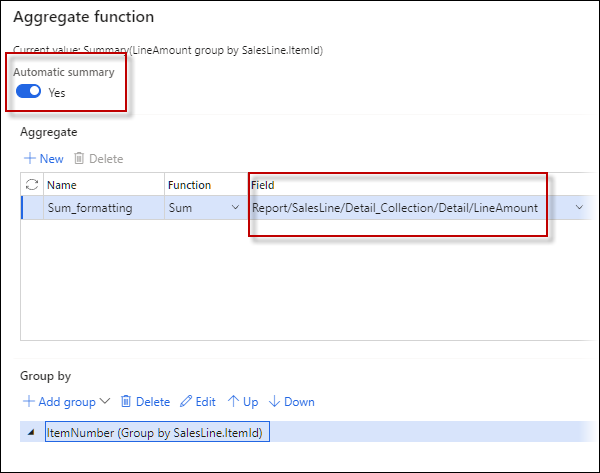
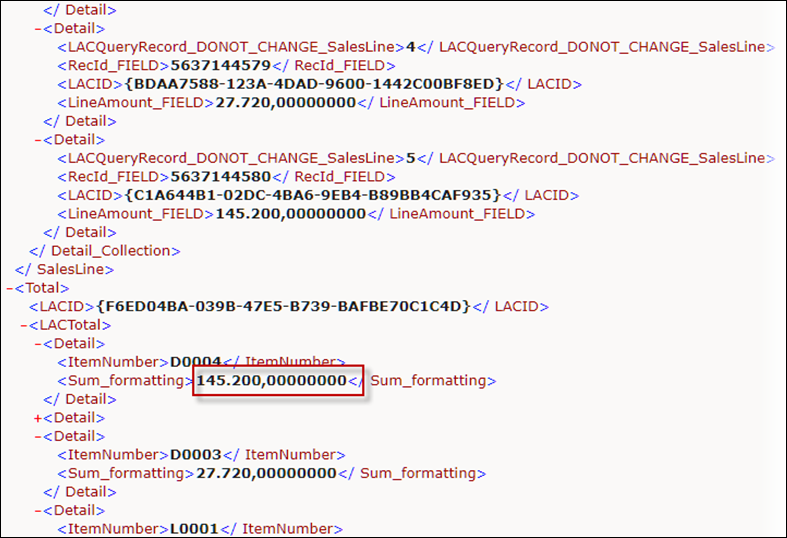
Using the Aggregate function without any grouping fields (Automatic summary disabled) affected the formatting of the numbers set for the report. An Aggregation without an automatic summary, like no grouping fields, appears as follows:
This affected the formatting set for the report:
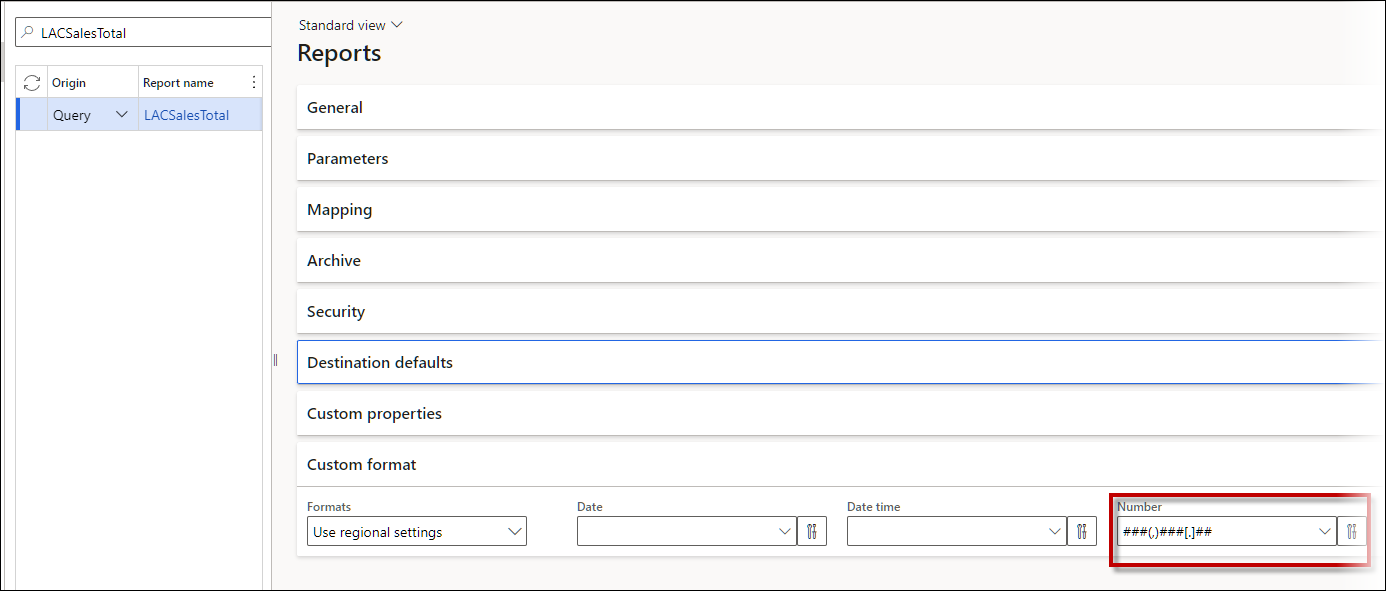
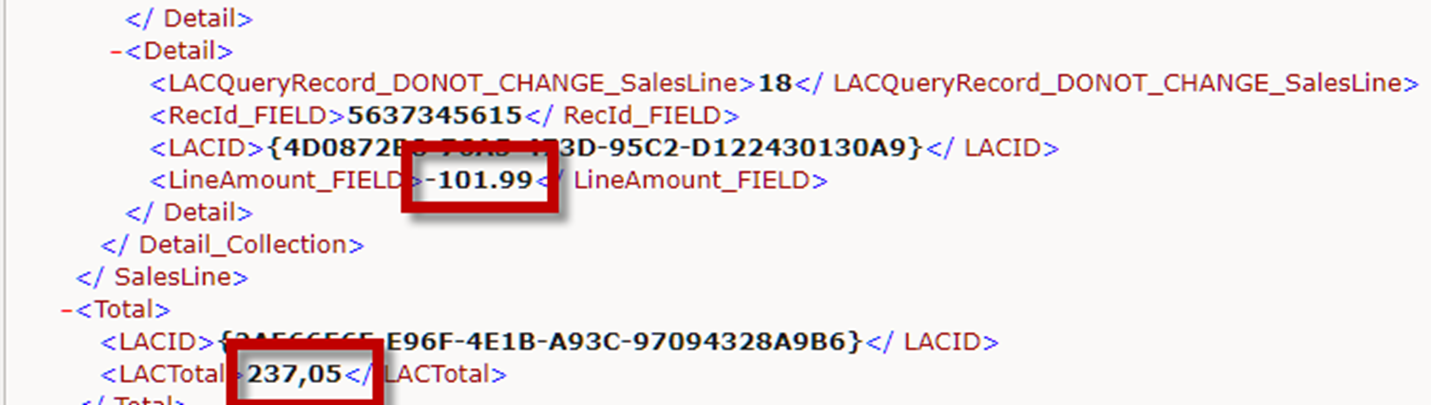
Improper formatting of the Sum/Total – Detailed records are properly formatted but the sum field is not.
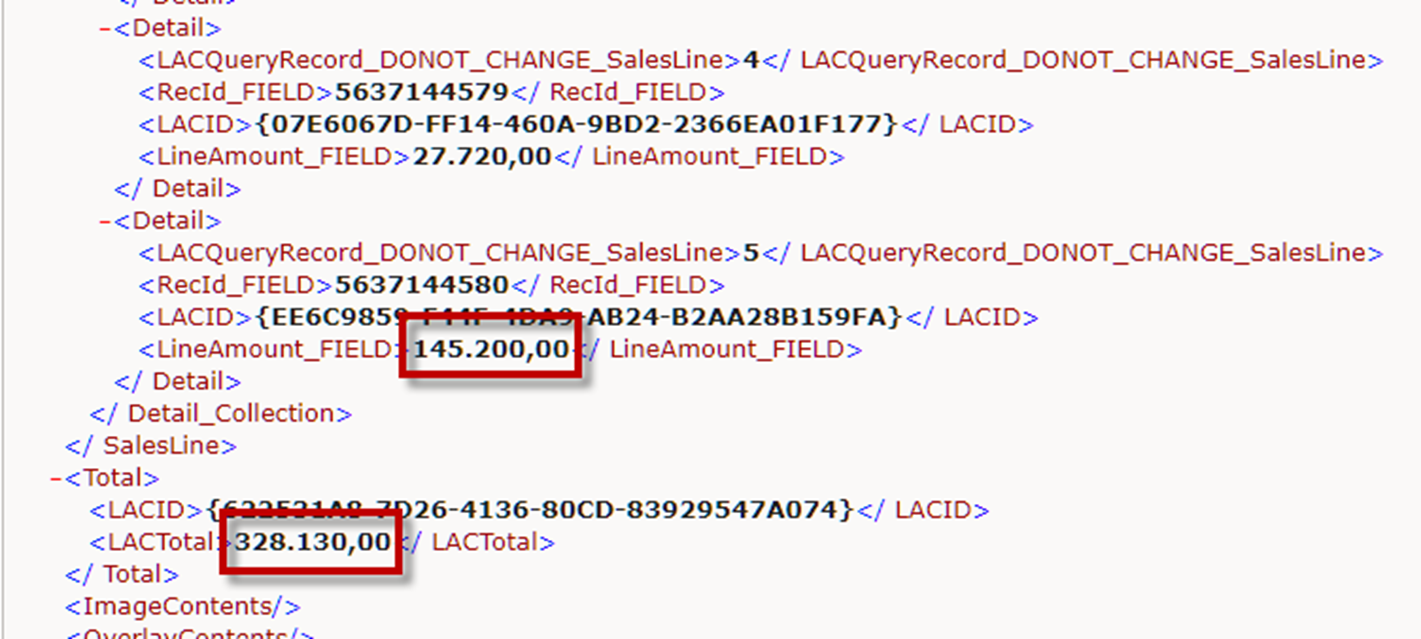
In previous versions of Lasernet FO Connector, a different decimal separator was used.
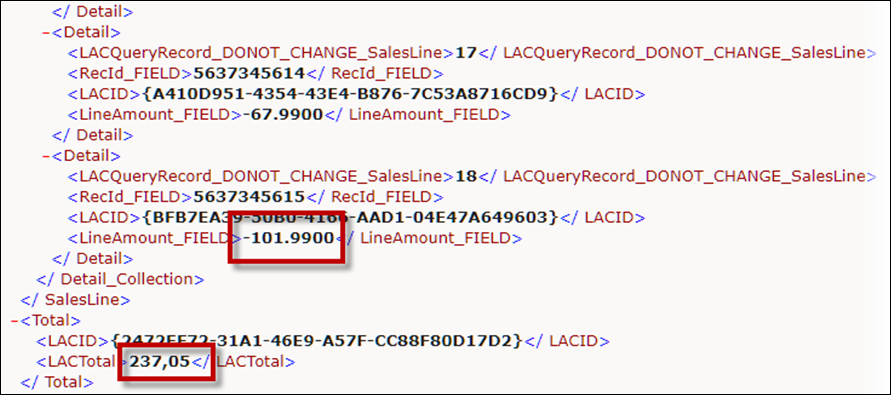
In Lasernet FO Connector 6.18.1, the same formatting applies for Sum/Total:
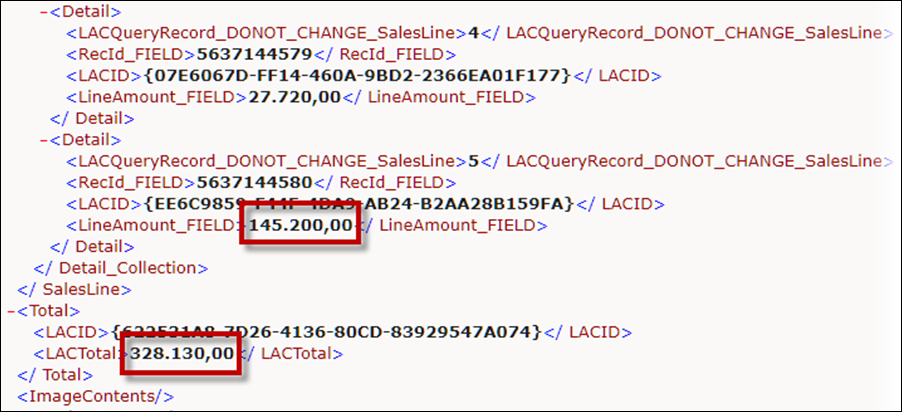
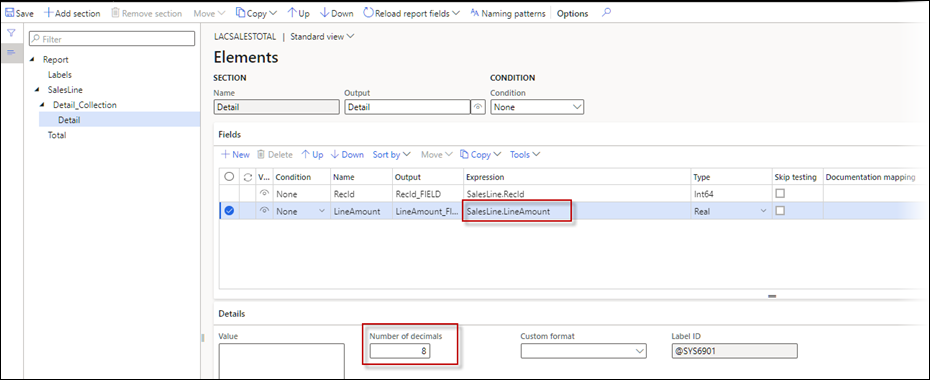
Be aware that the number of decimals is taken from the fields used in the calculation, such as the LineAmount in the following image:
Where the number of decimals is eight:
Previous versions of Lasernet FO Connector | Lasernet FO Connector 6.18.1 |
|---|---|
|
|
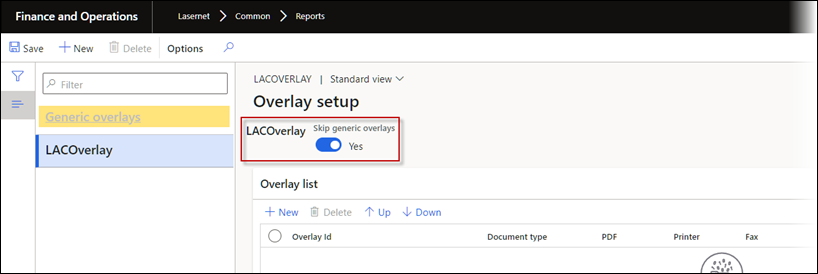
321185@LAC365FO – Skip generic overlays function does not work without a Refresh or Clearing Cache
Toggling Skip generic overlays required a refresh of either the session or the record before running the Query report.
No refresh is required in Lasernet FO Connector 6.18.1 when toggling Skip generic overlays.
320638@LAC365FO - Value in custom field is empty in XML
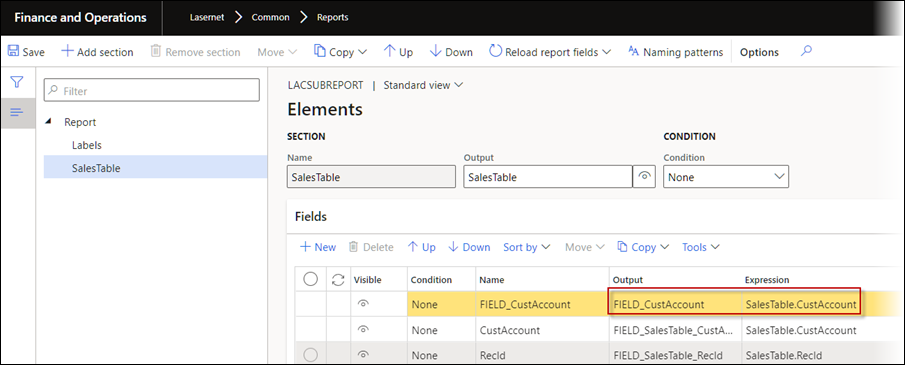
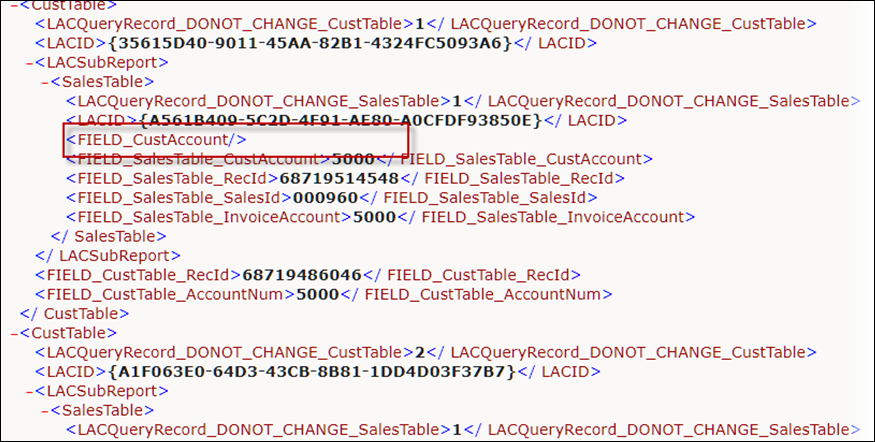
Adding a field manually in the structure/elements within a subreport did not return a value (empty value).
When using a subreport such as in the following image
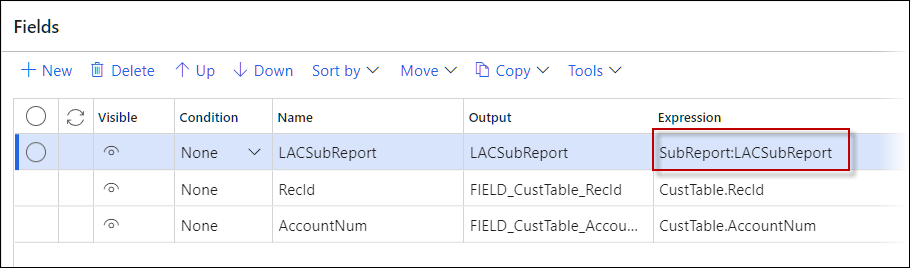
an element was manually added to the structure:
This would result in an empty value in the output/XML file:
This is fixed in Lasernet FO Connector 6.18.1.
320635@LAC365FO - AOS crash when a subreport calls the same subreport
Reusing the same subreport, such as when extracting information about a Bill of materials (BOM records), could cause an infinite loop because the value used for each call of the same report/Query was added to the range. This has been fixed in Lasernet FO Connector 6.18.1.
320560@LAC365FO – Clarification of which value LAC uses with attachments
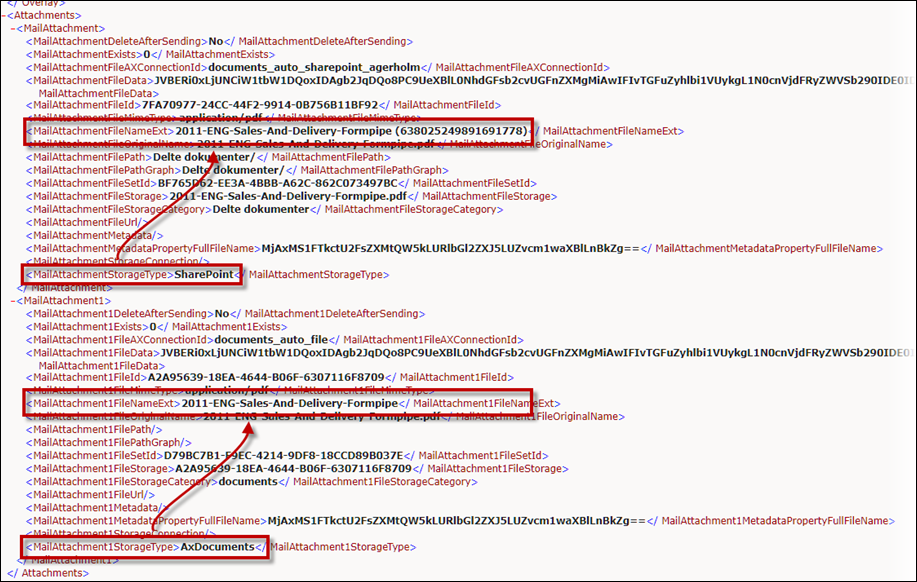
The field (tag) MailAttachment1FileNameExt has been added to the section containing potential attachments. This is useful if there is a need to provide the new file name instead of the original. This requires an adjustment within the Lasernet configuration, as the configuration uses the original file name by default.
Exercise caution when naming the file, as it is not identical across the different storage types.
320389@LAC365FO - LACCopyQueryTable table group
The following warning occurred when trying to use the table LACCopyQueryTable within Cross-Company Data Sharing:
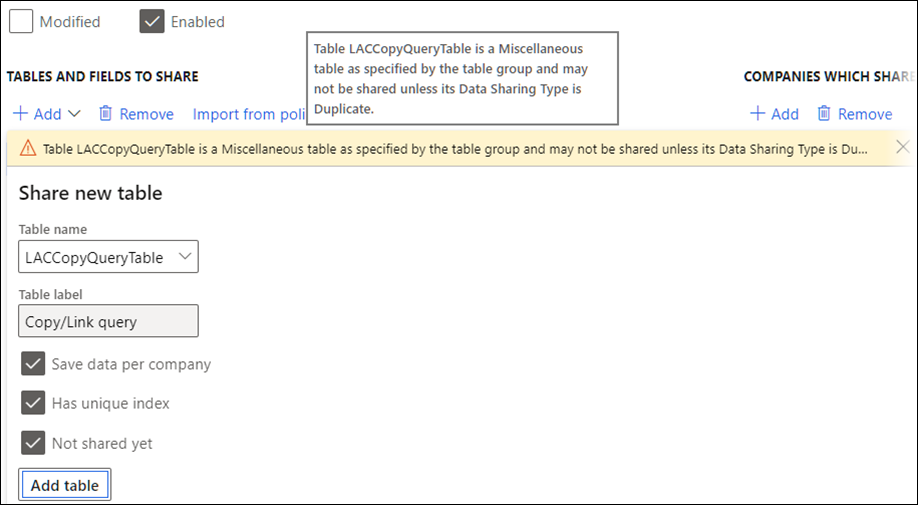
Warning
Table LACCopyQueryTable is a Miscellaneous table as specified by the table group and may not be shared unless its Data Sharing Type is Duplicate.
Lasernet FO Connector 6.18.1 supports the use of the table LACCopyQueryTable within Cross-Company Data Sharing.
320287@LAC365FO - 'Object reference not set to an instance of an object' error in Setup Default Selection
The following error could occur in Lasernet FO Connector 6.18 when opening Lasernet > Setup > Backup parameters > Setup Default Selection:
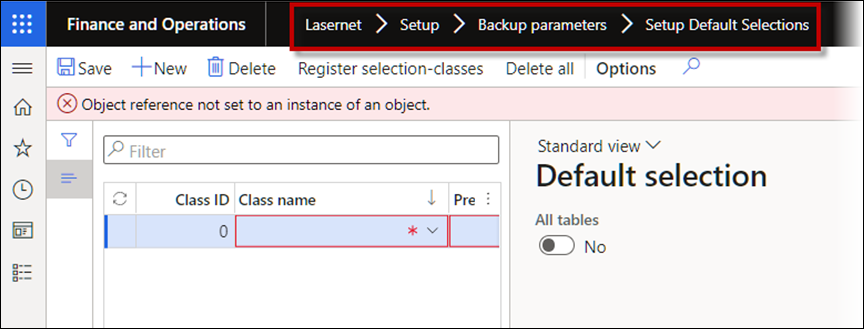
Error
Object reference not set to an instance of an object.
This has been fixed.
319653@LAC365FO – Check if ‘arguments/commands’ through the URL is working as expected in newer versions
Parsing additional arguments through the URL by using the LACStartUp did not work at a ServiceFabric-hosted environment when &f=LACStartUp was used.
Everything would work as expected in a non-ServiceFabric environment.
The new menu item (&mi) LACStartUp has been introduced to support ServiceFabric-hosted environments
mi=LACStartup Download
https://dev.axcloud.dynamics.com/?cmp=usmf&mi=LACStartup&Store=A100
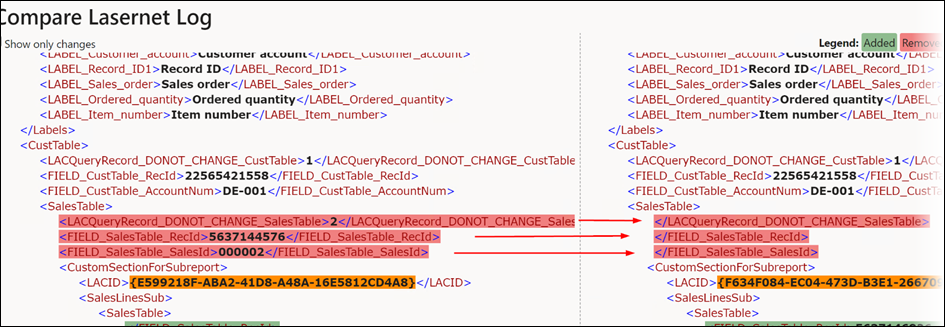
319539@LAC365FO – Problem with comparing archived XML documents
Comparing two identical entries within the archive (XML/Grab) could bring in empty values even though they did have values. The empty values can be seen on the left-hand side of the following image:
319538@LAC365FO - Error when executing an expression, invalid expression projection
An error could occur when an expression was not evaluated into a single value. Having nested ‘ifs’ could result in the final ‘if’ not being correctly evaluated and, therefore, would not return a value. The following error message appeared:
Error
Invalid expression projection
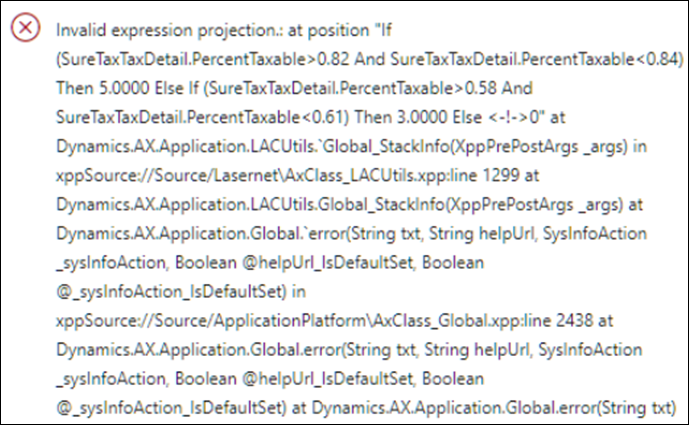
This has been fixed.
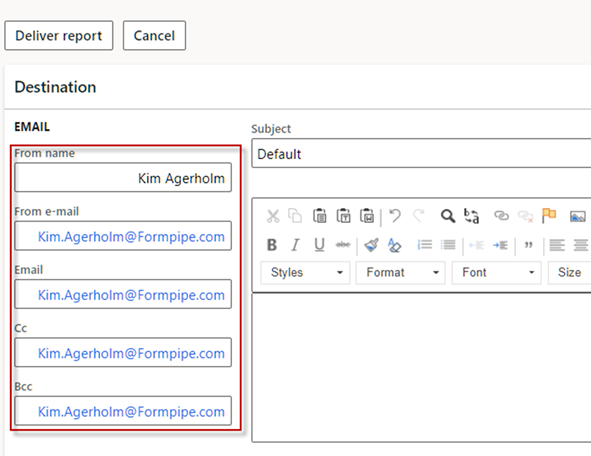
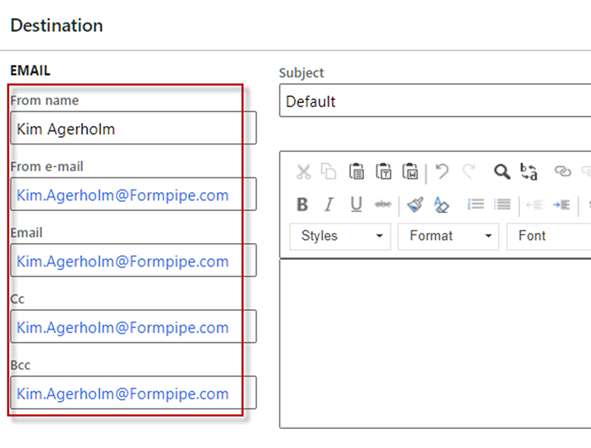
318850@LAC365FO - Alignment of email information in Review before sending the form
Information regarding From name, From email, Email, Cc, and Bcc was left-aligned rather than right-aligned in Laasernet FO Connector 6.18 when reviewing documents. This has been fixed in Lasernet FO Connector 6.18.1.
Lasernet FO Connector 6.18.0 | Lasernet FO Connector 6.18.1 |
|---|---|
|
|
318622@LAC365FO - T&P: Checkpoint test run - additional warnings/info required related to 'Force run' check mark
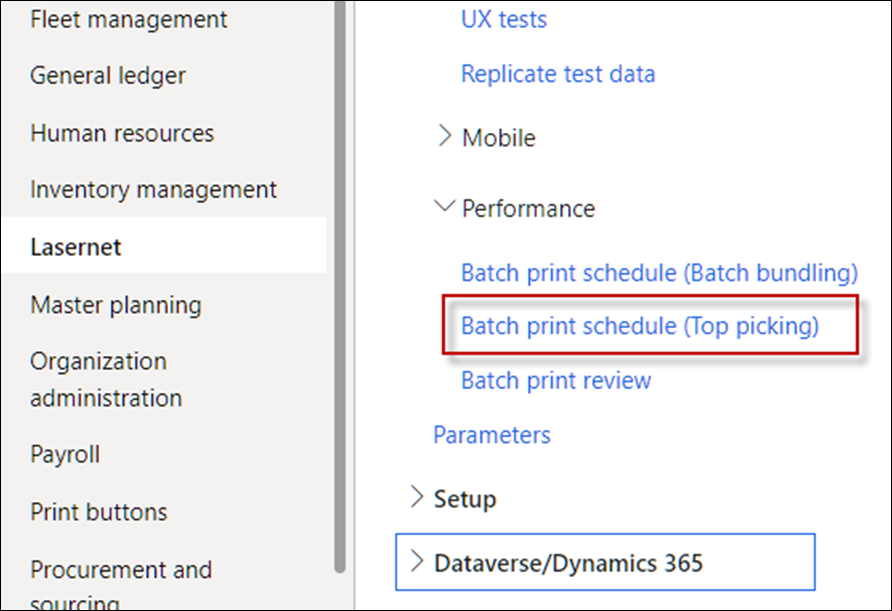
Better warnings have been introduced when using a Batch print schedule (Top Picking) within the Test & Performance Suite.
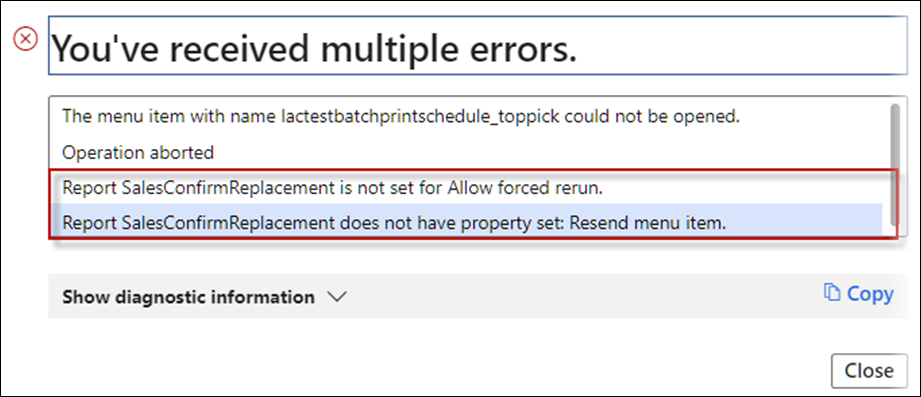
Lasernet FO Connector 6.18.1 includes the following warnings if Allow forced rerun and Resend menu item are required for the report when using Top Picking:
Warning
Report SalesConfirmReplacement is not set for Allow forced rerun.
Report SalesConfirmReplacement does not have property set: Resend menu item.
Batch print schedule (Top Picking) is located in Lasernet > Test and performance suite > Performance.
318620@LAC365FO – Missing Attachment data in XML when using Review before sending
The JobInfo for MailAttachmentFileData was missing when adding attachments to the review.
When an attachment is added through review in Lasernet FO Connector 6.18.1, use the setting specified in Report attachments within the Lasernet parameters.
The attachment is either added (encoded) to the XML file or added as a reference within the XML file.
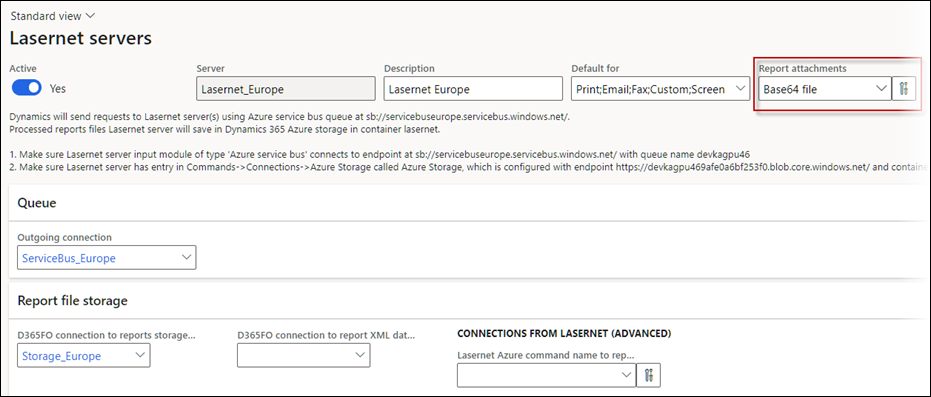
You must add attachments through the review when encoding (add them to the XML file).
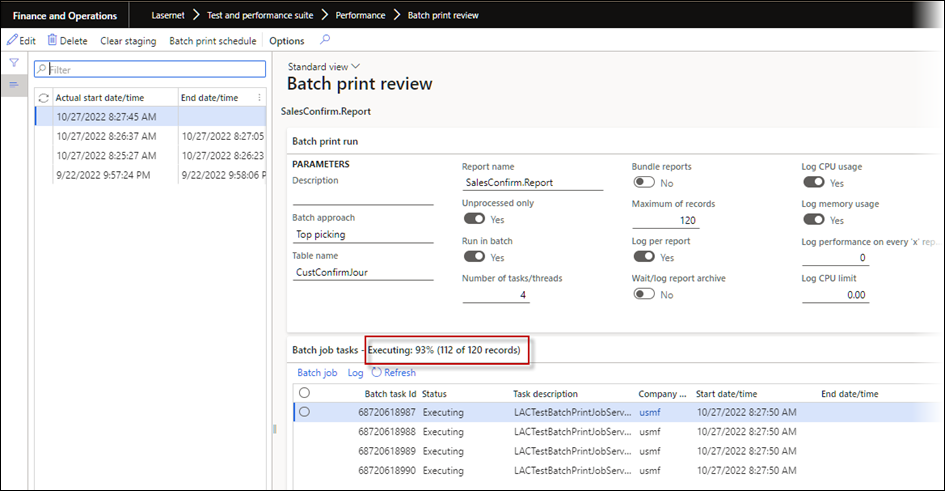
318530@LAC365FO - T&P: Add progress information (auto refresh) into Batch print review form
The following information is added to show progress information, including the total number of documents and the number of processed documents. The progress is automatically refreshed.
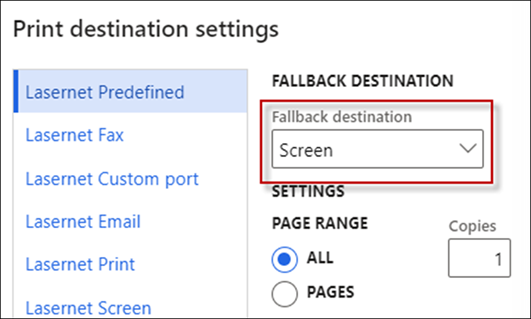
317782@LAC365FO - Fallback destination Screen
Using SSRS (not replacement) as a source for Lasernet failed to show the preview when the fallback destination was set to screen.
When an SSRS report was used as a source without replacement (Query):
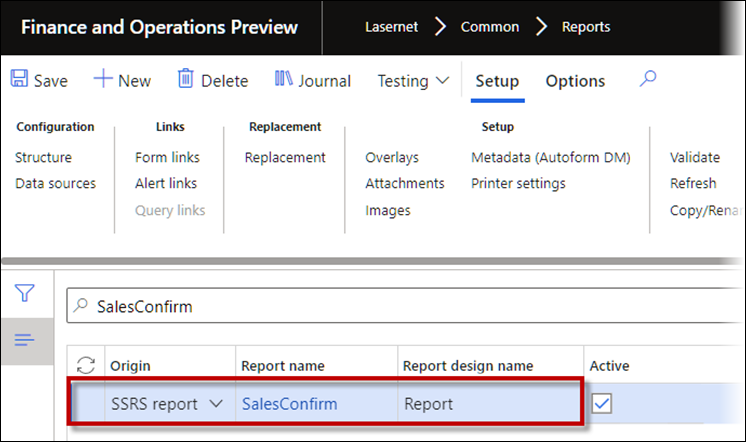
This did not use Preview/Screen as a Fallback destination when using Lasernet Predefined as the destination in case no destination was found.