Lasernet Connector for Dynamics 365 Finance and Operations
Release version: 6.18.4
Release date: 8th June 2023
Introduction
This page describes the fixes and enhancements in Lasernet FO Connector 6.18.4.
Click to view the Lasernet FO Connector 6.18.4 Release Notes.
Bug Fixes and Enhancements – Lasernet FO Connector 6.18.4
Lasernet FO Connector 6.18.4 is a patch release for Dynamics 365 Finance and Operations PU58 and ensures compliance between Lasernet FO Connector and Dynamics 365 Finance and Operations PU58.
None of the previous versions of Lasernet FO Connector (6.18.3 or older) are compatible with PU58, as some files used for Azure have been updated in Dynamics 365 Finance and Operations 10.0.34 (PU58).
A few issues that were identified when upgrading from Lasernet FO Connector 5 to Lasernet FO Connector 6 have also been identified and fixed in Lasernet FO Connector 6.18.4.
Focus:
Quality
Reliability
Stability
Note
Lasernet FO Connector 6.18.4 is compliant with Dynamics 365 Finance and Operations 10.0.34 (PU58).
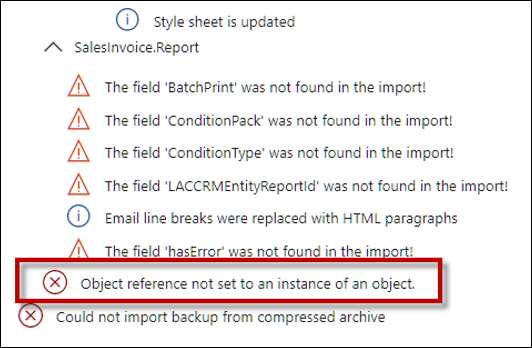
365703@LAC365FO – Import error: Could not import backup from compressed archive (Updating from Lasernet FO Connector 5)
The following error would occur when importing a backup from Lasernet FO Connector 5 containing a condition into Lasernet FO Connector 6:
Error
Object reference not set to an instance of an object.
Could not import backup from compressed archive.
This has been fixed.
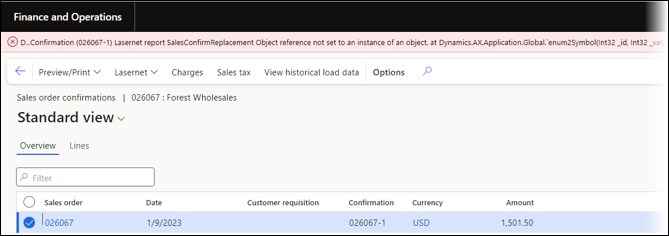
366692@LAC365FO - 365440 - Display method EDT>BaseEnum in report throws error
Executing a report containing a method returning an Enum did throw the following error if the Type/Datatype was set to an Enum.
Error
Object reference not set to an instance of an object. at Dynamics.AX.Application.Global.`enum2Symbol(Int32 id, Int32 val) at Dynamics.AX.Application.Global.enum2Symbol(Int32 id, Int32 val) at Dynamics.AX.Application.LACUtils.`enum2Symbol(Int32 enumId, Object value) in xppSource://Source/Lasernet\AxClass_LACUtils.xpp:line 1028 at Dynamics.AX.Application.LACUtils.enum2Symbol(Int32 enumId, Object value) at
This has been fixed, but the workaround was using a String instead of an Enum for the Type.

366558LAC365FO - Element with table methods on records without LACTransRefRecId after query conditions can result in an exception
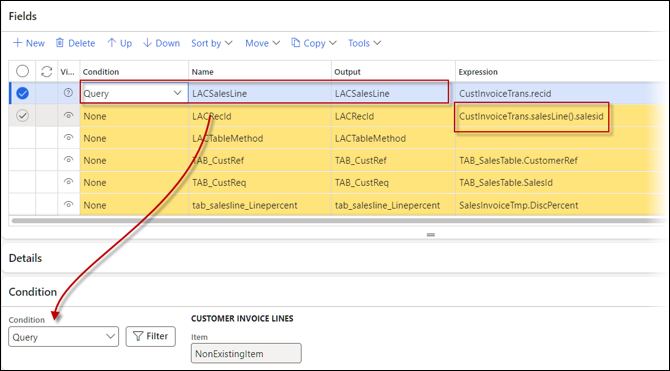
The following error could get thrown when using a Record method within another table for which no record exists and if a Query condition was used at the previous element.
This could happen in situations like prepayment, FI markups, or when using payment schedules within the sales invoicing process.
Error
Error executing code: Common table does not have method 'salesLine'. at Dynamics.AX.Application.LACUtils.`Global_StackInfo(XppPrePostArgs args) in xppSource://Source/Lasernet\AxClassLACUtils.xpp:line 1299 at Dynamics.AX.Application.LACUtils.Global_StackInfo(XppPrePostArgs _args) at
Azure-Related Issues
The following are examples of the Azure-related issues that have been fixed/updated in Lasernet FO Connector 6.18.4.
354536@LAC365FO - Lasernet connection of type ‘Dynamics 365 Azure storage’ does not work on a PU58 SF environment.
An issue arose when opening the form for the connections in Lasernet > Setup > Administration > Connections.
Error
Method not found: 'Microsoft.WindowsAzure.Storage.CloudStorageAccount Microsoft.DynamicsOnline.Infrastructure.Components.SharedServiceUnitStorage.StorageAccountRepository.GetStorageAccountDetails()'.
Issue when validating a connection for the Azure Storage in Lasernet > Setup > Administration > Connections > Validate.
Error
Method not found: 'Microsoft.WindowsAzure.Storage.CloudStorageAccount Microsoft.Dynamics.Platform.Integration.Azure.Account.StorageAccountManager.GetAzureStorageAccount()'.
Issue when validating in Lasernet > Setup > Administration > Lasernet servers.
Error
tmp5C54C237-CAB6-460C-BC78-27AE27153B82.xml Method not found: 'Microsoft.WindowsAzure.Storage.CloudStorageAccount
Microsoft.DynamicsOnline.Infrastructure.Components.SharedServiceUnitStorage.StorageAccountRepository.GetStorageAccountDetails()'. at Dynamics.AX.Application.LACUtils.`Global_StackInfo(XppPrePostArgs _args)
Resend/posting of a document
Resend or posting of a new document would throw an error similar to the following:
Error
SalesConfirmReport_0374003ED713447889C86DDCB91F4273.PDF Method not found: 'Microsoft.WindowsAzure.Storage.CloudStorageAccount Microsoft.DynamicsOnline.Infrastructure.Components.SharedServiceUnitStorage.StorageAccountRepository.GetStorageAccountDetails()'. at Dynamics.AX.Application.LACUtils.`Global_StackInfo(XppPrePostArgs _args) in
354355@LAC365FO - Can not download CPC printer info and job status for PU58 or newer
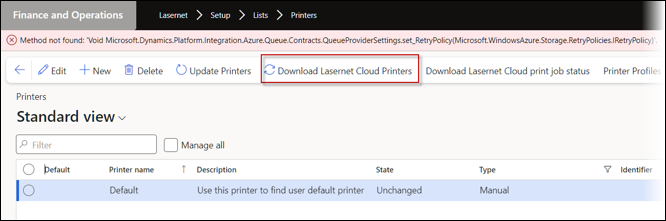
The following error would occur when downloading printers from the Cloud Print Connector:
Error
Method not found: 'Void Microsoft.Dynamics.Platform.Integration.Azure.Queue.Contracts.QueueProviderSettings.set_RetryPolicy(Microsoft.WindowsAzure.Storage.RetryPolicies.IRetryPolicy)'.