
Lasernet for Dynamics 365 Finance and Operations
Release version: 6.21.1
Release date: 12th July 2024
Notes
The following documentation and files are available:
Maintenance Report
This section briefly describes the bug fixes in Lasernet FO Connector 6.21.1.
Version Numbers
Dynamics Finance and Operations 10.0.38 PU62 Version: 6.21.1.2407101
Dynamics Finance and Operations 10.0.39 PU63 Version: 6.21.1.2407102
Dynamics Finance and Operations 10.0.40 PU64 Version: 6.21.1.2407103
Bug Fixes
Case No. | Area | Description | Ticket No. |
|---|---|---|---|
431539@LAC365FO | Menu | The Lasernet module is now back in the Modules menu. | |
431034@LAC365FO | Memory | An error occurs when the memory is insufficient to run a script. | #39282 |
430808@LAC365FO | Report initialization | When a user runs replacement reports for the first time after usage data is cleared, SSRS reports are printed instead. | #39375 |
430430@LAC365FO | Serializing | An error occurred when exporting report: LACValueSegment object does not have method 'packClassName'. | #39289 |
Models
Lasernet Connector 6.21.1 for Dynamics 365 Finance and Operations contains the following models, including the model for the integration with Lasernet CE Connector and the models for the Lasernet Print Buttons.
Model | Description | Location/Remark |
|---|---|---|
Lasernet | Core and main engine for Lasernet FO Connector | Lasernet Requires activation Key Lasernet > Setup > Parameters > License terms |
Lasernet81Spec | Additional requirements concerning 8.1 and newer versions of standard Lasernet FO Connector | |
PRNButtons | Lasernet print buttons | Print buttons |
PRNButtonsLACAdaptor | Adaptor between the Lasernet print buttons and Lasernet | |
LACCE | Provide the integration to CE from Lasernet FO Connector | Lasernet > Dataverse/Dynamics 365 |
LACMSHotfixes | Hotfixes for standard Lasernet FO Connector | System Administration > Setup > Hotfixes from Lasernet |
Lasernet Test Suite | Test & Performance Suite | Lasernet > Test and performance suite Requires activation Key Lasernet > Test & performance suite > Parameters |
LasernetPU35Spec | Support of Wave labels in Lasernet FO Connector | |
Lasernet Autoform DM | Integration to the Autoform (Archive) |
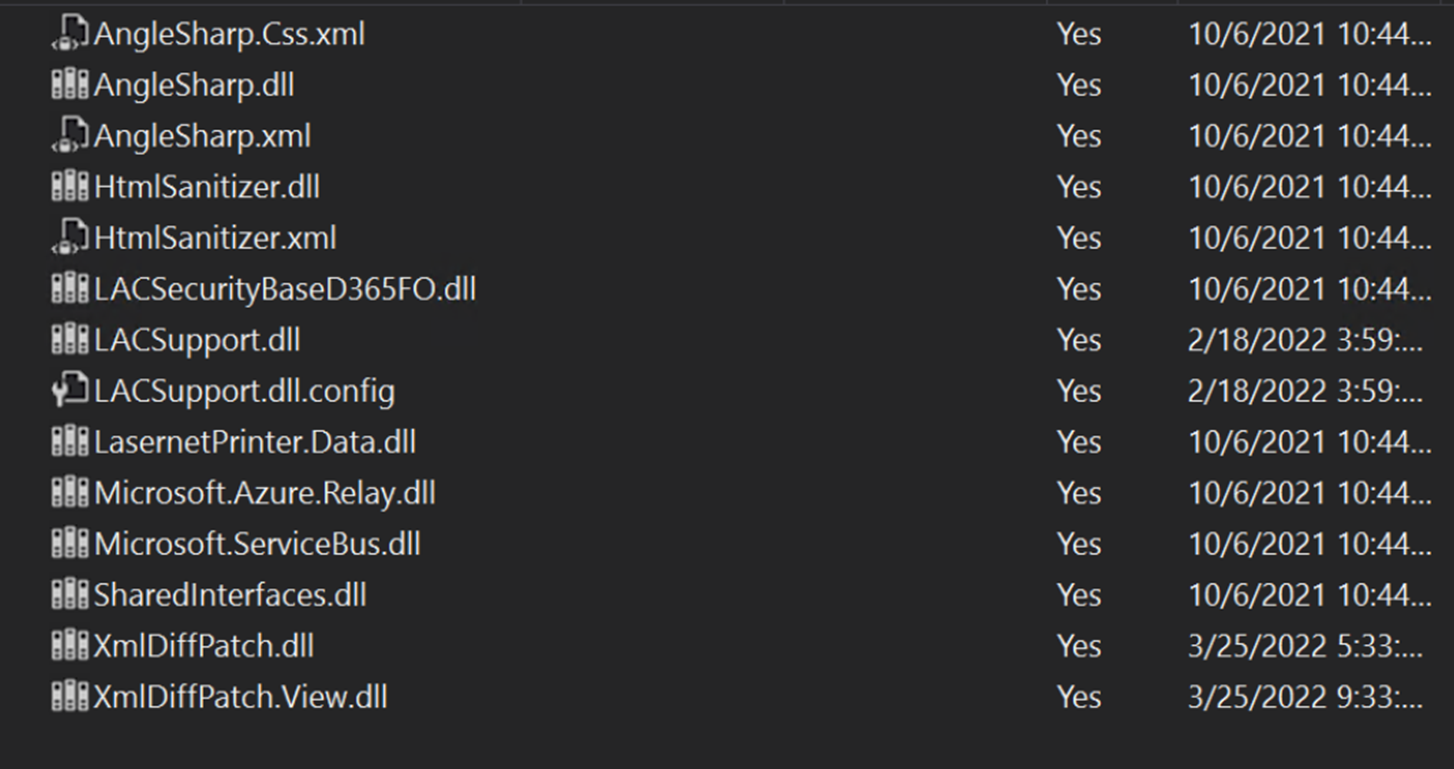
Ensure the following new objects/dll files are added to TFS in case you are not just installing/deploying the AOT package:
LACSupport.dll.config
XmlDiffPatch.dll
XmlDiffPatch.View.dll

The following is the complete list of objects that are not automatically added:
The version number should contain the version number 6.21.1 after either installing or deploying the AOT-package.
Lasernet > Setup > Parameters
(13).png)
Add the AOT-package
Either through LCS - Apply a deployable package to an environment
Or by installing a deployable package – Requires RDP access to environment
Different versions of Lasernet FO Connector are supported with different versions of Lasernet. A setup for each newer version of Lasernet is required for any new installation and when upgrading from an older version of Lasernet.
Prerequisite/Technical
It is best practice to refresh the Stylesheet after upgrading Lasernet FO Connector as this could help avoid potential issue(s).
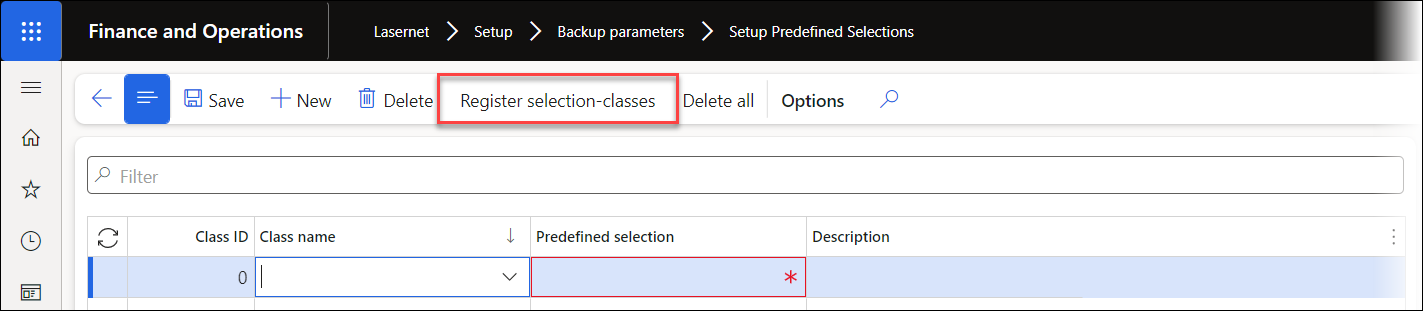
Please, also use the following Register selection classes, located in Lasernet > Setup > Backup parameters > Setup Default Selections, in case an error like the following is thrown when using Export, Import or Copy across companies.
The newly introduced upgrade framework in Lasernet FO Connector 6.18 should manage but could fail when using a TFS/Dev build as this would require executing Microsoft.Dynamics.AX.Deployment.Setup.exe.
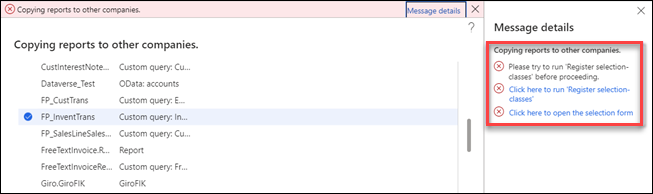
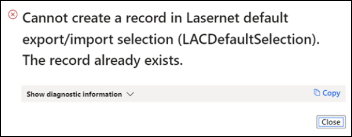
Error message:
Error
Please try to run ’Register selection-classes’ before processing.
or
Error
Cannot create a record in Lasernet default export/import selection (LACDefaultSelection). The record already exists.
Object reference not set to an instance of an object.
How to Get Support
If you encounter difficulty using Lasernet FO Connector, contact Lasernet Support.