Printer settings applies for Lasernet designs in Dynamics. Printer settings for Lasernet Developer Forms is configured in Lasernet Developer.
Default settings is configured in Parameters > General
It is possible to apply Printer settings to the different Sheets in each report within the Printer settings located in Lasernet > Common > Reports.
(4).png)
To do this, follow these steps:
Click the +New button, choose the Sheet name, and then click Save.
(4).png)
Click Settings, and in the Printer settings box, enter your required criteria.
(4).png)
Sheet name will show you all the sheet names you have in the report Design. Description will show you the Size you have configured on your sheet.
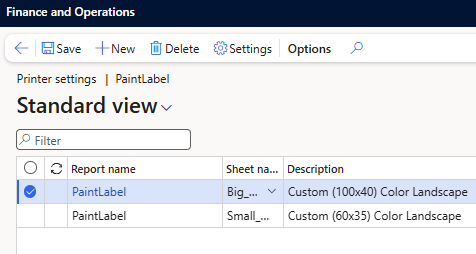
Picture shows two label sheets with two custom sizes and the orientation landscape