
After you have created at least one form, ensure that the Form Editor options are appropriately set.
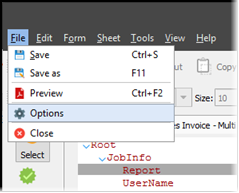
To access the options, click Options on the File menu. These options affect all the forms present in Lasernet Developer. You can change these options at any time while working with the application.
Refer to the information for the Lasernet version that you are using.
Lasernet Core 11 and 10
You can set the Form Editor Backup and Display options.
Backup Options
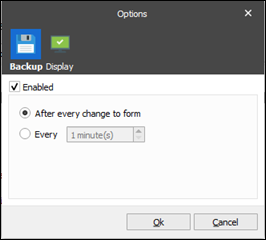
In the Backup options, you can enable or disable a continuous backup. If enabled, you can also define when the backup process occurs: after every change to a form, or at a specified time interval (for example: every 1-60 minutes).
Display Options
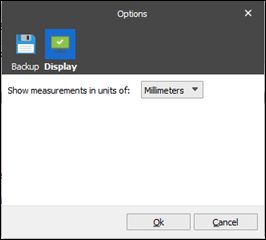
In the Display options, you can specify measurement units (inches or millimetres) that the output layout settings are defined and displayed in. The measurement settings are effective for the following output types: EMF, PDF, and TIFF.
Lasernet Essentials
You can set the Form Editor Display options.
Display Options
.png)
In the Display options, you can specify measurement units (inches or millimetres) that the output layout settings are defined and displayed in.