
The following table shows the default locations for the Lasernet Archive installation on Windows for standalone and clustered versions of the application.
Windows version | Java version | Installation type | Location |
|---|---|---|---|
Windows Server 2022 Windows Server 2019 Windows 11 Windows Server 2016 | Any Java Runtime Environment (JRE) Version 1.8 or later is supported | Clustered |
|
Standalone |
|
Note
Upgrading installs the new version beside the existing installation. The existing installation keeps its original folder, Windows service name and web address.
For a comprehensive list of supported software versions, see Lasernet Archive Compatibility Matrices.
Find Modified Installation Paths
If you cannot find Archive on the default installation path:
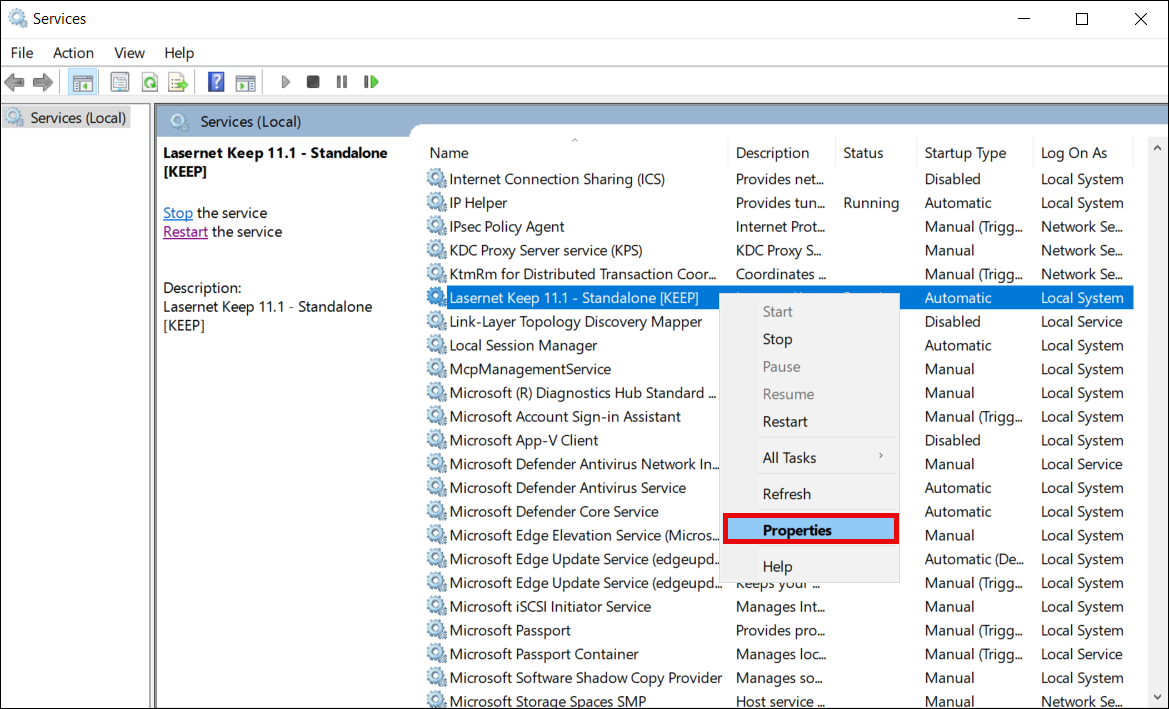
In the Windows Services window, right-click the Archive service and select Properties.
On the General tab, find the Path to executable value.