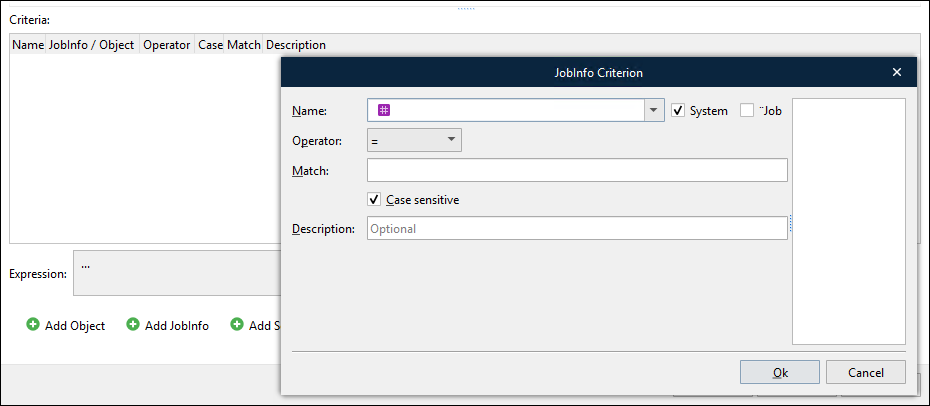
Using the Criteria tab of the Edit Rearrange window, you can define one or more criteria to allow the showing or hiding of rearrange(s) in the output.

It is possible to add three types of criteria:
Object
JobInfo
Schedule
When adding an object, both input and output names can be defined for the object. If both the current object and the object value (used as a criterion) are scripts, it is reasonable to use the output object name. The only exception to this is when the Run as first pass check box is selected for the object and the value is used as a criterion. In this situation, all the objects are arranged first in the output while applying output values, and only then are scripts processed.
When you add JobInfo criteria to the form object, you select a JobInfo from the Name list, or you enter the name of a custom JobInfo. To choose from a list of system JobInfos, select System. To choose from a list of JobInfos defined by the grab file currently selected in the Form Editor, select Job.