Applies to: Lasernet Core 11
The modifier works by searching for a regular expression. For each match, it will replace it with another string.
Both the regular expression and the replace text are written in the Latin-1 (ISO-8859-1) character set. However, because this modifier is intended for binary searches, most (if not all) characters should be written in hex using the \x escape.
The Replace With text field supports the $1 $2… $n markers, to include portions of matched regular expressions in the replacement. This provides the ability to create advanced filters. For example, if the regular expression is (\d+)\x20(\d+) and the replacement string is $2\x20$1, then the filter will search for two numbers separated by a space character and swap the numbers.
Settings
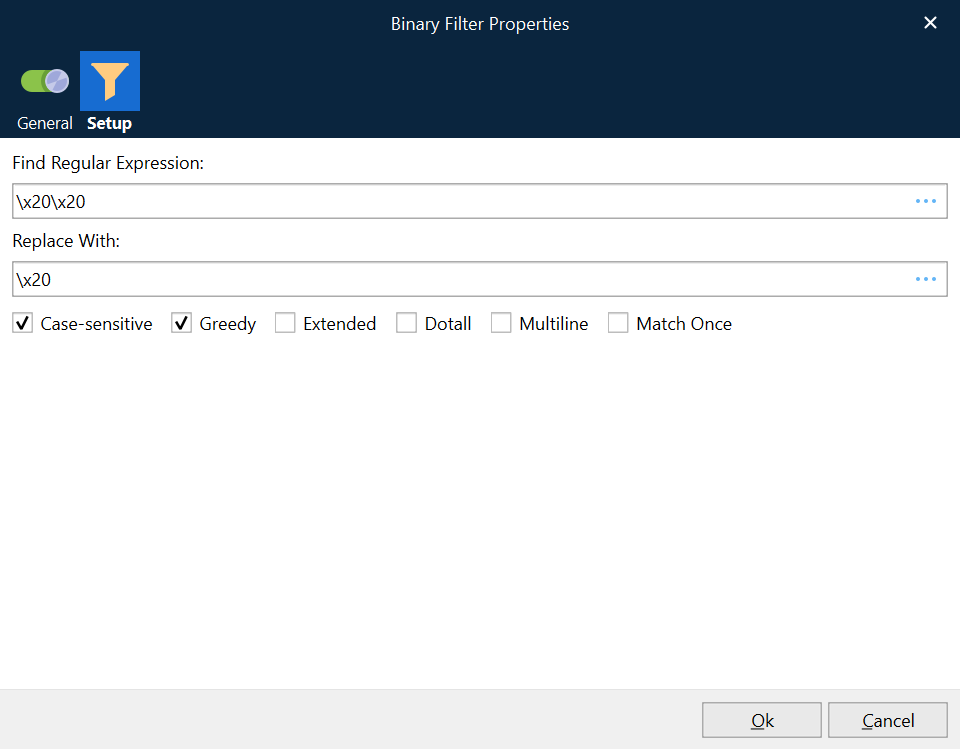
Find Regular Expression | Regular expression to search for. |
Replace With | The search value to be replaced, typed as a string or hex value. For example, |
Replace Only Once | If selected, it will only replace the first match. If it is not checked, it will replace all matches. |
Example
This example searches for two spaces and replaces it with one space.