
Applies to: Lasernet Core 11 and 10 (not Lasernet Essentials / Professional / Advanced)
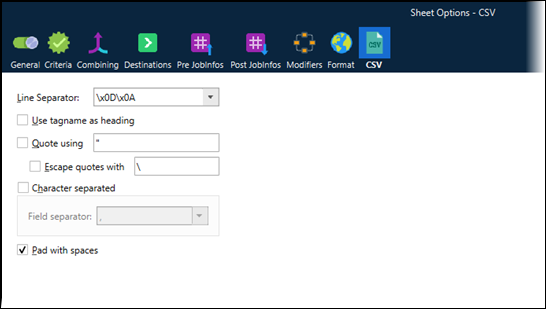
Sheets that generate CSV output have the following settings:
Setting | Description |
|---|---|
Line Separator | Determines what line separator to use between lines in the text file. |
Use tagname as heading | If selected, a header line is created where names of the tags are used to name the columns (see below). |
Quote using | If selected, specify a quote character (usually straight double quotes: " ) to put around the text of each column. When using quotes, the column width must be adjusted accordingly because the quotes are not counted in the width of the column. |
Escape quotes with | If selected, the text for each column is examined for the character entered in Quote using, so it escapes with the character here. |
Character separated | If selected, character-separated files are produced. Enter the column separator to use: comma, semicolon, colon, or tab. |
Pad with spaces | When selected, the text in the columns are padded with spaces until it fills the width determined by the XML file. |