
Applies to: Lasernet Core 11
The JobInfo Scanner scans for JobInfos in text or XML (as input format).
Text as Input Format
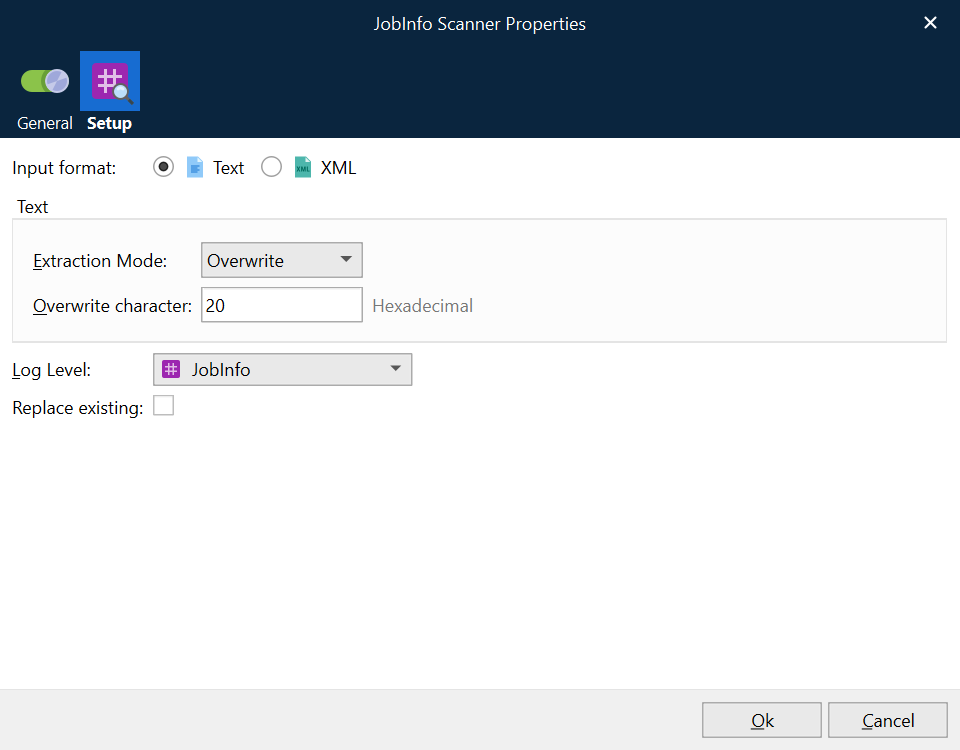
Scans text data for the syntax #JobInfo Name=Value# and works on 8-bit data only.
The table below provides a brief description of the action properties:
Property | Description |
Extraction Mode | Specifies whether the embedded JobInfo Syntax in data must be Leaved, Overwritten or Removed after scanning of data. |
Overwrite Character | Character in hexadecimal to overwrite the characters in the JobInfo syntax string. |
Log level | To extract the JobInfos from the document and create them on the current job, you need to specify a category under which the events related to the JobInfo are logged.
|
XML as Input Format
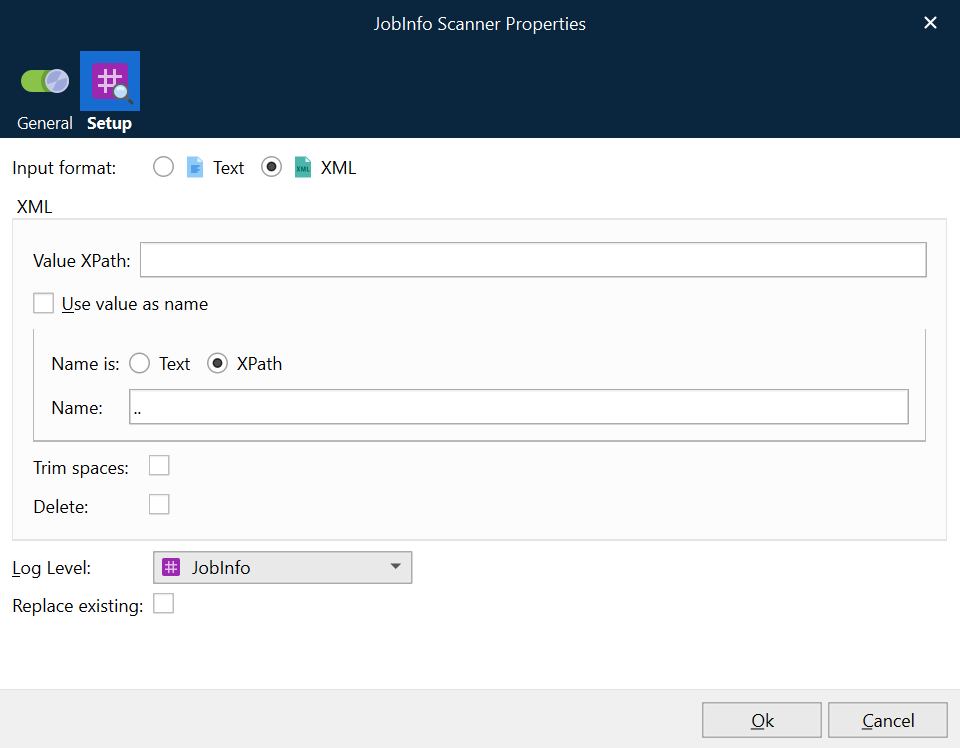
Scan XML data by defining an XPath for value and name. Works similar to the Create JobInfo action in the XML Transformer.
The table below provides a brief description of the action properties:
Property | Description | |
|---|---|---|
1 | Value XPath | The XPath value specifies which nodes contain the values for JobInfos. |
2 | Name | Specify a JobInfo name. |
3 | Use value as name | Select the checkbox to apply the Value XPath as a JobInfo name. |
4 | Replace existing | Select the checkbox to replace any other JobInfo with the same name. Some JobInfos can contain a list of several values for example, an email distribution list. |
5 | Node Name is | Text: Select the radio button to interpret the value indicated in the Name field as text. XPath: Select the radio button to interpret the value indicated in the Name field as an XPath. |
6 | Log level | To extract the JobInfos from the document and create them on the current job, you need to specify a category under which the events related to the JobInfo are logged. JobInfo: The events related to the JobInfo are logged under the JobInfo category. Debug: The events related to the JobInfo are logged under the Debug category. NoLog: The events related to the JobInfo are not logged. |