
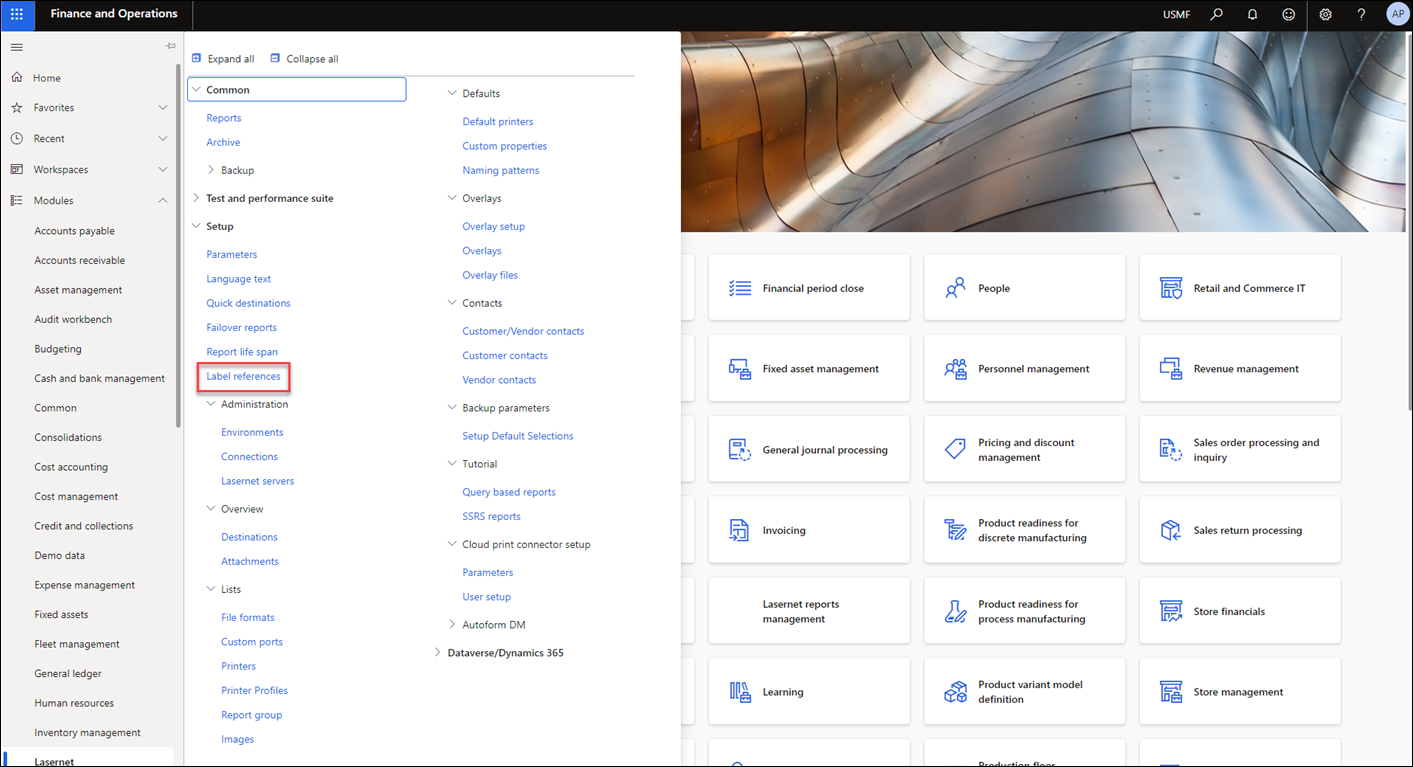
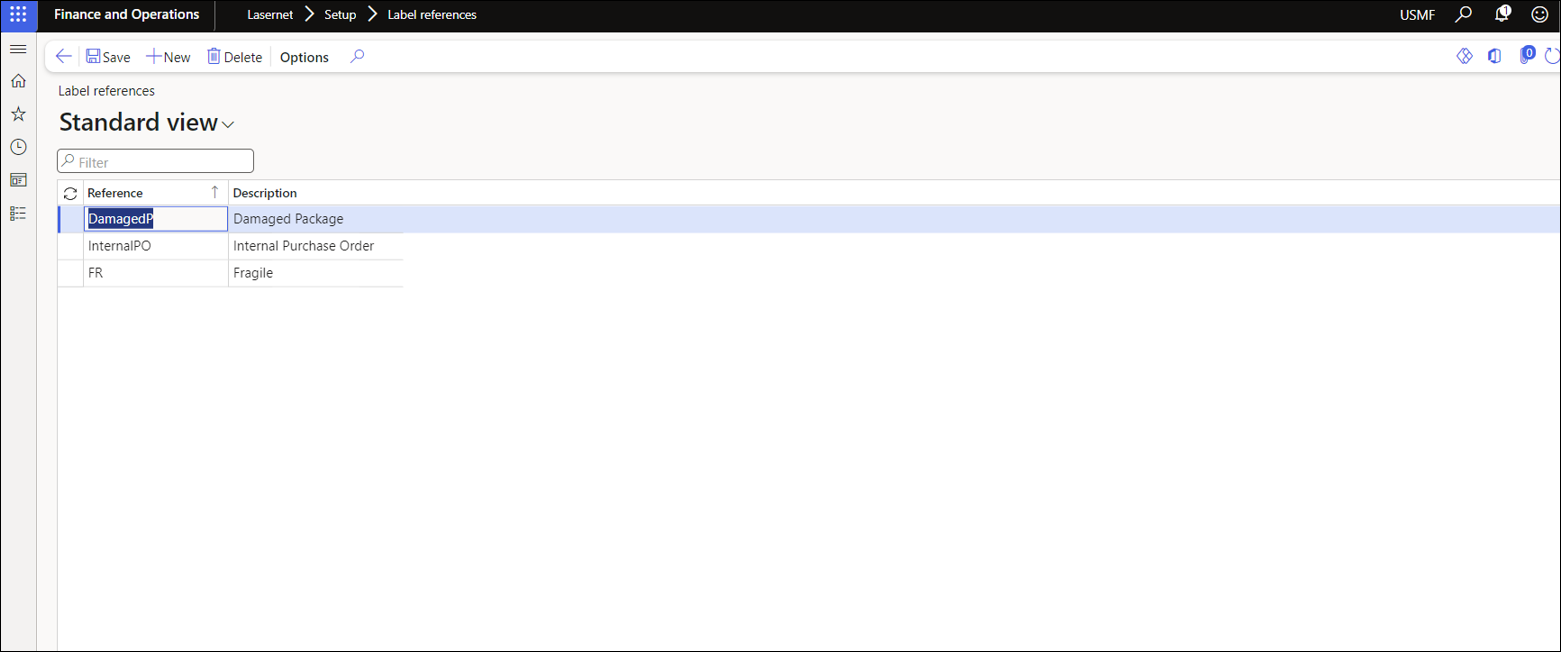
The values for the field Reference are created within Lasernet > Setup > Label references.
This form can be used to configure the Reference dropdown options in the Mobile app.
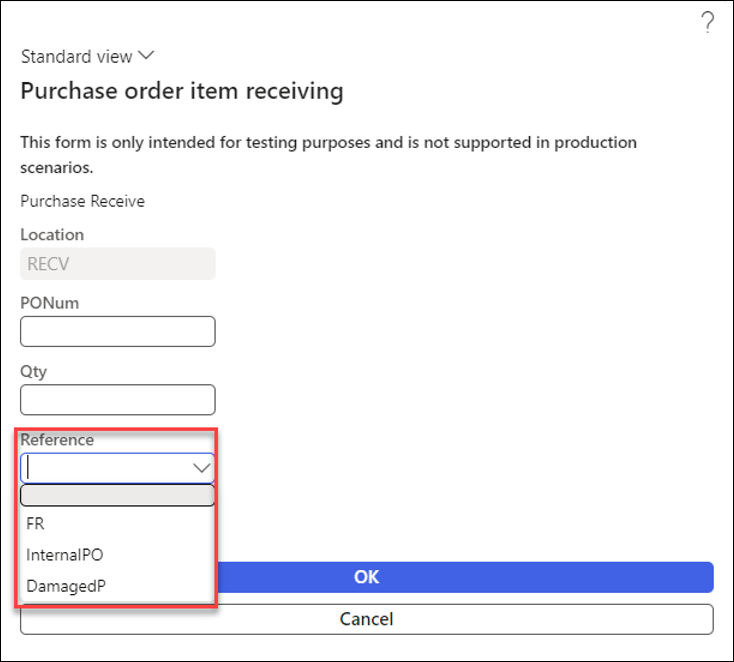
Reference is displayed as a lookup in the Mobile app, ensuring that only valid, existing values can be selected from the dropdown menu. Reference can be used as a tag for:
Certain forms/layouts in Lasernet
Other Logo
Hide/show fields on the label
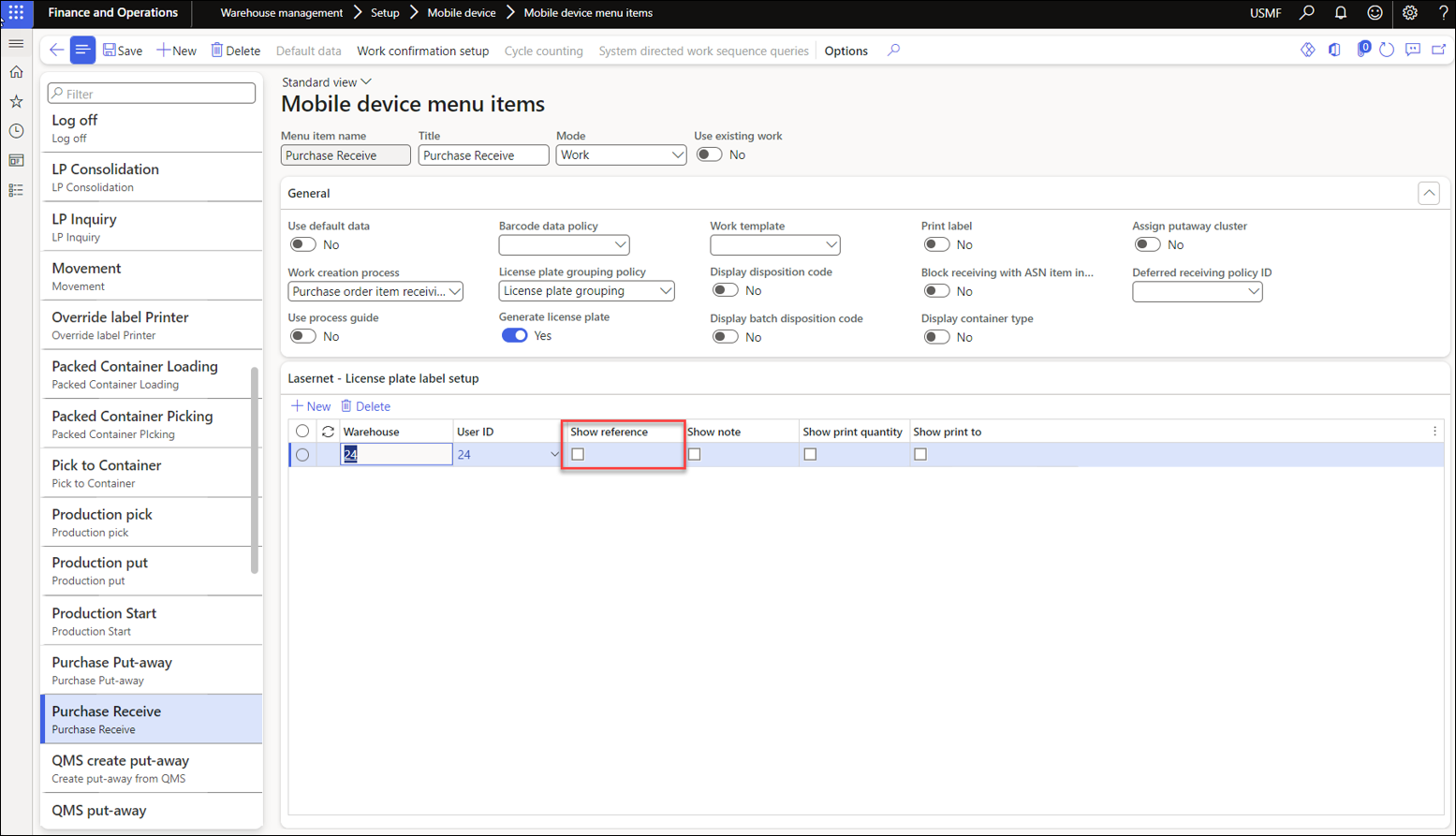
The Reference field is only visible on the Mobile app if the related Mobile device menu item has Show reference enabled.
For more information on setting up the Mobile device app to work with Lasernet, consult this guide.