
Lasernet for Dynamics 365 Finance and Operations
Release version: 7.1.2
Release date: 29th April 2025
Notes
The following documentation and files are available:
Maintenance Report
This section briefly describes the new features and fixes in Lasernet FO Connector 7.1.2.
Version Numbers
Dynamics Finance and Operations 10.0.42 PU66 Version: 7.1.2.2504253
Dynamics Finance and Operations 10.0.43 PU67 Version: 7.1.2.2504254
New Feature and Fixes
Case No. | Area | Description | Ticket No. | Status |
|---|---|---|---|---|
462368@LAC365FO | Batch | A custom Query run on multiple records from a Form link as a batch job results in a single report being printed. | 43715 43896 43942 43753 | Bug fix |
461842@LAC365FO | Azure | An option has been introduced to always add a SAS token. | 43433 | New feature |
461389@LAC365FO | Test and performance suite | Test and performance suite Batch printing dialog error: "Invalid Field/Related field combination." | 39306 | Bug fix |
461301@LAC365FO | File format | When using the Preview feature to open documents in separate browser tabs, not all PDFs are displayed. | 43496 43775 | Bug fix |
Models
Lasernet FO Connector 7.1.2 contains the following models, including the model for integration with D365CE (Dataverse) and the models for the Lasernet Print buttons.
Model | Description | Location/Remark |
|---|---|---|
Lasernet | Core and main engine for Lasernet FO Connector | Lasernet Requires activation Key Lasernet > Setup > Parameters > License terms |
Lasernet81Spec | Additional requirements concerning 8.1 and newer versions of standard Lasernet FO Connector | |
PRNButtons | Lasernet Print buttons | Print buttons |
PRNButtonsLACAdaptor | Adaptor between the Lasernet Print buttons and Lasernet | |
LACCE | Provide the integration to CE from Lasernet FO Connector | Lasernet > Dataverse/Dynamics 365 |
LACMSHotfixes | Hotfixes for standard Lasernet FO Connector | System administration > Setup > Hotfixes from Lasernet |
Lasernet Test Suite | Test and performance suite | Lasernet > Test and performance suite Requires activation Key Lasernet > Test and performance suite > Parameters |
LasernetPU35Spec | Support of Wave labels in Lasernet FO Connector | |
Lasernet Autoform DM | Integration to the Autoform (Archive) | |
Lasernet Engine | Embedded integration with Lasernet | Includes Lasernet Engine and installer for the Lasernet Form Editor |
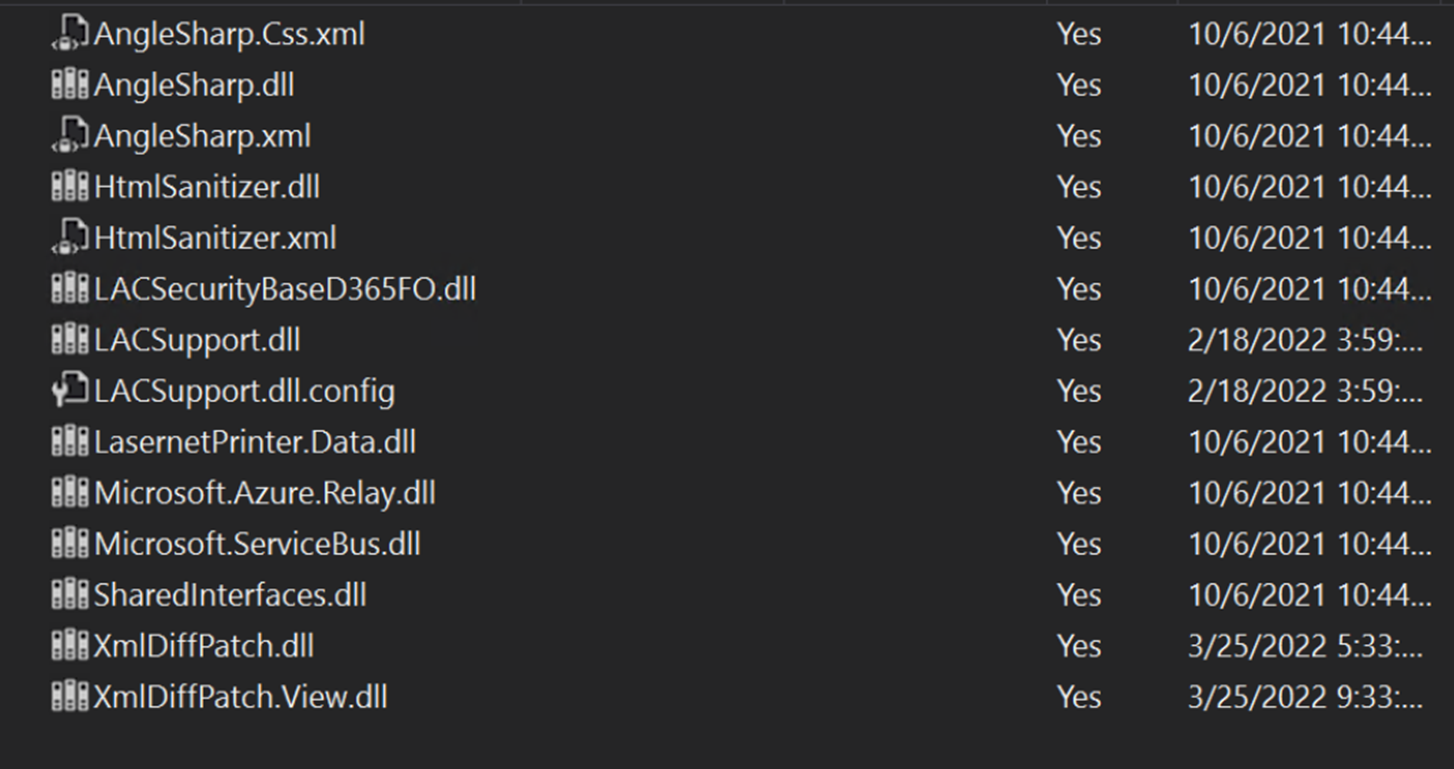
Ensure the following new objects/dll files are added to TFS in case you are not just installing/deploying the AOT package:
LACSupport.dll.config
XmlDiffPatch.dll
XmlDiffPatch.View.dll

The following is the complete list of objects that are not automatically added:
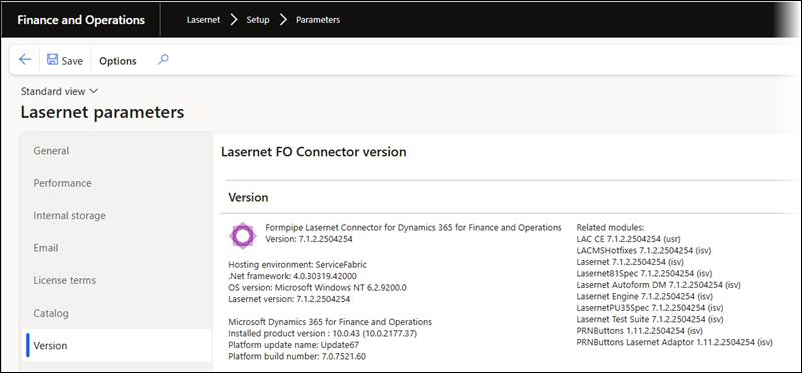
The version number should contain the version number 7.1.2 after either installing or deploying the AOT package.
Lasernet > Setup > Parameters
Add the AOT-package
Either through LCS - Apply a deployable package to an environment
Or by installing a deployable package – Requires RDP access to environment
Different versions of Lasernet FO Connector are supported with different versions of Lasernet. A setup for each newer version of Lasernet is required for any new installation and when upgrading from an older version of Lasernet.
Prerequisite/Technical
Export the Lasernet FO Connector configuration, including all reports, to ensure data can be restored if needed.
It is possible to perform an in-place upgrade from a previous version as long as the previous version is relatively recent, such as Lasernet FO Connector 6.18.x.
How to Get Support
If you encounter difficulty using Lasernet FO Connector, contact Lasernet Support.