
Lasernet for Dynamics 365 Finance and Operations
Release version: 7.1.3
Release date: 13th June 2025
Notes
The following documentation and files are available:
Maintenance Report
This section briefly describes the bug fixes in Lasernet FO Connector 7.1.3.
Version Numbers
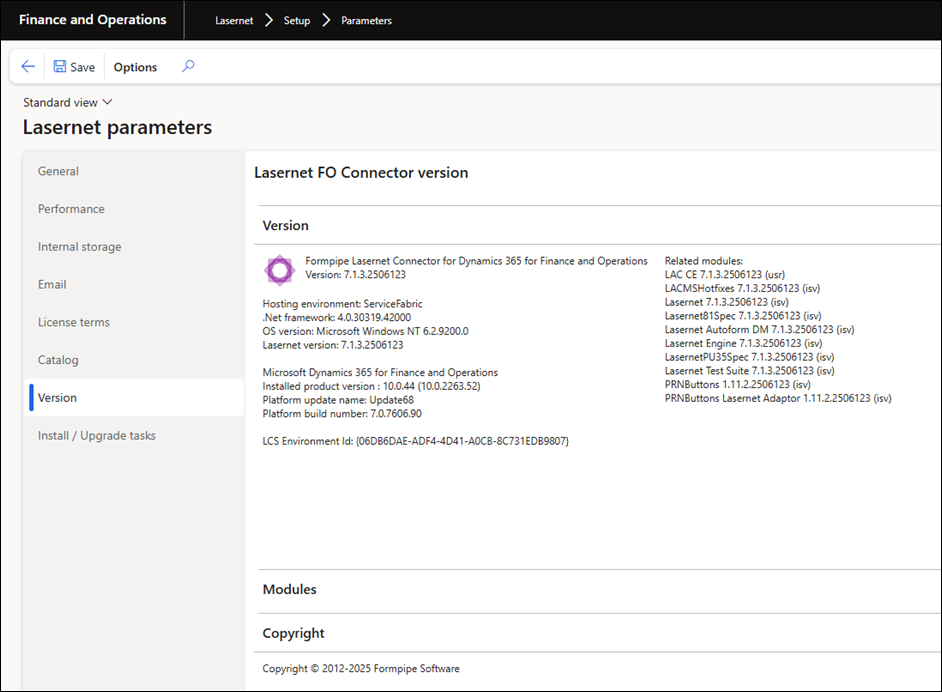
Dynamics Finance and Operations 10.0.44 PU68 Version: 7.1.3.2506123
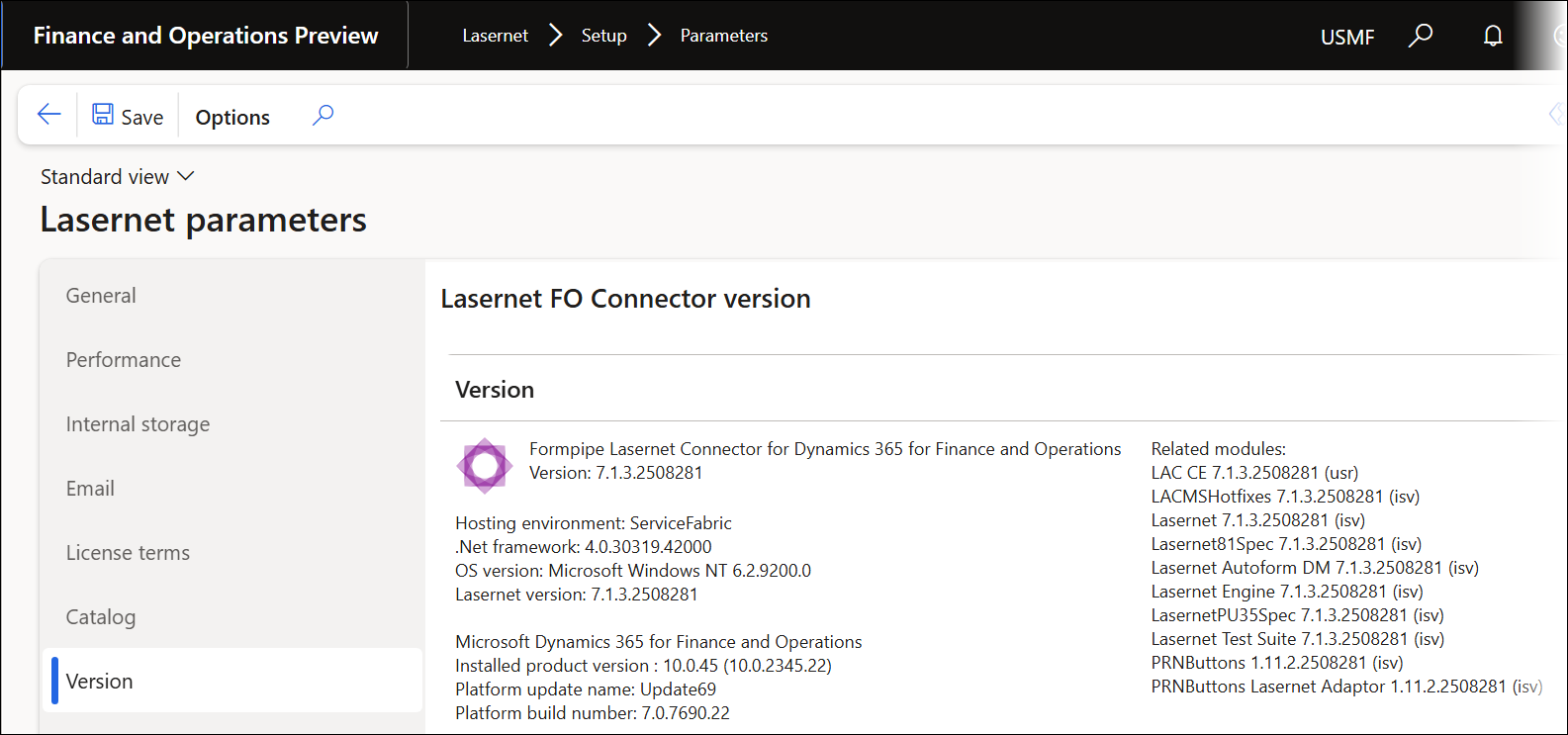
Dynamics Finance and Operations 10.0.45 PU69 Version: 7.1.3.2508281
Bug Fixes
Case No. | Area | Description | Ticket No. | Status |
|---|---|---|---|---|
466936@LAC365FO | SharePoint | An error occurs when using the SharePoint connection with standard FinOps 10.0.44 (PU68). For more information, consult this news post. | Bug fix | |
466477@LAC365FO | Microsoft-hosted Service Fabric environments | Images included in the email body expire and are not displayed correctly. | #44410 #44393 #42720 | Bug fix |
Models
Lasernet FO Connector 7.1.3 contains the following models, including the model for integration with D365CE (Dataverse) and the models for the Lasernet Print buttons.
Model | Description | Location/Remark |
|---|---|---|
Lasernet | Core and main engine for Lasernet FO Connector | Lasernet Requires activation key Lasernet > Setup > Parameters > License terms |
Lasernet81Spec | Additional requirements concerning 8.1 and newer versions of the standard Lasernet FO Connector | |
PRNButtons | Lasernet Print Buttons | Print buttons |
PRNButtonsLACAdaptor | Adaptor between the Lasernet Print Buttons and Lasernet | |
LACCE | Provide the integration to CE from Lasernet FO Connector | Lasernet > Dataverse/Dynamics 365 |
LACMSHotfixes | Hotfixes for standard Lasernet FO Connector | System administration > Setup > Hotfixes from Lasernet |
Lasernet Test Suite | Test and Performance Suite | Lasernet > Test and performance suite Requires activation Key Lasernet > Test and performance suite > Parameters |
LasernetPU35Spec | Support of Wave labels in Lasernet FO Connector | |
Lasernet Autoform DM | Integration to the Autoform (Archive) | |
Lasernet Engine | Embedded integration with Lasernet | Includes Lasernet Engine and installer for the Lasernet Form Editor |
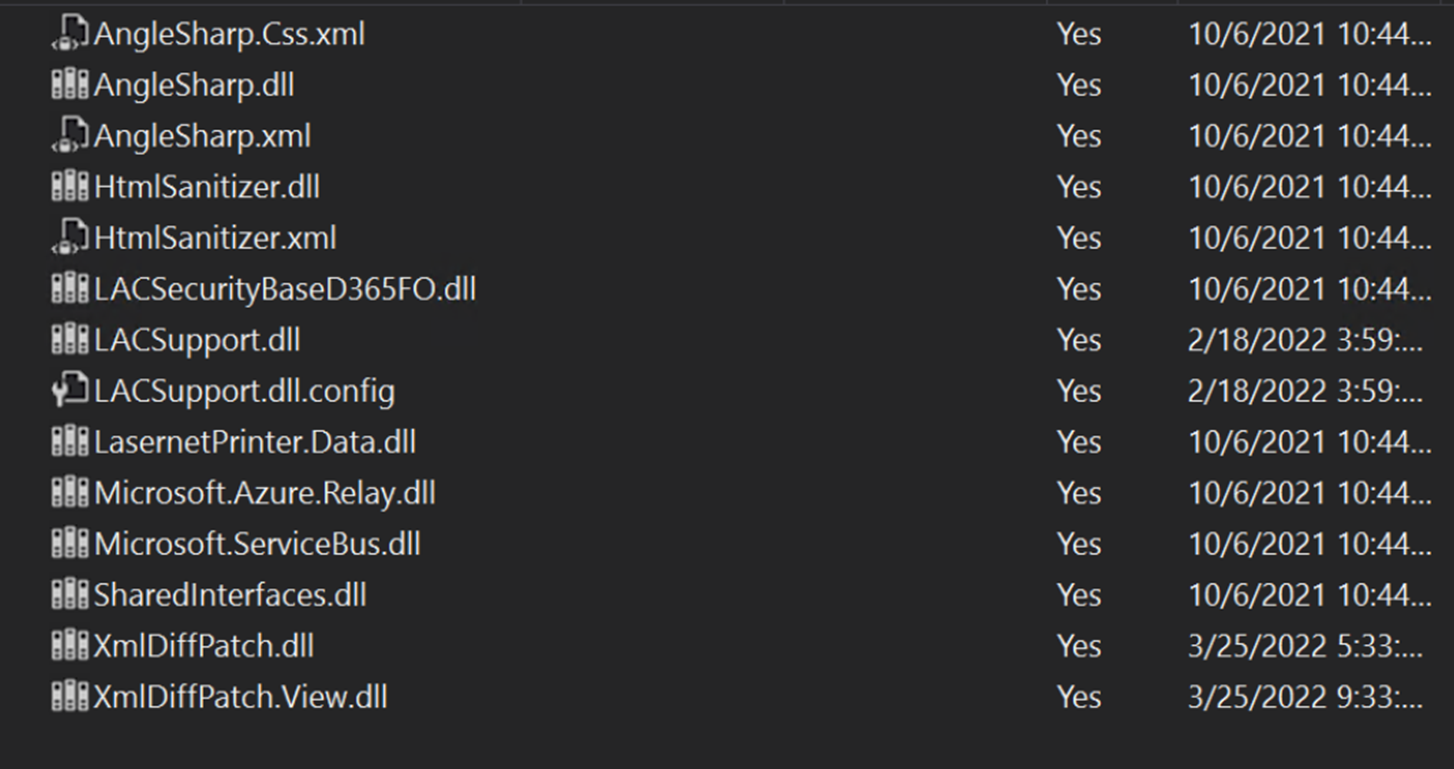
Ensure the following new objects/dll files are added to TFS in case you are not just installing/deploying the AOT package:
LACSupport.dll.config
XmlDiffPatch.dll
XmlDiffPatch.View.dll

The following is the complete list of objects that are not automatically added:
The version number should contain the number 7.1.3 after either installing or deploying the AOT package.
Lasernet > Setup > Parameters
Add the AOT package
Either through LCS - Apply a deployable package to an environment
Or by installing a deployable package – Requires RDP access to the environment
Different versions of Lasernet FO Connector are supported with different versions of Lasernet. A setup for each newer version of Lasernet is required for any new installation and when upgrading from an older version of Lasernet.
Prerequisite/Technical
Export the Lasernet FO Connector configuration, including all reports, to ensure data can be restored if needed.
It is possible to perform an in-place upgrade from a previous version as long as the previous version is relatively recent, such as Lasernet FO Connector 6.18.x.
How to Get Support
If you encounter difficulty using Lasernet FO Connector, contact Lasernet Support.