Applies to: Lasernet Core 10
Log File
The log file(s) for the config server are located in:
C:\ProgramData\Formpipe Software\Lasernet 10\Config\Default\Config.lnlog
The Config.lnlog file contains status information about:
Database connections
Deployments
Token expiry
Migrations
Start and stop of the Config Service
Transactions between client apps and server
Server Settings File
The settings for the Lasernet Config server are located in:
C:\ProgramData\Formpipe Software\Lasernet 10\Config\Default\ServerSettings.json
and the config service settings are grouped in to:
Authentication
Bindings
Port
Servers
Authentication
Type of authentication can be configured to either Lasernet Core local or external users (OpenID Connect), like Microsoft Entra ID. In order to configure Lasernet Core for Microsoft Entra ID authentication please read the Lasernet 10 Configuring Microsoft Entra ID Authentication guide.
{
    "Service": {
        "Authentication": {
            "Providers": {
                "Default": {
                    "ClientId": "<Application (client) ID>",
                    "Name": "<Tenant name 1>",
                    "OIDCMetadataEndpoint": "<OpenID Connect metadata document URI>"
                },
                "Backup": {
                    "ClientId": "<Application (client) ID>",
                    "Name": "<Tenant name 2>",
                    "OIDCMetadataEndpoint": "<OpenID Connect metadata document URI>"
                }
            },
            "Type": "Local"
        }
    }
The Authentication object contains the following properties:
| Property | Type | Description |
|---|---|---|
| Type | String | Tells Lasernet Core whether to use local or external users (OpenID Connect). Can be set to either ‘Local’ or ‘External’. |
| Providers | String | Contains a list of named authentication provider objects. When external configuration is used you must add at least one provider. One of the providers must be named “Default” and will be used if the user doesn’t specify a provider when logging in. |
The format of a Provider object is as follows:
| Property | Description |
|---|---|
| ClientID | Contains the Application (Client) ID identifying the App registration in Microsoft Entra ID. |
| OIDCMetadataEndpoint | Contains the URI of the OpenID Connect Metadata document for the Microsoft Entra ID tenant. The OpenID Connect Metadata document provides Lasernet Core with the information required to validate the JWT tokens issued by Microsoft Entra ID. |
You can configure several different providers. To authenticate using a particular provider, the user must specify the name of the configured provider when they attempt to log in.
Bindings
It is possible to configure several hostnames to bind with a local server certificate and obtain a secured connection via the IP address, the local host name or a DNS name.
{
    "Service": {
        "Bindings": [
            {
                "Hostname": "<IP address>"
            },
            {
                "Hostname": "localhost"
            },
            {
                "Hostname": "<local server name>"
            },
            {
                "Hostname": "<dns name>"
                "Thumbprint": "<thumbprint>"
                "PFX": "<path+filename>"
                "Password": "<password>"
            }
        ],
    }
}
If no bindings are configured Lasernet Core will auto-generate self-signed certificates for ‘localhost’, ‘<machine name>’ and (if applicable) ‘<machine name>.<active directory domain name>’.
Lasernet Core can use certificates installed in the Windows certificate store (in the Computer certificates area) or certificates stored on disk as PFX files.
The Bindings object is an array of Bindings with the following format:
| Property | Type | Description |
|---|---|---|
| Hostname | String | (Required) The hostname for which to bind a certificate |
| Thumbprint | String | (Optional) This will force Lasernet Core to use the certificate with the specified thumbprint in the Windows Certificate store. |
| PFX | String | (Optional) A path and filename to the certificate (including private key) stored in PFX format. |
| Password | String | (Required when using PFX) The password for the PFX file. |
If only Hostname is specified, Lasernet Core will attempt to find a suitable certificate for the specified hostname in the Windows Certificate store. If no suitable certificate is found, Lasernet Core will generate a self-signed certificate for this hostname.
Port
The port number to run the config server. The default port number is 33443, but can be configured to any port number, which is not in conflict with other services running on the Windows server.
{
    "Service": {
        "Port": <port number>,
    }
}
The Port object contains the following property:
| Property | Type | Description |
|---|---|---|
| Port | String | Tells Lasernet Core which port number to run the Lasernet Config server at. |
To connect to the Lasernet Config web site, from a browser, using default port number 33443, use this URL:
https://[hostname]:33443/lasernet/config
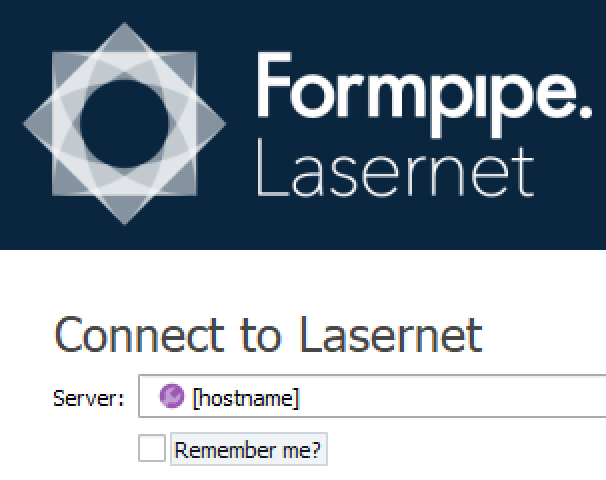
To connect to the Lasernet Config web site, from a Lasernet Core app, using default port number 33443, use this URL:
To connect to the Lasernet Config web site, from a browser, using port number 443, use this URL:
https://[hostname]/lasernet/config
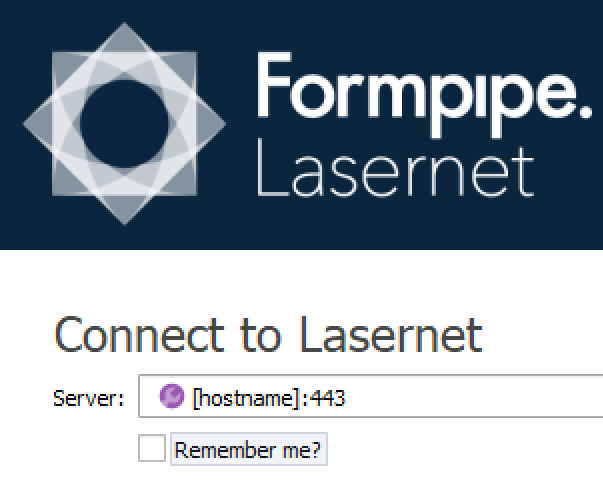
To connect to the Lasernet Config web site, from a Lasernet Core app, using default port number 443, use this URL:
Servers
The list of server instances, including port number can either be maintained from the Lasernet Config web site or from the Servers object.
Note
The Servers object can be excluded if you would like to maintain these settings from the Lasernet Config web site:
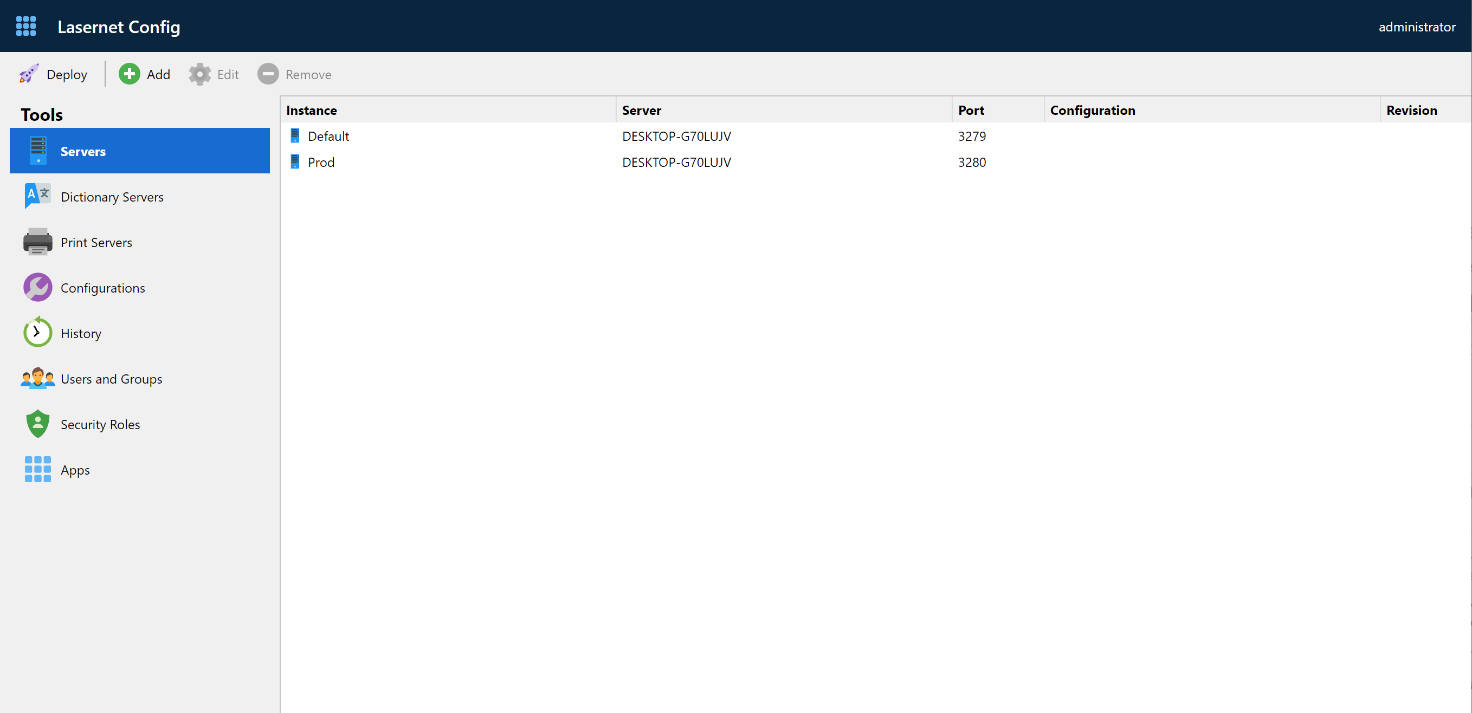
If a Servers object exist, the server settings on the web site are in read-only mode.
{
    "Service": {
        "Servers": {
            "<InstanceName1>": {
                "ClientSecret": "<ClientSecret>",
                "Insights": {
                    "Performance": <Boolean>,
                    "Transactions": <Boolean>
                },
                "Port": <PortNumber>,
                "Server": "<Hostname>"
            },
            "<InstanceName2>": {
                "ClientSecret": "<ClientSecret>",
                "Insights": {
                    "Performance": <Boolean>,
                    "Transactions": <Boolean>
                },
                "Port": <PortNumber>,
                "Server": "<Hostname>"
            }
        },
        "DictionaryServers": {
            "Dictionary": {
                "Server": "<Hostname>",
                "Port": <PortNumber>
            }
        }
    }
}
To mitigate a “server-side request forgery” the security level is increased by optionally maintaining the server list in the ServerSettings.json configuration file.
The Servers object is an array of server instances with the following format:
| Property | Type | Description |
|---|---|---|
| Instance name | String | (Required) The name for each instance can be found and copied from the Lasernet Server License Manager. This was created when the instance was added to the server. |
| Client secret | String | (Required) The client secret for each instance can be found and copied from the Lasernet Server License Manager. The client secret was created when the instance was added to the server |
| Insights | String | (Optional) A Boolean, set to false (default) or true, to activate counters for Performance or Transactions on the Lasernet Core server. The counters can be viewed in the Lasernet Monitor. |
| Port | Number | (Required) The port number for each instance can be found and copied from the Lasernet Server License Manager. The port number was created when the instance was added to the server |
| Server | String | (Required) The name of a Lasernet Core server to run one or several instances. An active connection between the Lasernet Config Server and to the Lasernet Core server instance is required to deploy a configuration. |
Dictionary Servers
The Dictionary Servers object is optionally used by the OCR Engine, which is a part of the Lasernet Core Input Management solution.
The list of Dictionary server instances, including port number can either be maintained from the Lasernet Config web site or from the DictionaryServers object:
| Property | Type | Description |
|---|---|---|
| Instance name | String | (Required) The name for each instance can be found and copied from the Lasernet Server License Manager. This was created when the Dictionary instance was added to the server. |
| Port | Number | (Required) The port number for each instance can be found and copied from the Lasernet Server License Manager. The port number was created when the Dictionary instance was added to the server. It is recommended to use the same port number as configured for the Lasernet Config server (default 33443) |
| Server | String | (Required) The name of a Lasernet Core server to run one or several Dictionary instances. An active connection between the Lasernet Config Server and to the Lasernet Core server instance is required to connect to the Dictionary Server database. |
Example Server Setting File
In the following you can find an example where we have configured the Lasernet Config server and Lasernet Core Services with the following parameters
| Property | Description |
|---|---|
| Authentication | End-users are using external authentication and can log in with their Microsoft Entra ID user login added to the listed provided from the Lasernet Core applications. |
| Bindings | End-users can access the Lasernet Config server via a secured connection via the listed IP address and hostnames. |
| Port | Lasernet Config server is configured to communicate on port number 443. |
| Servers | Lasernet Core server instances, named Default and Prod, are configured to communicate on port number 3279 and 3280. Lasernet Core Dictionary server instance is configured to communicate on port number 443. |
{
    "Service": {
        "Authentication": {
            "Providers": {
                "Default": {
                    "ClientId": "999ee99f-9fc9-9a99-ad99-99999fd099e9",
                    "Name": "<Tenant name>",
                    "OIDCMetadataEndpoint": "https://login.microsoftonline.com/9999be9c-9c99-99bb-a6de-c999db099a99/v2.0/.well-known/openid-configuration"
                }
            },
            "Type": "External"
        },
        "Bindings": [
            {
                "Hostname": "192.168.99.1"
            },
            {
                "Hostname": "localhost"
            },
            {
                "Hostname": "ln-win2019-test"
            },
            {
                "Hostname": "ln-win2019-test.northeurope.cloudapp.azure.com"
            }
        ],
        "Port": 443,
        "Servers": {
            "Default": {
                "ClientSecret": "<ClientSecret>",
                "Insights": {
                    "Performance": true,
                    "Transactions": false
                },
                "Port": 3279,
                "Server": "ln-win2019-test"
            },
            "Prod": {
                "ClientSecret": "<ClientSecret>",
                "Insights": {
                    "Performance": false,
                    "Transactions": false
                },
                "Port": 3280,
                "Server": "ln-win2019-test"
            },
            "DictionaryServers": {
                "Dictionary": {
                    "Port": 443,
                    "Server": "ln-win2019-test"
                }
            }
        }
    }
}