Applies to: Lasernet Core 10
Multiple users can work with the same configuration from different computers at the same time.
A built-in lock system handles locked and non-committed objects from being edited at the same time.
We recommend that you create unique users on the Lasernet Config Server for each user working with the Lasernet Developer, in order to track changes and commits as well as handling object locks in the configuration.
When an object is added, opened or modified, a lock symbol will appear next to it with information about who has locked it and when. Objects are locked by both GUID and name. The name of an added object is locked for any user until it is either commited or reverted.
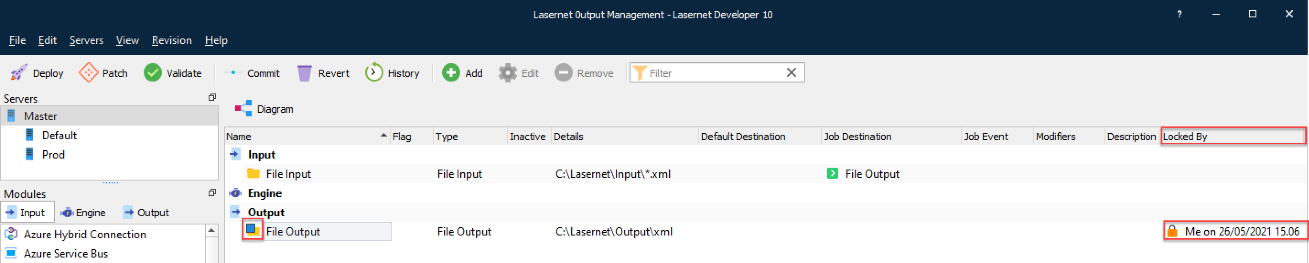
An object is unlocked when it is commited, or if it is closed without changes. An object is also unlocked if its properties are reverted to the same values as in the previous revision.
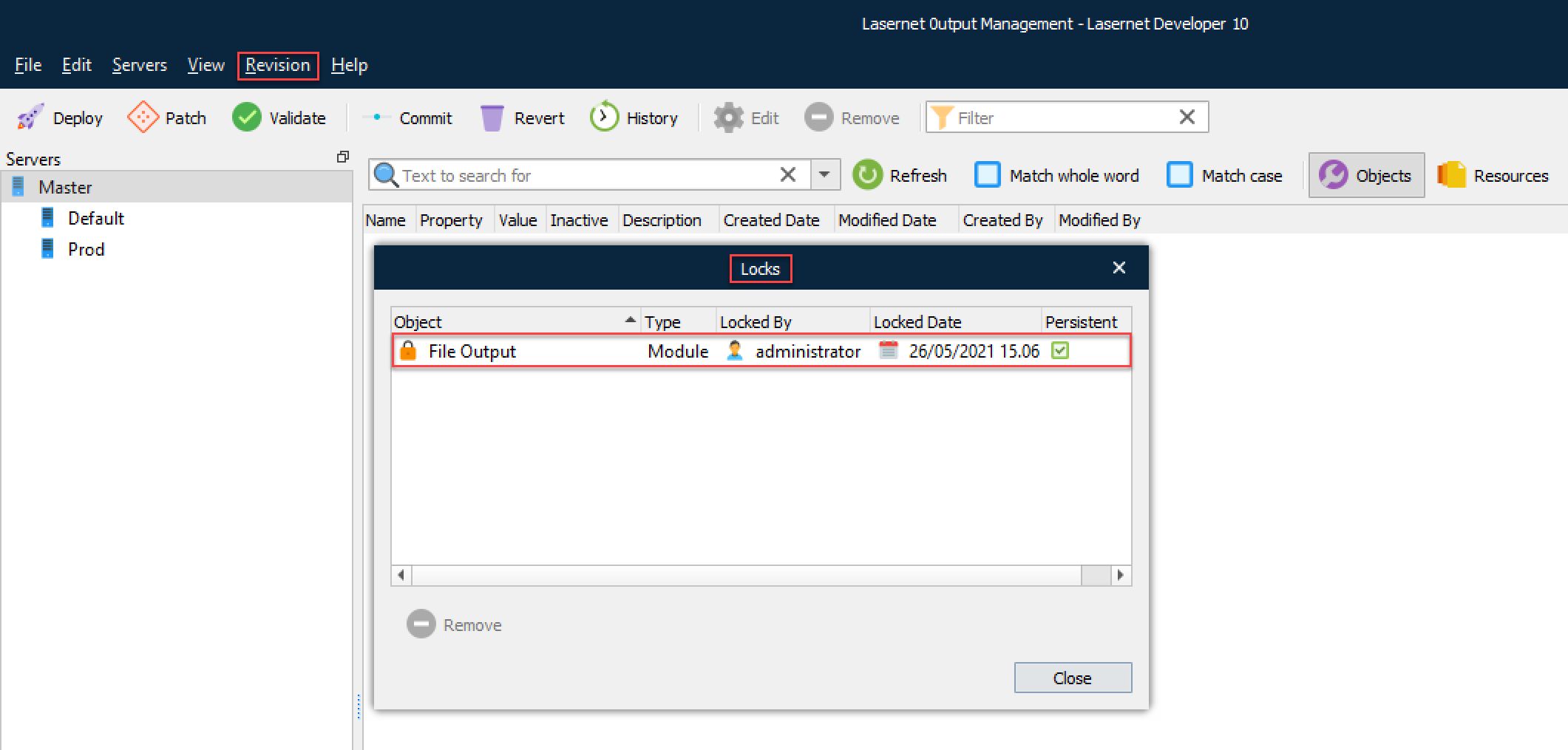
A user of the admin group is allowed to remove listed locks for any user from the Revision 🡪 Locks dialog.
Important
All the modified settings of a non-committed object are immediately lost for a logged in user, or the next time the configuration opens.