
Applies to: Lasernet Core 11
The Azure AD Auth modifier logs into Microsoft Entra ID for a given user and retrieves a token which can be used to access different services in Azure. This could be SharePoint, Exchange, or custom web services developed by third parties, which you want Lasernet Core to communicate with. It can also request different scopes, which determine what Lasernet Core can access if granted.
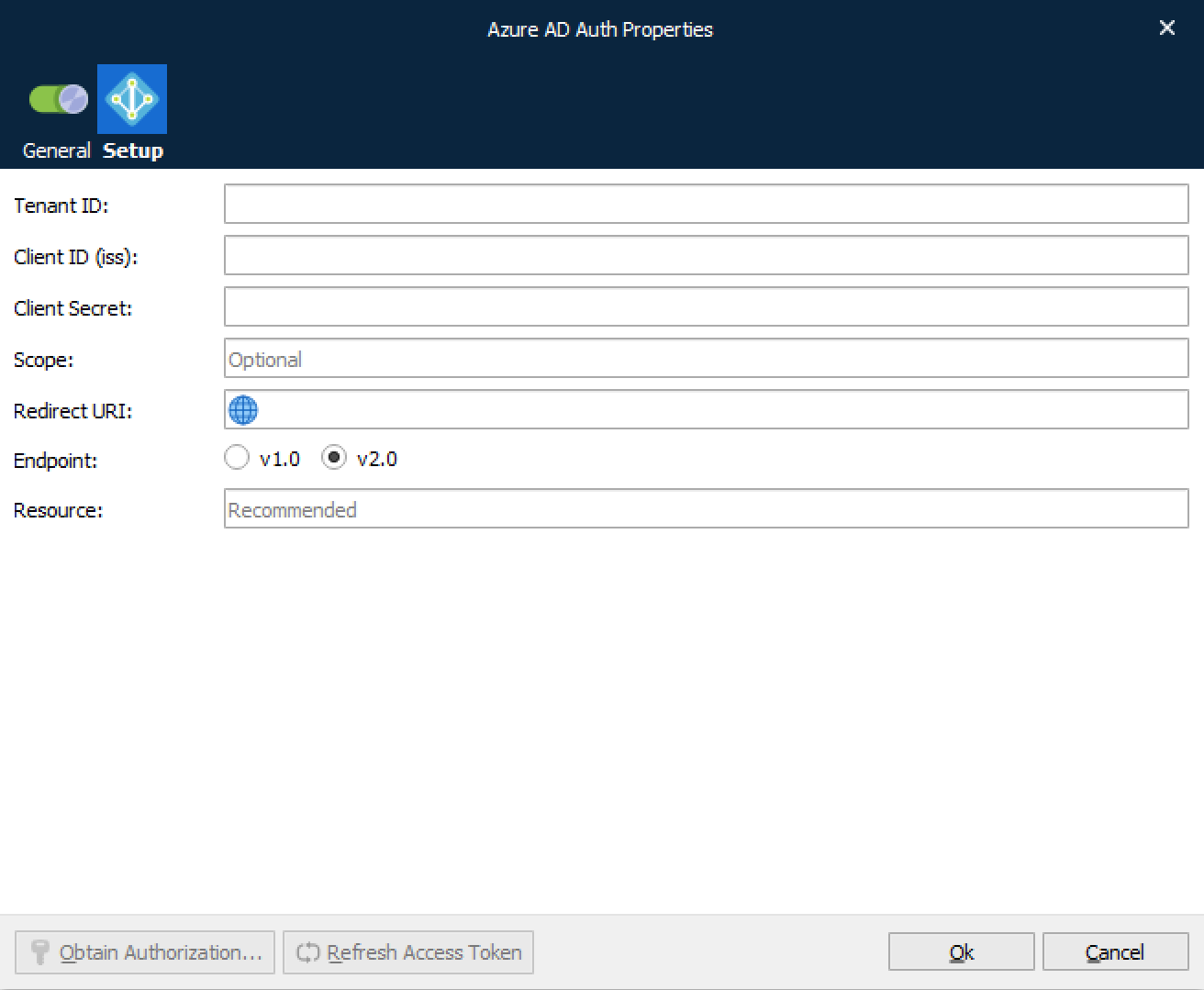
Tenant ID | The ID of the AAD directory in which you created the application. |
Client ID (iss) | Credentials (ID) for Microsoft Entra ID Authentication. |
Client Secret | Credentials (secret key) for Microsoft Entra ID Authentication. |
Scope | The request may have one or more scope values indicating additional access requested by the application. The authorization server will need to display the requested scopes to the user. The setting is optional. |
Redirect URI | The redirect URI is the URL within your application that will receive Microsoft Entra ID credentials. |
Endpoint | Select between Endpoint version v1.0 or v2.0. |
Resource | The ID of the API that the modifier wants to access on behalf of the user. |
Enter any necessary settings and then click Obtain Authorization.
Refresh Access Token
If Lasernet Core experiences issues connecting to the Azure service, there might be a problem with its current security tokens. In some cases, the Refresh Access Token button can resolve connection issues.
Connection issues can occur for a number of reasons, including:
More than 90 days of inactivity.
The user changed their password.
Permission or security changes to the user.
Revocation of permissions.
If Lasernet Core experiences connection issues, click Refresh Access Token to obtain new tokens, then commit and deploy the Lasernet Core configuration.
If doing this does not resolve the issue, click Remove Authorization to remove the currently stored security tokens, then click Obtain Authorization to reauthenticate using the user account (which will also refresh the security tokens). Then, commit and deploy the Lasernet Core configuration.
JobInfos
The Azure AD Auth modifier (Microsoft Entra ID) sets a JobInfo.
OAuth2AccessToken | Value of the OAuth 2.0 access token. |