Applies to: Lasernet Core 10
The Azure Storage output module is used to upload files to Blob storage or to insert messages into Queues.
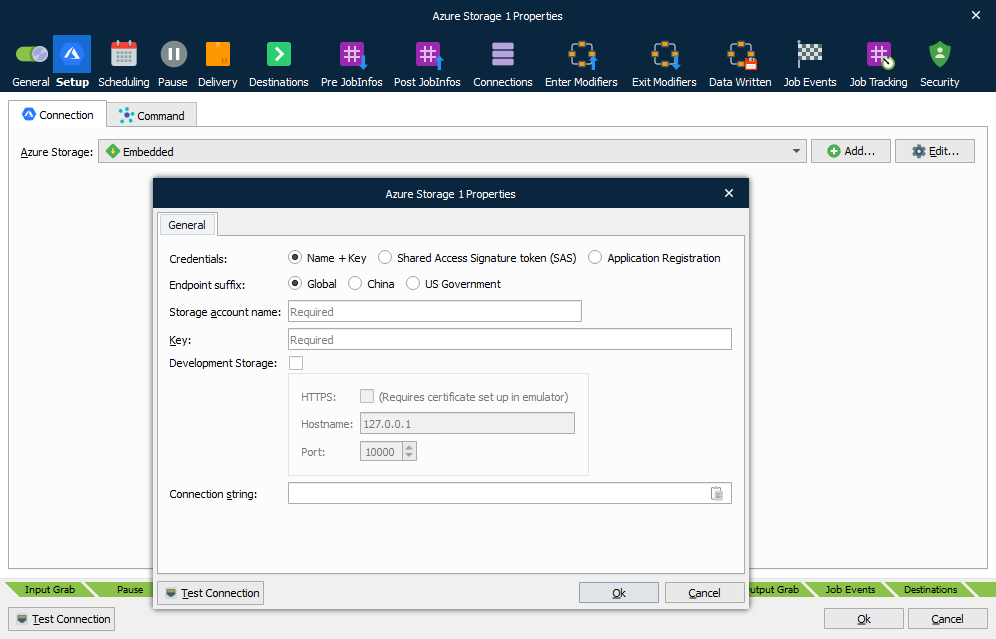
The setup of the module consists of two pages: Connection and Command.
Connection
In order to access the Azure Storage API, the module’s Connection properties must be correctly configured.
This module’s connection is configured in the same way as the Azure Storage Input Module.
See the Connection section of the Azure Storage Input Module page to learn about connection types (global and embedded) and how to configure each of the three available authentication options (name + key, Shared Access Signature token (SAS), and application registration).
Command
One of two types of commands are available:
| Blob | Files are uploaded to a specified Container. |
| Queue | Messages are inserted in a specified Queue. |
Blob
| Container name | The container to upload the Blobs to. |
| Path | The path (within the container) to upload to. This property is optional. |
| Blob name | The name of the file. This property is mandatory. |
| Metadata | Metadata fields that will be added to the BLOB in Azure Storage. To add a metadata field to the BLOB, click Add below the metadata table. In the Add Metadata window, enter a Key name for the metadata, then enter a value for the metadata in the Value box. You can select a JobInfo from the list (or enter a JobInfo name) to use dynamic data, or you can enter a static value. |
Queue
| Queue name | The queue to upload to. |
JobInfos
The following JobInfo is used by the Azure Storage output module:
| Mimetype | Content-type of the message. |