
Applies to: Lasernet Core 11
Note
For Lasernet Core 10 documentation on this subject, see the Lasernet Config Server and Deployment Guide.
To see which configuration is deployed to each environment, follow these steps.
Manage
Refer to the configuration deployment history for each environment.
Lasernet Config Web App
Note
The Lasernet Config web app was provided with earlier versions of Lasernet Core. It is a legacy web app and will be deprecated in a future version of Lasernet Core.
Expand for information
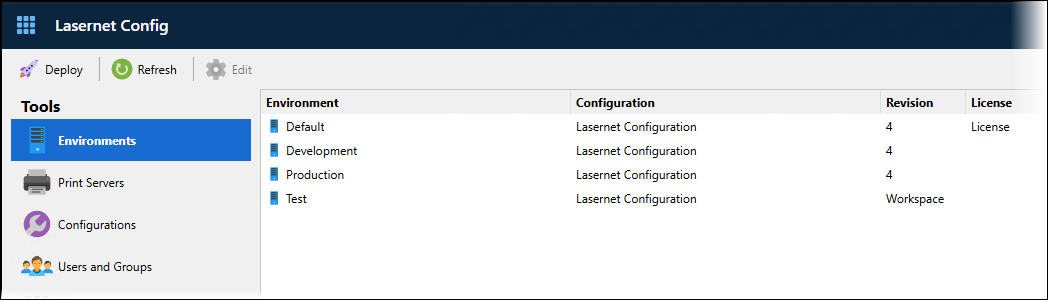
In the Tools menu, click Environments.
For each listed environment:
The Configuration column contains the name of the configuration that is deployed to that environment.
If the Revision column contains a number, it indicates the configuration revision that is deployed to the environment.
If the Revision column contains Workspace, the workspace for that configuration has been deployed to that environment.
Note
You can view the configuration deployment history for each environment. This information lists the configurations that were previously deployed to the selected environment, along with the name of the user who deployed the configuration and a timestamp of the deployment.