
Applies to: Lasernet Core 11
Used for picking up files from a directory for processing in Lasernet Core.
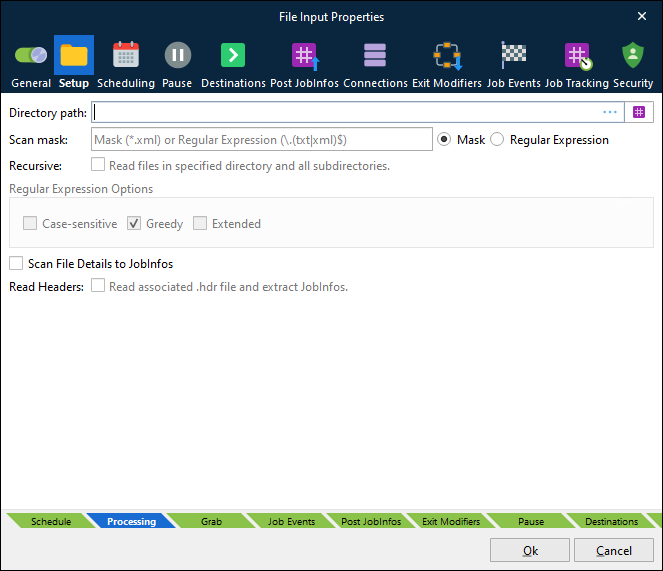
There are three main settings that must always be configured for the File Input module:
Directory path | Specifies the directory that the input module will look in to find files. |
Scan mask | Filter that determines what files to pick up. Wildcard: The asterisk (*) is used for matching any characters. For example, *.xml will match any file with an xml extension. Use a Regular Expression If you need to match more than one type or you have a specific list of files to recognize, you can use regular expressions. An example of multiple file types: \.(txt|xml|pdf)$ Click Regular Expression to enable regular expression mode. This action also activates the Regular Expression Options area, which provides enhanced methods of setting up wildcards for matching file names. |
Recursive | Activate to recursively read all files in specified directory and all subdirectories. |
Other settings:
Scan file details to JobInfos | When this setting is enabled, Lasernet Core scans metadata from the file. This similar to what is shown in Microsoft Windows Explorer when right-clicking a file and selecting Properties. The names of the JobInfos will depend on the file type, but they are always prefixed by FileDetail, e.g., FileDetailAuthor. Use the Lasernet Monitor application to view the JobInfos that are set for the file types that you are using. |
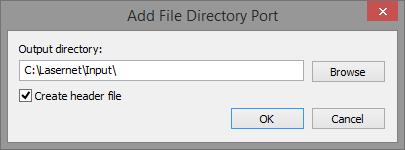
Read Headers | Enable to scan for a matching
The |
Note
To configure the polling interval for a File Input module, use the Scheduling tab.
JobInfos
The File Input module sets some JobInfos when creating a Job.
Default | The default destination as set in the configuration. |
DefaultPrinter | The default printer as set in the configuration. |
Extension | The extension of the filename. |
FileCreated | The time the file was created in the format yyyy-mm-dd hh:mm:ss.zzz. Not with JobInfo Scanner. |
FileLastModified | The time the file was last modified in the format yyyy-mm-dd hh:mm:ss.zzz. Not with JobInfo Scanner. |
FileLastRead | The time the file was last accessed in the format yyyy-mm-dd hh:mm:ss.zzz. Not with JobInfo Scanner. |
Filename | The name of the file without the path. |
FilenameWithoutExt | The name of the file without the extension. |
FilePath | The path to the file without filename. |
FileRelativePath | The relative path to the root of the file. |
FileRootPath | The path to the root of the file without filename. |
FullFilename | The name of the file including path. |
MatchedMask | The file mask matched. |
PageSeparators | The page separators as set in the configuration. Only with JobInfo Scanner. |
TimeOut | The time out setting. Used only with JobInfo Scanner. |