Applies to: Lasernet Core 10
Used for picking up files from a directory for processing in Lasernet Core.
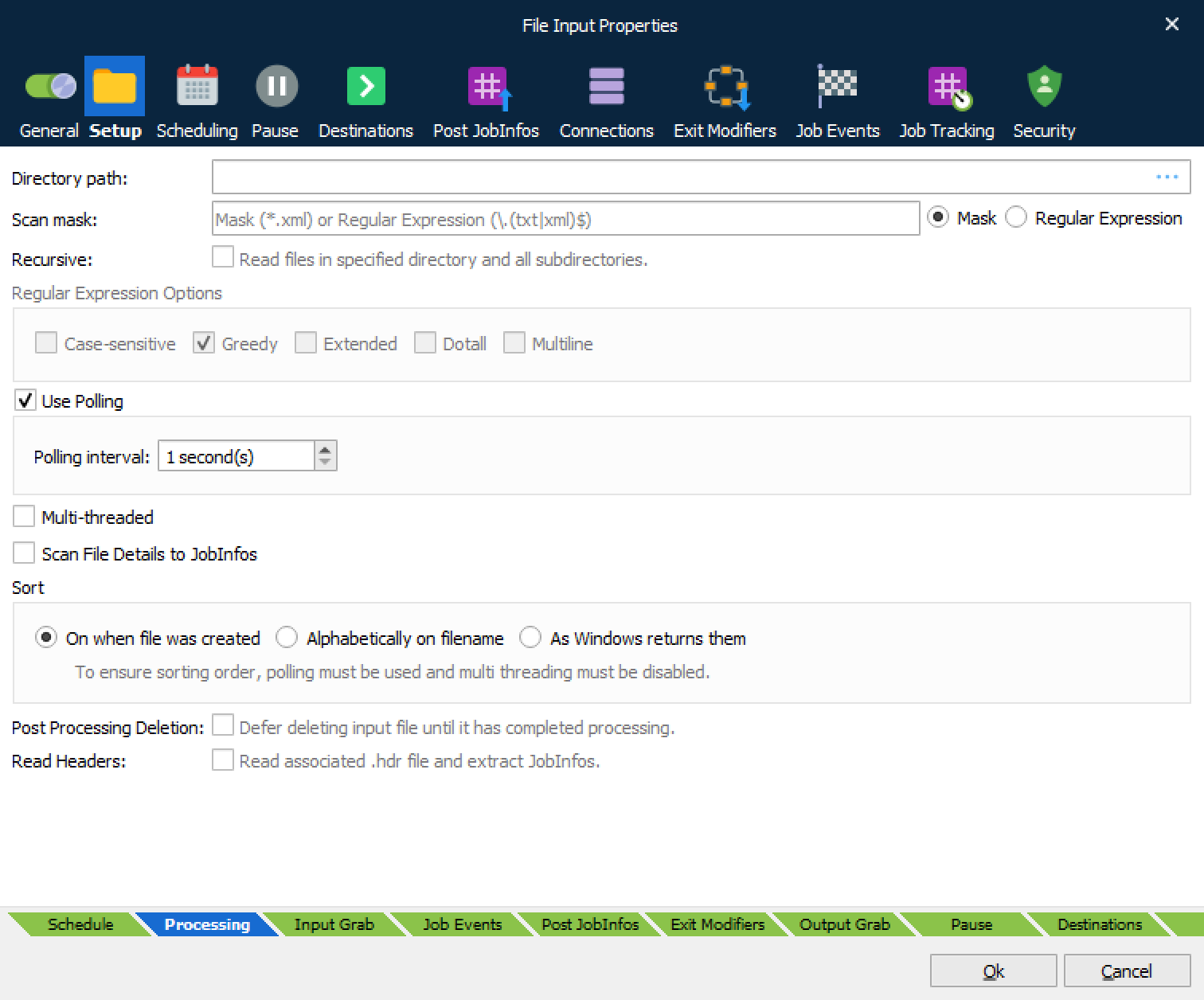
There are three main settings that must always be configured for the File Input module:
| Directory path | Specifies the directory that the input module will look in to find files. |
| Scan mask | Filter that determines what files to pick up. Wildcard: The asterisk (*) is used for matching any characters. For example, *.xml will match any file with an xml extension. Regular Expression: If you need to match more than one type or you have a specific list of files to recognize, you can use regular expressions. An example of multiple file types: \.(txt|xml|pdf)$ |
| Recursive | Activate to recursively read all files in specified directory and all subdirectories. |
| Regular Expression | Activate to enable Regular Expression Options. Offers enhanced method of setting up wildcards for matching file names. |
Polling, multi-threaded and sorting are behaviours for detecting and receiving files.
| Use Polling | Polling is activated by default. This means that the file input module will poll the specified directory every time the polling interval is reached. If polling is disabled, Lasernet Core will react to events from Microsoft Windows when a new file is available; however, this is not reliable method for network paths and makes sorting impossible, so polling is recommended. |
| Multi-threaded | Multi-threaded is deactivated by default. This means that the File Input module will only process one job at a time. If multi-threaded is activated, Lasernet Core will simultaneously process as many jobs as there are CPU cores in the server. In active mode, Lasernet Core cannot guarantee the output order of the processed jobs, since one job could be processed faster than another job. |
| Sorting | Defines the sorting order that the file input module will process the incoming jobs. To ensure a fixed sorting order, polling must be used and multi-threading must be disabled. |
| Scan file details to JobInfos | When this setting is enabled, Lasernet Core scans metadata from the file. This similar to what is shown in Microsoft Windows Explorer when right-clicking a file and selecting Properties. The names of the JobInfos will depend on the file type, but they are always prefixed by FileDetail, e.g., FileDetailAuthor. Please use the Lasernet Monitor application to view the JobInfos that are set for the file types that you are using. |
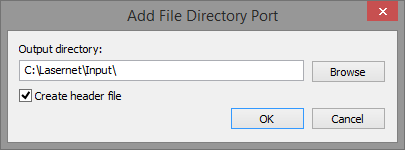
| Read Headers | Enable to scan for a matching .hdr file and read the embedded JobInfos. The .hdr file is used to store information about a print job created by a Windows printer and saved by the Lasernet File Directory Port.
The .hdr file is deleted after the job is read by the File Input Port. |
Handling for Lasernet Core job format (lnjob)
The internal job format in Lasernet Core is called lnjob and is a zipped archive format that contains names and values for any JobInfo defined for a job. The File Input module is able to read the lnjob format and automatically extract all JobInfo names and values stored in the archive file including JobData. After a job has been extracted by the File Input module it can be passed to other modules in Lasernet Core with included JobInfos.
JobInfos
The File Input module sets some JobInfos when creating a Job.
| Default | The default destination as set in the configuration. |
| DefaultPrinter | The default printer as set in the configuration. |
| Extension | The extension of the filename. |
| FileCreated | The time the file was created in the format yyyy-mm-dd hh:mm:ss.zzz. Not with JobInfo Scanner. |
| FileLastModified | The time the file was last modified in the format yyyy-mm-dd hh:mm:ss.zzz. Not with JobInfo Scanner. |
| FileLastRead | The time the file was last accessed in the format yyyy-mm-dd hh:mm:ss.zzz. Not with JobInfo Scanner. |
| Filename | The name of the file without the path. |
| FilenameWithoutExt | The name of the file without the extension. |
| FilePath | The path to the file without filename. |
| FileRelativePath | The relative path to the root of the file. |
| FileRootPath | The path to the root of the file without filename. |
| FullFilename | The name of the file including path. |
| MatchedMask | The file mask matched. |
| PageSeparators | The page separators as set in the configuration. Only with JobInfo Scanner. |
| TimeOut | The time out setting. Used only with JobInfo Scanner. |