Lasernet Connector for Dynamics 365 Business Central
Release version: 4.0.1.4
Release date: 5th May 2022
Introduction
This page describes the new bug fixes in Lasernet BC Connector 4.0.1.4.
Click to view the Lasernet BC Connector 4.0.1.4 Release Notes.
Bug Fixes – Lasernet BC Connector 4.0.1.4
Lasernet BC Connector version 4.0.1.4 is aimed to be a quality update, provided through the following new features, fixes, and enhancements.
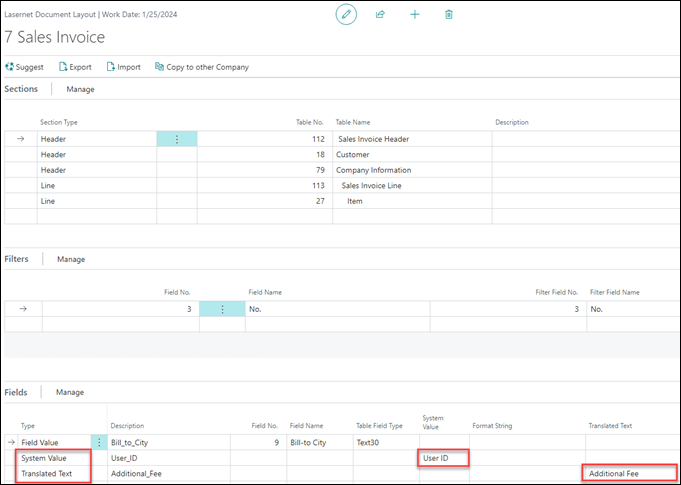
#294605 – Importing Document Layout Field does not cover Type and Translated Text
Document Layout fields, such as Translated Text and System Values, were not imported correctly.
This is now fixed.
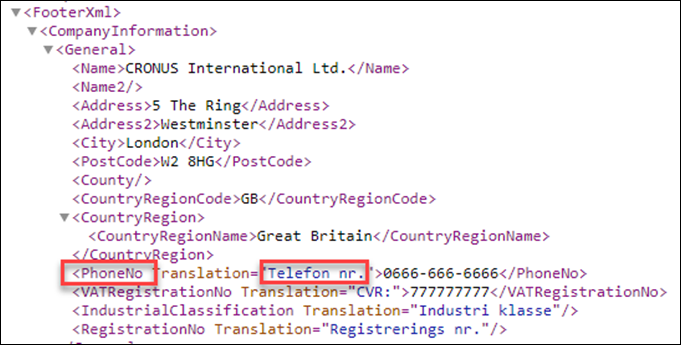
#295052 – Missing XML Footer Translations
Translations in the footer section did not take the Language code into account. The ENU translation was always displayed.
This is now fixed.
#295595 – Importing Distribution Settings from older Connector version produces wrong Distribution Email Entries
After import, the email address was added to MailTo and MailCC even if there was no MailCC in the import file.
This is now fixed.
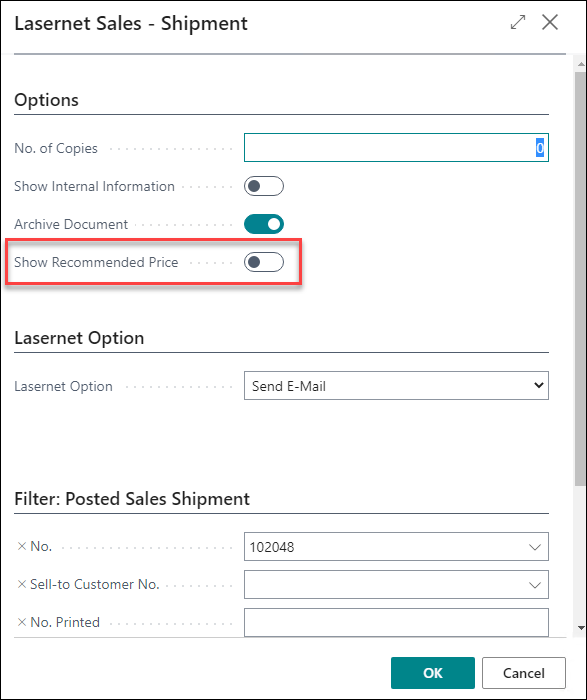
#295691 – Sales Shipment report - Show Recommended Price does not work
Show Recommended Price on Sales Shipment was not taken into account if switched to Yes on the Request Page. The price was never added to the XML file.
This is now fixed.
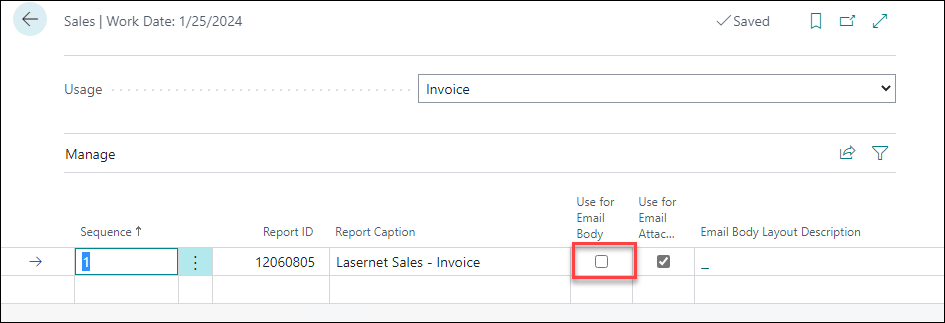
#296446 – Importing Report Selections sets wrong values
After import, the Use for Email Body was enabled, causing an error when trying to email.
This is now fixed.
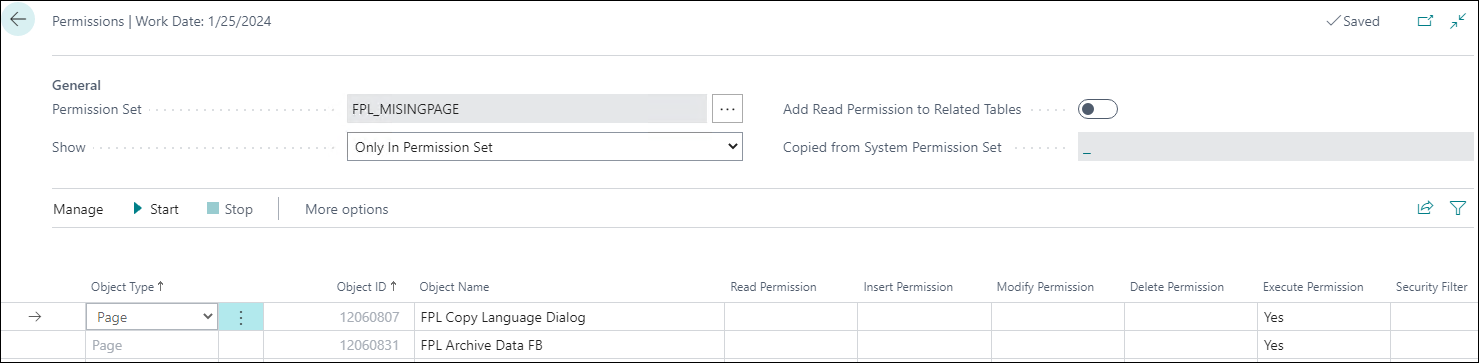
#296449 – Missing pages in Permission Set
ArchiveData FB and Copy Language Dialog pages are now added to the FPL permission set.
#296508 – Sales Shipment report does not take the "Show price" setting from Customer Card
If users enabled Show price on shipment, Lasernet would not change the Lasernet request page according to the Customer Card setting.
This is now fixed.