Lasernet for Dynamics 365 Finance and Operations
Release version: 7.4
Release date: 23th October 2026
Introduction
This page describes the fixes, and enhancements in Lasernet FO Connector 7.4.
The following documentation is available:
Fixes, Enhancements and Features – Lasernet FO Connector 7.4
Lasernet FO Connector 7.4 is released for Dynamics 365 for Finance and Operations versions 10.0.47(PU71), 10.0.48(PU72), and 10.0.49(PU73).
The same source code is used across all versions.
Version 7.4 is a big release for e-invoicing. The highlights:
Lasernet e-documents gets an XSLT route for outbound e-invoices in 19 formats, e-documents for free text, project, vendor, advance, prepayment and GST invoices, and a canonical import for received e-invoices. It also handles invoice lifecycle statuses for France and Peppol, and shows any e-invoice XML as a readable PDF.
GoBD archiving keeps German e-invoices unchanged for their retention period, in the Lasernet archive and for received e-invoices, with an export for tax auditors.
The E-Document checklist, one workspace for sending and receiving, checks all setup and master data before the first invoice is sent or received, and fixes much of it.
The Lasernet connector gets business events as print triggers, with its own events for production orders, containers and production journals. It also gets Build report, which turns any page into a Lasernet report, single sign-on for Lasernet Keep, new JSON and XML viewers, and a way to restore previous versions of any report.
Side-by-side compare gets a redesigned XML compare.
Test & Performance is stricter about what counts as a pass, and the Lasernet code that showed up in every SysLastValue trace no longer runs outside test runs.
Across all modules, Lasernet shows its new brand.
PRN: Print buttons
Lasernet query reports missing from Print buttons report groups
Bug 76095 — Regression: Lasernet Report Queries Cannot Be Added to Report Groups in LAC 7.3.2/7.4
In Print buttons > Report group, the Available list showed only the standard reports. Lasernet query reports, such as SalesConfirmReplacement and custom queries, were missing, so they couldn't be added to new report groups. They are listed again, after the standard reports. The fix is in Print buttons 1.11.5.
Print buttons Clear cache didn't clear the dictionary data
Bug 75694 — PRN Clear cache does not clear the Print buttons dictionary data (LAC DictData build)
Clear cache in the Print buttons parameters only cleared the remembered form-analysis settings. It now also removes the Print buttons dictionary data and shows how many records were removed. The data is filled again by the Lasernet dictionary rebuild, or when a Print buttons form needs it.
LAC: Lasernet connector
Lasernet connector — new and improved
Business events as print triggers
Feature 73772 — Business events triggers as with Alerts - Extended warehouse functionalities
A business event can now trigger a Lasernet report, the same way an alert does. Production and warehousing use alerts widely to print labels and documents. But the alert batch job runs at most once a minute, so a label can wait up to a minute before it prints. An alert also can't be moved to another environment, because it depends on a number sequence that belongs to that environment. Business event links remove both limits: the report runs as soon as the event fires, and the setup can be moved between environments.
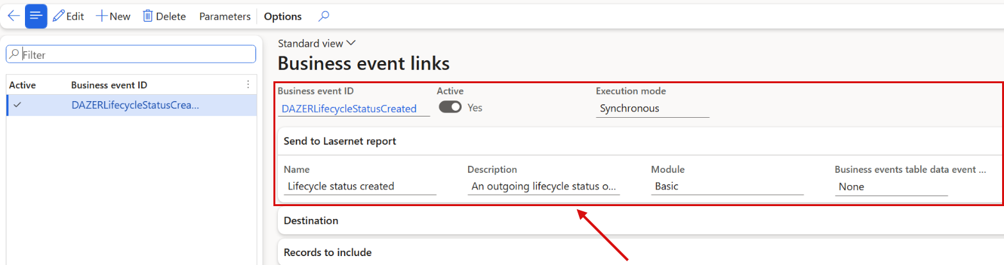
Business event links: each link connects a business event to the Lasernet report it sends, with its destination and the records to include.
Business events for production orders, containers and production journals
User Story 75713 — Custom business events phase one
User Story 75866 — Custom business events phase two
Lasernet now ships its own business events, marked (Lasernet) in the Business events catalog, so more documents can be printed the moment something happens. Production orders: created, estimated, scheduled, started, reported as finished and ended. Containers: opened, packing started and closed. Production journals: picking list, route card, job card and report as finished journal created. Link a Lasernet report to an event with Business event links, and the report gets the production order, container or journal itself. A status that is reset backwards triggers nothing, so production papers aren't printed twice.
Service Bus through the REST interface
Task 73130 — Add support for Microsoft Entra ID authorization for Storage blob/queue and Service bus Queues
Task 72180 — Move LAC to new Azure Service Bus SDK libraries
Bug 76410 — Azure authentication profile is hidden on Azure storage and Service Bus connections in 7.4.0, although Task 73130 is Closed and the 7.4 release notes announce Entra ID sign-in
Service Bus access now uses the REST interface instead of the deprecated Azure Service Bus SDK. This removes the risk of DLL conflicts with the libraries that ship with Dynamics 365. Sign-in with Microsoft Entra ID through an Azure authentication profile, prepared for Azure storage and Service Bus connections, isn't part of 7.4.0: it hasn't been tested against a live Azure account yet, so the Authentication profile field and the Azure authentication profiles page stay hidden. Connections sign in with their connection string or key as before.
Cloud print connector: certificate and service principal sign-in
Feature 72153 — Cloud print connector security enhancements - Encryptions and decryptions keys
The authentication options this feature asked for, a certificate or a Microsoft Entra service principal for the Cloud print connector, came with earlier work items, so it is closed without a change of its own in 7.4.
JSON viewer
Feature 74984 — JSON viewer
JSON documents in the Lasernet preview, such as the envelopes used for e-invoicing deliveries, now open as a tree you can navigate, instead of one block of text. Values are colour-coded by type, and every object and list can be collapsed and expanded. Right-clicking a value gives its full path, and an embedded Base64 file can be downloaded directly. This applies to archived documents as well as to new output.
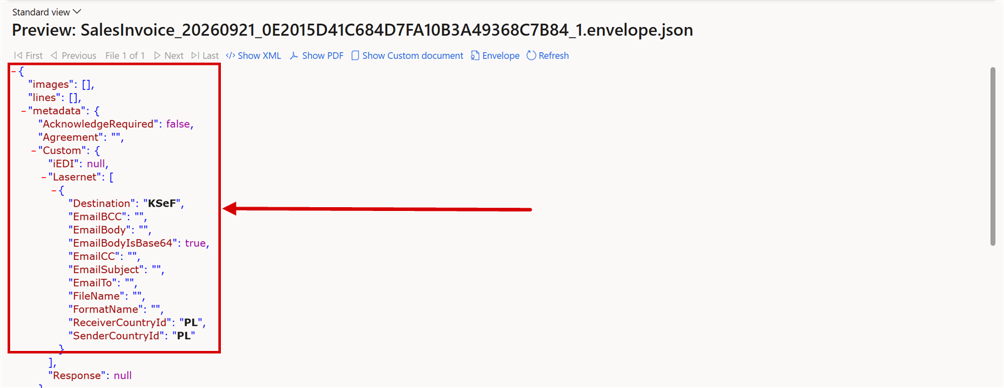
The envelope of a KSeF delivery, opened from the Lasernet log with Preview > Show Envelope.
XML viewer redesign
Feature 75016 — XML viewer redesign
The XML preview in the Lasernet log and in the report preview has been rebuilt. It opens faster and handles large documents that used to seem to hang. Long values, such as an embedded PDF, are shown as their first characters followed by their size, so each element stays on one line. The full value can still be shown, downloaded or viewed. The XML declaration is now displayed, and validation highlighting marks the element it refers to.

An embedded PDF in an XRechnung invoice, shortened to its first characters and its size.
Restore a previous version of any report
User Story 75857 — Restore points of reports outside the catalog cannot be restored from the UI
Lasernet saves a restore point of a report before a load or a clean-up overwrites it. Until now a restore point could only be restored from Catalog updates > Details, and only for reports the catalog publishes, so a replacement report couldn't be restored without help from support. Previous versions, in the Backup group of the Setup tab on Lasernet > Reports, now lists the restore points of the selected report with when, by whom and why they were taken. Restore previous version brings one back, and saves the current content as a restore point first. Catalog updates > Details opens the same view for reports outside the catalog, and while the catalog can't be reached.

Lasernet > Common > Reports, Setup tab: Previous versions in the Backup group.
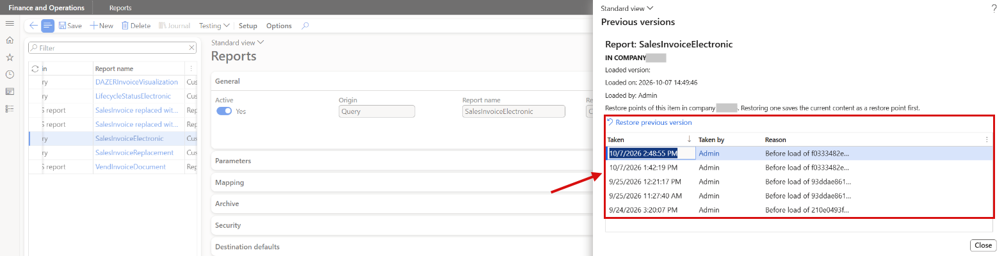
Previous versions of SalesInvoiceElectronic: the restore points with when they were taken, by whom and why.
Query links can take element names and formats from the source report
Bug 75712 — Sync edited element output names through copy-query links
A report can link the query of another report through Query links, and the link copies the query and its custom elements. Output names, data types, decimals, custom formats and conditions edited on the source report can now reach the linked report too, with the new link option Sync element properties. It is No on existing links, so nothing changes until it is switched on. Naming patterns also get the placeholder %7 for the data source name.
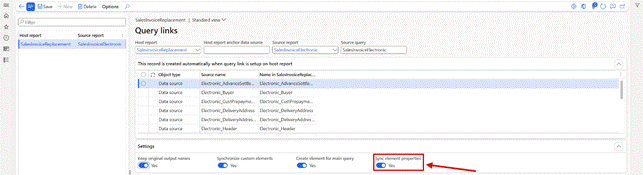
Lasernet > Common > Reports > Setup > Query links: Sync element properties on the SalesInvoiceElectronic link.
The PDF embed properties share one Edit on level
User Story 76305 — Custom properties: the PDF embed properties (PDFEmbed) always share one "Edit on" level
The PDF embed properties, such as PDFEmbedSource and PDFEmbedFilename, describe one embedded file together, but each could have its own Edit on level. A mixed setup could leave sources and file names unpaired, and then Lasernet embedded nothing. Changing the level of one PDF embed property now changes all of them in the company, and a new one starts at the level the others already have.
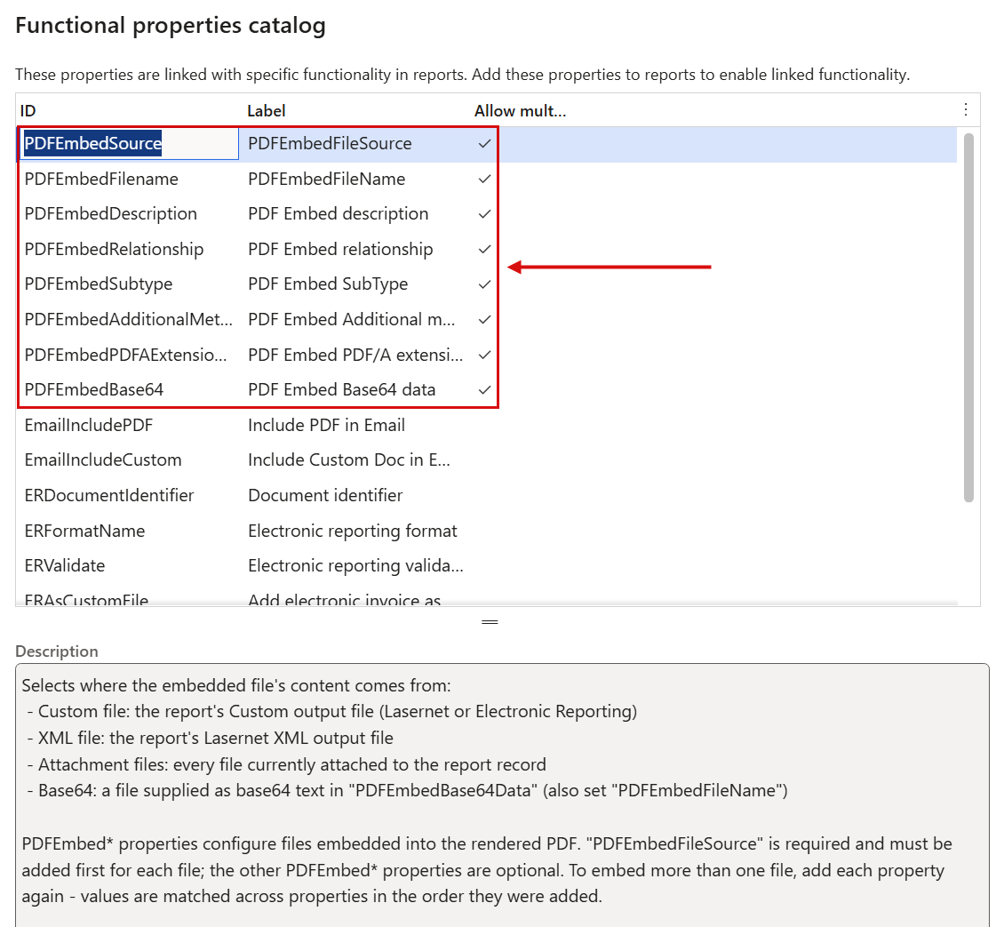
Functional properties catalog: the eight PDF embed properties that describe one embedded file together.
Preview of HTML attachments
Task 74931 — Option to preview HTML in attachments (DocuRef/DocuValue)
HTML files held as attachments (document handling) can now be previewed. The attachment preview renders them with the same previewer used elsewhere in Lasernet, instead of showing the raw markup. Show source and Show preview switch between the rendered page and the markup.
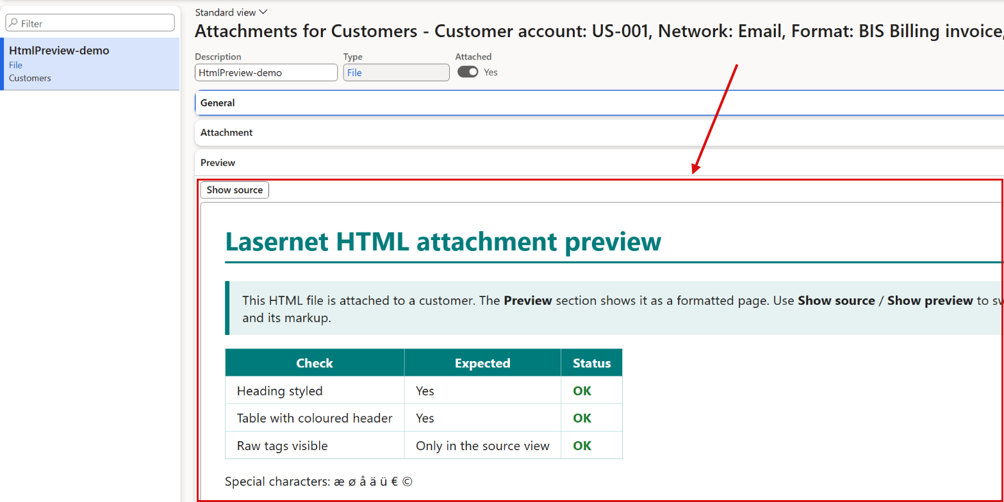
The attachments of a customer in a demo company: an HTML attachment shown as a rendered page in the Preview section, with Show source.
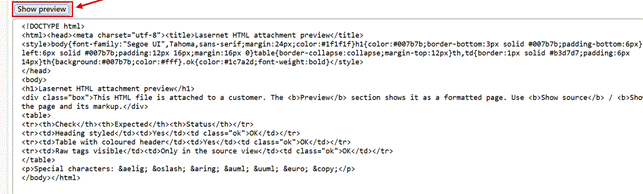
Show source shows the markup of the same attachment, and Show preview switches back.
Faster printing and style sheet generation
Task 75463 — Performance review on style sheet generation
Task 75479 — LAC Print performance review
Printing and style sheet generation have been reviewed for performance, and expressions now run more efficiently, so each document is prepared faster.
Script to remove an expired Lasernet ISV license code
Task — Custom script to remove expired Lasernet ISV license code (LACLicenseCode) from License configuration (LACCustomScript_RemoveLACLicenseCode)
Bug 75524 — Expired LACLicenseCode on Connector 7.3.1 / 7.3.2 breaks D365 F&O 10.0.49 configuration-key resolution
An installable custom script removes the obsolete Lasernet ISV license code from License configuration. On Dynamics 365 10.0.49 and later, an expired license code signed with SHA-1 can leave the configuration key tree empty, because Microsoft no longer accepts SHA-1 ISV license signatures. Run the script through the Custom scripts framework, check the infolog, and restart the AOS. The Lasernet license code in the Lasernet parameters isn't affected. The ISV license code object itself has been removed from the Lasernet connector.
Build a Lasernet report from any page
Checked in with User Story 76013 — Create a readable PDF from an XRechnung or Factur-X XML file
Every page now has Build report in the Page options group of its Options tab. Create report proposes a report name from the page, for example Invoice_journal, and lets you choose the Orientation, Portrait or Landscape. Create and run creates a new, active, query-based Lasernet report from the page: its query is built from the page's data sources, and its elements are the fields that the page shows, in its grids and field groups. Lasernet then generates the stylesheet and a design with a header with the company logo, a footer, and the fields in a grid, and runs the report at once. The design uses the company's document branding, and a default Lasernet branding is created when there is none. From then on the report is an ordinary Lasernet report that can be changed like any other. Build report is shown to users who have access to it.
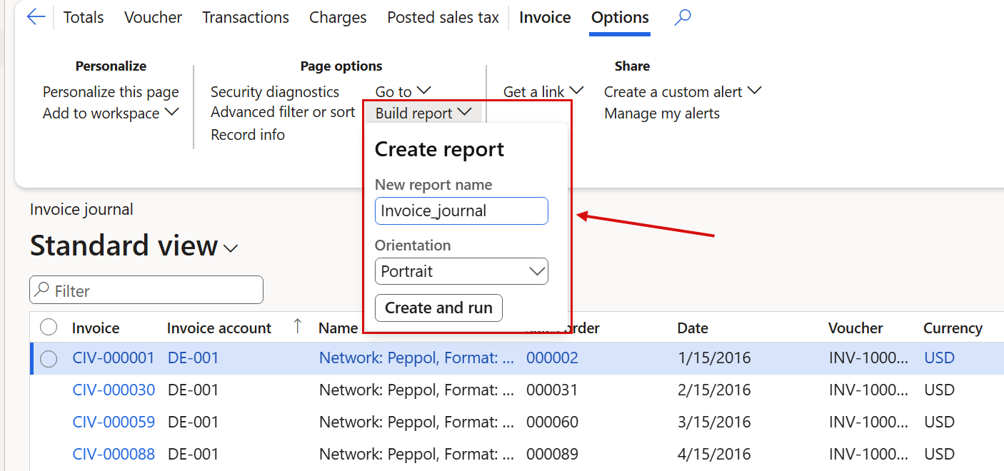
Accounts receivable > Invoice journal, Options tab: Build report opens Create report, with the proposed report name, the orientation and Create and run.
Copy a language text with all its languages
User Story 76390 — Language text copy button
Copy language text on Lasernet > Setup > Language text copies the selected language text to a new ID, with every language and its report group links. The dialog proposes the current ID followed by _1, or the next free number. Opened as a lookup from a report element, the button is Copy.
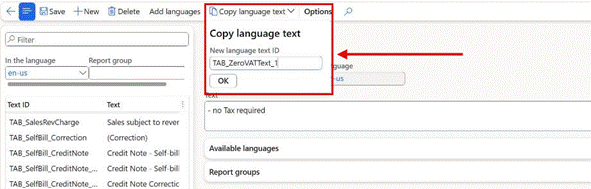
Lasernet > Setup > Language text: Copy language text proposes the new ID.
Lasernet Keep connections can sign in with single sign-on
Task 72028 — Autoform DM and Lasernet Keep: SSO connection
A Lasernet Keep connection can now sign in with single sign-on instead of an API key. Switch on SSO connection on the connection and fill in Token endpoint, Client ID and Client secret. Dynamics 365 then gets an access token from the identity provider and uses it for every Lasernet Keep call: validation, search, preview, download and upload. The token is renewed before it expires.
Script to delete orphaned archive resend data
Task 76375 — Custom script to delete orphaned Lasernet archive resend data (LACArchiveResendData without LACArchive) (LACCustomScript_DeleteOrphanedArchiveResendData)
Before 7.4, deleting Lasernet archive entries left their resend data behind, and the log optimizer couldn't remove it. The installable custom script LACCustomScript_DeleteOrphanedArchiveResendData deletes resend data without an archive entry, in all companies, in steps of 25,000 records. Run it from System administration > Periodic tasks > Database > Custom scripts; see Before you upgrade.
To be used by:
Works with any Lasernet version. On versions before 7.4.0 new orphaned records keep appearing whenever archive records are deleted, so the script can be run again until the environment is upgraded.
How it works:
Upload the deployable package in the Custom scripts framework (System administration > Periodic tasks > Database > Custom scripts) and run the class LACCustomScript_DeleteOrphanedArchiveResendData, or install the package and run the class with the class runner. The script deletes the orphaned records of all companies in steps of up to 25,000 records. Every step is saved on its own, so the table is only locked briefly, the script can be run again safely, and an interrupted run simply continues with the remaining records. The infolog shows the number of deleted records. Resend data that still belongs to an archive record and the archive itself are not changed.
Important: because every step is saved immediately, the test run of the Custom scripts framework already deletes the records. The deletion is not rolled back at the end of the test run, and the run that follows reports that nothing is left to delete. The deleted records cannot be reached from any form or job, so nothing is lost for the business. On very large tables, run it outside business hours.
Access logging in the archive audit log is a parameter
User Story 76480 — Archive audit log: a parameter to switch access logging (preview, download, resend) on, off by default
With the GoBD archiving of German e-invoices, every preview, download and resend of an archived document wrote a row to the Archive audit log, with no way to switch it off. The new parameter Log archive access, under Retention on the Report life span FastTab of Lasernet parameters, decides it per company, and it is No by default.
With No, previews, downloads and resends from the archive or a journal write no row, and Review log isn't shown in the archive preview or in Review before sending.
With Yes, each of them writes a row with user, time, archive entry, file and action, and Review log lists the rows of the entry whose file is shown.
Lines with Reverse status fail too. An unanswered question means the recording is incomplete, not that the expected failure happened.
Information and warning messages are closed and logged on the step, but don't fail it.
Questions that the recording answers itself work as before.
A line with On error set to Break now stops the test plan also when its failure is found late, after the run has moved on. This covers unanswered questions and errors that arrive after the last step.
When a single UX test is run, the completion caption shows FAIL for such late failures instead of PASS.
All other archive actions, such as review changes, deliveries, retention actions and exports, are always logged, and so is a change of the parameter itself.

Lasernet parameters > General > Report life span: Log archive access, switched on in this demo company. It is No by default.
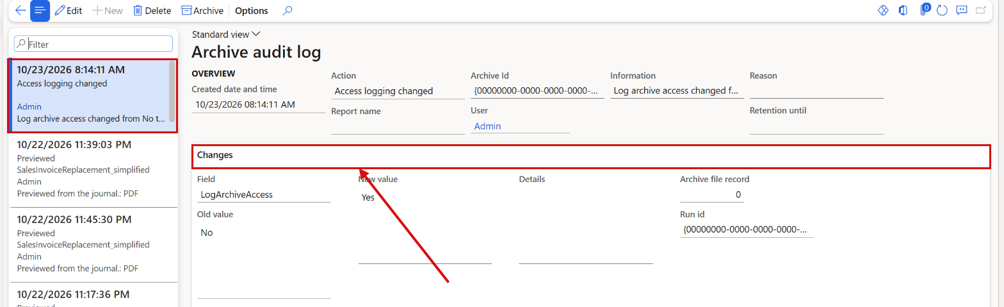
Archive audit log: the change of Log archive access is logged with the old and the new value, on the FastTab that is now called Changes.
A resend entry shows and downloads the files it resent
User Story 76481 — Archive: a resend entry shows and downloads the PDF and Custom document its preview shows
A resend entry in the Lasernet log (Resend = Yes, Copy = Yes) stores only its resend job, which points to the files of the entry that was resent. The preview showed those files, but PDF File and Custom File on the entry stayed empty, and nothing could be downloaded. The fields, their download buttons, the Preview menu and Compare now follow one rule: the entry's own file first, otherwise the file that its resend job resent. When that file no longer exists, the field says (not available), and the download explains which archive entry it belonged to.
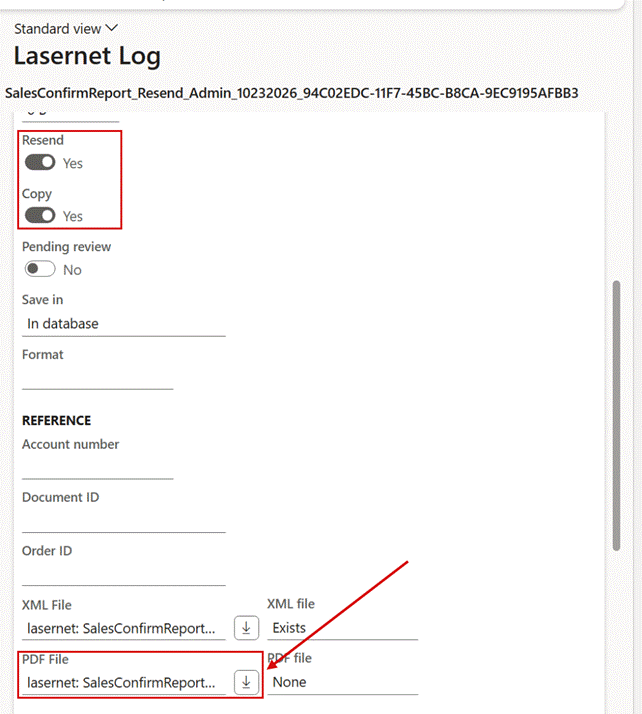
A resend entry in the Lasernet log: PDF File shows the file that the resend job resent, with a download button, although the entry stores no PDF of its own.
Lasernet connector — fixed
Attachments added in Review before sending failed with an external storage account
Support 72047 — MailAttachmentFileId vs MailAttachmentFileStorage Causes 404 Error
When the Lasernet server read the report files from an external storage account, an attachment added in Review before sending was written to the report XML differently than with the internal storage, and the default Lasernet configuration couldn't find it: delivery failed with 404 The specified blob does not exist. The attachment is now delivered.
Alert links ran while inactive, or not until the AOS was restarted
Bug 75517 — Alert Links still run when Inactive
Bug 72072 — AOS restart is sometimes required to get Lasernet alert report triggered
An alert link kept printing its report after it had been set to inactive. Also, a report newly added to an existing alert was sometimes not triggered until the AOS had been restarted. Alert links now respect the Active setting, and changes to alert links take effect without a restart.
Lasernet administrators couldn't open three setup functions
Bug 75637 — Functional properties catalog (and 2 other entry points) not granted by LACMaintain - only System administrator can open it
Three functions could only be opened by a System administrator: Functional properties catalog on the Custom properties page, Clear all for cloud print status, and System label language selection. The Lasernet administrator role is meant to cover all Lasernet setup, and it now grants all three.
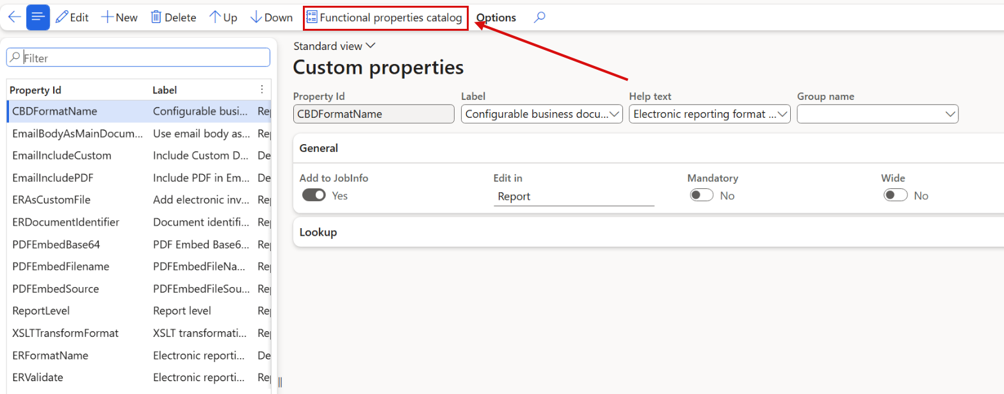
Lasernet > Setup > Defaults > Custom properties. Functional properties catalog now opens for the Lasernet administrator role.
Expression validation failed for static extension methods
Bug 75397 — Expression validation bug
Expressions generated for report elements failed validation when they used static extension methods. They now validate correctly, and the generated expression is indented for readability.
Memory could build up after a failed resend
Bug 75398 — Value cache cleanup update, potential memory leak on failing resend fixed
After a failed resend, the values cached for the document weren't released, so memory use could build up on the server. The value cache is now cleaned up after a failed resend.
Resend data stayed behind when an archive entry was deleted
Bug 71051 — LACArchiveResendData record is not deleted when LACArchive record is deleted
When a Lasernet archive entry was deleted, the resend data stored for it stayed in the database. It is now deleted together with the archive entry. Resend data left behind earlier can be removed with a custom script; see Script to delete orphaned archive resend data.
Record not repositioned in grids with temporary data after a search
Bug 75662 — TMP table positioning in grid after research
In grids based on temporary tables, the selected record couldn't be repositioned after a search when there were many records. The record is now positioned correctly.
A report setting showed Yes, but the print used another setting's value
Bug 76237 — Report field shows Yes but the print uses another field's cached value: "Add electronic invoice as custom file" silently produces no e-invoice
A report could show Add electronic invoice as custom file = Yes and still print only a PDF, with no e-invoice and no message. Two report settings with the same value had been given the same cache entry, so the print read the other setting's value. Each setting now keeps its own entry, so every report field and custom property prints with the value shown in the form.
Include PDF in Email = No on one destination removed the PDF from the next one
Bug 76152 — Include PDF in Email = No on one destination removes the PDF from the next destination's e-mail
When a report was printed to two email destinations in one run, and the first had Include PDF in Email = No, the email of the second destination arrived without the PDF too. Every custom property set at destination level behaved like this: a destination without its own value took over the value of the destination before it. A destination without a value now gets none, and destinations with their own value work as before.
Posting with a File format on the destination failed with a storage error
Bug 75984 — Custom Contract Invoicing Fails in Batch with File Format on Custom Port After Upgrade to LAC 7.3.2 (404 StorageException)
Since 7.3, when a posting printed its invoices to a destination with a File format, for example a predefined destination or a custom port, Lasernet looked for the output file in storage before it existed. Inside the posting, the 404 Not Found answer became an error, and the whole posting was rolled back with StorageException. Posting now completes, in batch and interactively, and the File format no longer has to be removed as a workaround.
ReportValue placeholders in emails showed only two decimals
Bug 75666 — ReportValue Placeholder in Email Body Truncates Decimal places
A ReportValue placeholder in an email subject or body always showed two decimals, whatever the number of decimals of the report field. An exchange rate of 24.1600 in the report XML came out as 24.16 in the email. The email now uses the decimals of the report field, so it shows the same value as the XML.
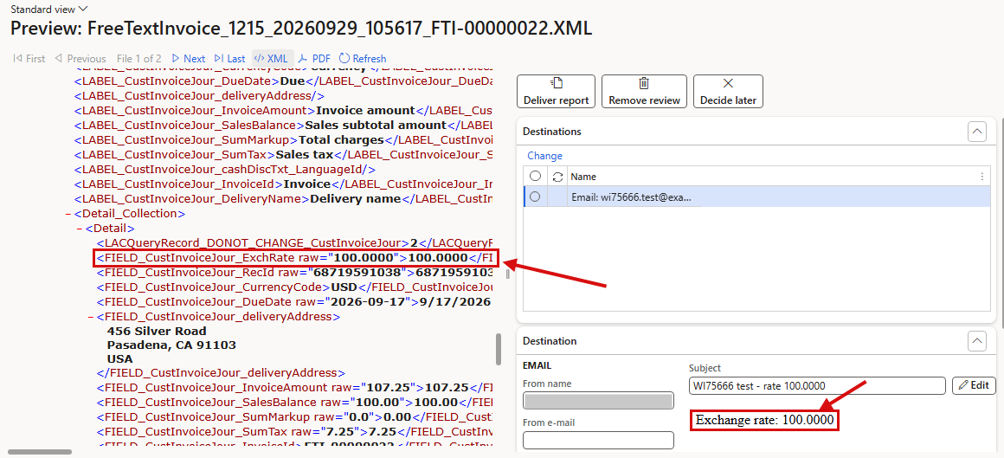
Review before sending on a free text invoice in a development environment: the exchange rate with four decimals in the report XML, and the same value in the email body. The sender name is masked.
Report language from a cross-company data source was ignored
Bug 76270 — Report Language does not evaluate Intercompany datasource fields
When Report language was an expression on a field from a cross-company data source, such as the language of the original intercompany sales order, the report ran in the default language. Lasernet looked the record up in the current company only. It now looks it up in the company the record belongs to, so the report uses that language, with its labels and date and number formats.
Custom properties lost their settings when copied with Data management
Bug 76313 — Custom properties data entity leaves out the Edit on level and most property settings
The Custom properties data entity carried only the property ID, label, type, Mandatory and sequence. A copy to another company or environment with Data management therefore lost Edit on, the group, the help text, the lookup and the other settings, and an imported property got the default values. The entity now carries these settings too, so a copy keeps them.
A missing design version name made every later print blank
Bug 76303 — Missing design version name creates and saves an empty design; all later prints of the report come out blank
When the report's Design version named a version that doesn't exist, the print didn't fail. Lasernet created and saved a new, empty design version and printed a blank page. Because that version was now the latest, every later print of the report came out blank too. Printing now never creates a design version: a name that doesn't exist stops the document for that destination, with a message that names the version and the report.
Raw values in sub-reports came out as attributes instead of elements
Bug 75687 — Regression: Aggregate fields in subreports are generated as attributes instead of XML elements in 7.3.1+ ·
Bug 75688 — Regression: Standard subreport fields generate raw values as attributes instead of child elements in 7.3.1+
Since 7.3, the raw values of standard fields and aggregate fields in a sub-report were written as attributes (@raw) instead of child elements, as they were in 7.2. Report designs that read the old path, for example QtySumAggregate/raw/text(), no longer found the value. Sub-reports are now generated with the 7.2 structure again, so existing designs work without changes.
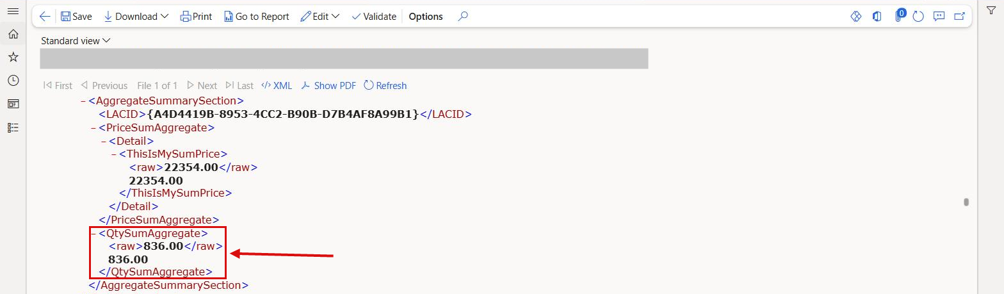
The report XML of a sub-report in a development environment: the aggregate field with its raw value as a child element again. The file name is masked.
The expression editor repeated the table name instead of showing the fields
Bug 76074 — Expression Editor Repeats Table Name Instead of Displaying Form Fields
In the expression editor, typing a form link range such as Forms.CustTable.CustTable. offered the table name again and again instead of the fields, until it failed. This happened whenever a form and one of its data sources have the same name. The editor now shows the fields after the data source, for every form link.
No Lasernet destinations for the customer-specific certificate of analysis
Bug 75066 — Not possible to select Lasernet destination on QMSInventTestCustSpecificCOAReplacement from packingslip posting
When a packing slip was posted with Print customer specific certificate of analysis, its printer setup offered only the standard destinations, and Report identification showed nothing. This dialog (new in Dynamics 365 10.0.44) passes only the print management document type. Lasernet now uses that type when nothing else identifies the report, so all Lasernet destinations and Open Lasernet setup are offered. Other standard dialogs opened the same way are covered too.
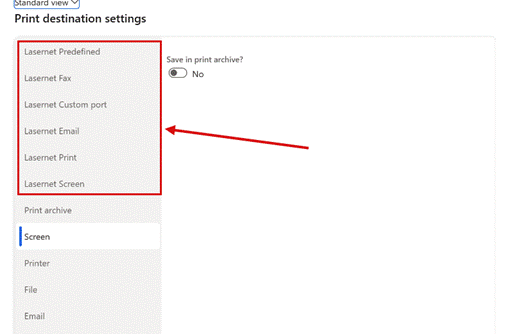
Printer setup for the customer-specific certificate of analysis, opened from the packing slip posting. The Lasernet destinations are now offered.
Line reference was 0 when the external item number was printed
Bug 75743 — LACTransRefRecId is 0 on tmp records
On sales order confirmations and sales invoices, the Lasernet line reference (LACTransRefRecId) was 0 when Form setup printed the customer's external item number (Item number in forms = Your). The same happened with a blank item number or with dimensions printed as part of the item number. Normal lines now get their reference in every Form setup variant. A bundle line, for example a revenue recognition bundle printed as one line, refers to its first component line; with Product bundles the Lasernet bundle fields still identify the bundle.
"Enter the serial number" appeared too early in the mobile app
Bug 75826 — LAC 7.3.2 - Mobile app. error 'Enter the serial number' after quantity is accepted
On Report as finished and put away, the Warehouse Management mobile app showed Enter the serial number. right after the quantity was confirmed, before the serial number field was offered. The message now appears only when the screen is submitted with OK and the serial number is empty.
"From last value" didn't restore single-select dialog parameters
Bug 76073 — Regression: "From Last Value" Fails for Single Select Dialog Parameters
A dialog parameter with Load instruction = From last value and Multiple value type = Single select always opened as < Select value >. It now opens with the last value used. Values remembered by 7.3 and 7.4 before the fix are restored as well.
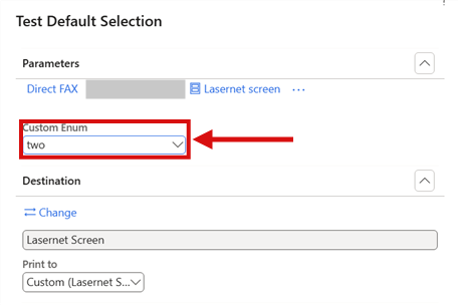
The report dialog opens with the value chosen in the previous run.
Review before sending: selecting a destination line didn't change the preview
Bug 76093 — Regression: Selecting Destination Line in Review Before Sending Preview Does Not Update Document Preview in LAC 7.3.2
With several destinations in Review before sending, selecting another destination line kept the preview on the first file. Only Next and Previous changed it. Selecting a line now shows that destination's document, and keeps PDF or XML as currently shown.
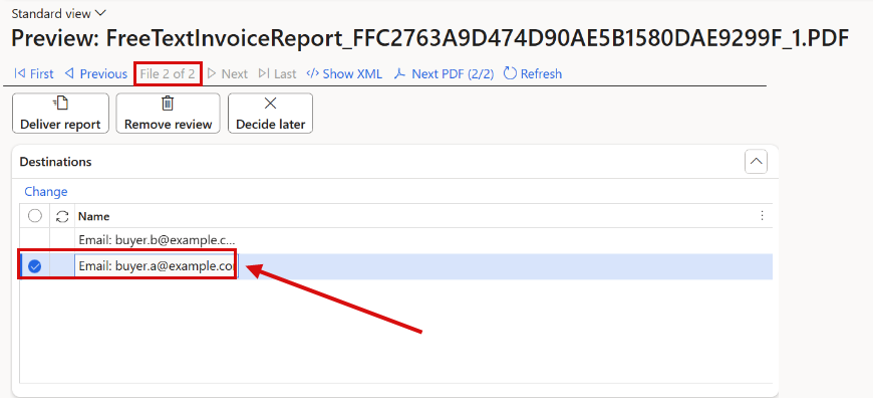
Review before sending with two email destinations. Selecting a destination line shows its own document (File 2 of 2).
Move archives left the Lasernet log pointing to the old storage
Bug 76094 — Regression: Move Archives Does Not Update Archive References in LAC 7.3.1/7.3.2
Since 7.3, Move archives moved the files but didn't update the Lasernet log. Preview then showed XML Pending… and PDF Pending…, and the document could no longer be opened. The same missing link affected Clean up archives and Life span. After a move, the Lasernet log now points to the new storage and Preview works again. For archives already moved with 7.3.1 or 7.3.2, see Before you upgrade.
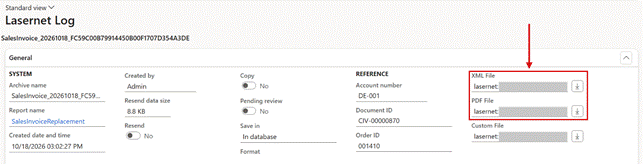
The Lasernet log: XML File and PDF File show where the files of a document are stored. After Move archives they point to the new storage. The storage paths are masked.
Copied report elements that read other report values could come out empty
Bug 75682 — Copied report elements that read other report values can come out empty (LACDictData Exists after DAZ cache clear, Full test 319)
Report elements created by copying another element could lose their value when they read another part of the report that wasn't calculated yet. Only one of them got its value, and the others were written as empty elements. Each copied element now gets its own value. Existing and imported reports work without being edited.
License plate labels failed with a Filter range on the label layout line
Bug 76098 — License plate label print: Stack trace: Call to TTSCOMMIT without first calling TTSBEGIN if Filter range is setup on WHSDocumentRoutingLabelLayoutLine
When the LACWHSPrintLabels report had a default range on the record ID with Filter = Yes, printing a license plate label from the mobile app could fail with Call to TTSCOMMIT without first calling TTSBEGIN, or print without printer line data. Lasernet now applies the record being printed to such a range too, the same way as to a normal range.
Top picking left a cross-company sub report empty
Bug 76146 — Top Picking: Doesn't work with a cross-company sub report if both reports has the same parent table
When a report was run from Top picking and its sub report read the same table across companies, the sub report came out empty. The Top picking filter is now applied only to the report being printed, so the sub report returns the same data as in a normal run.
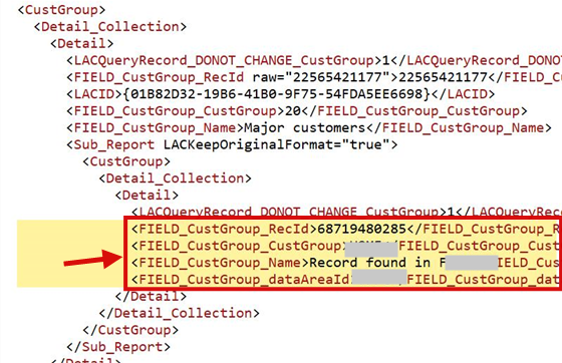
Archived XML from Top picking: the sub report now contains the record from the other company.
Lasernet Keep: the API key was shown in plain text
Bug 76182 — Keep Connection Automatically Displays API Key in Plain Text
A Lasernet Keep connection showed its API key in plain text as soon as it was opened. The key is now masked, the same as the Azure Service Bus connection string. A system administrator can click the eye button to show and edit it.
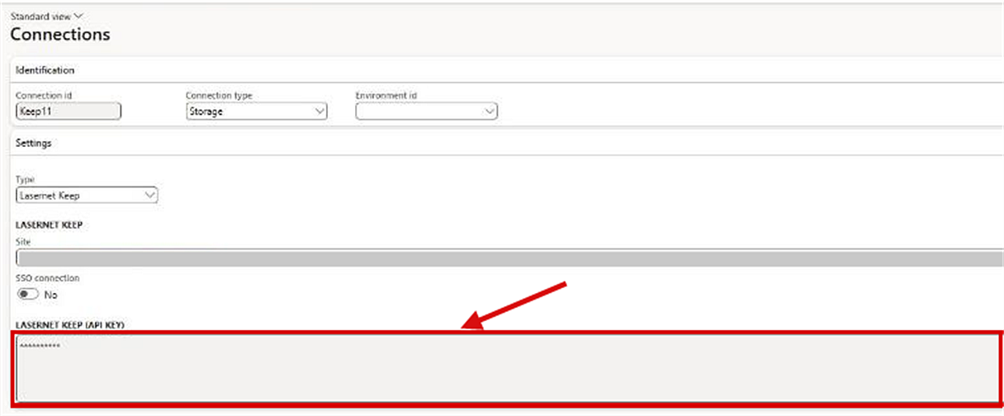
Lasernet > Setup > Administration > Connections: a Lasernet Keep connection with the API key masked. The site address is blurred.
Lasernet Keep: an empty optional date stopped the upload
Bug 76077 — Lasernet Keep upload: blank optional Date key is sent as "" and Keep rejects the upload (400 Invalid format)
In the Lasernet Keep upload dialog, an optional date key left blank was sent as an empty value, and Keep rejected the whole upload with 400 Invalid format. An empty optional date is now left out. An empty mandatory key is caught before anything is sent, and the field is marked. When Keep rejects an upload, its own explanation is now shown.
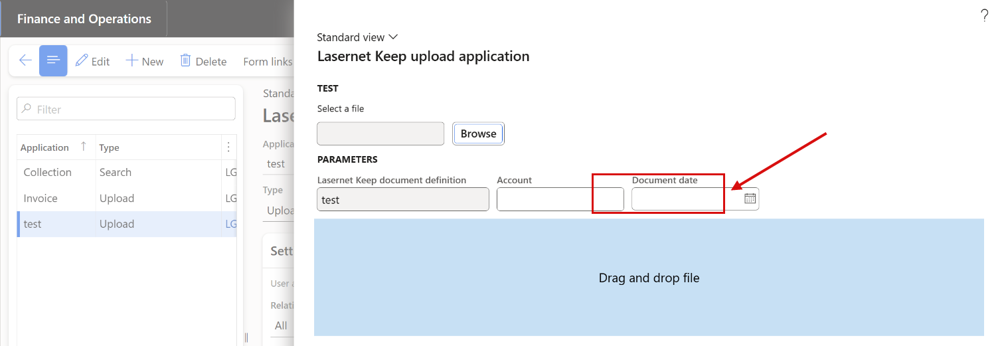
The Lasernet Keep upload dialog for an upload application with the keys Account and Document date. An optional date left blank is no longer sent.
Update data could mix one company's Lasernet metadata into another
Bug 72073 — Update data on Lasernet server Can mix up Metadata between companies
Update data on the Lasernet server waited for its answer under one fixed file name for every company, so an answer left behind by a failed or late request could bring one company's metadata into another. Every request now gets its own answer file, named with the company and a unique request ID, and never uses another file.
Enum conditions such as QuotationType:NAME gave wrong results
Bug 72200 — Enum expressions fail for SalesQuotationTable.QuotationType:NAME
Test with values in the expression editor read enum test values as labels, so for enums whose labels differ from their names, such as SalesQuotationTable.QuotationType, a condition was always true. Comparing an enum name with an enum symbol, as in QuotationType:NAME = QuotationType::Sales, never matched. Both now evaluate correctly, in the editor and in real prints.
Document handling on agreement history failed with "The field with ID '0' does not exist"
Bug 72206 — The field with ID '0' does not exist in table 'PurchAgreementHeaderHistory'
Saving a report to document handling on purchase or sales agreement history failed with The field with ID '0' does not exist in table 'PurchAgreementHeaderHistory', and the attachment was neither shown nor deletable. Lasernet now attaches the report to the base table, as standard document handling does. Attachments saved wrongly by earlier versions are repaired when 7.4 is deployed.
Customer account statement replacement failed with "Query filter cannot be specified"
Bug 72208 — New CustAccountStatementExt ssrs
Since Microsoft extended the standard customer account statement, its Filter dialog adds a hidden Customers / Name row, which Lasernet copied into the replacement query, and the statement failed with Query filter cannot be specified on a query.... Such a filter is now applied as a range, or ignored when empty, so replacement queries don't need to be rebuilt.
A space as Group separator was saved blank
Bug 76277 — 7.3.2 - Culture info adjustment Form does not accept SPACE separator consistently
In Culture info adjustment, a space as Group separator was saved empty, so numbers printed as -11600.00 instead of -11 600.00. Group separator is now a list (None, Comma, Period, Apostrophe, Space, Non-breaking space and more), and Space is saved and printed reliably. A culture set to Space before 7.4 now shows None; see Before you upgrade.
Embedded designs with several sheets delivered only the last sheet
Bug 76321 — Lasernet Embedded Print Multiple Sheets only displays last sheet when printed to screen and in email all attachments just display last sheet
With the embedded Lasernet engine, a design with several matching sheets produced only the last sheet on screen and in every email attachment, because all sheets were written to the same file. Email now attaches one PDF per sheet, with the sheet name added from the second sheet on, and the screen preview shows every sheet.
Sub-report output got xmlns="LAC" namespace artefacts
Bug 76329 — XML namespace (xmlns="LAC") introduced in subreport output breaks existing form designs and XML processing
Since 7.3, a sub-report without custom elements or document handling could add xmlns="LAC" and xmlns="" to the report XML, and xmlns1, xmlns2 entries to the Labels section, which broke form designs and XML transformations. Sub-report nodes now have the same names and no namespace declarations, as in 7.2.2, and the sub-report labels are back in the Labels section.
Font name, size and colour couldn't be changed in the Lasernet email editor
Bug 75885 — Font name, Font size, Font Color can’t be changed in Lasernet email editor
With Email body editor type = Lasernet editor, choosing a font, a font size or a font or background colour for selected text in the email body, for example in Review before sending, had no effect. Bold, italic and underline worked. Font name, size and colour can be changed again.
Dialog parameters wrote labels instead of values to the report XML
Bug 75768 — Regression: Custom Enum in Dialog Setup Changed from Values to Label
Since 7.3, the Parameters section of the report XML held the label of a Dialog setup value list instead of its value, and Yes or No instead of 1 or 0 for check box parameters based on an extended data type such as Posted. Mappings and criteria built on the 7.2.2 output stopped matching. The values are written again, as in 7.2.2. Mappings or criteria that were changed to the label under 7.3 must be changed back.
Form link dialog parameters were locked as multiselection
Bug 76279 — Form link Parameter 'multiselect'
Since 7.3.2, a Form link dialog parameter whose default value is read from the selected record, such as the quantity of a sales line, always showed <multiselection> and couldn't be edited, also when only one record was selected or all selected records had the same value. The 7.2.2 behaviour is back: <multiselection> appears only when the selected records give different values. Otherwise the dialog shows the value, the field can be edited, and the value entered is used for every document.
PreDefinedDestination was filled in the report XML of a screen run
Bug 76340 — PreDefinedDestination is filled in the report XML when the report is run to screen
When a report was run to screen, the JobInfo section of the report XML still held a PreDefinedDestination value, so anything reading it could take a preview for a routed print. For a screen run the value is now empty, like Environment and PrinterName; runs to a real destination carry it as before.
A licence user count batch job was created for every user who opened Lasernet parameters
Bug 76351 — Multiple 'Lasernet - License user count processing' are created
Each user who opened Lasernet parameters got their own Lasernet - License user count processing batch job. A new job is now created only when no user count job in the environment will run, whatever its company or user, and opening the form no longer changes an existing job. Existing duplicates aren't removed; see Before you upgrade.
Lasernet Keep search: system keys were hidden after every Update
Bug 76366 — Lasernet Keep search: system keys (CUK, Created Date, Document ID) are hidden after every Update and skipped by Load all keys
On Lasernet Keep applications, every Update set Show to None on the Keep system keys, such as Customer Unique Key and Document ID, and Load all keys skipped them. Update now keeps the Show value of existing keys, Load all keys adds system search keys too, and system dates are filled in Lasernet Keep documents. See Before you upgrade.
Connection id went blank after TAB or Enter on a new connection
Bug 76412 — Connections: Connection id box goes blank after TAB or Enter on a new connection (value is kept in the record)
On Lasernet > Setup > Administration > Connections, after New, typing a Connection id and pressing TAB or Enter emptied the box, although the record kept the id, when no Azure storage connection had been shown in the form before. The form now prepares the layout of a new connection when it opens, so the id stays in the box.
Printer profiles of printers with a UNC path weren't offered
Bug 75636 — Printer Profiles for Printers with UNC path do not show in the Print Dialog dropdown
For a printer whose name is a UNC path, as for a printer shared from a print server, the list of printer profiles stayed empty, because the backslashes in the name were read as part of a filter expression. The list now matches the printer name exactly, wherever it appears: on the Lasernet Print tab of the print destination dialog, in the destinations of Lasernet reports, in default destinations and contacts, in the default destinations of warehouse users, and in the destination of an Electronic reporting format. Printer names with commas, asterisks, question marks or brackets work too. When the printer has a printer driver name, the list filters on the driver name, as before.
A printer profile of a Cloud Print Connector printer was rejected on save
Bug 76434 — Printer profile of a printer with a driver name is listed in the dropdown but rejected on save
For a printer with a printer driver name, such as a Lasernet Cloud Print Connector printer, the profile picked from the Printer profile list was rejected when the line was saved, because the check used the printer name and the list the driver name. Both now use the driver name, in Default printers, customer and vendor contacts, and the default printers of warehouse users, and a valid profile is kept when the printer is selected again. Printers without a driver name work as before.
Deliver report sent nothing for a reprint or a forced rerun
Bug 76476 — Deliver report sends nothing for a reprint from the journal or a Force rerun: since changeset 911 (Bug 76052) the archive is flagged Resend
With the GoBD archiving, a reprint from a journal and a print with Force rerun were archived as resends. Lasernet then looked for a resend job that such an entry doesn't have, so Review > Deliver report sent nothing and showed no message, the entry stayed pending review, and a custom port got no delivery. Deliver report now sends these prints to every kind of destination, clears Pending review and creates the custom port delivery. A reprint is still archived as a copy that points to its original archive entry, as GoBD requires. A resend job that lists no file now says so.
Review before sending failed on a write-once storage on the Lasernet server route
Bug 76512 — Review before sending on the Lasernet Server route fails with 'already exists ... with different content' when the input storage is write-once
When the report went to the Lasernet server through an Azure Service Bus queue or topic, and the server's input storage was write-once (Archive tier = Immutable storage, or Write archive sidecar = Yes), Review before sending and Deliver report stopped with already exists ... with different content. The archived report XML is no longer written again: a delivery request is written as its own file, and a PDF embedded in the XML is archived as its own file. Other storages work as before.
The archive preview showed nothing for a reprint or a forced rerun
Bug 76478 — Archive preview shows "Nothing to preview" for the PDF and the custom file of a regenerated print (Resend = Yes since changeset 911)
For the same reason, the archive preview showed Nothing to preview for the PDF and the custom document of a reprint or a forced rerun, although the Preview menu offered them, and Compare failed too. Show PDF, Show custom document and Show XML now open the entry's own files, and Compare works.
Review log listed the audit log of the whole company
Bug 76479 — Archive preview: Review log shows the audit log of the whole company for a resent or regenerated archive entry
For a resent, reprinted or rerun entry, Review log in the archive preview opened the Archive audit log with every row of the company, under the title New Record. It now lists only the rows of the entry whose file is shown, and the title names the archive entry. Review log is shown only when Log archive access is Yes.
The Archive audit log showed the label code @SYS9956
Bug 76482 — Archive audit log: second FastTab and its field group show the raw label ID @SYS9956
The second FastTab of the Archive audit log and its field group showed the label code @SYS9956 instead of a caption. The FastTab is now called Changes. The Information text reads Previewed from the journal: PDF instead of Previewed from the journal.: PDF; rows written earlier keep their text.
The archive audit log showed archive ids as GUIDs
Bug 76510 — Archive audit log: rows without an archive entry show Archive Id as a zero GUID
The details of the Archive audit log showed the archive id as a GUID, and rows without an archive entry, such as readiness probes and parameter changes, showed a zero GUID that looked like a reference. They now show the archive name of the entry, and nothing for a row without an entry. Filters and the auditor export still use the id.
Test archive readiness had no caption and didn't run
Bug 76488 — Connections: Test archive readiness has no caption and answers "No object specified on menu item"
On a storage connection, the button under Archive probe details in the Archive readiness group had no caption and answered No object specified on menu item. It is now Test archive readiness: it runs the probe, shows the result in the message bar and refreshes the connection. The groups Archive sidecar (GoBD) and Archive readiness are shown in two columns.
The retention backfill skipped final archive entries without a retention end
Bug 76489 — Retention backfill and checklist skip final archive entries that have no Retention until
Archive entries that were archived before a retention life span applied to their report got no Retention until, and the Retention backfill and the checklist row Historical entries stamped didn't see them, so they were never stamped or locked. The backfill now also stamps these final entries once a retention life span with a period applies, counting from their Archived at date, and the checklist counts them. Entries that have a retention end are never changed.
Retention until showed the wrong day in other time zones
Bug 76492 — Retention until shows 1 January 00:59:59 for German users, and Extend retention shows the raw UTC value
The retention end is stored as 31 December 23:59:59 UTC, and the date-and-time fields showed it in the user's time zone, so a user in Germany saw 1 January. Retention until is now shown as a date, the last day of the retention period, the same in every time zone: on the Lasernet log, the Retention FastTab, the archive audit log and in the auditor export. Extend retention asks for a date, proposes one more year, and can be saved from the web client again.
Copy prints were archived as originals
Bug 76493 — Copy prints are archived as originals: no Original archive entry, the auditor export lists them as "Original"
A copy print, for example a Lasernet copy preview or a print management copy, was archived as an original, so the auditor export listed it as Original. A copy is now archived with Original archive entry pointing to the first original of the same document, and the auditor export lists it as a copy of that original. The retention backfill links copies archived earlier to their original.
Archive audit log and Retention backfill were listed under Clean up
Bug 76494 — Lasernet archive: Archive audit log and Retention backfill sit under "Clean up", and Original archive entry shows a zero GUID
In the Lasernet menu, Archive audit log and Retention backfill sat in a group captioned Clean up. The group is now Inquiries, with Archive audit log, and Retention backfill has moved to Lasernet > Periodic > Archive, next to Auditor export. Original archive entry on the Retention FastTab shows the archive name of the original instead of a GUID, and is blank on an original.
E-documents — new and improved
The version that was sent is archived as its own file
Feature 75013 — Envelope & document delivery improvements
Some documents are sent through a custom port with an envelope template. The document produced by the report is now kept unchanged, and the version actually sent, envelope included, is archived beside it as an Envelope file. Show Envelope in the preview opens it, and Compare > Envelope compares two of them. A resend sends exactly the bytes that were sent the first time. Documents sent before the upgrade keep working as before. Each enveloped delivery now stores one more file, which clean-up and life-span rules should allow for.
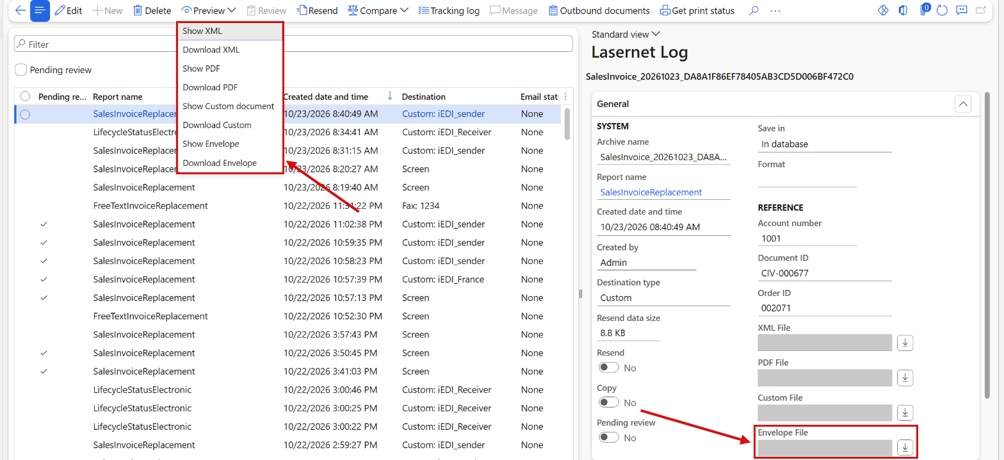
The Lasernet log: the Preview menu with a Download entry next to each Show entry, Show Envelope among them, and the Envelope File field. The storage paths are masked.
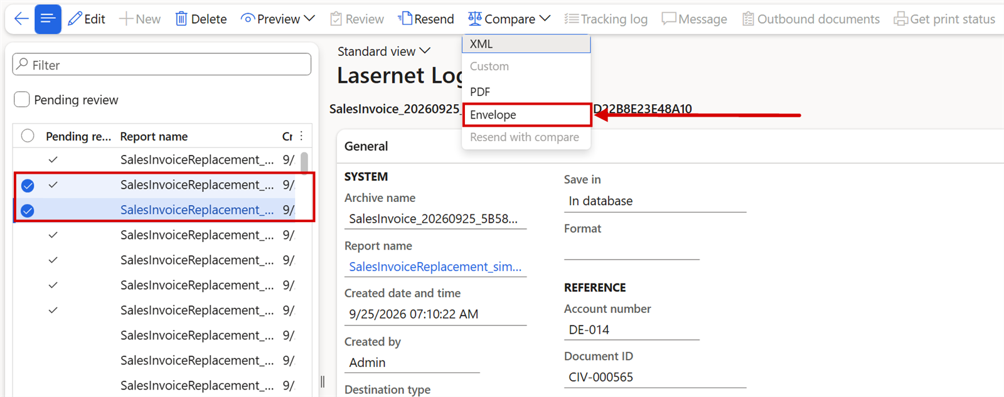
Compare > Envelope, available when two documents are selected in the Lasernet log.
E-documents — fixed
Hybrid PDF with the e-invoice embedded both ways
Bug 75446 — Hybrid PDF: XSLT embedPdf + destination PDFEmbedSource=CustomFile conflict - unresolved @@LACPDF@@ tokens inside the embedded XML, 2x file size
A destination could embed the e-invoice in the PDF (hybrid ZUGFeRD/Factur-X) while the XSLT also embedded the PDF in the e-invoice. Then the XML inside the delivered PDF could contain unresolved placeholders, or the file came out twice the size. On a destination that already builds a hybrid PDF, the stylesheet no longer embeds the PDF.
Let SSRS render PDF: an XML-only destination received the PDF too
Bug 75855 — "Let SSRS render PDF": an XML-only e-invoice destination always sends the PDF as well
With Let SSRS render PDF, or with a configurable business document, the PDF was attached for every destination of the print. That included email destinations with Include PDF in Email = No, and custom ports that should send the XML only, such as a Peppol access point. Each destination now follows its own Include PDF in Email and file type. The PDF is still archived.
Update delivery status from network was slow
Bug 75671 — Update delivery status from network is slow: 35 MB LACDelivery.LogStr read ~5x per poll (KSeF_Sender)
Update delivery status from network on Outbound documents could take minutes for a few dozen deliveries, because every status check added the same reading to the delivery log again. A repeated reading now replaces the previous one, status changes and errors are always kept, and the log has a size limit. Oversized logs clean themselves up at their next status update.

Lasernet tracking > Outbound documents > Awaiting delivery: Update Awaiting Delivery status asks the network provider for the current status.
Test & Performance — new and improved
Test plan runs report failures from task recordings
Task 74866 — T&P Test plan run update that it catches Failure/Infolog from last Task recording action
A task recording step, such as a button click, doesn't wait for or capture the infolog. So a test plan line used to pass even when its step had failed, for example when an invoice couldn't be posted because there was no stock on hand. The run now catches the failure, fails the line, and saves the infolog with the result.
A question left open by a recording fails the line
Task 75728 — T&P: UX test passed although its recording left a question unanswered - answer it and fail the line
A step in a task recording can make Lasernet or Dynamics 365 ask a question, for example Report X already exists in the system. Overwrite?. If no recorded step answered it, the UX test still passed. The question stayed open in the browser, the step never did its job, and the next lines of the test plan ran with the question still on screen.
The test runner now answers such a question with the safe button: No for a Yes/No question, Cancel where there is one, otherwise OK. Then it fails the line. The step log names the step, the question and the answer that was given.
Other dialogs that are left open, such as a posting dialog after the last step, aren't covered yet.
Load from catalog doesn't ask to overwrite during task recording and replay
Task 75711 — T&P: Load from catalog - overwrite existing reports without asking during Task recording and replay
When a selected report already exists in the company, Load from catalog asks whether to overwrite it. A recording only contains that question if the report existed when it was recorded. So the same recording could get stuck on another environment, waiting for a question that never comes or meeting one it can't answer.
While a task recording is being recorded or replayed, including in test plan runs, existing reports are now overwritten without asking. The report Import dialog follows the same rule. Outside the Task recorder nothing changes, and users are still asked.
A new UX test, LAC Load report(s) from catalog, opens Load from catalog, filters the report list, selects all the reports shown and loads them. To load other reports from a test plan line, overwrite both report filter steps with the same value. Each name matches as a prefix, and several names can be given separated by commas, for example SalesInvoice,SalesConfirm.
No Lasernet code in SysLastValue outside test runs
Task 75069 — Disable call of LACSysLastValueTest_Extension
The Lasernet test extension to the SysLastValue framework showed up in every trace. So it was often named as a suspect in support cases that had nothing to do with Lasernet. The extension has been removed rather than made optional. Outside a task recording or replay, no Lasernet code is involved when Dynamics 365 reads or saves the values a user last entered in a dialog or form. There is nothing to switch off.
During a task recording or replay, dialogs and forms still start from their default values, not from the user's last-used values. One thing has changed: a choice made earlier in the same run is no longer remembered either. A recording that relies on such a choice must be re-recorded. See Before you upgrade.
If a future Dynamics 365 update removes the platform setting that this relies on, the Task recorder shows a warning and keeps working. Dialogs then start from the user's last-used values.
Test & Performance — fixed
Dialog choices made earlier in a test run are no longer remembered
Bug 75681 — T&P test run no longer remembers dialog choices made earlier in the same run (SalesConfirm PrintInit StartWith change, Full test 268/283)
In 7.4, every dialog in a test run starts from its default values, also when it was used earlier in the same run. Recordings made with 7.3 that rely on such a choice fail. The behavior is kept, and the affected printer settings test is re-recorded instead.
Compare stays disabled once the result archive is deleted
Bug 75071 — T&P: Fix of 74044
On checkpoint archives, the Compare menu is now disabled once the result archive has been deleted. So nothing can be selected for comparison against a result that no longer exists.
Copy/Rename ignored "Include test checkpoint(s)"
Bug 75689 — T&P: Copy report ignores the "Include test checkpoint(s)" check box (Full test 80/81)
When a report with test checkpoints was copied with Copy/Rename, the Include test checkpoint(s) check box was ignored. The copy used the choice remembered from the previous copy. What was remembered for the next copy was whether the report had checkpoints, not what the user chose. So after one copy of a report with checkpoints, every later copy included the test data, whatever the check box showed. A copy could then stop with Cannot create a record in Test exception … The record already exists.
The dialog now copies test data only when the check box is selected, and remembers that choice for the next copy. When the report has no checkpoints, the check box stays hidden and the remembered choice is left unchanged.
Deleting one Quick Filter step skipped all of them
Bug 75690 — T&P: Deleting one Quick Filter step marks every Quick Filter step of the UX test as skipped
When one Quick Filter step was deleted from a recording, every Quick Filter step on the same form was shown as skipped in the step log. Messages from one Quick Filter step were attached to all of them. A pause or an overwrite value set on one step could be read from, or saved to, another. Each Quick Filter step now keeps its own status, messages, pause and overwrite value. Other step types weren't affected.
Pause on a line from an included test plan was ignored
Bug 75691 — T&P: Pause (s) of a line from an included test plan is ignored when the parent plan runs
When a test plan includes another test plan, the included lines appear in the parent plan as read-only copies with Pause (s) set to 0. The pause set in the included plan was only used when that plan ran on its own. As a result, the next line could start before the previous one had seen its result. When an included line has no pause of its own, the run now uses the pause from the line in the included plan. This also works through several levels of included plans.
The clean-up job failed lines and test flows that were still running
Bug 75747 — T&P: Background clean-up job marks paused test plan lines and running test flows as failed
The batch job Lasernet T&P Test run submit job runs every 5 minutes and closes test runs and test flows that have had no activity for 10 minutes. It also closed some that were still working. A test plan line waiting in its Pause (s) was set to Fail with the message Timeout, and a test flow that was being run was set to Failed. The real result usually replaced it a minute later. But anyone watching the run, or automated monitoring, had already seen a failure that wasn't real. If the run was stopped in between, the false result stayed.
Now a test run is closed only when that run itself has had no activity for 10 minutes. Activity in another run of the same test plan no longer keeps an abandoned run open. A test flow is closed only when it started more than 10 minutes ago and none of its checkpoints, in any company, has started or finished in the last 10 minutes. Runs and flows that really stopped are still closed with Timeout, as before.
"Destination validation error" shown on passing test results
Bug 76178 — Test Checkpoint Logs "Destination Validation Error" When Using Original Destination
The Log section of a test result always started with the caption Destination validation error, even when the checkpoint passed. The caption and its field are now shown only when a destination validation really failed.
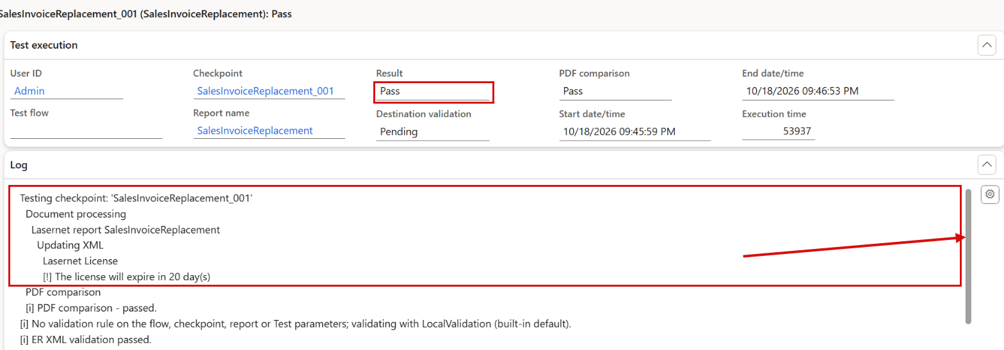
Test results of a passing checkpoint test: the Log section starts directly with the test steps.
A failed validation step could stop the AOS during a test plan run
Bug 76307 — T&P: A failed validation step during a test plan run can crash the AOS
A failed validation step in a test plan run could crash the AOS. It could only happen with a test playback setting that isn't part of the product, so customer environments weren't affected.
Side-by-side compare — new and improved
A new XML compare
Feature 75417 — XML compare redesign
Feature 75402 — XML Compare redesign
The XML compare has been rebuilt to match the look and feel of the PDF compare. The two documents are shown side by side and aligned line by line. Added, removed, changed and moved lines are colour-coded, and the changed characters are highlighted. A list of differences on the left jumps straight to each change. Only changes hides everything that is the same, and collapsing an element collapses it on both sides. One compare engine is now used everywhere a document is compared: Compare in the Lasernet log, Test & Performance checkpoint runs, and the two-file upload. So what a tester sees is exactly what the test reports. JSON documents, such as custom files and envelopes, can now be compared too.
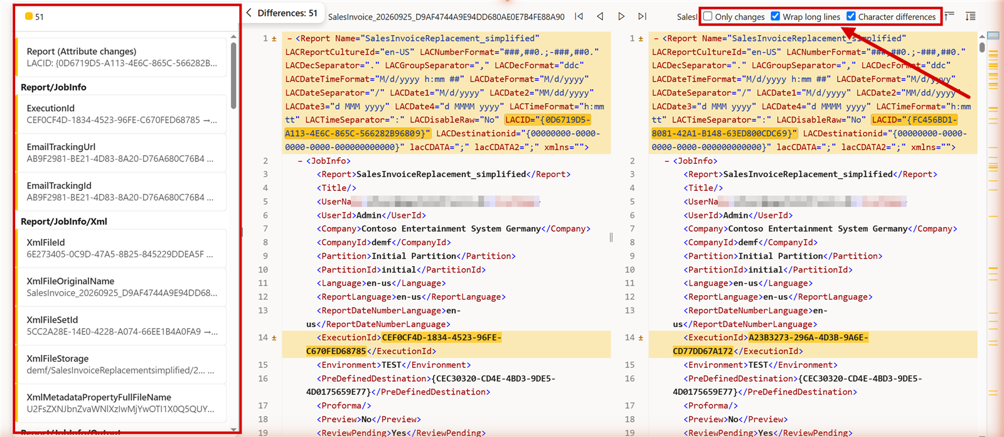
Compare > XML on two documents selected in the Lasernet log. The list of differences and the display options are marked. Values that differ are highlighted on both sides.
Side-by-side compare — fixed
PDF compare navigation bar didn't show lines
Bug 75435 — PDF compare right hand navigation bar not showing lines
The navigation bar on the right of the PDF compare draws its difference markers again.
Spacing changes weren't detected by the PDF compare
Bug 76181 — T&P: PDF and XML Comparison Fails to Detect Text Spacing Changes and Reports No Differences
An extra space in a text made a checkpoint test fail, but the PDF comparison reported 0 differences, because it joined words with a single space. It now keeps the real spacing, so a spacing change is listed as a difference, in the compare screen and in the checkpoint test. The redesigned XML compare in 7.4 already shows it.
All modules — new and improved
Security Governance user counting for all licensed modules
User Story 75549 — Security Governance user counting for all licensed modules (DAZ e-documents, email tracking, Data explorer, Mail Merge, T&P, side-by-side)
The User counting method (Count or Security Governance) and the User counting job were already available for the Lasernet licence. They are now on the License terms page of every licensed module: Lasernet e-documents, email tracking, Data explorer, Mail Merge, Test & Performance, and side-by-side PDF compare. All modules now count the same users. None of them reports Not enough users in license just because the legacy named-user count is no longer maintained.
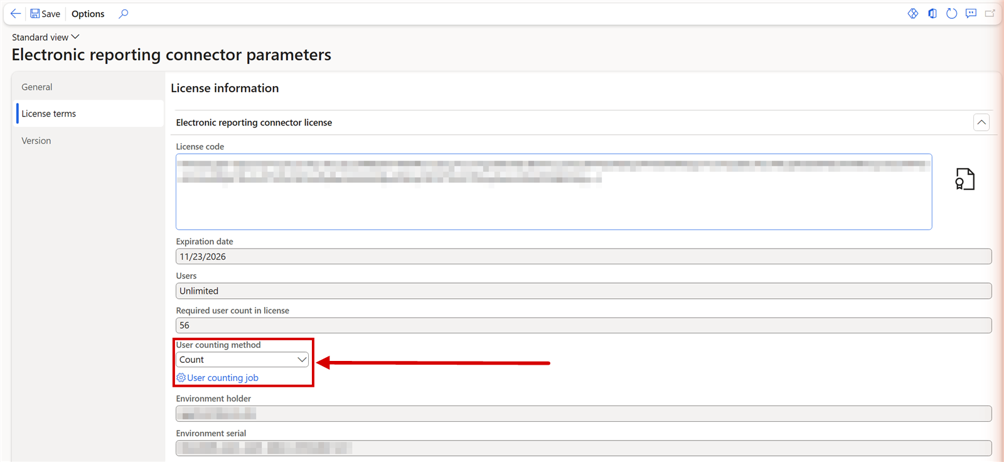
Electronic reporting connector parameters > License terms. The licence code and environment details are blurred.
Labels and translations
Task 75638 — Check labels for 7.4 in all LAC/DAZ-modules
Task 75641 — Label translations for 7.4.0
All labels in the Lasernet connector and Lasernet e-documents were reviewed for 7.4, and the translations were updated.
All modules — fixed
Security Governance counted Team Members and Activity users
Bug 76000 — Security governance counting not as expected
With User counting method = Security Governance, Lasernet counted every user who needs any Dynamics 365 licence, including Team Members and Operations - Activity users. It now counts only enabled users whose base license is a full user license: Commerce, Finance, Supply Chain Management (including Premium), Human Resources or Project Operations. Each user counts once. The Count method is unchanged.
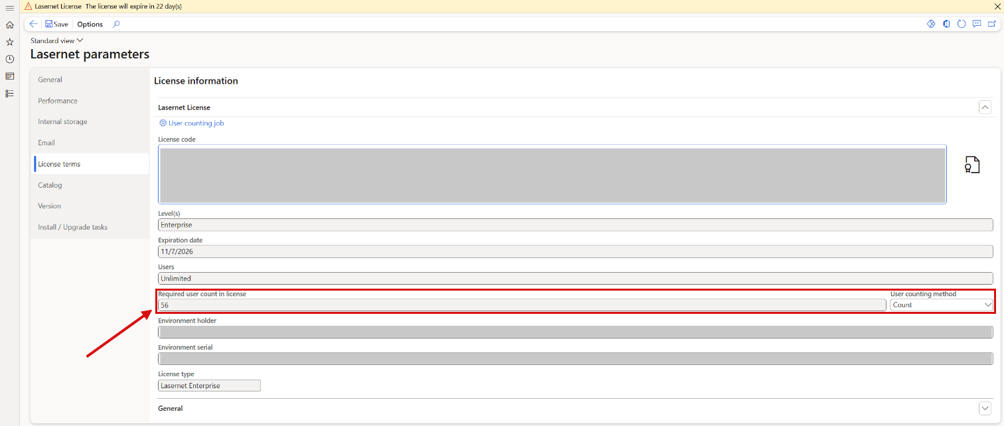
Lasernet parameters > License terms: the required user count and the user counting method. The license code and environment details are blurred.
Lasernet e-documents - Fixed
Design version expression was evaluated for the first destination only
Bug 76304 — Design version expression is evaluated for the first destination only; all other destinations of the same print get the same design
When Design version was an expression that reads a destination custom property, it was evaluated for the first destination of the print, and the result was reused for all the others. So either every destination got the same design, or none did. The expression is now evaluated for each destination. Resend wasn't affected.
Lasernet E-documents — new and improved
E-document base data checklist, test data and readiness at posting
Feature 75646 — Base data generation and checklist
A company needs a long list of setup and master data to be right before it can send valid e-invoices. The new E-document base data checklist (Lasernet > Workspaces > E-Document checklist) checks all of it in one place, with a status and a readable message for each check. It covers the Lasernet foundation, document formats and stylesheets, the seller, customers, sales tax codes and items. You can filter it by document format, replacement report, customer or sales order. Go to setup opens the form where the data is maintained. Resolve automatically fixes setup items, and in production it never touches business data. Create e-document test data builds complete demo data per country and posts sample invoices. Each sample is validated at once and can be kept as a test checkpoint. A new validation rule kind, E-document readiness, can stop a sales invoice from posting when it wouldn't produce a valid e-document.
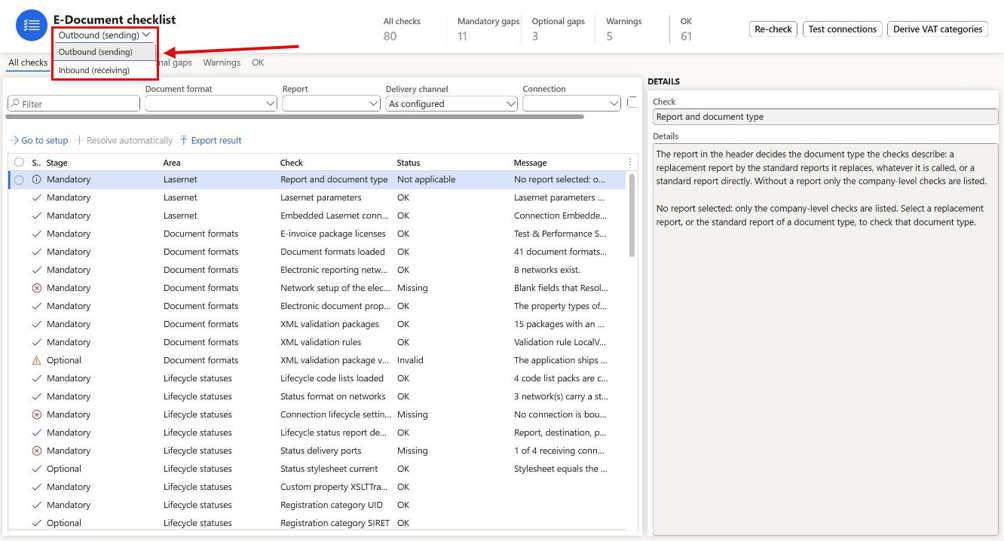
Lasernet > Workspaces > E-Document checklist: one workspace for sending and receiving, with the direction under the title.
One E-Document checklist workspace under Lasernet > Workspaces
User Story 75994 — Show the E-document base data checklist under Lasernet > Workspaces
User Story 76334 — E-document checklist - Inbound (receiving): move to a tile in Lasernet > Workspaces
User Story 76374 — E-Document checklist workspace (outbound and inbound in one workspace)
The checklists now open from one workspace, E-Document checklist, under Lasernet > Workspaces, below Lasernet and Tracking, where users start in the module. Switch between Outbound (sending) and Inbound (receiving) under the title, filter with the counters and status tabs, and use Go to setup and Resolve automatically on several rows at once. The classic forms, E-document checklist - Outbound (sending) and E-document checklist - Inbound (receiving), are listed under Lasernet > Setup > Electronic reporting connector. Who can open them is unchanged.
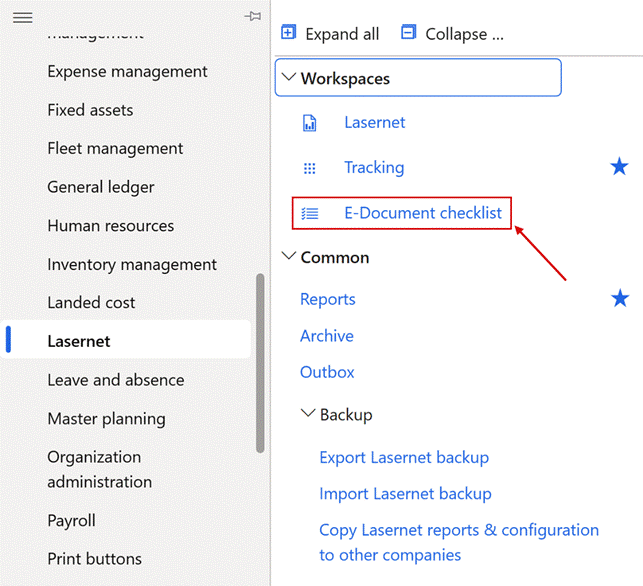
The Lasernet module menu: E-Document checklist under Workspaces.
Resize the Details pane of the E-Document checklist workspace
User Story 76484 — E-Document checklist workspace: splitter between the check list and the Details pane
In the E-Document checklist workspace, a splitter between the check list and the Details pane lets you widen Details for long texts, or give the list more room for the Message column. The width stays while you switch tabs, direction or filters, and starts at the default width the next time the workspace opens.
Outbound and Inbound checklists, including delivery and receiving
User Story 75803 — E-document checklist: separate Outbound and Inbound checklists, and check the connection setup for Peppol, API, SFTP/FTP and e-mail
The checklist is now split in two: E-document checklist - Outbound (sending), which is the existing checklist under a new name, and the new E-document checklist - Inbound (receiving). Besides the invoice content, the Outbound checklist checks how documents are sent: destinations, custom ports, the email setup, each connection with its credentials (without showing their values), and the batch jobs that deliver documents and update their status. The Inbound checklist checks the importable formats, the import method per format, how vendors are identified, the receiving mailboxes and folders, and the batch jobs that load and import received documents. Test connections runs live, read-only tests, for example of a mailbox or an SFTP folder.
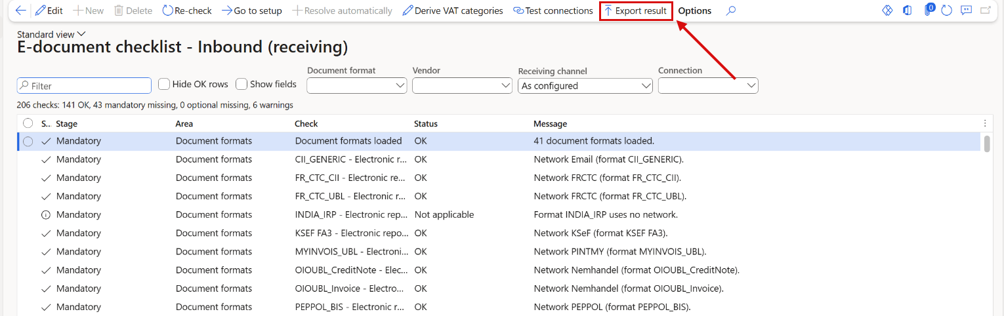
The E-document checklist - Inbound (receiving): Vendor, Receiving channel and Connection in the header, Test connections and Export result on the toolbar, and one row per importable format.
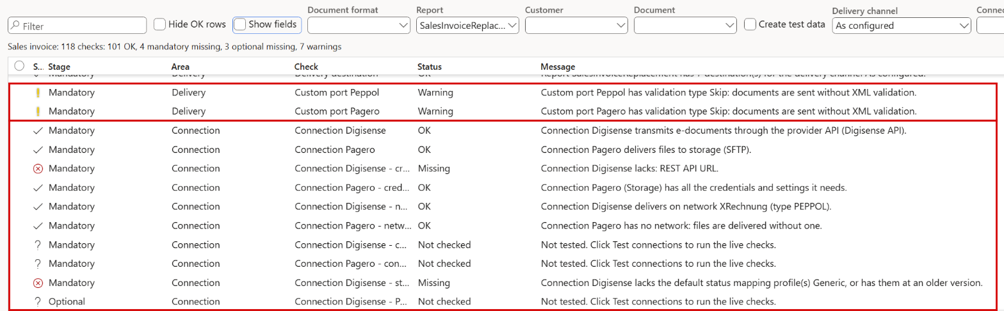
The Outbound checklist for the sales invoice: the Delivery and Connection rows check the custom ports and each connection with its credentials, network and live tests.
New optional row: E-mail parameters
User Story 76416 — Checklist (Outbound): optional row "E-mail parameters" – batch e-mail provider, Microsoft Graph and SMTP settings
The Outbound checklist never checked Email parameters, so it could be all green while no mail could leave Dynamics 365. A new optional row E-mail parameters reports a missing or retired batch email provider, a blank Microsoft Graph application ID or secret, and a secret or SMTP password that can no longer be read. Secrets are never shown.
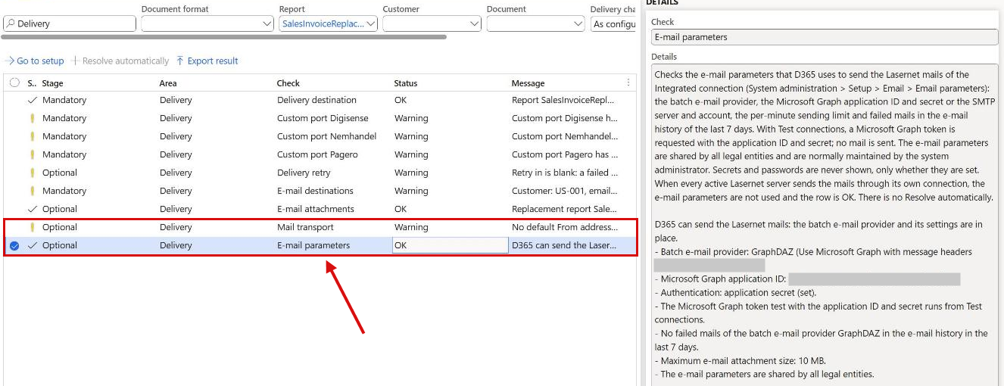
The Delivery area of the Outbound checklist: Mail transport is Optional, and the new optional row E-mail parameters. Identifiers in the details are blurred.
Tracking rows in the Outbound checklist
User Story 76417 — Outbound checklist: Tracking rows (Optional) for e-mail tracking incl. "Until downloaded", file tracking and custom port tracking · Resolved
Tracking now has its own checklist area, with optional rows E-mail tracking, Custom port tracking and File tracking; a gap is a Warning and never blocks a posting. E-mail tracking also warns when Until downloaded is used without an Email tracking web application URL, and Resolve automatically switches on custom port tracking or creates the file check job.
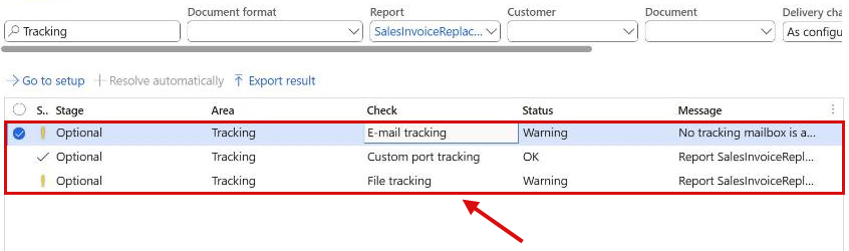
The Outbound checklist filtered on the Tracking area: three optional rows.
Checklist header: the report decides the document type
User Story 75864 — E-document base data checklist: the report decides the document type, Vendor field with ranges
The checklist header no longer asks for a Document type, because the report already decides it. The header now has Document format, Report, Customer or Vendor, and Document. The Report lookup lists replacement and standard reports with their document type and whether they are replaced, and picking a standard report that isn't registered in Lasernet offers to register it. For vendor invoice reports, a Vendor field takes one vendor or a range. A header saved by an earlier version is converted automatically.
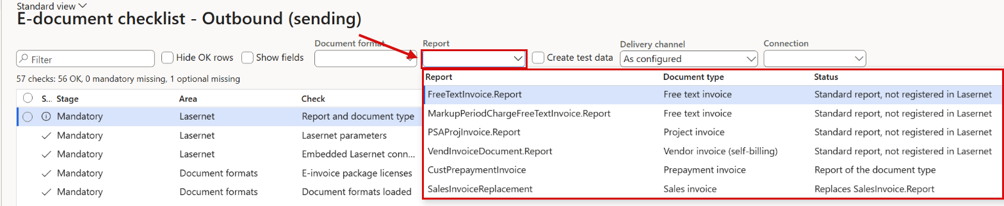
The Report lookup in the checklist header: each report with its document type and whether it is replaced.
Open the report, customer, vendor or format from the checklist header
User Story 76439 — E-document checklist: View details on the Report field opens the report in Lasernet Reports
The Report, Customer, Vendor and Document format fields in the checklist header are now links. Click the value, or use View details, to open Reports, Customers, Vendors or Electronic document formats on that record, outlined. A standard report opens as itself, not as its replacement.
Prepayment invoices are always offered in the Report list
User Story 76448 — E-document checklist: always offer CustPrepaymentInvoice in the Report dropdown
The Outbound checklist's Report list only offered CustPrepaymentInvoice while the feature Prepayment customer invoice was enabled, so the report vanished without a word. It is now always listed outside Poland, Czechia and Hungary, with a status that names the feature, and a mandatory row Prepayment customer invoice feature leads to Feature management through Go to setup.
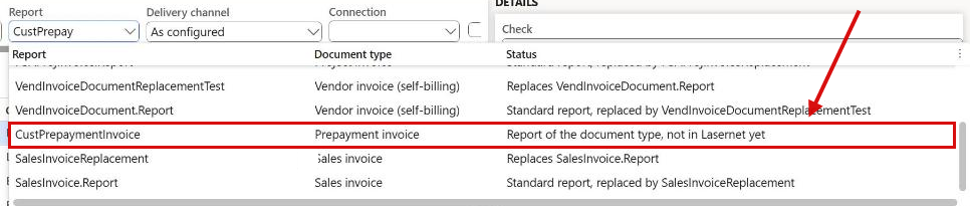
The Report list of the Outbound checklist: CustPrepaymentInvoice is offered with its status.
Show fields: where each value is maintained
User Story 76086 — E-document base data checklist: option to show the fields a format needs (where to set them), not only the values
Bug 76299 — E-document base data checklist: Show fields ignores Hide OK rows (OK and Not applicable rows always listed)
A Missing row is only half the answer: you also need the field in Dynamics 365, and its label often differs from the e-invoicing term. The new Show fields toggle adds the columns Where (form, FastTab and group), Field (the label on the form), Table.Field, Value and Requirement. The requirement is Required, Optional, Conditional or Not used for the selected format, with the business term where known, for example Required (BT-31). Hide OK rows still works together with Show fields, so only the rows that need attention are listed, each with the field to fill. Go to setup now also places the cursor in the field, with its FastTab expanded.
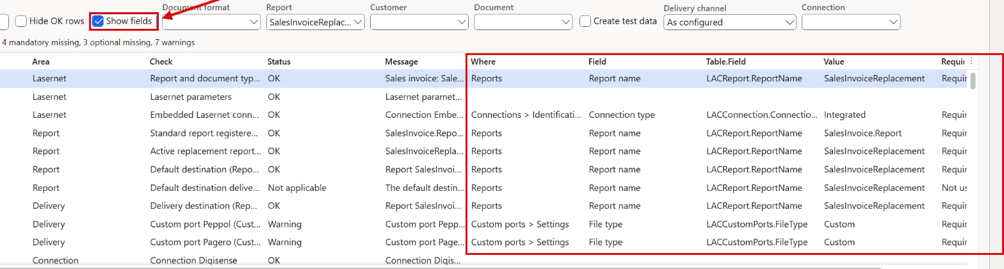
Show fields on the Outbound checklist for the sales invoice report: the columns Where, Field, Table.Field, Value and Requirement next to each check.
Go to setup reaches every form and field behind a row
User Story 75735 — Base data checklist: "Go to setup" must reach every form and field behind a row, not just one
A checklist row can report gaps in several forms, but Go to setup opened one fixed form. Each gap now has its own target: Go to setup opens the form on the right record, with the cursor in the field, and when a row has several targets you pick one from a list. The list also says when a fix takes effect, for example only for new postings, or already at the next reprint. Registration IDs open the party's own Registration IDs, and networks, document formats and connections open on the row's record.
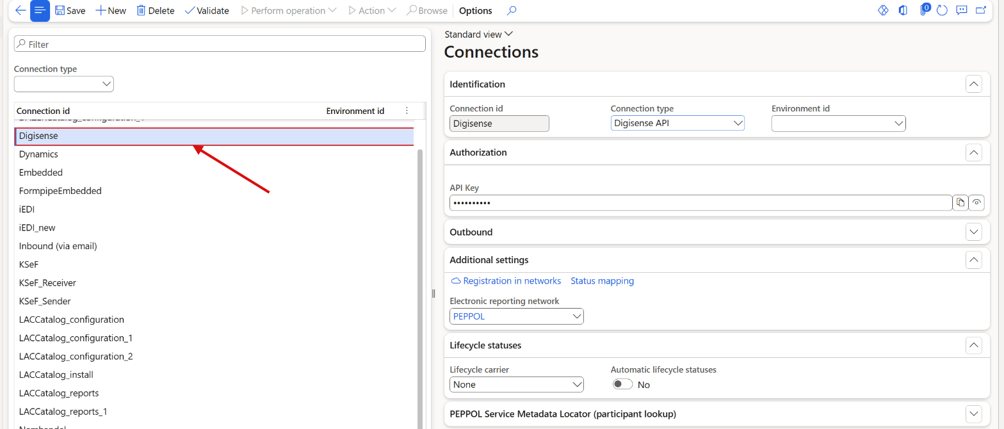
Go to setup on the row Connection Digisense - credentials: the connection opens with its row outlined. The API key is masked.
Go to setup highlights the field
User Story 76333 — Go to setup: highlight the field behind the checklist row
Go to setup now marks the field it lands on with a red outline that pulses three times and then stays until the form is closed, so the field stands out on a form with many fields. Only that field is marked, and nothing is saved in the form. When the browser is set to reduce motion, the outline is shown without the pulse. When a form has a list and a details pane, Go to setup lands on the field in the details pane before a column of the list, keeps the cursor in the field, and opens a readiness rule on its own tab in Validation rules.
Go to setup outlines the record, or the New button for a missing record
User Story 76419 — Go to setup: highlight the record, or the New button when the record is missing
Go to setup outlined only a field. It now also outlines the record a row points at (its row in a list, or the title of a details page) and, when the record doesn't exist yet, the New button; after you press it, the outline moves to the new record until it is saved.
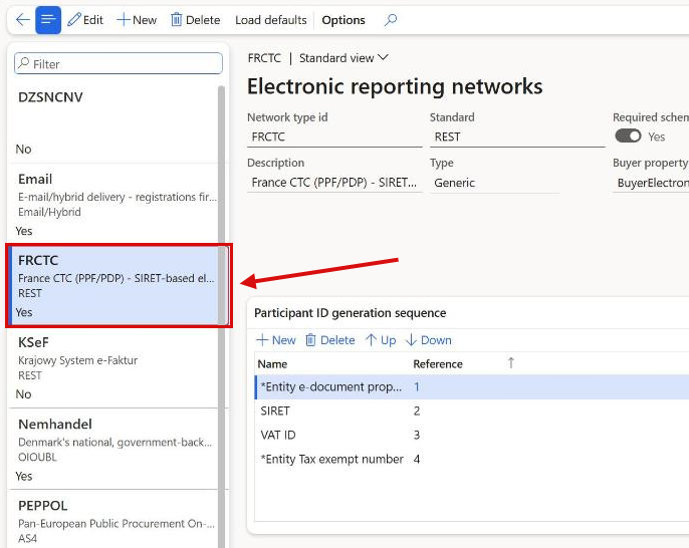
Electronic reporting networks opened by Go to setup: the network the row points at is outlined in the list.
The Go to setup picker shows the selected entry in full
User Story 76443 — Go to setup picker: show the selected entry in full below the grid
When a row depends on several forms, the Go to setup picker cut off its columns Data, Form and Effect of a change with "...". A Selected entry area below the list now shows the highlighted entry in full, so you can read whether a fix needs a reprint or a new invoice.
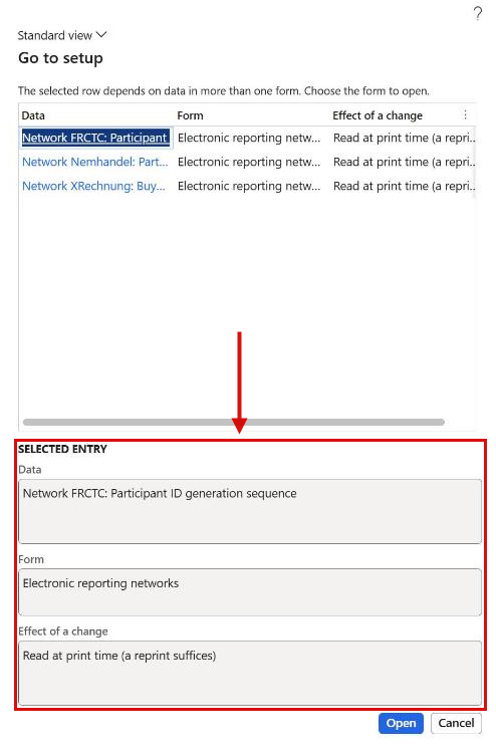
Go to setup on a row with several targets: the Selected entry area shows the highlighted entry in full.
Go to setup on a missing endpoint offers the VAT number field
User Story 76465 — E-document checklist: Go to setup on a missing endpoint should open the party's VAT number field (legal entity, customer, vendor)
Every shipped network can take a party's electronic address from the VAT number field, but a Missing endpoint row never led there. Go to setup on the seller and buyer endpoint rows now offers VAT number of the legal entity when the network reads that field, and the details say why a filled-in VAT number was skipped.
The form's field name next to "VAT number"
User Story 76444 — E-document checklist: show the form's label next to "VAT number" (e.g. "VAT number (Tax exempt number)")
The checklist says VAT number, but in US English the field is called Tax exempt number on customers and vendors and VAT exempt number export on the legal entity, so users thought the field was missing. The field's own label now follows in brackets, in your language, for example VAT number (Tax exempt number), wherever the checklist names it.
The checklist reports a missing GTIN only for India formats
User Story 76332 — Checklist: only report a missing GTIN for India formats
The optional item row of the Outbound checklist reported Item lacks: GTIN for every item without a GTIN, whatever the document format. Only the India formats use the GTIN, so for every other format the row no longer checks or mentions it: an item that only lacks a GTIN is OK, and Hide OK rows hides it. Origin country and commodity code are checked as before. Test data creates a test GTIN only for India formats.
Set up and check XRechnung and ZUGFeRD together
User Story 76274 — Checklist: set up and check XRechnung and ZUGFeRD together (destinations, custom properties, contact purposes)
German buyers often need both formats from the same invoice report: XRechnung as XML, and ZUGFeRD as a PDF with the XML inside. Document format in the checklist header now takes several formats, and each format-dependent check is listed once per format. With both German formats selected, the checklist also checks the contact purposes that route each customer to the right format, an email destination per format with the custom properties it needs, and the purpose of the selected customer. A customer with both purposes gets the new status Warning, because they would receive two invoices; a warning never stops a posting. Resolve automatically creates what is missing and lists every change before it writes, but never deletes a destination or changes a customer.
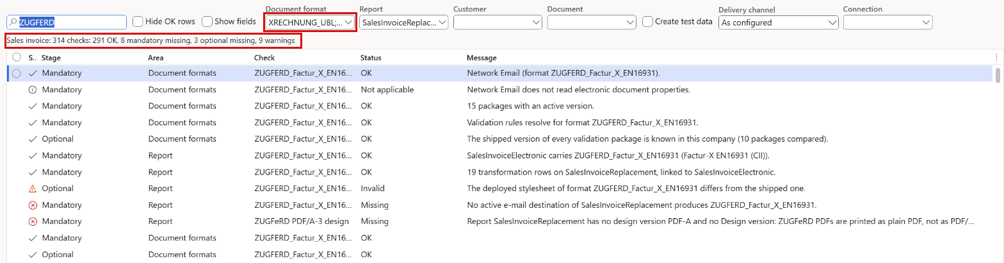
The Outbound checklist with XRechnung and ZUGFeRD selected together: 314 checks for both formats in one run, filtered here to the ZUGFeRD rows.
Resolve automatically fixes the Tax rows after a confirmation
User Story 75801 — Base data checklist: Resolve automatically fixes the Tax rows (VAT category S, Z, E and tax print settings) after a confirmation prompt
In a live company the two Tax rows couldn't be resolved, so the VAT category had to be typed under External codes by hand. Resolve automatically now shows a prompt, default No, listing every planned change, and after Yes sets VAT category S, Z or E and the tax print settings. Rates and group membership are never changed.
Resolve automatically switches the format on the default destination
User Story 76409 — E-Document checklist: Resolve automatically cannot switch the XSLT transformation format when the report default destination already carries another format
When the report's default destination already rendered another e-invoice format than the one selected in the header, the row Format property on the destination said OK, so invoices kept the old format. The row is now a Warning naming both formats, and Resolve automatically sets the header format after a confirmation that shows the old and the new value.
ZUGFeRD invoices as PDF/A-3 with Factur-X metadata
User Story 76292 — ZUGFeRD invoice PDF as PDF/A-3 with Factur-X metadata (checked and resolved by the E-document checklist)
A ZUGFeRD/Factur-X invoice carried the right XML, but the PDF itself wasn't identified as PDF/A-3 and had no Factur-X metadata, so strict validators rejected it. A destination that embeds the e-invoice in its PDF now prints with a locked design version, PDF-A, with PDF/A compliant and Embed fonts switched on. The Factur-X metadata is filled in from the embedded XML. The new checklist row ZUGFeRD PDF/A-3 design checks the version, and Resolve automatically creates or refreshes it. Other destinations print as before.

The checklist row ZUGFeRD PDF/A-3 design: without a PDF-A design version the ZUGFeRD PDF is printed as a plain PDF.
Readiness at posting checks the format each customer receives
User Story 76293 — Posting readiness check uses the e-invoice format the customer actually receives
The readiness check at posting (rule EDOC-READY-SALES) checked every customer against the format of the report's default destination. When one report sends XRechnung to some customers and ZUGFeRD to others, a ZUGFeRD customer was checked against the XRechnung rules, and posting could be refused for data that ZUGFeRD doesn't need. Posting now checks each customer against the format of each email destination whose contact purpose the customer has. When more than one format is checked, each finding starts with the format name.
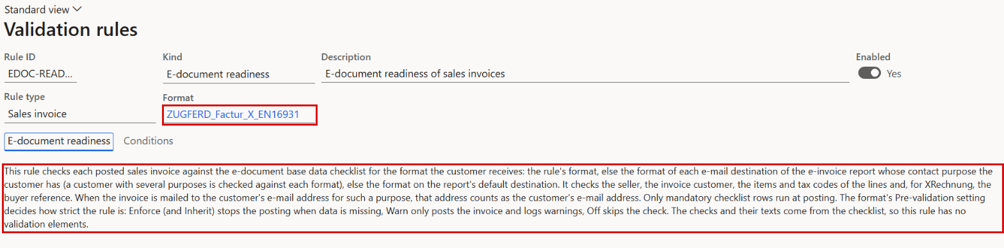
The e-document readiness rule for sales invoices: it checks each posted invoice against the checklist for the format the customer receives.
Derive VAT categories: mark several rows at once
User Story 75871 — E-document base data checklist: multi-selection in the Derive VAT categories dialog (mark Apply on several rows at once)
In Derive VAT categories, Apply could only be ticked one row at a time, so confirming the categories of 20 or 40 sales tax codes took as many clicks. Several rows can now be selected, and Mark selected, Unmark selected, Use proposed and Set category act on all of them. A counter below the grid, for example 4 of 17 rows marked Apply, shows what OK will write.
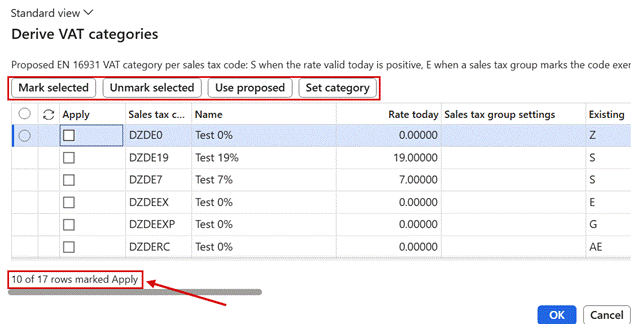
Derive VAT categories, opened from the checklist: Mark selected, Unmark selected, Use proposed and Set category, and the counter below the grid.
French identifiers created from the checklist
User Story 75997 — E-document base data checklist (FR CTC): optional creation of SIREN, SIRET and the Seller/BuyerElectronicAddress e-document properties · Closed
For the French mandate, the legal entity and every French customer need a SIREN, a SIRET and an electronic address, which are kept in three different forms. With a French CTC format selected, Resolve automatically on the identifier rows now opens a French identifiers dialog, with the current value, a proposed value and Apply for each party. Proposals come from existing data, such as a SIRET registration or the SIREN inside the French VAT number. Each value is checked before it is saved, including the rules BR-FR-09, BR-FR-21 and BR-FR-23, and only ticked rows are saved. This works on real master data, not only on test data.
The checklist compares each network with its shipped default
User Story 76408 — Checklist: Resolve automatically fills the network's Endpoint scheme (ISO 6523) and the other shipped network defaults (FRCTC 0225, XRechnung, Peppol, Nemhandel, PINT MY)
A blank Endpoint scheme (ISO 6523) on XRechnung, or a changed scheme on FRCTC, showed OK because the checklist only checked that the network existed. The new mandatory row Network setup of XRechnung compares the network with the shipped default: Resolve automatically fills blank fields after listing each change and never overwrites a value you set.
French network defaults for a legal entity in France
User Story 76440 — Checklist: country-dependent network defaults - fill the French identifier setup (SIREN / SIRET, electronic address, Endpoint scheme 0225) on every network a French company uses, not only FRCTC
Only the FRCTC network carried the French setup, so a French company that emails Factur-X or CII ran its Email network on the country-neutral default. In a French company, the Email network now gets SIREN and SIRET in its sequence, the electronic address property types and endpoint scheme 0225, through Network setup of Email or Load defaults.
Create e-document test data
Bug 75809 — ER: Create test data gives error
Create e-document test data prepares complete test data for Lasernet e-documents in eight test companies (Poland, Germany, France, Netherlands/Belgium, India, Malaysia, Denmark and a US project company). It creates missing setup and master data, posts one sample invoice per test scenario, validates each e-document and keeps one test checkpoint per sample. The Polish company is created as a copy of the German demo company when it doesn't exist. In batch, each company runs as its own task, and a summary task lists the result for all companies. Existing setup is reused, so a second run creates no duplicates.
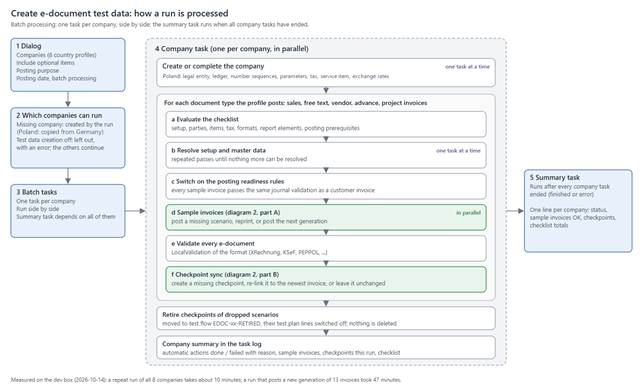
How a run of Create e-document test data is processed.
Outbound e-invoices through XSLT
Feature 75146 — Various formats via XSLT export · Closed
Task 75153 — PDF from Lasernet Embedded or Lasernet as part of the Inhouse-payload · Closed
Bug 75182 — Missing attachments in XSLT produced formats · Closed
Feature 75349 — Registration ID's update · Closed
Task 75566 — Using XSLT should require license for T&P, Tracking and e-documents (all modules=e-invoice package) · Closed
E-invoices can now be produced by XSLT stylesheets applied to the Lasernet report XML, as an alternative to Electronic reporting. 19 formats are delivered: XRechnung (UBL and CII), ZUGFeRD/Factur-X in all profiles, FR CTC (UBL and CII), PEPPOL BIS and EHF, OIOUBL invoice and credit note, KSeF FA(3), India IRP, MyInvois and PINT MY. The stylesheets are published through the Lasernet catalog, and Deploy installs them in a company. Prerequisites lists the report elements a format needs. The Lasernet PDF can be embedded in the e-invoice, PDF attachments are carried into the formats, and registration IDs are supported. The XSLT route is part of the e-invoice package, so it needs the e-documents, tracking and T&P licences.
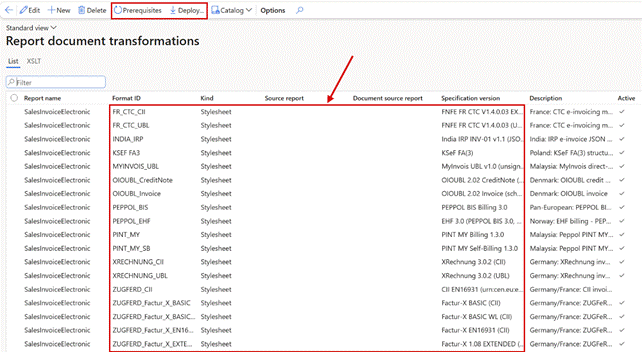
Report document transformations: one stylesheet per format, with its specification version. Prerequisites and Deploy are on the toolbar.
Missing e-invoice package licences are reported on the document, in the journal and at setup
User Story 76344 — Warn visibly when an XSLT e-invoice format is used and not all required license codes are entered or valid
A missing e-invoice package licence skipped the e-document with only an Infolog warning, easy to miss. The warning XSLT e-invoicing is used and not all license keys are entered or valid now appears in the Lasernet journal, in the report XML as job information XsltLicenseWarning for your design, and when an XSLT format is selected on a report.
E-documents for free text, project, vendor, advance and GST invoices
Feature 75740 — E-documents beyond the sales invoice
E-documents are no longer limited to the sales invoice. The same formats and validation now also serve free text invoices, project invoices (including the contract line, retention release and manage-invoice layouts), vendor invoices, Polish advance invoices in KSeF FA(3), and Indian GST invoices as the IRP JSON. Each produces the report XML, the PDF and the validated e-document in the Lasernet archive, linked to the posted journal, and the format is chosen per destination as for the sales invoice. To switch a document type on, run Deploy e-document transformations for it. The checklist checks and resolves the prerequisites per document type.
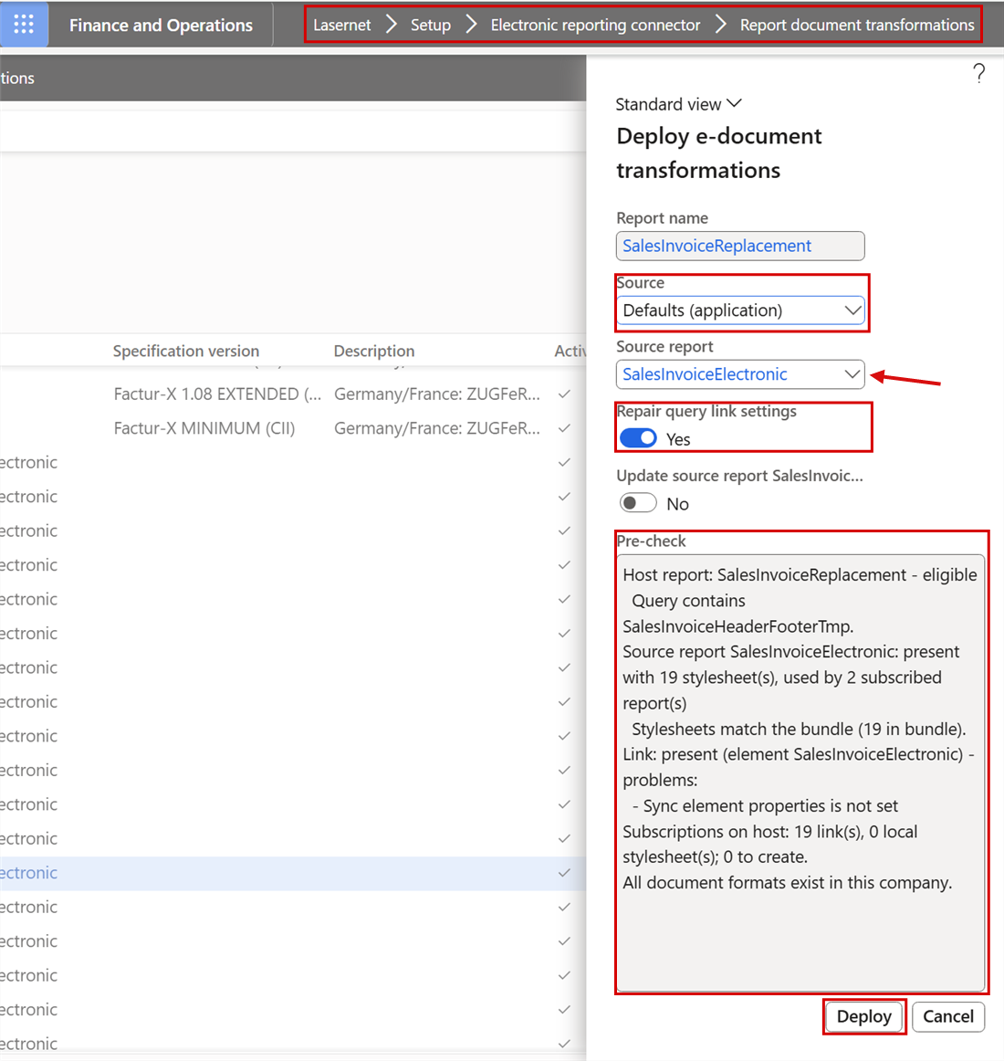
Lasernet > Setup > Electronic reporting connector > Report document transformations > Deploy e-document transformations: the source report that belongs to the report, the pre-check and Deploy.
Project invoice lines named after their category
User Story 76298 — Project invoice lines: use the category name, not the category ID, as the item name (BT-153)
On a project invoice line without a line text and without an item, the item name in the e-invoice (BT-153) was the project category ID, which tells the buyer little. It is now the name of the project category, and the category ID goes to the seller's item ID (BT-155). This applies to every format, because both values come from the report.
Self-billed e-invoices from posted vendor invoices
User Story 75693 — Self-billing e-invoice: VendInvoiceElectronic source query for VendInvoiceDocumentReplacement (reuse SalesInvoiceElectronic stylesheets)
User Story 75697 — PEPPOL BIS Self-Billing 3.0: own document format and validation rule set (self-billed output fails R004/R007)
With self-billing, you as the buyer issue the invoice on behalf of your vendor. A posted vendor invoice or credit note can now be printed as a self-billed e-invoice from the vendor Invoice journal (Preview/Print > Use print management), with the vendor as the seller and your legal entity as the buyer. It is available for PEPPOL BIS and EHF, XRechnung, ZUGFeRD/Factur-X, the French formats, KSeF FA(3) and MyInvois. The new document format PEPPOL_SB (PEPPOL BIS Self-Billing 3.0) detects self-billed documents and validates them with the official self-billing rules. Before, they were validated as PEPPOL_BIS and failed rules R004 and R007.
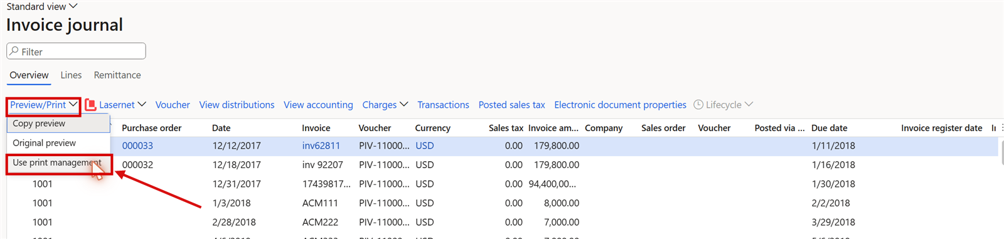
Accounts payable > Invoice journal: a posted vendor invoice printed with Preview/Print > Use print management.
Standard or self-billed: the e-invoice kind of a vendor
User Story 75906 — Vendor side: standard e-invoice (not only self-billing) and electronic delivery options
Each vendor now has an E-invoice kind on the Invoice and delivery FastTab: None, Standard or Self-billing. Standard produces the vendor's own e-invoice (type 380 or 381) with the standard rules of the format, Self-billing works as described above, and None produces no e-invoice. A purchase order takes the kind of its invoice account's vendor, the pending vendor invoice takes it from the purchase order, else from the vendor, and both can override it. The invoice journal shows the kind it was posted with. Vendor e-invoices are delivered through the same channels as sales invoices, over a network, by email or to file storage, and appear in the Lasernet tracking workspace.
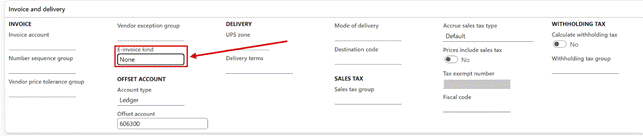
Accounts payable > Vendors: the E-invoice kind on the Invoice and delivery FastTab.
Purchase orders carry their own E-invoice kind
Task 76342 — Purchase order: carry E-invoice kind on PurchTable, defaulted from the vendor
A purchase order now has E-invoice kind (None, Standard or Self-billing) on the header, right after Invoice account. A new order takes the kind of the invoice account's vendor and you can override it; a later change on the vendor no longer changes existing orders. A pending vendor invoice created from the order takes the order's kind first.
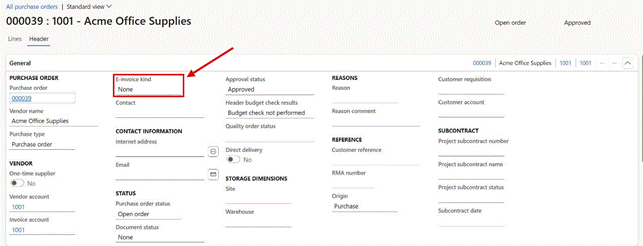
A purchase order in Header view: E-invoice kind on the General FastTab.
Prepayment and advance invoices print through Lasernet
User Story 75841 — Advance and prepayment invoices: print through a Lasernet query-based replacement report · Closed
Prepayment invoices (the feature Prepayment customer invoice) and advance invoices (Poland, Czechia and Hungary) can now be printed through Lasernet. A new query-based report, CustPrepaymentInvoice, takes over the print of prepayment invoices, reversals included, while it is registered and active. Every print is archived and linked to the journal. Advance invoices print through CustAdvanceInvoiceReplacement and also produce an e-document, for example KSeF ZAL and KOR_ZAL. Resolve automatically in the checklist registers both reports.
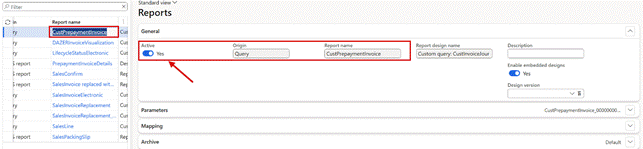
Lasernet > Common > Reports: the query-based report CustPrepaymentInvoice, active, takes over the print of prepayment invoices.
Prepayment invoices as e-invoices
User Story 76336 — Prepayment customer invoice: supported in all e-invoice formats
User Story 76301 — Prepayment customer invoice: e-invoice through the XSLT route
A prepayment invoice (the feature Prepayment customer invoice) can now also be sent as an e-invoice. The report CustPrepaymentInvoice carries the e-document data itself, so it needs no query link: select the format in XSLT transformation format on the report or its destination, and each print produces the report XML, the PDF and the e-document. Deploy e-document transformations, or Resolve automatically on the checklist for the document kind Prepayment invoice, creates the transformation rows.
The prepayment invoice is sent with type code 386 (326 in XRechnung), and its reversal on the final invoice as a credit note (381, or 503 in the French formats) that refers to the prepayment invoice. Net amount, VAT and total are taken from the prepayment itself, not from the sales tax total of the journal, which Dynamics 365 stores with a negative sign on a prepayment invoice. A final invoice that settles a prepayment now carries the prepaid amount and, where the format has it, the reference to the prepayment invoice (BG-3).
OIOUBL, KSeF FA(3), India IRP and PINT MY self-billing have no prepayment invoice; Polish companies use advance invoices instead. No transformation rows are created for these formats, and the checklist and the print say that the format doesn't support the document.
View an e-invoice XML as a readable PDF
User Story 76013 — Create a readable PDF from an XRechnung or Factur-X XML file (transformation + template)
Bug 76324 — Lasernet preview: show View as PDF only when the Custom document is displayed
An e-invoice XML can now be shown as a readable PDF: XRechnung, ZUGFeRD/Factur-X in every profile, PEPPOL BIS, KSeF and India e-invoices. View as PDF opens it straight away in the user's language (English, German, French or Danish), from Inbound documents, pending vendor invoices, the invoice journal and the Lasernet log. The PDF shows everything in the XML, with the meaning of each code from the EN 16931 code lists, and every page names the source file and its hash. With the new parameter Visualization at load, the PDF can also be made when a received invoice is loaded and attached to the pending vendor invoice, so the approval workflow has a readable file. Four designs are delivered, and they can be adapted in the Lasernet designer. In the Lasernet preview, View as PDF appears only while the Custom document is displayed.

Lasernet > Setup > Electronic reporting connector > Inbound documents: View as PDF on the action pane. Message IDs and addresses are masked.
The visualization report: a lookup, and the report in use
User Story 76300 — Visualization report: add a lookup and show which report a document format actually uses
The Visualization report fields on Document formats and on the E-invoice visualization FastTab of the Electronic reporting connector parameters now have a lookup. It lists only the Lasernet reports that can render the readable PDF, and a name that isn't such a report is refused. A new read-only field, Report in use, on Document formats shows which report a format really uses: its own, one inherited from a parent format, the one from the parameters, or none, in which case no PDF is made when documents are loaded.
The Electronic reporting e-invoice on or off per destination
User Story 75853 — Add electronic invoice as custom file: make it a custom property that can be set per predefined destination
Add electronic invoice as custom file is now a custom property instead of a field on the General tab of the report. It has a report default and can be overridden on each predefined destination, so one destination can send the e-invoice and another only the PDF. Before, a destination set to No still received the e-invoice of an earlier destination. Existing values move to the property by themselves.
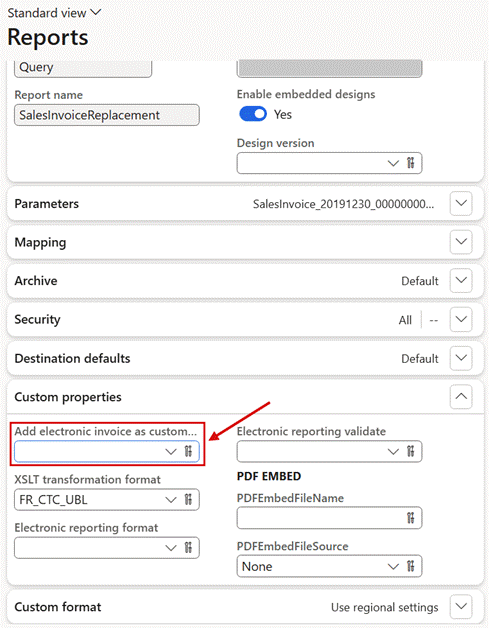
Lasernet > Common > Reports: Add electronic invoice as custom file on the Custom properties FastTab of the report. Each predefined destination can override it.
Embed the PDF in the e-document, per destination
User Story 76155 — Lasernet e-documents: custom property to control when the PDF is embedded in the e-document XML (XSLT)
The new custom property Embed PDF in e-document decides per destination whether the Lasernet PDF is embedded in the XSLT e-document (BG-24). Until now this applied to every destination at once, so an email that already attached the PDF carried it a second time inside the XML. A destination that embeds the e-document in its PDF never gets the PDF inside the XML, and an empty value keeps today's behavior.
The PDF in Electronic reporting e-documents, without document handling
User Story 76291 — Lasernet e-documents: embed the archived Lasernet PDF in the e-document XML without document handling (ER)
Embed PDF in e-document now also works for destinations that create the e-document with Electronic reporting (Add electronic invoice as custom file = Yes). With Yes, the e-document carries the PDF of the print as an additional supporting document (BG-24), exactly the PDF in the Lasernet archive. A document handling setup on the report is no longer needed for this, and no attachment is added to the invoice. Left empty, everything works as before.
Configurable business documents as the invoice PDF
Feature 75717 — CBD support as PDF document
Companies that print the sales invoice with a Configurable Business Document, an Electronic reporting format with a Word or Excel template, can now keep that layout and still get Lasernet delivery, archiving, e-invoicing, tracking and resend. Print management stays on the standard report with a Lasernet destination, and the report custom property Configurable business document format names the format. Its PDF is then used in the archive, in emails, on printers and inside a hybrid ZUGFeRD/Factur-X PDF. This release covers the sales invoice.
Buyer's order line reference (BT-132)
Task 75528 — E-document BT-132: buyer’s order line reference (CustomerLineNum) is never emitted in any XSLT format
The Line number entered under External references on a sales line is the buyer's purchase order line. It is now written to the UBL and CII e-invoices as the referenced purchase order line (BT-132). Until now it was never included in any format.
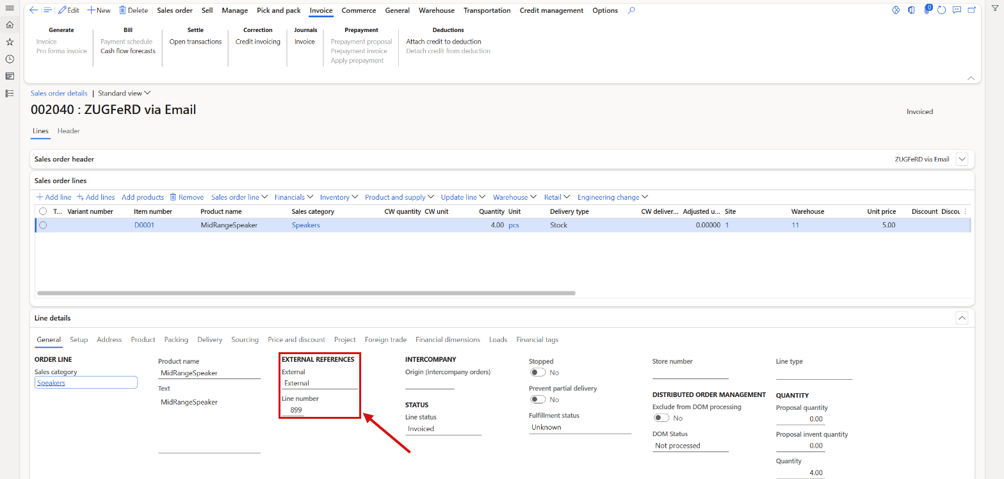
Sales order line details: the buyer's order line under External references > Line number.
Seller VAT number from the delivering warehouse
User Story 76368 — Seller VAT number from the delivering warehouse (XSLT e-invoices)
When a sales invoice or credit note is shipped from a warehouse in another country than the legal entity, and the legal entity has a VAT registration for that country, the XSLT e-invoice now carries that VAT number as the seller VAT identifier (BT-31). The seller's name and address stay those of the legal entity. The setup is standard Dynamics 365: a registration ID of the category Tax identification number on an address of the legal entity in the warehouse's country. The delivering warehouse is the warehouse of the first invoice line that has one, and a credit note carries the number of its original invoice. A new warning row in the E-Document checklist, Warehouse VAT numbers, checks the setup.
UBL e-invoices start with a default-namespace root
Task 75474 — UBL e-documents: emit the document root in a default namespace instead of the inv:/cn:/crn: prefix
Task 75667 — UBL e-documents: default-namespace root lost again (75474 overwritten by 75528) - re-apply in the 9 UBL stylesheets + bundle
All UBL e-invoices and credit notes now start with an unprefixed root element in the default namespace, as in the official PEPPOL, FNFE and OASIS samples. The content is unchanged and validates the same way. But some receiving systems compare the root tag as text, and they expect this form.
Credit notes refer to their original invoices in more formats
User Story 76271 — Credit notes: preceding-invoice references for non-FR formats (KSeF multi-invoice KOR, MyInvois/PINT MY, PEPPOL/OIOUBL/XRechnung)
A credit note linked to its original invoices only through Return lot ID on the lines had no invoice reference in most formats. KSeF FA(3) corrections now list every corrected invoice, and MyInvois and PINT MY credit notes take the reference from the lines. PEPPOL BIS, EHF, OIOUBL and XRechnung derive the header reference (BG-3) from the lines when it is empty. Credit notes that already have a header reference are unchanged.
ZUGFeRD 2.5.2 and Factur-X 1.09.2 validation rules
User Story 76240 — Zugferd 2.5.2 update
Bug 76241 — Outbound Factur-X/ZUGFeRD EXTENDED invoices carry a 2-letter LanguageID that Factur-X 1.09.2 rejects
The ZUGFERD validation package now has the ZUGFeRD 2.5.2 / Factur-X 1.09.2 rules, mandatory since 1 September 2026, for all profiles from MINIMUM to EXTENDED. Some findings now appear under their new official rule IDs with the same meaning, for example BR-CO-17 instead of FX-SCH-A-000052. Version 1.09.2 requires a three-letter language code on EXTENDED invoices, so the EXTENDED invoices from Lasernet now write eng, deu or fra instead of en, de or fr.
EN 16931 rules 1.3.17 for the canonical import
User Story 76242 — Update the EN 16931 (CEN) validation rules to release 1.3.17
The EN 16931 check that the canonical import runs on received invoices now uses release 1.3.17 of the CEN rules instead of 1.3.15. It includes the correction for credit notes with type code 502 or 503 (BR-CL-01).
Canonical import of inbound e-invoices
Feature 75039 — Canonical Import
Task 75080 — Creating Pending vendor invoice/canonical for the Polish FA(3) throws an error
Inbound e-invoices in any supported format, such as XRechnung, ZUGFeRD/Factur-X, FR CTC, PEPPOL, OIOUBL and KSeF, are converted to one canonical format. They are then imported into pending vendor invoices through a single pipeline. The received file stays untouched as the primary attachment, and the canonical file is added beside it, so import, re-resolve and audit always have both. If a field turns out to be missing, an improved transform and a re-convert fix it, because the original file is still there. Creating a pending vendor invoice from a Polish KSeF FA(3) invoice no longer stops with an error.
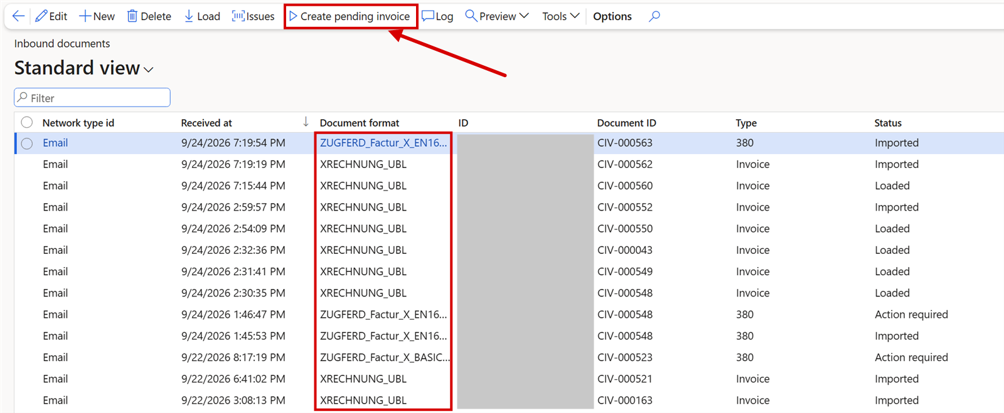
Lasernet > Setup > Electronic reporting connector > Inbound documents. Each received document is detected by its format. Create pending invoice runs the canonical import.
Load received e-documents from FTP and SFTP
Feature 73030 — Loading inbound files from FTP & SFTP
Received e-documents, such as invoices, credit notes and status messages, can be loaded from a folder on an FTP or SFTP server, and the same setup works for Azure storage and SharePoint connections. On the Inbound loading FastTab of the connection you set the watched folder, a file filter (add \.zip* to load every file in an archive), what happens to a file after a successful load (rename, delete or move), a pattern for files that couldn't be loaded, and a minimum file age, so that a file that is still being uploaded isn't read. Load documents picks the files up, recognizes their document format and adds them to Inbound documents.
Invoice lifecycle statuses
Feature 75887 — Invoice lifecycle statuses (France CDAR, PEPPOL, provider APIs)
User Story 76059 — Lifecycle buttons redesign - simplify, add to D365FO forms and fix some issues
After an e-invoice is delivered, the platforms and the business partners answer with lifecycle statuses such as received, approved, refused and paid. In France these statuses are mandatory. Lasernet e-documents now receives and sends them: the French CDAR statuses, the PEPPOL Invoice Response and Message Level Response, and the statuses that network providers report. Every status is kept in the Lifecycle status log of its invoice.
Received statuses are recognized at Load and linked to their invoice. A rejection moves the outbound document forward and writes the reason and the requested action to its log.
Sending by hand: a Lifecycle menu and FactBox on Inbound documents, Outbound documents, pending vendor invoices and the vendor, customer and project invoice journals. Send status offers only the statuses that can be sent for that document.
Sending automatically, per connection: statuses are created when an invoice is imported, approved, closed, paid or settled. A status created during a posting waits for the batch job Send pending lifecycle statuses, so it never blocks a posting or a payment.
Setup and monitoring: the checklist area Lifecycle statuses sets up the code lists and the status report, and the tracking workspace has a Lifecycle statuses tab with Refused, Disputed and Unpaid tiles.
PEPPOL has no statuses from the supplier's side, so those are available for France only.
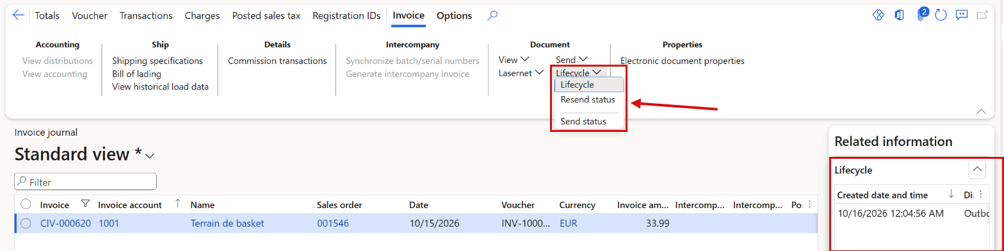
The customer Invoice journal: the Lifecycle menu and the Lifecycle FactBox.
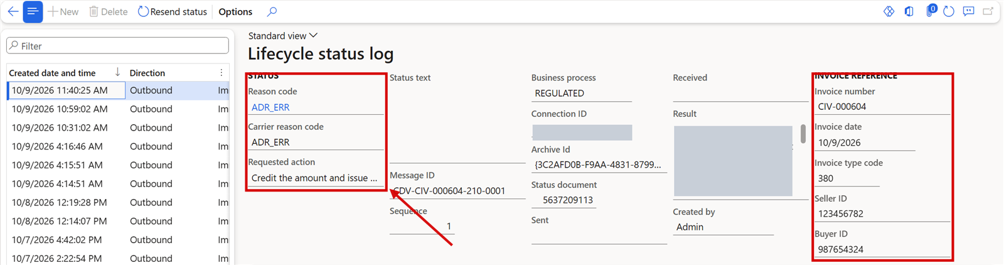
Lasernet > Setup > Electronic reporting connector > Lifecycle statuses > Lifecycle status log: the status, its reason and the invoice it refers to.
iEDI connections use the updated API for received documents
Task 73377 — iEDI API updates for inbound
Connections of type iEDI read received documents through the updated iEDI API, and outbound documents are marked as not yet synchronized until their status has been read back.
A security role for following up on e-invoice lifecycle statuses
User Story 76339 — Security role for the e-invoicing Lifecycle (send / resend status)
A finance user needed the Lasernet ER Connector administrator role to use Send status and Resend status. The new role E-invoicing lifecycle user opens the Lifecycle status log and runs Send status and Resend status from the Lifecycle button. It reaches no other e-documents setup; combine it with the user's accounts receivable or payable role.
iEDI connections report statuses back and read only updated transactions
User Story 76371 — iEDI: report statuses back with PUT /transactions and poll only updated transactions
Connections of type iEDI now report statuses back as the provider's API expects: the acknowledgement of a loaded document carries only the status and the Updated flag, and the connection confirms every status read, which the delivery log shows. Update Awaiting Delivery status now asks only for transactions that have news and skips the rest; the infolog says how many.
One catalog for validation rules, document formats and validation packages
Feature 75040 — XML validation, document formats and validation packages unified catalog loading
XML validation rules, document formats and XML validation packages are now all loaded through one catalog mechanism. The catalog actions on the toolbar load and update them from the Lasernet catalog: Load defaults, Check for updates, Check all and Catalog. Each package keeps its versions, with a file hash, a status and the date it was downloaded.
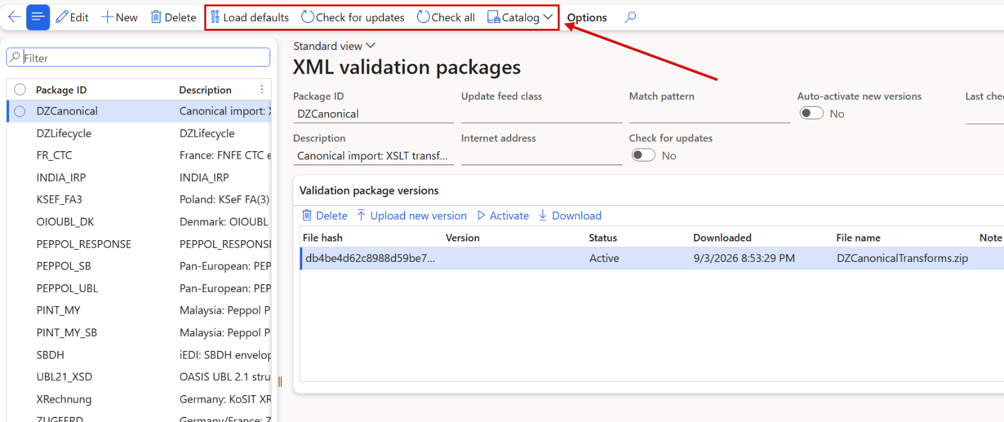
XML validation packages, with the shared catalog actions on the toolbar.
Descriptions of Microsoft's Electronic reporting fixes
Task 74567 — Show the description from the work-item #
Task 74929 — Description for work-item Id's isn't shown
Where Lasernet e-documents shows the number of a Microsoft work item for an Electronic reporting fix, it now also shows the description of that work item, read from Microsoft Lifecycle Services. The description is shown only on environments that are connected to Lifecycle Services.
Electronic reporting configurations from the Lasernet catalog
Task 74933 — Option to load electronic-reports from an Azure storage (Lasernet catalog)
Electronic reporting configurations can now be loaded from the Lasernet catalog in Azure storage. This helps companies and partners that have no access to the Microsoft configuration repository. Everyone who holds the e-documents license shares the catalog. The connection points to the shared catalog by default, as for the Lasernet report catalog, and a partner can change it to point to their own storage.
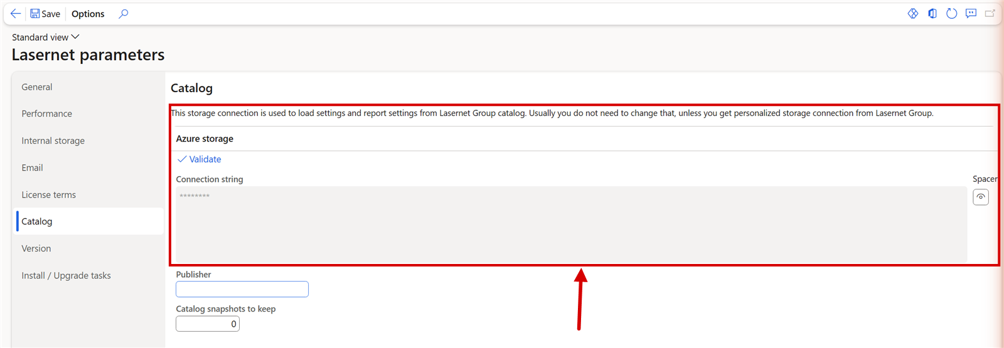
Lasernet parameters > Catalog: the Azure storage connection used to load settings from the Lasernet Group catalog, with Validate.
India and Malaysia
Feature 75046 — India and Malaysia Document types support, import & validation
Validation and import of Indian e-invoices (IRP INV-01) have been added, along with document type detection for Malaysia. The validation packages INDIA_IRP, PINT_MY and PINT_MY_SB are delivered through the catalog. Import of Malaysian documents isn't available yet.
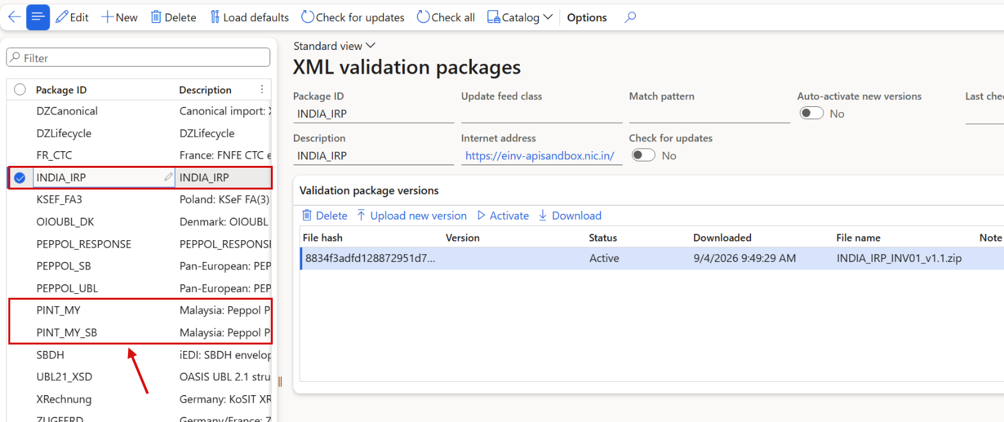
XML validation packages: the packages for India (INDIA_IRP) and Malaysia (PINT_MY and PINT_MY_SB).
Pre-validation per format
User Story 75487 — Per-format switch for DAZ pre-validation of outbound e-invoices
Pre-validation is the local Schematron, XSD and JSON-schema check that Lasernet e-documents runs before an e-invoice is delivered. It can now be set per document format, with the Pre-validation field on Document format rules. Until now it could only be set per report destination, which affected every format that destination produced. Inherit follows the parent format and then the destination. Enforce blocks delivery when validation fails. Warning only delivers the document and records the findings. Off skips pre-validation for that format.
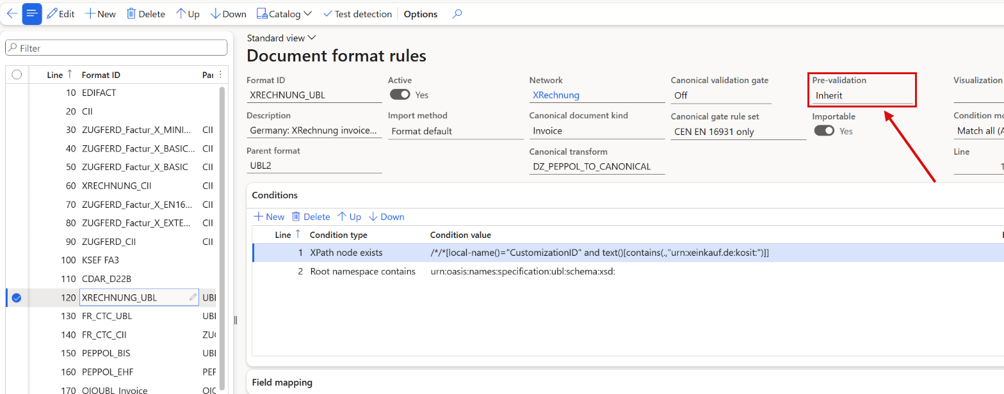
Document format rules: the Pre-validation setting on the XRECHNUNG_UBL format.
The XML validation pane validates with LocalValidation by default
User Story 75856 — XML validation pane: use LocalValidation when no validation rule is selected
Validate on a report preview opened the XML validation pane with an empty Validation rule when no rule was stored, and 0 Errors / 0 Warnings / 0 Messages looked like a valid document although nothing was checked. The pane now fills in LocalValidation when the company has it and validates at once; a rule you picked yourself still wins.
Where a value in an e-document comes from
Feature 75368 — XSLT+XML output document source info
Task 75502 — Source info redesign
User Story 75983 — XML viewer: one-click right-click entry to open the stylesheet instruction behind a node (Show in transformation)
Bug 75982 — Source info (XSLT): repeating element traced to the wrong stylesheet instruction - cbc:Note[2] (#PMD#) opens the #PMT# line
Bug 76097 — Source info (XSLT): no report element is ever traced – "Could not be traced to a report element" on every node (e.g. the #PMT# note)
Bug 76238 — Report preview: "Show line numbers" shows 1 on every row when the JSON or XML file is written on one line
You can right-click any value in the XML preview of an XSLT or regular XML document and choose Show source info. It shows where the value came from: the report elements behind it, with their section, kind and value in this document. It also shows any Lasernet expression involved, and the exact stylesheet lines that write the value. The names are links that open the report elements or the transformation. The XML preview can now also show line numbers.
A second entry, Show in transformation, opens the stylesheet on the instruction that wrote the value, in one click. For a repeating element, such as the notes of an FR CTC invoice, each occurrence leads to its own stylesheet line, and report elements read through the sales invoice sub-report are traced as well. Line numbers also work for files written on one line, such as the India IRP JSON.
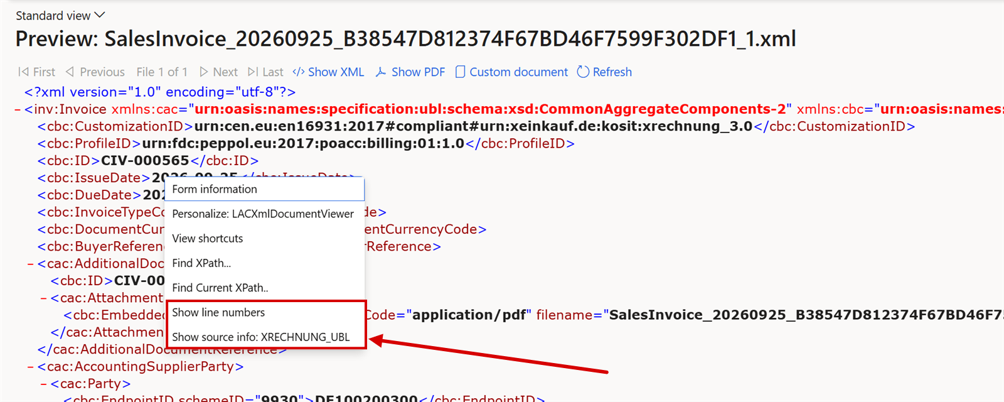
Right-click in the XML preview: Show line numbers and Show source info.
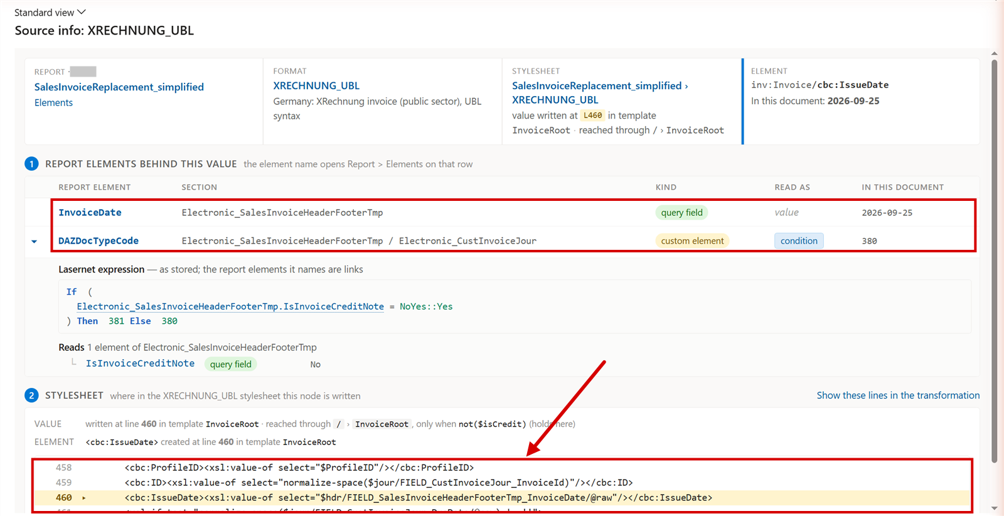
Source info for the invoice date: the report elements behind the value (1), and the stylesheet lines that write it (2).
Authorization status on email connections
User Story 75492 — Connection form: authorization status panel, "Test authorization" action, and a non-destructive Clear authorization
Task 75565 — System fields got visible for the 'Email api'
User Story 75782 — Connections (Email Api): move Authorization status into its own collapsible group in a second column
The Authorization section of an Email Api connection now shows whether the connection is authorized and which mailbox it reads. It also shows the legal entity, when the access token expires, and when it was last refreshed. Test authorization checks the connection without running an import. Clear authorization can clear just the tokens and keep the tenant ID, client ID and secret, so a client secret is no longer lost by accident. Application registration is on the left and Authorization status on the right, and Authorization status can be collapsed.
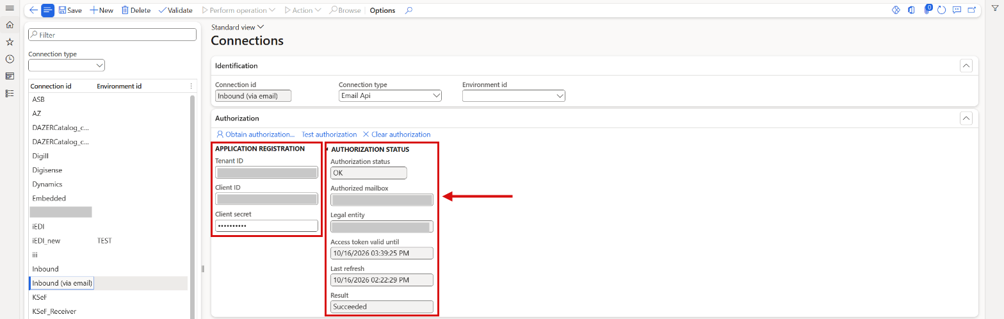
Lasernet > Setup > Administration > Connections: an Email Api connection with Application registration on the left and Authorization status on the right. The tenant, client ID and mailbox are masked.
Provider API log
Feature 75185 — Provider API logger
Requests to the e-invoicing providers, and their responses, can now be recorded and inspected in the Provider API log, without a network trace. Start logging and Stop logging control the recording. Each entry shows the provider, connection, method, URL, status code, success and duration, with the request, response and error on separate tabs. Secrets in URLs are masked.
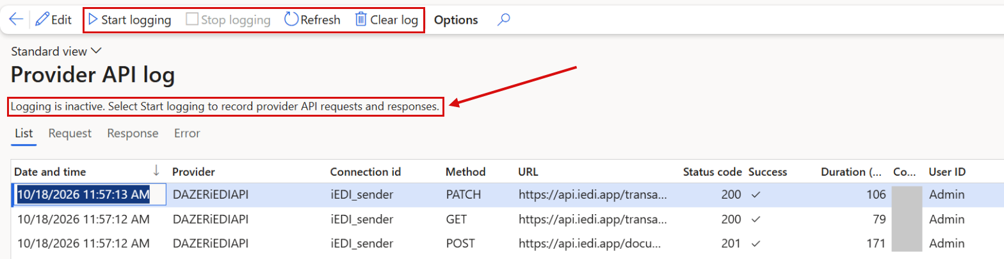
Provider API log with Start logging, Stop logging and Clear log, and the status line that says whether logging is active.
ZUGFeRD PDF validation through Digisense
Feature 75017 — Digisense API update mostly for PDF and Zugferd validation support
A ZUGFeRD (Factur-X) invoice can now be validated through Digisense as a PDF, not only as XML. You can upload it in the XML validation form, or it is validated automatically wherever validation is set up on a destination. Besides the invoice XML, the PDF container itself is checked for PDF/A-3 conformance. The result states which rule set was used, for example EN16931-CII/1.3.16. A ZUGFeRD PDF can be validated through Digisense but not sent through it, because delivery accepts XML only.
GoBD archiving of German e-invoices
User Story 75828 — GoBD archiving of German e-invoices: close the gaps in the Lasernet archive and Lasernet e-documents inbound
German e-invoices (XRechnung, ZUGFeRD) must stay unchanged for their retention period, and the Lasernet archive and Lasernet e-documents now cover this. Retention life spans can count from the end of the calendar year, every archive entry carries a retention stamp (Retention until, Archive state, a hash per file), and received e-invoices are archived at load and follow the vendor invoice to posting, where Original e-document opens them. The E-Document checklist gets a Compliance (GoBD) area.
User Story 76420 — GoBD: lock records that hold an e-invoice XML (Lasernet archive, received documents) so they can't be changed or deleted during the retention period
With Retention enforcement = Enforce, an archive entry or received document that holds a final e-invoice can't be deleted, and its files can't be replaced, until its Retention until date. Extend retention moves the date later only, Cancel review replaces Delete review, and Process again replaces deleting a received document to reload it. The lock applies in production only.
Bug 76052 — Forced re-run archives a regenerated e-invoice as another original instead of a copy (GoBD)
A resend with Force re-run regenerated the e-invoice from today's data and stylesheet and archived it as another original, so nobody could tell which version the customer had received. A forced re-run is now archived as a resend that points to its Original archive entry, and everything that needs the original takes that first entry.
Bug 76054 — Only the last destination of a report run is archived by default, so other sent variants are missing (GoBD)
With Archive destinations = Last, the default, only the last destination of a run was archived, so a variant the customer received could be missing. A report with a retention life span and several active destinations now needs All, and Load defaults sets it on the e-document reports. A custom port destination is now always archived and delivered.
Bug 75829 — Keep 11: e-invoice XML (Custom file) is archived without Keep metadata, so the XRechnung/ZUGFeRD XML is missing or unindexed in Keep
With Lasernet Keep as the archive, only the PDF and the report XML carried Keep metadata; the e-invoice XML and the envelope were rejected by Keep and never reached it. Every file of a run now carries the destination's Keep metadata, so the e-invoice is indexed in Keep with the same keys as the PDF.
Bug 76053 — Inbound e-invoices from Tickstar (Peppol) and Digisense (KSeF, FR CTC) are not stored exactly as received (GoBD)
Received e-invoices weren't always stored exactly as received: a Tickstar connection dropped the Peppol envelope and rewrote the XML, a Digisense connection re-encoded the file, and an attachment could end up empty. Files are now stored byte for byte on every load path, the provider's wrapper is kept beside the payload, and an empty file is refused with a message.
User Story 76056 — GoBD: auditor export (Z3) of issued and received e-invoices with an index, and a path from posted vendor invoices to their XML
A tax auditor can ask for all e-invoices of a period in machine-readable form. Lasernet > Periodic > Archive > Auditor export copies every file of the selected entries from all storage connections, verified by hash, with an index and a manifest. The new read-only role Archive auditor can open the archive and the received documents, and run the export.
User Story 76055 — GoBD: version history for e-invoice stylesheets and processing rules, with the version stamped on each archived invoice
Each archived e-document is now stamped with the processing that produced it: the hash and specification version of the stylesheet, and the version of every validation package the format spans. The values show on the Processing version FastTab of the Lasernet log and in the auditor export. A version history of stylesheets is not part of this release.
User Story 76057 — GoBD: traceable changes on archive, inbound document and lifecycle records
A received document now shows Created by, Created date and time and Modified by, its identifiers are read-only after load, and a Status history FactBox lists every status change with user and time. The lifecycle status log has a History FastTab with every send, resend, failure and provider result, so the first send time and earlier errors are kept.
French endpoint (scheme 0225) from electronic document properties
Task 75391 — Option to use Electronic document properties for the Endpoint scheme 0225 (Buyer and Seller)
Bug 75418 — FR CTC endpoint (BT-34/BT-49) resolves on the default network, not FRCTC - and the 0225 e-document property configuration is never shipped
For FR CTC, the buyer and seller endpoints with scheme 0225 can now come from an electronic document property. The buyer's is set on the customer, and the seller's on the legal entity. The value must start with the nine-digit SIREN and contain no spaces (BR-FR-21 and BR-FR-23), and the data normally stored on a customer doesn't meet those rules. The FR CTC output now also resolves the endpoint on the FR CTC network instead of Peppol, and the property configuration is now delivered.

Electronic document properties on a French demo customer, with the BuyerElectronicAddress property.
SIREN as the French electronic address
User Story 75837 — FR CTC: Participant ID generation sequence - make SIREN selectable as endpoint source (EndpointID 0225 = SIREN)
User Story 75874 — FR CTC: SIRET endpoint source publishes a bare 14-digit SIRET under 0225 - use SIREN_SIRET or SIREN (directory address forms)
The French directory lists every company under its nine-digit SIREN. Participant ID generation sequence on the electronic reporting networks now offers SIREN as a source, read from the Siren registration, the French Siret field or the Siret registration. The shipped FR CTC sequence uses it right after the electronic document property, so a French party without a SIRET still gets a valid address (BR-FR-21). When the address comes from a SIRET, the invoice now carries the SIREN instead of a bare 14-digit SIRET, which the directory can't route.
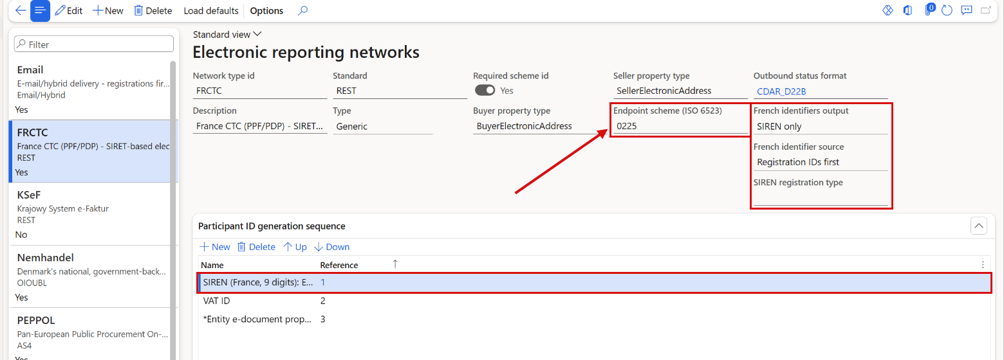
Electronic reporting networks, FRCTC: Endpoint scheme 0225, the French identifier fields on the header, and SIREN in the participant ID generation sequence.
Buyer SIRET on French e-invoices, coherent with the SIREN
User Story 75928 — FR CTC: buyer SIRET (BT-46) - read the customer's French Siret field and Siret registration, keep it coherent with the SIREN, output it in FR_CTC_CII
The buyer SIRET (BT-46) on FR CTC invoices now comes from the customer's French Siret field, or else from the Siret registration valid on the invoice date, when the network's French identifiers output includes the SIRET, and FR_CTC_CII now carries it too. A SIRET is written only when it starts with the SIREN, so an invoice no longer fails the fatal rule BR-FR-09 when the two disagree. The checklist reports a SIRET that doesn't start with the SIREN as Invalid.
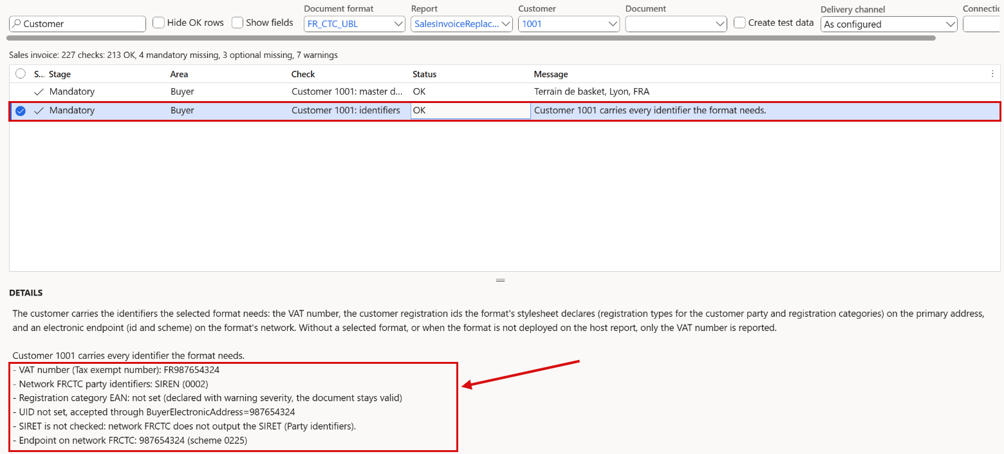
The identifiers row of a French demo customer with FR_CTC_UBL: the VAT number with the form's field name, the network's party identifiers, and a SIRET that isn't checked because the network doesn't output it.
Choose which French identifiers go into the e-invoice, per network
User Story 75808 — FR CTC: Electronic reporting networks - keep EndpointID 0225 and add SIREN (0002) and/or SIRET (0009) as selectable party identifiers
User Story 76380 — FR CTC: control whether SIREN or SIRET is output, even when both are filled in (e-document properties and Registration IDs)
User Story 76442 — Electronic reporting networks: move SIREN registration type to the network header and hide the Party identifiers grid
Electronic reporting networks now decides per network which French identifiers FR CTC e-invoices carry for seller and buyer. French identifiers output selects SIREN only, SIRET only, SIREN and SIRET or None; French identifier source reads them from Registration IDs or the electronic document property first; SIREN registration type names the registration holding the SIREN. The electronic address keeps scheme 0225.
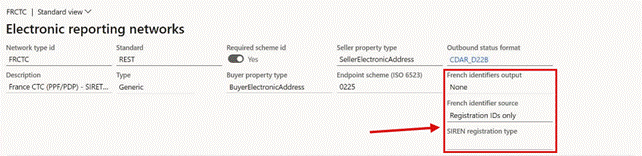
Electronic reporting networks, FRCTC: French identifiers output, French identifier source and SIREN registration type on the network header.
French credit notes refer to the invoice they correct
User Story 76065 — FR CTC credit notes fail BR-FR-CO-05 unless created from the original invoice: line-level reference unused, no warning before posting
A French credit note must name the invoice it corrects (BR-FR-CO-05), but a credit note entered as a sales order with negative quantities carried no reference. FR_CTC_UBL and FR_CTC_CII now write the original invoice and its date on each line that points to an invoice line through its Return lot ID. A new check, Preceding invoice reference, in the checklist and in the readiness rule at posting, reports a French credit note without a reference before it is posted.
Data explorer: editing for developers
Task 75186 — DataExplorer editing enable
A hidden developer function in the Data explorer allows editing. It isn't a feature for users.
Labels, dialogs and faster lists in the Electronic reporting connector
User Story 76376 — DAZERConnector: Customization Analysis Report (CAR) and best-practice clean-up
The Electronic reporting connector now passes Microsoft's best-practice checks for ISV solutions. Users see Import succeeded instead of a raw label code after an inbound import, labels and help texts on fields that had none, dialogs with OK and Cancel at the bottom, and faster lists. Validate in network opened from a vendor now checks that vendor.
E-documents — fixed
One unreadable email attachment stopped the whole inbound load
Bug 75426 — Inbound load aborts with "Object reference not set to an instance of an object." when a mailbox contains a zero-byte PDF attachment · Closed
Load stopped with Object reference not set to an instance of an object when a monitored mailbox had an email with an empty (zero-byte) PDF attachment. Nothing was loaded, including every valid document after it. Such an attachment is now skipped and logged, and the rest of the mailbox is loaded.
Create pending invoice stopped on an attachment without content
Bug 75624 — Inbound documents – any attachment without readable content aborts "Create pending invoice" with a raw CLR error, and the run is not limited to the selected row
Create pending invoice ended with a raw error when any inbound document had an attachment without readable content. The error could name a different document than the one selected, and the run wasn't limited to the selected record. The affected document is now set to Action required, with an issue that names the file. The other documents are still processed, and the selection is respected.
Open pending invoice opened a blank vendor invoice
Bug 75605 — Inbound issues: 'Open pending invoice' action opens a blank Vendor invoice instead of the conflicting pending invoice, and leaves orphan pending-invoice rows
On Inbound document issues, the Open pending invoice action for a duplicate invoice opened a blank new vendor invoice instead of the conflicting pending invoice. Each click also left empty pending invoice records behind. It now opens the conflicting pending invoice, so you can review or delete it before re-importing, and no records are created.
Inbound documents: the delete message advised a status reset that doesn't exist
Bug 76477 — Inbound documents: the delete error says "reset its status instead", but there is no way to reset the status
A received document that has been imported can't be deleted, but the message told you to reset its status instead, which isn't possible since the status became read-only. Delete now gives one message for each case: the document is the source of a posted invoice and is kept; its pending vendor invoice still exists, so delete that invoice and use Create pending invoice to import the document again; or the pending invoice has been deleted, so use Create pending invoice. Process again now also works once the pending vendor invoice is deleted.
Archive failed on a received document advised to delete it
Bug 76490 — Inbound document issues: "Archive failed" shows the generic load guidance that tells the user to delete the record
When the archive copy of a received document couldn't be written, the issue Archive failed showed the general load guidance, which tells you to delete the document and ask the supplier to send it again, and it stopped the import. The issue is now a warning with its own guidance: fix the archive storage connection, then use Archive now in the quick fix on the Guidance tab, or under Archive on Inbound documents. The document is imported as usual.
Inbound invoice line linked to the wrong product variant
Bug 75525 — Canonical inbound import can link an invoice line to the wrong product variant
Sometimes an inbound invoice line had no purchase order line reference, and the purchase order had several lines for the same item in different variants, such as colour or size. The import then picked one of them on quantity alone, without raising an issue. Such a line is no longer linked on quantity alone. When nothing on the invoice identifies the variant, it is reported as ambiguous.
Misleading message for ZUGFeRD BASIC WL and MINIMUM
Task 75606 — Inbound: header-only ZUGFeRD profiles (BASIC WL / MINIMUM) get a misleading "run Load defaults" error
Inbound ZUGFeRD/Factur-X invoices in the BASIC WL or MINIMUM profile stopped with a message telling you to set up a canonical conversion or run Load defaults. Neither helps, because these profiles carry no invoice lines. The message now says so plainly.
Load from network (iEDI) silently skipped older documents
Bug 75630 — Load from network (iEDI): transactions outside the look-back window are dropped silently, and the salvage warning reads as if they loaded
Load received documents from network could finish with nothing loaded, and only a message saying that all transactions were recovered. In fact they had been skipped as older than the look-back window. The load now ends with a summary that accounts for every transaction: how many were listed, older than the window, already loaded, and loaded.
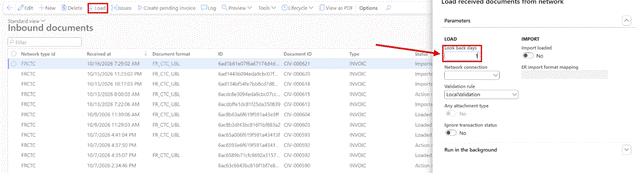
Inbound documents > Load: Look back days decides how far back the network provider is asked for documents.
KSeF through a network provider: an empty document could be sent without a warning
Bug 75520 — KSeF via iEDI: no UPO, KSeF number or QR URL ever written back - empty payload is sent and accepted silently, and the endless status poll is never flagged
For KSeF invoices sent through a network provider, a document with an empty payload could be sent and accepted without a warning, and the status check kept waiting for a KSeF number that would never come. An empty payload is now never sent, and the delivery log says why. A placeholder that finds no value is reported, and a document that has waited for delivery for more than 24 hours gets a warning.
The Load dialog never listed storage connections
Bug 76381 — Inbound documents > Load: Network connection lookup never lists storage connections (SFTP, FTP, Azure storage, SharePoint)
In Inbound documents > Load, the Network connection lookup listed only API connections; storage connections of type SFTP, FTP, Azure storage and SharePoint were missing, although a load from them works when the id is typed in. The lookup now lists every connection that can load received documents, and OK refuses an empty, unknown or unsuitable connection with a message.
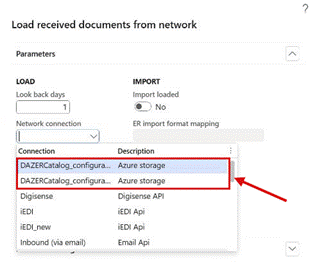
Inbound documents > Load: the Network connection lookup lists storage connections too.
Validate on a network provider connection showed the access token, or passed with wrong credentials
Bug 75805 — Tickstar connection: Validate prints the full access token in the infolog
Bug 76330 — Tickstar connection: silent Validate reports success when the access token request is refused
Validate on one network provider's API connection printed the full access token in the infolog, where anyone watching the screen could copy it. When the provider refused the client ID or secret, a check run in the background still reported the connection as valid. The token is no longer shown, and a refused token request now fails the check with a clear message.
Documents loaded from a network provider landed in Action required without issues
Bug 75846 — iEDI loader: inbound documents land in Action required with no issues and are never acknowledged (gated Loaded mapping never fires)
Documents loaded through a network provider connection could stay in Action required with an empty issue list, and the provider never received an acknowledgement for them. A loaded document is now set to Loaded and acknowledged, and its log shows both. Documents that were affected can be repaired, see Before you upgrade.
Force canonical pipeline was blocked by an earlier Electronic reporting error
Bug 75796 — Inbound documents – Force canonical pipeline is blocked by the error from an earlier Default (ER) run; the ERImport issue is never cleared
After Create pending invoice had failed on the Electronic reporting route, a new run with Force canonical pipeline stopped on the old error. Recheck document didn't remove it, and Ignore issue couldn't ignore it. A canonical run now judges the document on its own checks, and Recheck document removes the old error once the format's import method is the canonical pipeline.
Inbound CII credit notes with less common type codes were imported as invoices
Bug 76239 — Inbound CII/Factur-X/ZUGFeRD credit notes with type codes other than 381/261 are imported as invoices
A CII e-invoice (XRechnung CII, ZUGFeRD/Factur-X, FR CTC CII) marks a credit note only by its type code, and the import knew only 381 and 261. Credit notes with other EN 16931 codes, such as 262, 396, 502 or 503, were imported as invoices with positive amounts. All credit note codes of the EN 16931 list now create a pending vendor credit note.
Danish OIOUBL invoices couldn't be imported
Bug 76378 — Inbound: OIOUBL_Invoice and OIOUBL_CreditNote have no canonical conversion, and Load defaults never arms them
A received Danish OIOUBL invoice was recognised, but Create pending invoice stopped with has no canonical conversion configured … run Load defaults, and Load defaults changed nothing. OIOUBL 2.02 and 2.1 invoices and credit notes now become pending vendor invoices through the canonical pipeline, like PEPPOL BIS and XRechnung UBL. See Before you upgrade.
"The File name is not specified" when the destination File format is PDF
Bug 75427 — E-document delivery fails with "The File name is not specified." when the destination File format is PDF
Delivery failed with The File name is not specified after e-documents were enabled on a Lasernet destination whose File format was PDF. On the Electronic reporting route, a format mapping error was shown too. The e-document was generated but couldn't be saved, because no file name could be derived for it. It is now delivered on both the Electronic reporting and the XSLT route.
An empty invoice PDF was embedded in the e-document
Task 76297 — Project invoice PDF is a blank page, and the XSLT embeds it as the invoice attachment (BG-24)
When a report has no Lasernet layout yet, Lasernet renders an empty page, and that page was embedded in the e-invoice as the invoice PDF (BG-24), without a warning. An empty PDF is now left out of the e-document, with a warning in the message list and in the log of the document. The checklist row Embed PDF in e-document per destination warns when the latest archived PDF of the report is an empty page.
ZUGFeRD/Factur-X: a plain PDF was emailed after Review before sending
Bug 75816 — ZUGFeRD/Factur-X: posting with Review before sending e-mails a plain PDF without factur-x.xml - 75440 fix never checked in (no review / Resend still hybrid)
Bug 75440 — ZUGFeRD/Factur-X hybrid PDF: XSLT-generated e-document is not embedded (PDFEmbedSource = CustomFile) - works only on the ER path
A ZUGFeRD or Factur-X invoice from the XSLT route was emailed as a plain PDF, without the XML inside, when it was sent with Deliver report from Review before sending. The archived PDF was replaced by that plain copy too. The preview was correct, and a print without review or a resend gave the hybrid PDF. Delivery from the review dialog now sends the hybrid PDF.
Pre-validation blocked deliveries from Review before sending, and Not delivered showed no reason
Bug 75818 — Pre-validation blocks every predefined-destination delivery posted with Review before sending (Resend passes); the reason is not stored - Tracking > Not delivered > Message is empty
With pre-validation on the report's default destination, every invoice posted with Review before sending to a predefined destination ended in Lasernet tracking > Not delivered after Deliver report, and Message there was empty. The same document was delivered on a resend. It is now validated and delivered from the review dialog. When pre-validation can't run at all, for example because the validation rule is missing, the reason is written to the delivery log and shown in Message.
Seller and buyer electronic address missing when the XSLT format is an expression
Bug 75609 — BT-34/BT-49 missing when XSLT transformation format is an expression (CustomProperty.CustomERFormat)
The report's XSLT transformation format can be an expression that reads a destination property, for example CustomProperty.CustomERFormat. In that case the right format was still picked for each destination, but the seller and buyer electronic addresses (BT-34 and BT-49) were left out. The e-invoice looked valid, yet it failed validation, and no warning was shown. With a literal format value the addresses were included. They are now included whether the format is a literal value or an expression.
Electronic addresses for the wrong network when the format is set per destination
Bug 75817 — BT-34/BT-49 built for the wrong network when the XSLT transformation format is set per destination (follow-up to 75609)
When XSLT transformation format was set per destination, every destination got the seller and buyer electronic addresses (BT-34 and BT-49) of the network of the report's default format. A ZUGFeRD invoice sent by email could carry the XRechnung seller address, or an XRechnung sent over PEPPOL had no addresses at all. Each destination now uses the addresses of its own network, also when one print sends several formats.
OIOUBL line tax was 0.00 when sales tax isn't specified per line
Bug 76343 — OIOUBL line tax 0.00 (F-LIB381) when Sales tax specification per line is off
When Sales tax specification per line is off, OIOUBL invoices and credit notes failed on every standard-rated line with F-LIB381 … TaxAmount can't be 0.00, and ZUGFeRD / Factur-X EXTENDED carried a line tax of 0.00. The line tax now comes from the posted tax transactions of the line, whatever the parameter says. See Before you upgrade.
Wrong endpoint when sending by email
Task 75393 — Issue with end-points when not sending electronically - Like to Email
When an e-invoice was sent by email rather than over a network, there was no network to resolve the endpoint against, and a wrong endpoint was written. Endpoint resolution now handles destinations without a network. Sending over PEPPOL wasn't affected.
Untaxed invoices were sent as VAT category S at 0 %
Bug 76295 — XSLT e-invoice sends VAT category S at 0 % when the invoice has no tax transactions (BR-S-05)
An invoice without sales tax transactions, for example on a sales tax group without sales tax codes, was sent as VAT category S (standard rated) at 0 %, which EN 16931 rejects with BR-S-05 on every line. Lines without a sales tax code, and the VAT breakdown made up for such an invoice, now use Z (zero rated) at 0 %, as the Microsoft Electronic reporting formats do. This covers PEPPOL BIS and EHF, XRechnung, FR CTC and ZUGFeRD/Factur-X; OIOUBL uses ZeroRated, and the Malaysian formats use their own code for untaxed supplies. An invoice that has sales tax but no tax specification rows can never give a valid VAT breakdown, so it is now refused with a warning that names the cause: Print = No details on the sales tax group, or Sales tax specification = None in the form setup. A new checklist row checks the sales tax groups that are used.
SEPA was given as payment means on non-euro invoices
Bug 76296 — Payment means code 58 (SEPA credit transfer) is sent on non-EUR invoices
The payment means code (BT-81) was 58, SEPA credit transfer, whenever the payee bank account had an IBAN, also on invoices in other currencies than euro, although SEPA is for euro only. Code 58 is now used only on euro invoices, and invoices in other currencies with an IBAN get 30, credit transfer. An account number without an IBAN still gives 42, and the IBAN and BIC are sent as before.
Electronic reporting output was missing from reports sent through an ER link
Bug 76179 — ER route to Lasernet: ER file not injected into the report (empty File/Data element)
An Electronic reporting format sent to Lasernet through the Lasernet ER destination reached Lasernet without the ER output. The File/Data element of the report XML was empty, and no error was shown. The ER output is in the report again, unchanged, and existing ER link reports work without changes. See Before you upgrade for report parameters.
Partly paid French invoices got billing framework B2, S2 or M2
Bug 76096 — FR CTC: partly prepaid invoice gets billing framework B2/S2/M2 and fails BR-FR-CO-09
On FR CTC invoices, the billing framework (BT-23) was set to already paid as soon as any payment was settled, so a partly prepaid invoice went out as B2, S2 or M2 and failed the fatal rule BR-FR-CO-09. Already paid is now used only when the invoice is fully paid. This applies to every invoice type that carries the French billing framework.
PEPPOL envelope: the process was always the billing process
Bug 75698 — PEPPOL SBDH envelope: PROCESSID hardcoded to billing:01:1.0 (self-billed documents get a mismatched process)
The PEPPOL delivery envelope always used the billing process, whatever the document's profile, so a self-billed invoice was sent with a process that didn't match it and could be rejected. The envelope now takes the process from the document's profile. For a self-billed document, your company is now the sender and the vendor the receiver.
Validate on a JSON e-document failed with "Data at the root level is invalid"
Bug 75836 — Validate on a JSON preview (India IRP) fails with 'Data at the root level is invalid', and IN_IRP_INV01_SCHEMA cannot run: NJsonSchema.dll not in TFVC
Validate on the preview of a JSON e-document, such as an India IRP invoice, showed only Data at the root level is invalid and no findings. The validation form now opens for JSON documents, detects INDIA_IRP and runs the schema and business rules. The upload on the XML validation form also accepts .JSON files.
An unreadable JSON schema gave an unreadable message
Bug 76306 — E-document validation shows "0x13 is an invalid character" instead of a readable message when a JSON validation rule's schema file is unreadable
When the schema file of a JSON validation rule couldn't be read, validation showed hexadecimal value 0x13, is an invalid character instead of a message that says what is wrong. It is now a readable validation error, and the checklist row XML validation rules reports every rule whose own file can't be read, with the steps to fix it.
Local validation didn't mark the failing element
Task 75145 — Local-validation doesn't mark the place in the XML
A local validation error was listed, but the highlight covered the whole XML document instead of the element that failed. The failing element is now marked.
Deploy e-document transformations always proposed the sales invoice source
Bug 75845 — Transformation deployment initializing wrong Document source report
Deploy e-document transformations always proposed SalesInvoiceElectronic as Document source report, whatever report it was opened for. For a vendor, project, free text, advance or GST invoice report, Deploy then stayed disabled until the right source was picked by hand. The dialog now proposes the source report that belongs to the report.
Reloading a source report broke the replacement reports linked to it
Bug 75834 — Self-billing: stale VendInvoiceElectronic after SalesInvoiceElectronic 2.2.2 reload is not detected by the checklist; its Load defaults fails on a renamed linked query and leaves NOT_FOUND elements
After Load defaults of SalesInvoiceElectronic, the vendor, free text, project, advance and GST source reports stayed on their old version without a warning, and their e-documents could come out empty. A reload could also stop with Object reference not set to an instance of an object, or leave elements named NOT_FOUND_ behind. After such a reload, the source reports still on another version are now listed and can be reloaded at once, and links and related data sources are repaired. New checklist rows check that the source reports match the application.
Readiness at posting skipped every invoice when the format was set on the destination
Bug 75670 — EDOC-READY-SALES skips every invoice when the e-invoice format is set on the destination ("…is an expression that can only be evaluated while printing")
With Format empty on the EDOC-READY-SALES rule, the rule reads the format from the report's default destination. A format typed there was taken for an expression, so the rule logged that the format could only be determined while printing, and it checked nothing. Posting went through with missing data unreported. A typed format is now read as a format, and the checks run.
Readiness at posting checked tax groups on master data, not on the lines
Bug 75684 — EDOC-READY-SALES "Standard rate sales tax code" blocks posting: checks customer/item default tax groups, not the order lines' tax groups
The Standard rate sales tax code check combined the customer's and the item's default sales tax groups. A line with another, correctly taxed combination could be blocked, and a wrong combination on a line could pass. The check now uses the sales tax group and item sales tax group of each line. A line without one of them is reported, because it gets no VAT category in the e-invoice (BR-CO-04).
Validation rule conditions on the provided customer data sources were ignored
Bug 75865 — E-Reporting Validation Rule Records to Include on CustTable_InvoiceAccount and CustTable_OrderAccount data sources fails
A journal validation rule with Records to include on the provided data sources CustTable_InvoiceAccount or CustTable_OrderAccount, for example Customer group = 10, ran for every invoice, as if the condition wasn't there. The condition now limits the rule as expected, also for rules saved before the fix. Adding the customer table again through a join is no longer needed.
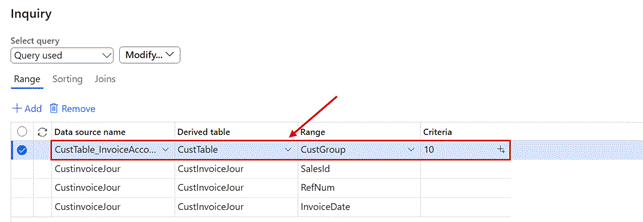
Records to include on a validation rule, with system names shown: Customer group (CustGroup) on the provided data source CustTable_InvoiceAccount.
The checklist checked the sales invoice source report for other document types
Task 75814 — Observations in e-documents
For a free text, vendor or project invoice, the checklist checked the sales invoice's source report, so the row showed OK while the document type's own source report was missing. The row now checks the right source report, and Resolve automatically loads only that report. The row Print management prints through Lasernet was removed, because it reported gaps that weren't real. Payee bank account determination now shows only the fields the selected rule type uses.
The Custom file row showed a blank report name in a new company
Bug 75723 — E-document base data checklist: "Custom file not handed to Electronic reporting" shows a blank report name when no replacement report exists
In a company without a replacement report, the row Custom file not handed to Electronic reporting said Report is not registered in Lasernet. with an empty name. It now shows Not applicable with No replacement report to check., like the neighboring rows, and its details name the standard report that has no replacement yet.
The checklist reported a hidden Digisense setting as missing
Bug 76432 — Checklist: "Connection Digisense - credentials" reports REST API URL as missing, although the field is hidden and not needed
The credentials row of every Digisense connection reported REST API URL as missing, although the field is hidden and a blank value means the Digisense production address. Only the API key and the company key are required now. The row also accepts an Email API connection without a client secret, for an app registration that is a public client, and asks for the Tickstar SML URL and SMP API token only when participant lookup and validation are both switched on.
Retention log present was a mandatory gap that couldn't be fixed
Bug 76499 — Checklist Compliance (GoBD): "Retention log present" is a Mandatory gap that repeats "Retention enforcement" and cannot be fixed
In the checklist area Compliance (GoBD), the row Retention log present was a mandatory gap whenever Retention enforcement was off, so one setting gave two mandatory gaps, and it showed the first switch ever instead of the current one. The row is now optional and shows the last enforcement change. A parameter record created with Enforce, for example by a data import, now also writes the log row.
The checklist channel field was captioned Channel
Bug 76511 — E-Document checklist: the channel field is captioned "Channel" instead of "Delivery channel"
On the E-Document checklist and in its workspace, the field next to Connection was captioned Channel. It reads Delivery channel again, with its help text.
User texts named the DAZER parameters
Bug 76491 — User texts say "DAZER parameters" and "DAZER license" instead of the names the user sees
Messages, guidance and checklist texts named DAZER parameters and DAZER license, which users can't find in the menu. They now say Electronic reporting connector parameters and Electronic reporting connector license.
Mail transport was a Mandatory row, also when a Lasernet server sends the mail
Task 76341 — E-document checklist (Outbound): "Mail transport" row should be Optional, not Mandatory
The Delivery row Mail transport was Mandatory, so a company without an E-mail distributor job showed 1 mandatory missing even when a Lasernet server sends its emails. The row is now Optional, and when every active Lasernet server sends through its own connection it is OK with Mails are sent by the Lasernet server.
Contact purposes created by Resolve automatically had no description, so customers lost them
Bug 76437 — Checklist: Resolve automatically creates the XRechnung/ZUGFeRD contact purposes without a description, so the purpose is lost on customer e-mails
The purposes XRechnung and ZUGFeRD created by Resolve automatically had no description, so they looked blank on a customer email, were removed on the next save, and the invoice wasn't mailed. They are now created with a description in every language, and the row flags and repairs existing purposes without one. See Before you upgrade.
Go to setup on a stylesheet prerequisite opened the wrong form
Bug 75692 — Base data checklist: Go to setup on the parameter prerequisite CustFormletterParameters.TaxSpecPrintLevel opens Accounts receivable parameters instead of Form setup
On the stylesheet prerequisite rows, Go to setup for Sales tax specification opened Accounts receivable parameters, where the field doesn't exist, instead of Form setup. For an external code such as VATCATEGORY it failed with an error. Parameter rows now open the form of the table that the stylesheet names, and external code rows open External codes or the table's own form.
Go to setup on the license row missed the Tracking license and opened the wrong tab
Bug 76338 — Checklist: Go to setup on "E-invoice package licenses" does not offer Tracking when its license is missing
Bug 76435 — Checklist: Go to setup on "E-invoice package licenses" opens the parameters form on its General tab, not on the License code
On E-invoice package licenses, Go to setup never offered Tracking parameters and opened each form on its General tab, while the code sits on the License tab. It now lists one entry per license that is actually missing, Tracking included, and opens the form on the License tab with the cursor in License code, outlined.
Go to setup on the Sales tax specification row didn't reach the field
Bug 76436 — Checklist: Go to setup on a stylesheet parameter row (TaxSpecPrintLevel) opens Form setup without the field focus and red outline
On the stylesheet parameter row for Sales tax specification, Go to setup opened Form setup but left the cursor in the first field, with no outline. It now lands on Sales tax specification with the red outline, and for a project invoice report it opens the Project management Form setup, which holds the checked setting.
India: the GSTIN rows failed in Go to setup and gave unclear messages
Bug 75840 — Base data checklist (India): Go to setup on "Legal entity GSTIN" fails with "Form was called incorrectly"; "Legal entity VAT number" is Mandatory although India only uses the GSTIN
Bug 76273 — Checklist "Legal entity GSTIN" says "no default tax information" when the GSTIN record exists but none is marked Primary
Bug 76438 — Checklist: Go to setup on "Legal entity GSTIN" does not open the GST FastTab or outline the GSTIN/GDI/UID field
In an Indian company, Go to setup on Legal entity GSTIN failed with Form was called incorrectly. It now opens Manage tax information with the GST FastTab expanded and the cursor in GSTIN/GDI/UID, outlined. The Legal entity VAT number row was Mandatory, although the IRP e-invoice identifies the seller by the GSTIN only, and it is now Not applicable for INDIA_IRP. When a GSTIN record exists but none is marked Primary, the row now says so and tells you to set Primary to Yes, instead of reporting that there is no tax information.
The naming pattern was shown as %7_%2
Bug 75858 — E-document checklist and deployment show the naming pattern as %7_%2 instead of readable names
The checklist and Deploy e-document transformations showed the Lasernet naming pattern as raw placeholders, such as %7_%2. They now show readable names, such as DataSource_FieldName. Only the text changed; the stored pattern is the same.

The naming pattern row in the checklist: the pattern is shown as <DataSource>_<FieldName> instead of %7_%2.
Document formats loaded was listed once per format
Bug 76314 — E-document checklist: a check run reports 'Created validation source package', and 'Document formats loaded' repeats per format
With several formats in the checklist header, the row Document formats loaded was listed once for each format, with the same company-wide findings every time. It is now listed once, with detail lines for each selected format.

Two formats in the checklist header: Document formats loaded is listed once, with a detail line for each selected format.
The Document format lookup offered formats that can't produce an e-invoice
Bug 75806 — E-document base data checklist: Document format lookup offers formats without a stylesheet (CII, UBL2, OIOUBL, IEDI, inbound-only), leaving Mandatory rows that can never be resolved
The Document format lookup listed formats without a stylesheet, such as the family parent CII, and picking one left Mandatory rows that could never turn OK. The outbound lookup now lists only active formats with a stylesheet for the selected report, with a new column Available from; a typed family format gives one Invalid row naming the profiles to pick.
French lifecycle rows were Mandatory for every format
Bug 75995 — E-document base data checklist: French lifecycle rows are Mandatory for every document format (PEPPOL_BIS) - Document format filter ignored
The Lifecycle statuses rows of the checklist ignored the Document format filter. As soon as a French format was used anywhere in the company, every lifecycle row was Mandatory, so a PEPPOL BIS setup looked incomplete. The rows now follow the selected format, and the French rows are Not applicable for formats on other networks.
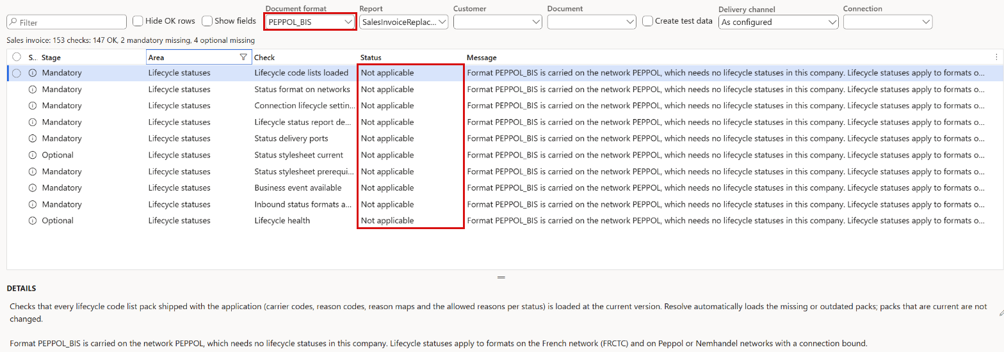
The checklist for PEPPOL_BIS in a French company: the lifecycle rows are Not applicable, because the format is carried on a network without lifecycle statuses.
Send pending lifecycle statuses accepted an unknown connection
User Story 75923 — Send pending lifecycle statuses: add a lookup to the Connection parameter
Connection in Send pending lifecycle statuses was a plain text field. A mistyped connection ran with 0 of 0 pending lifecycle statuses were sent, which hid the mistake in a recurring batch job. Connection now has a lookup of the connections with automatic or pending lifecycle statuses, and an unknown connection is refused. Blank still means all connections.
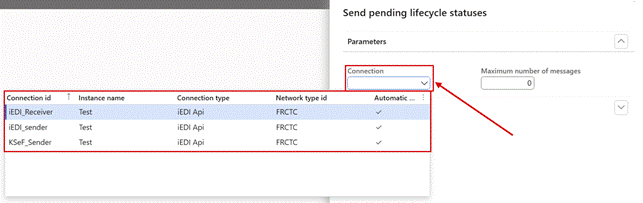
Send pending lifecycle statuses: Connection now has a lookup.
A lifecycle status could look sent when nothing had gone out
Bug 75924 — Lifecycle status shows as sent (Raised, no error) but no message is produced when report LifecycleStatusElectronic is not deployed
Bug 76012 — Lifecycle status on a received document is not sent when the receiving connection has no custom port, but the dialog reports success
Bug 76076 — Lifecycle status via iEDI JSON port fails with 'Failed deserialize … summary.TotalLineAmount': an empty :raw envelope value makes the JSON invalid
A lifecycle status could look sent while no message was delivered. This happened when the status report wasn't deployed in the company, when the document had been received on a connection without its own custom port, or when an empty value made the network provider's JSON envelope invalid. A status for a document received without a port of its own goes out through another connection on the same network, but only when that connection holds the same account with the provider. A status that can't be produced or delivered stays Pending with the reason, so it can be sent once the setup is fixed. Empty values in JSON envelopes are now written as null, and an invalid envelope is stopped before sending, with a message that names the template and the report.
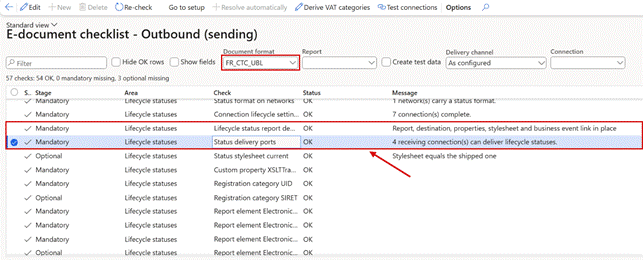
The Lifecycle statuses area of the checklist, with the rows Lifecycle status report deployed and Status delivery ports.
Buyer-side lifecycle statuses were posted with the seller's account
Bug 76415 — Lifecycle CDAR: buyer-side statuses are posted with the seller's account (sending connection's port) instead of the connection that received the invoice
A connection that only receives invoices usually has no custom port, so its lifecycle statuses went out through the sending connection's port, and the provider saw the buyer's status come from the seller's account. A status now uses another connection's port only when that connection holds the same account; otherwise it is refused with a message. See Before you upgrade.
A lifecycle status was reported as recorded after its posting failed
Task 76294 — Lifecycle payment example 211 + 212 on CIV-000618 - setup changes, postings and iEDI result
When a posting that creates an automatic lifecycle status failed, for example a vendor payment, the infolog still said that the status was recorded, although the rollback had removed it. That message now appears only when the posting is saved. The message about which custom port delivered a status now names the port that was actually used.
Lifecycle statuses and credit notes were rejected by the network provider
Bug 76154 — iEDI rejects DocumentType (422, Format rejected) for lifecycle statuses (empty) and credit notes ('Credit note'); 6-character code mandatory from 2027
Bug 76302 — Lifecycle statuses via iEDI always end 'Delivery failed': Account object having number <SIREN> was not found on iEDI.com (status envelope sends bare SIREN, empty country)
Through one network provider's JSON envelope, every lifecycle status and every credit note was rejected, because the document type was empty or spelt differently from what the provider accepts. Lifecycle statuses that got past that check then failed, because the envelope had no sender and receiver country. Load defaults on the metadata mapping now fills in the right document type and both countries. The checklist row Status delivery ports reports a mapping with empty required values, and Resolve automatically fills them.
Up and Down didn't save the participant ID generation sequence
Bug 75447 — Electronic reporting networks: Up/Down in the participant ID generation sequence do not persist the new order
Bug 76469 — Electronic reporting networks: Up/Down don't save the participant ID sequence, so SIREN can't be moved below SIRET (75447 still in 7.4.0)
On Electronic reporting networks, Up and Down above Participant ID generation sequence only reordered the list on screen; the saved order came back as soon as the network was reselected, so a SIREN on row 1 couldn't be moved below the SIRET. The buttons now save the order straight away, and the selected row follows the move.
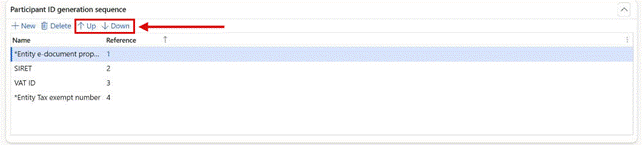
Participant ID generation sequence on a network: Up and Down now save the order.
Search in network saved a GUID as the participant id
Bug 76507 — Search in network: Set participant Id stores a random GUID instead of the selected participant id
In Search in network, Set participant Id saved a random GUID instead of the id of the selected participant, for customers, vendors and the legal entity alike. The GUID then replaced the participant id everywhere, also on the outbound envelope, and the next search failed with Error(400). It now saves the id of the selected row, for example 0088:5712345678909, and is disabled on error rows. A GUID saved by the earlier version is flagged with a warning on Network participant data.
Tracking — new and improved
Email tracking parameters in export and import
Task 75512 — Mail-tracking - Export of the parameters
The email tracking parameters can now be included when the Lasernet setup is exported and imported, so they move together with the rest of the configuration.
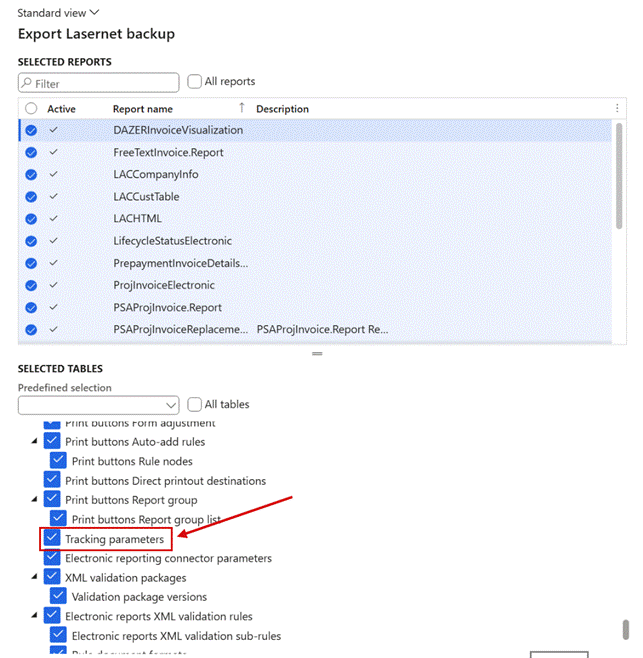
Export Lasernet backup: Tracking parameters among the selected tables.
When, who, to whom and what come first in every tracking grid
User Story 75854 — Tracking workspace: Created date and time, Date time sent, Created by, Email and Report name as the first columns in every grid
User Story 76407 — Tracking workspace: show the Name column before Email in the Email tracking and Not delivered grids
In every grid of the Lasernet tracking workspace and the tracking log, the columns Created date and time, Date time sent, Created by, Email and Report name now come first, in the same order. Email is a new column with the address the document went to, and it can be sorted and filtered. In the Email tracking lists and in both lists on the Not delivered tab, Name, the destination with the email address and subject, comes directly before Email. Grids that a user has personalized keep their layout until it is reset.
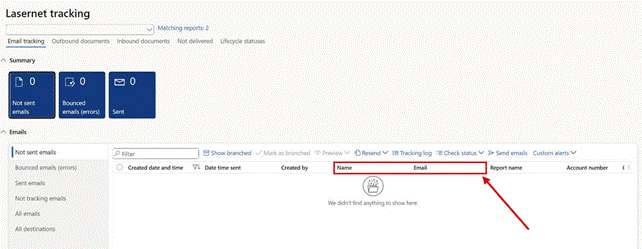
Lasernet tracking > Email tracking: Created date and time, Date time sent and Created by first, then Name right before Email.
Email tracking: bounces for emails sent as a shared mailbox
User Story 75870 — Email tracking: mark bounces for mails sent with Send As from a shared mailbox
Many companies send documents with Send As, so that they come from a shared mailbox such as invoice@. Email tracking marked these emails Sent but never Bounced, because the bounce lands in the shared mailbox and only the signed-in mailbox was read. The tracking parameters now have Also read bounces from mailbox, which lists one or more shared mailboxes, and Validate checks that the account has access to each of them. In the same way, an Email Api connection can now read received invoices from a shared mailbox, with Mailbox to read.
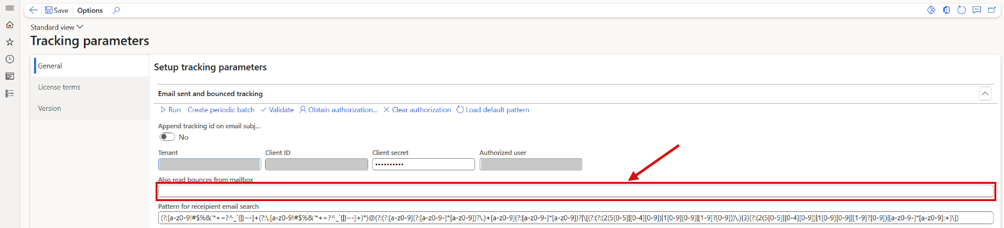
Lasernet > Setup > Tracking > Tracking parameters: Also read bounces from mailbox, on the Email sent and bounced tracking FastTab. The sign-in details are masked.
Tracking — fixed
The alert email link didn't open a rejected outbound document
Bug 75074 — LasernetTracking workspace - Update redirect for alerts (Outbound documents > rejected)
An alert for an outbound document whose format was rejected sent an email with a link that didn't open the document, although the same link in the infolog did. Both links now open the document.
Clicking a sent email in the Resend tree opened an empty list
Bug 76411 — Tracking log: clicking a Sent email in the Resend tree opens a hidden tab (empty list)
Clicking a sent email in the Resend tree of the Tracking log opened Not downloaded emails, hidden unless the report's email tracking level is Download, so the list stayed empty. The jump now opens Sent emails or Not downloaded emails by tracking level, never opens a hidden tab, and explains when the document is outside the workspace filter.
Tracking tiles counted documents that their lists hide
Bug 76323 — Tracking: Awaiting delivery tile counts branched documents that the grid hides
Bug 76370 — Lasernet tracking: "Failed locally" tile captioned "Delivery status tile failed", Purged tab help text "asdasdasdasdasd"
The Awaiting delivery tile on Outbound documents counted resent (branched) documents that its list hides, so the tile showed more than the list. All tracking tiles also counted documents created by test runs. Every tile now shows the number of documents its list shows. The tile for deliveries that failed locally, which read Delivery status tile failed, now reads Failed locally, and the Purged view has a proper help text.
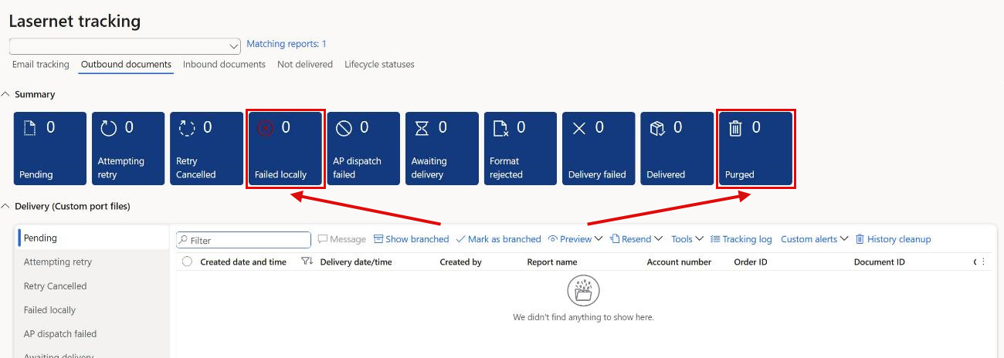
Lasernet tracking > Outbound documents: each tile counts what its list shows, with the Failed locally and Purged tiles.
History cleanup deleted deliveries of the system company only
Bug 76369 — Lasernet tracking: History cleanup only deletes deliveries of company DAT – other companies get "0 records deleted" ·
With the tracking module installed, History cleanup deleted custom port deliveries of the system company only, whichever company you started it from; every other company got 0 records deleted, and the batch job did the same. One run now deletes deliveries older than Delete older than days in all companies, as without the tracking module. See Before you upgrade.
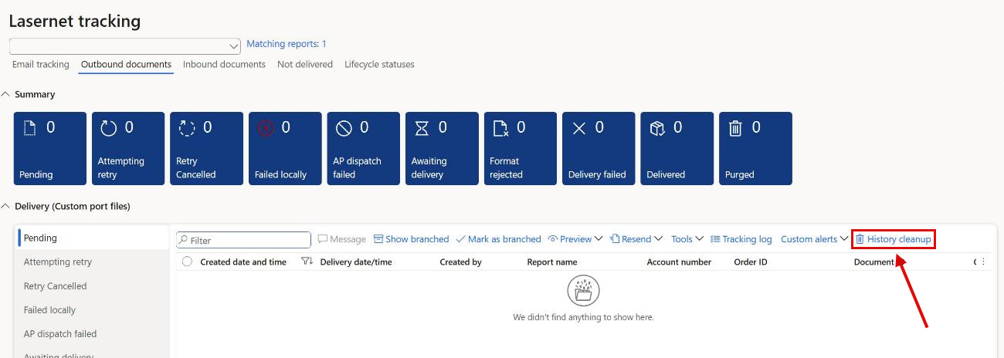
Lasernet tracking > Outbound documents: History cleanup now cleans every company.
Tracking wasn't updated when inbound documents were refreshed
Bug 75085 — Tracking needs update on Inbound documents
Tracking is now brought up to date when inbound documents are refreshed, so it no longer lags behind what has actually been received.
Test & Performance — new and improved
Checkpoint tests validate the e-document by default
User Story 75752 — Test checkpoints: use LocalValidation as the default XML validation rule when no rule is filled in
A checkpoint test validated the e-document only when a validation rule was filled in somewhere. Otherwise validation was skipped without a message, and a test could pass although the e-invoice broke the rules. When no rule is filled in, the run now uses LocalValidation, and the test log says where the rule came from. ZUGFeRD/Factur-X PDFs and India IRP JSON files are now validated the same way as at print time.

The log of a checkpoint test without a validation rule: the e-document is validated with LocalValidation.
All modules — new and improved
The new Lasernet brand
User Story 76335 — Rebrand Lasernet software to the new brand identity (Brand Guidelines v1.2)
Lasernet has a new brand identity: the red Lasernet symbol becomes Petroleum wherever Lasernet shows it, from Lasernet parameters to Print buttons parameters, and the readable PDF of an e-invoice uses the new colours and typeface. Report Builder reports get the new logo and brand colour when it next runs in a company; a colour you set yourself is kept.
Before you upgrade Information
Database and setup
Database and security synchronization is needed. Many Lasernet and Lasernet e-documents tables have new fields, among them the lifecycle statuses, the e-invoice kind of vendors and purchase orders, the new query link option, the French identifier settings of networks, and the retention fields of archive entries, received documents and tracking. Several privileges have new entry points. (76342, 76442, 75828, 76057)
Security roles: assign the new role E-invoicing lifecycle user to finance users who send or resend lifecycle statuses, together with their accounts receivable or payable role, and the new role Archive auditor to auditors. The duty Retention administration, which can switch the retention lock off, is in no role; grant it only to the people who may do that. (76339, 76056, 76420)
Rebuild the Lasernet dictionary (Lasernet parameters, with Extension method = Yes), then reload the document source reports in each company: answer Yes to the reload prompt on the Transformations form, or use Resolve automatically on the checklist row Source reports match the application. This brings the French CTC fixes, the vendor source report, the credit note references and the OIOUBL line tax into the company. After a reload of SalesInvoiceElectronic, accept the offer to reload the other source reports, or their e-documents can come out empty. (75928, 76096, 76065, 76271, 75906, 75834, 76343)
Run Document formats > Load defaults > Refresh defaults in each company. It activates the ZUGFeRD 2.5.2 and EN 16931 1.3.17 rules, the PEPPOL_SB format and package, the new canonical transforms and the readable PDF of e-invoices. Some ZUGFeRD findings now carry new rule IDs. In companies that receive OIOUBL, also activate the staged version of the DZCanonical validation package. (76240, 76242, 75697, 76239, 76013, 76378)
Networks: run Load defaults on Electronic reporting networks, or the Network setup rows of the checklist, in every company. Blank fields are filled and no value is overwritten; FRCTC gets its SIREN registration type, and a French company gets the French setup on the Email network. Check French identifiers output on every French network. A sequence that was edited isn't changed. (75837, 76408, 76440, 76442, 76380)
German e-invoice contact purposes: click Re-check on the Outbound checklist and use Resolve automatically on German e-invoice contact purposes. Then set the purpose again on customer email addresses that lost it. (76437)
Untaxed invoices and project item names: rebuild the Lasernet dictionary, then load the e-document transformations again with Report document transformations > Catalog > Load defaults in each company that sends e-invoices. (76295, 76298)
Check CII credit notes imported before the upgrade through the canonical import. Those with less common type codes may have been imported as invoices with positive amounts. (76239)
Allow test data creation in the Electronic reporting connector parameters is No by default. Keep it off in production. The privilege that maintains e-document test data isn't part of any shipped duty, so it must be granted explicitly. (75646)
The validation rule EDOC-READY-SALES is shipped disabled. The checklist offers to create and enable it. (75646)
The XSLT route needs the e-invoice package: the e-documents, tracking and T&P licences. To print the licence warning on the invoice PDF, add the job information XsltLicenseWarning to the design. (75566, 76344)
Create retention life spans that start from the end of the calendar year, set Retention enforcement, run the retention backfill on existing archive entries (preview first), and check the Compliance (GoBD) area of the checklist. (75828, 76420, 76057)
Reports with a retention life span and several destinations need Archive destinations = All. Load defaults sets it on the e-document reports. Expect more files per invoice in the archive. (76054)
With Lasernet Keep as the archive, run Load templates on the Keep metadata template. (75829)
Retention backfill is now under Lasernet > Periodic > Archive. Run it again after the GoBD setup: it also stamps final entries that were archived without a retention end, and links copy prints archived earlier to their original. (76489, 76493, 76494)
Archive access logging is off by default: previews, downloads and resends of archived documents are written to the archive audit log only when Log archive access is switched on in Lasernet parameters. Switch it on in the companies that need an access log. (76480)
Add electronic invoice as custom file has moved from the General tab to the report's Custom properties, and can be set per destination. Existing values move by themselves. (75853)
Embed PDF in e-document must be registered in a company with Prerequisites or Deploy on Report document transformations. Left empty, the PDF is embedded as before. (76155)
Vendor e-invoices: every vendor starts with E-invoice kind = None, also vendors that produced self-billed e-invoices before. Set the kind on the vendors that should get an e-invoice. Existing purchase orders show E-invoice kind = None but keep using the vendor's kind. (75906, 76342)
ZUGFeRD destinations produce PDF/A-3 once the checklist row ZUGFeRD PDF/A-3 design has been resolved for the report. Resolve it again after the report design has changed. (76292)
Design version expressions are now evaluated for each destination of a print. (76304, 76292)
Readiness at posting may block invoices that it let through before. A format typed on the destination is now read, tax groups are checked on the invoice lines, and customers are checked against the format they actually receive. (75670, 75684, 76293)
Let SSRS render PDF: email destinations with Include PDF in Email = No, and custom ports that send XML only, no longer receive the PDF. Check destinations that relied on getting it anyway. (75855)
ER link reports: a report parameter edited by hand on the ER link report in Lasernet is no longer evaluated. Set it on the report or in the ER destination settings. (76179)
The E-document checklists open from one workspace, E-Document checklist, under Lasernet > Workspaces. The two checklist forms are listed under Setup > Electronic reporting connector as before. The Outbound checklist has new optional rows and warnings: E-mail parameters, the Tracking area, Mail transport and Format property on the destination. (76374, 76416, 76417, 76341, 76409)
Query links: deploying the e-document transformations switches Sync element properties on for the SalesInvoiceElectronic link. (75712)
Prepayment invoices: the report CustPrepaymentInvoice ships with an empty design. Make the layout in the Lasernet designer before you register it, because while it is registered and active, it replaces the Electronic reporting print. To send prepayment invoices as e-invoices, run Deploy e-document transformations for the report, or Resolve automatically on the checklist for the document kind Prepayment invoice. (75841, 76336)
Configurable business documents as the PDF need the feature In-App PDF conversion for Configurable Business Documents (CBD) in Feature management, and the property Configurable business document format registered through the Functional properties catalog. (75717)
A Design version name that doesn't exist now stops the document for that destination, instead of printing a blank page. Check reports whose Design version field or expression names a version. (76303)
Enveloped deliveries now store one more file per document. Check that clean-up and life-span rules allow for it. (75013)
Search in network: a fixed participant id that an earlier version saved as a GUID is flagged with a warning on Network participant data. Run Search in network again and use Set participant Id. (76507)
Dialog parameters write their values to the report XML again, as in 7.2.2. Mappings or criteria that were changed to the label under 7.3 must be changed back. (75768)
History cleanup cleans all companies again, so the first run can be big. (76369)
Lifecycle statuses need setup in each company that uses them. Load the code lists with Resolve automatically in the checklist area Lifecycle statuses, set the lifecycle carrier, the platform registration number and Automatic lifecycle statuses on each connection, deploy the status report, and schedule the batch job Send pending lifecycle statuses. Check the checklist row Status delivery ports, and send statuses that were refused again. (75887, 76012, 76415)
Documents loaded from a network provider without an acknowledgement can be repaired with the one-off job Repair iEDI documents loaded without acknowledgment. Open it by adding ?mi=SysClassRunner&cls=DAZERInboundLoadAckRepair to the Dynamics 365 address, run it in preview first, then with Apply. (75846)
Lifecycle statuses through a network provider's JSON envelope: run Load defaults on the metadata mapping of LifecycleStatusElectronic and of the invoice reports, or resolve the checklist row Status delivery ports, so that the document type and both countries are filled in. The provider must also enable the document type APERAK on the endpoint. (76154, 76302)
Email tracking with Send As: give the sending account Full Access on the shared mailbox, fill in Also read bounces from mailbox, and click Obtain authorization again, because the sign-in asks for one more permission. (75870)
Sub-report raw values are child elements again, as in 7.2. Report designs that were changed to read @raw in a sub-report under 7.3 must be changed back. (75687, 75688)
Print buttons 1.11.5 is needed for the report group and Clear cache fixes, and for the new logo on Print buttons parameters. (76095, 75694, 76335)
Archives moved with 7.3.1 or 7.3.2 still point to the old storage. Repair them with Adjust archive connection on the new storage connection, filtered on the old connection and the time of the move. (76094)
Resend data left behind by archive entries deleted before 7.4 can be removed with the custom script LACCustomScript_DeleteOrphanedArchiveResendData. It deletes records already in its test run. (76375)
Printer profiles of Cloud Print Connector printers that were stored under the printer name instead of the driver name are rejected when the line is edited. Select the profile again from the list. (76434)
A File format removed as a workaround for the storage error during posting can be put back on the destination. (75984)
Culture info adjustment: a culture that had Space as Group separator now shows None. Select Space again and save. (76277)
Lasernet Keep applications: set Show again on system keys that an earlier Update hid. (76366)
A Lasernet server configuration that read PreDefinedDestination to recognise a screen run must read Preview instead. (76340)
For embedded designs with several sheets, the Lasernet log, document handling and custom port delivery now keep the first sheet, not the last. (76321)
On 10.0.49 or later, environments that once imported a Lasernet ISV licence package should run the licence code removal script. (75568)
Check the User counting method on the License terms page of each licensed module. With Security Governance, the count can be lower after the upgrade, because only full user licenses are counted. Delete duplicate Lasernet - License user count processing batch jobs and keep one. (75549, 76000, 76351)
Personalized tracking grids keep their old column order until the personalization is reset. (75854, 76407)
Test & Performance recordings that rely on a choice made earlier in the same run must be re-recorded. Every dialog in a test run now starts from its default values, also when it was already used earlier in the run. (75069)
UX tests that copy a report should select or clear Include test checkpoint(s) explicitly, so the result doesn't depend on the test user's last choice. (75689)
Test plans may show new failures after the upgrade. Errors and unanswered questions in recordings no longer pass. Most new failures are real problems that were hidden before. (74866, 75728)
Checkpoint tests may also show new failures, because the e-document is now validated with LocalValidation when no rule is filled in. (75752)