
The appearance of the Lasernet - License plate label setup FastTab is based upon the Work creation process and Work order type. The following article discusses the criteria needed for this FastTab to appear/disappear.

Mode Fields
The Mode field on the Mobile device menu items form can either be set to Indirect or Work.
Mode = Indirect
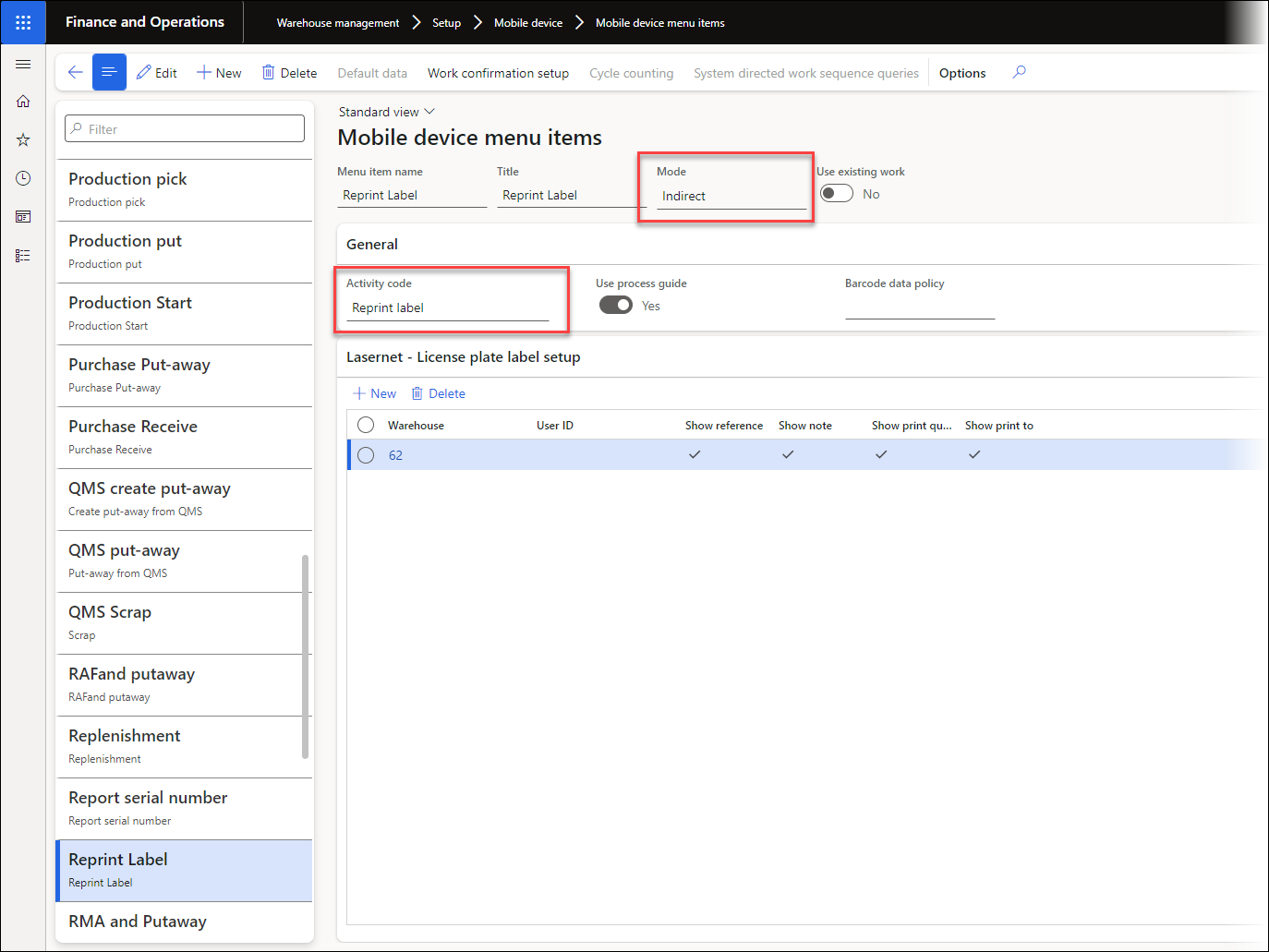
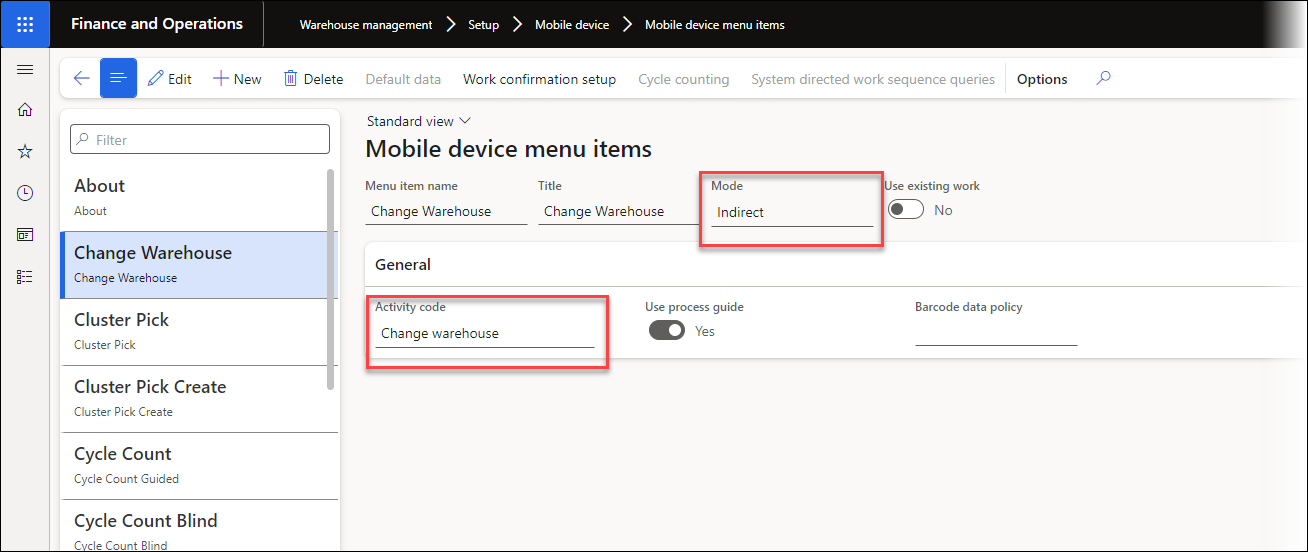
When the Mode is set to Indirect, the Activity code field determines whether the FastTab appears.
If the Activity code is set to Reprint label, the FastTab will appear.
When selecting all other values in the Activity code field, the FastTab will not appear.
Examples
The Activity code is set to Reprint label:
The Activity code is set to a value other than Reprint label (for instance, Change warehouse):
Mode = Work
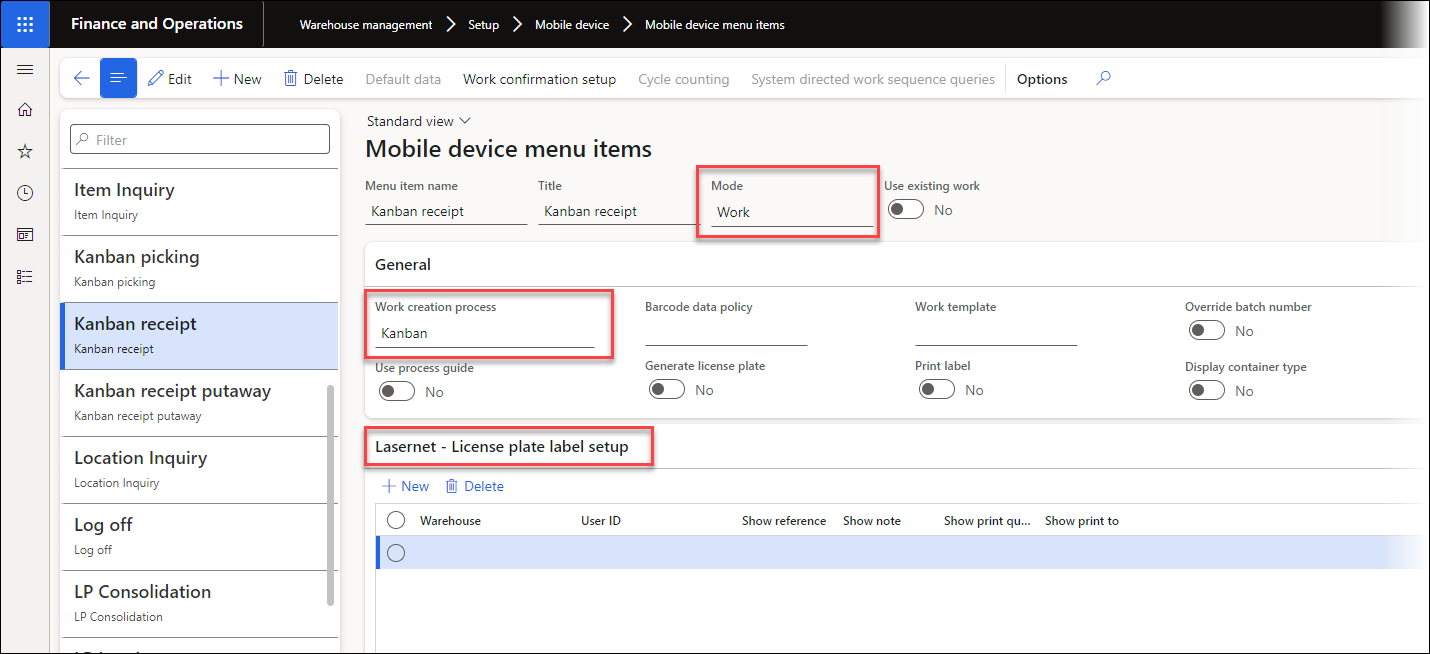
In this case, the Lasernet FastTab will only appear for all the Work creation processes that come under the following Work order types:
Purchase Order
Transfer Order
Production
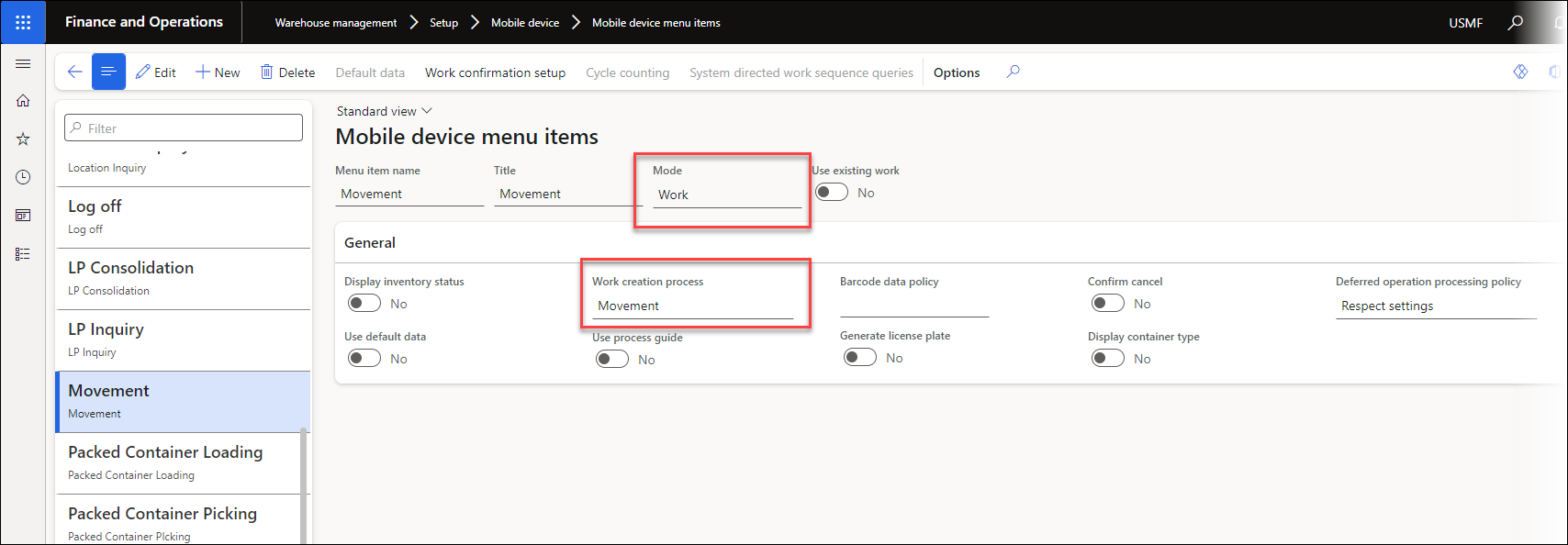
For Work creation processes that come under all other Work order types, the FastTab will not appear. These Work order types include:
Return Order
Inventory
Cycle count
For a complete list of Work order types and their Work creation processes, refer to the following article: https://learn.microsoft.com/en-us/dynamics365/supply-chain/warehousing/configure-mobile-devices-warehouse#configure-menu-items-to-create-work-for-another-worker-or-process
Examples
The Work Order Type is either Purchase Order, Transfer Order, or Production:
The Work order type is either Return Order, Inventory, or Cycle Count:
Additional Information
For more information, consult the following: