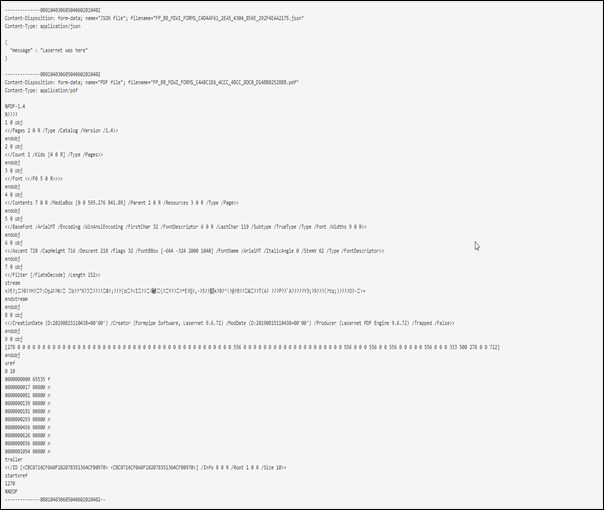
This article is a guide to sending multiple files as a multipart request by activating the Combiner feature in the HTTP Output module.
The following example requires you to process a form in the Form Engine with two sheets. The first sheet creates a JSON format, and the second sheet creates a PDF. Both sheets are passed to the HTTP module.
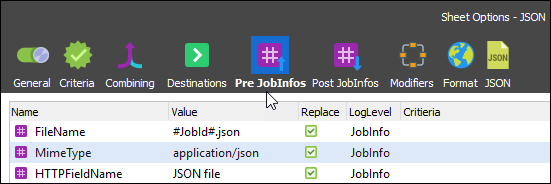
From the Form Editor, navigate to Sheet Options > Pre JobInfos tab, which contains the JSON output format, where you can manage the values for Filename, Mimetype, and HTTPFieldName.
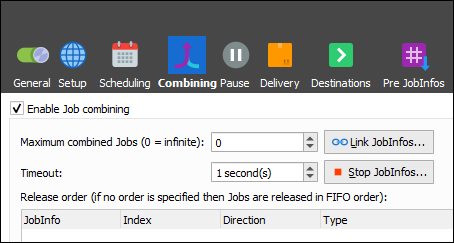
To send the job as a multipart request, the Combining feature needs to be activated in the HTTP Output module.
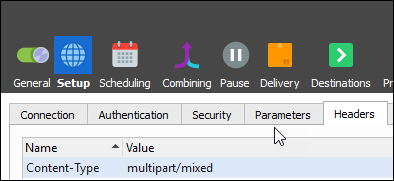
In the HTTP Output module, navigate to the Setup > Header tab and add the parameter Content-Type with the value set to multipart/mixed.
For validation, use the website http://webhook.site.
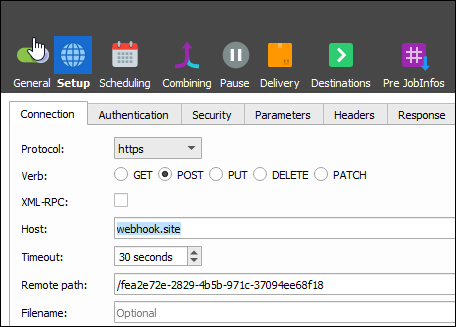
The site will create a URL for you:

The site will also display the result: