
Note
This article describes a software version that is no longer supported. Although the software will no longer receive updates or technical support, existing documentation, such as this article, will be retained for reference purposes but will no longer be updated. If you have any questions, contact Lasernet Support.
When installing Lasernet Developer 9.6 on a local machine, the following error may occur:
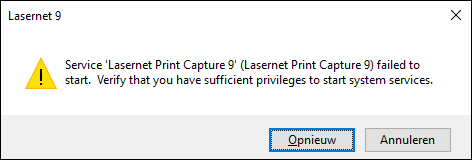
Error
Service 'Lasernet Print Capture 9' (Lasernet Print Capture 9) failed to start. Verify that you have sufficient privileges to start the system services.
To solve this issue, follow these steps when setting up Lasernet 9.6:
Click Cancel on the error dialog and run the Lasernet 9.6 Setup.exe file as Administrator, click Next, and accept the terms and conditions.
Click Custom to display the Custom Setup window.
Right-click Server and select Entire feature will be unavailable. Do the same for Configuration Server and Client installers.
Click Next and then Install.