Applies to: Lasernet Core 10
Introduction to Scripting
Lasernet Core contains a scripting framework that can be used to add advanced functionality.
Scripts are typically used for checksum calculations, conditional overlays and conditional printer profiles, though it is possible to use scripting to develop and extend any aspect of your Lasernet Core solution.
This introduction to scripting in Lasernet Core will focus on practical examples that are used in many setups. Some of the terms and explanations in this section may appear complex if you are new to scripting, but we recommend reading the section in full in order to familiarise yourself with the possibilities that scripting offers.
Lasernet Developer contains a script editor that provides functionality for maintaining your own scripts. You access the script editor by creating a new script or opening an existing one.
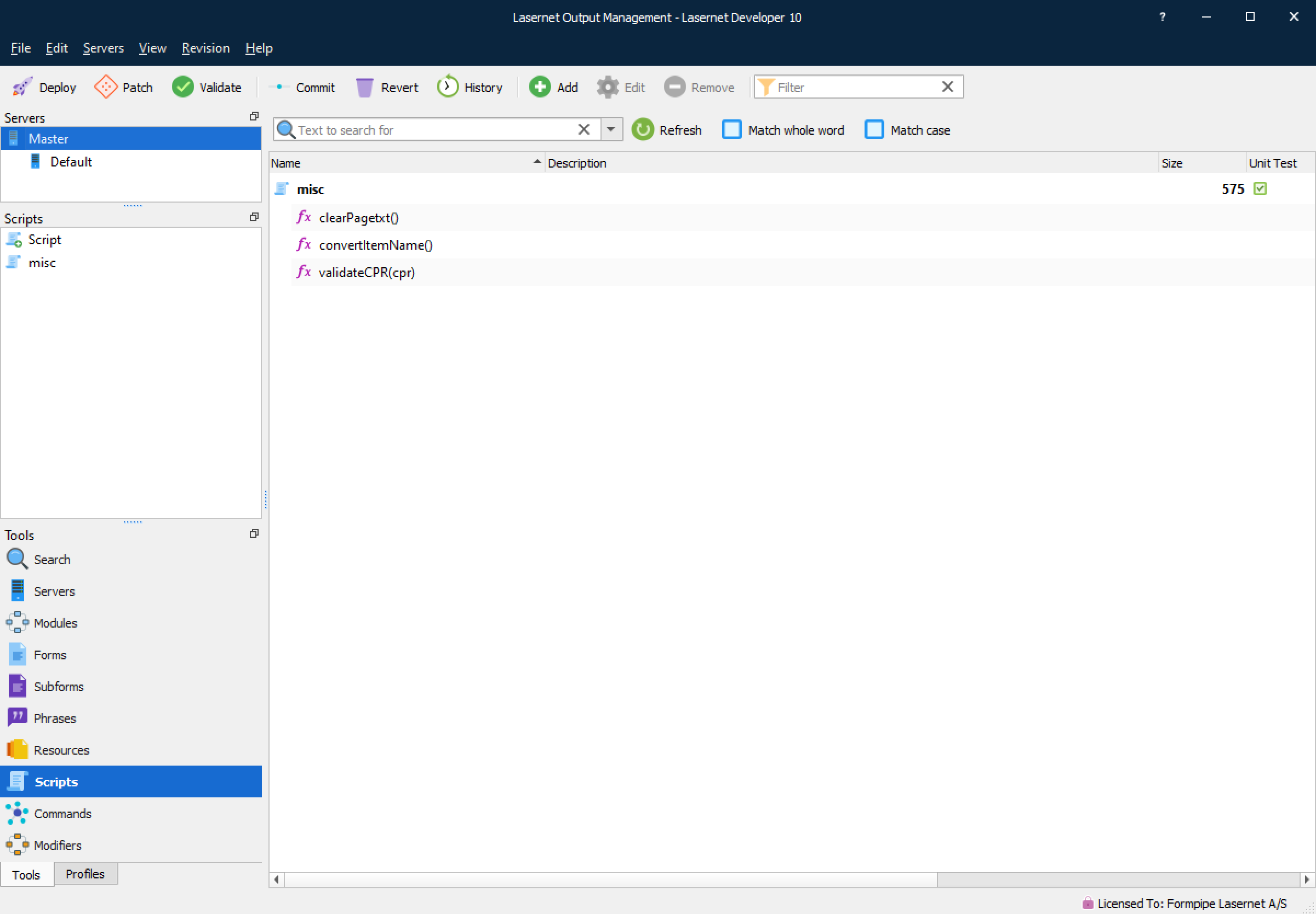
To open an existing script either right-click it and choose Edit, or double-click it. To create a new script press the Add button in the toolbar or right-click and choose Add.
The Script Editor
Lasernet Developer includes a basic script editor.
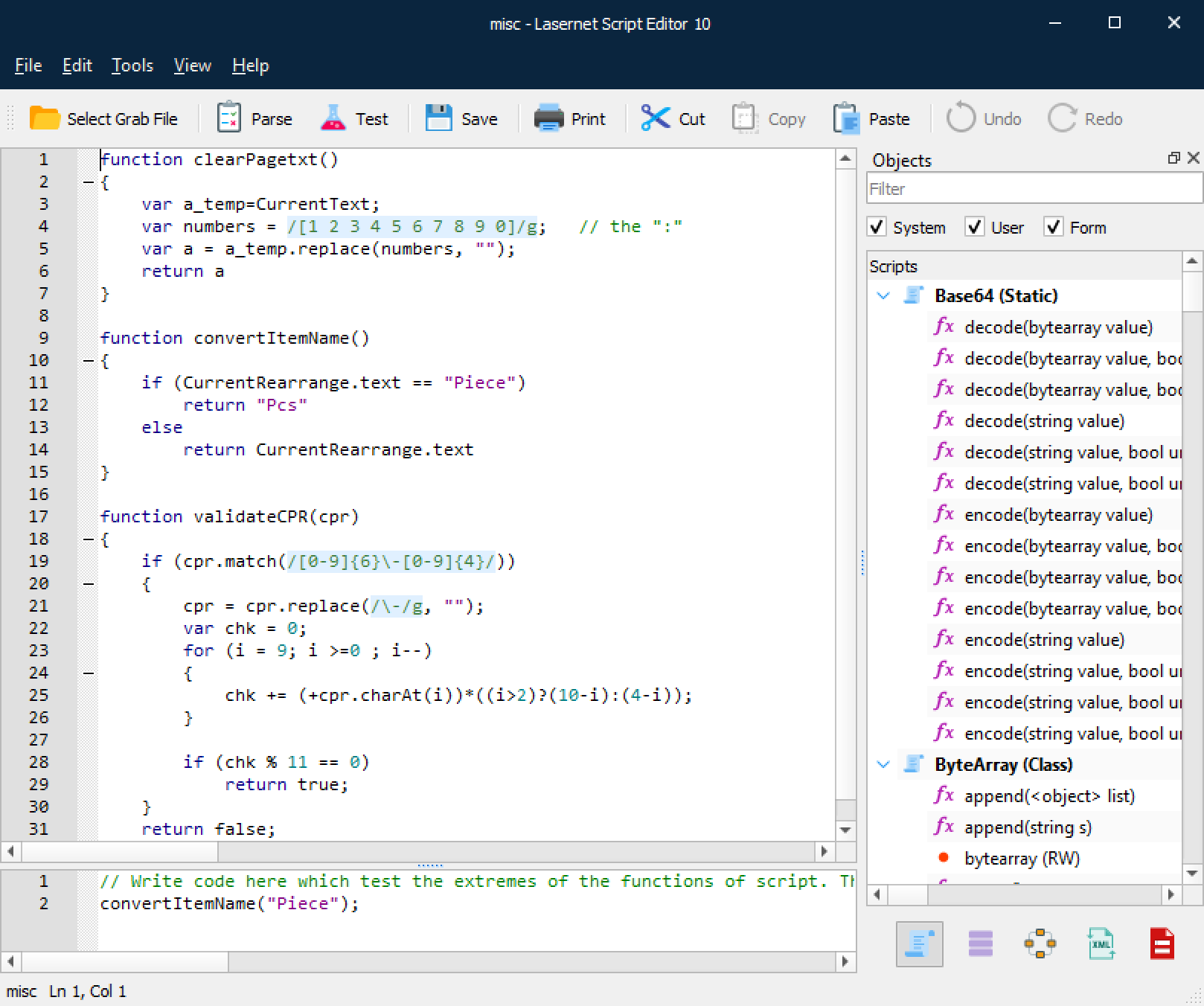
The editor supports the development of your script by providing you with features for efficiently writing and editing code:
Language awareness, automatic recognition of keywords;
Code hints for fast addition of Lasernet Core functions;
Parsing, for easy testing and debugging of your script;
Indentation guides, for easier overview of the script structure;
Undo/Redo.
Lasernet Core 10 Scripting Guide
The Lasernet Core 10 Scripting Guide's Use Scripting to Expand Lasernet Core Functionality article provides additional information about the script editor and describes common scripting use cases, including manipulating overlays, printer profiles and rearranges. The rest of that guide is a reference to the Lasernet Core Scripting API.