
Applies to: Lasernet Core 11
Lasernet Core can read a wide range of linear and 2D barcode formats in PDF documents, PNG, JPEG and TIFF images.
Some common barcode types that can be read by this module are:
Code 128
Code 39
Data Matrix
EAN-13
QR
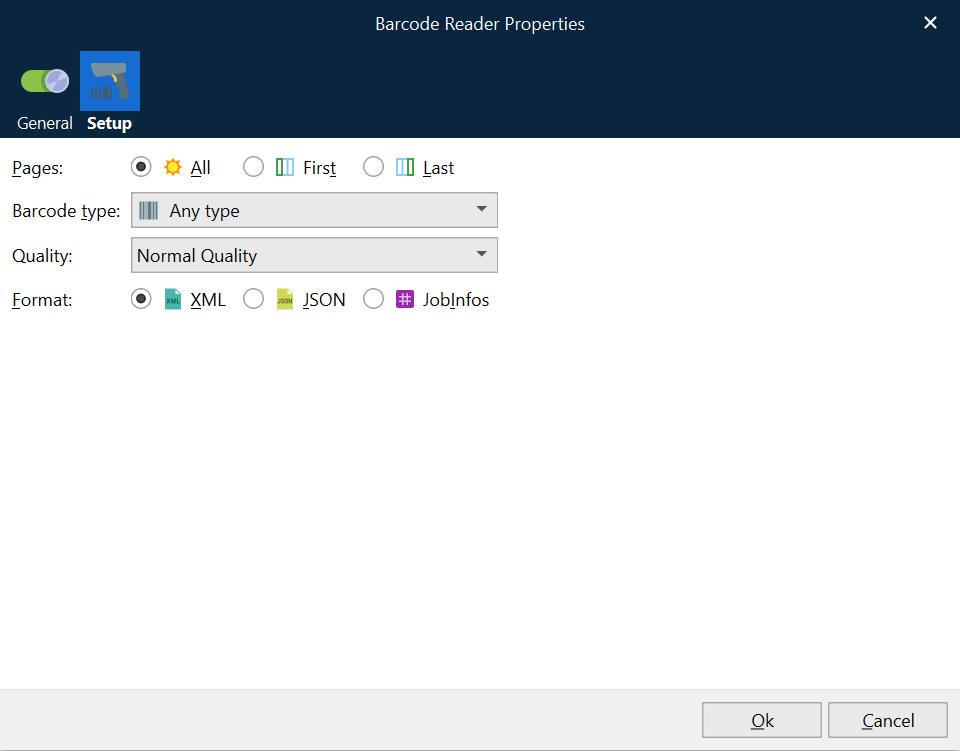
Pages
Select the pages of the document you want to be scanned for barcodes.
All: All pages in the document are scanned for barcodes.
First: Only the first page of the document is scanned for barcodes.
Last: Only the last page of the document is scanned for barcodes.
Barcode Type
Select the type of barcode that you want to scan documents for:
You can select one particular barcode type.
You can select Any type (to scan for all supported barcode types)
Note
The Lasernet Group recommends scanning a document for one particular barcode type if possible, because processing time will be reduced compared to scanning for all barcode types.
Quality
Parameter to optimize the recognition of barcodes.
High Performance: High-quality barcodes are recognized well in this mode.
High Quality: This preset is developed for low-quality barcodes. Able to detect highly damaged barcodes.
Max Quality: Able to recognize all possible barcodes (even incorrect barcodes).
Normal Quality: Suitable for most barcodes.
Format
The extracted output will be formatted according to the selection:
XML
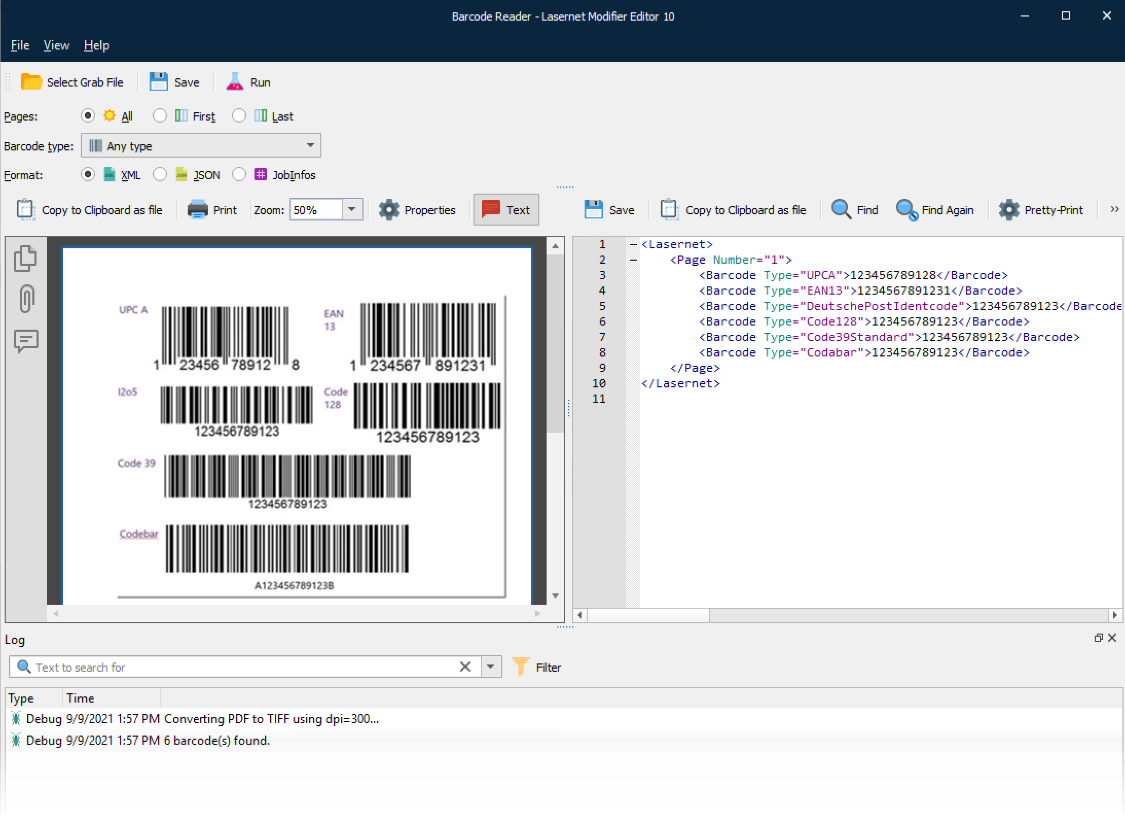
The barcode read data will be presented in XML format.
Note
Screen shots are from Lasernet Core 10 but work identically in Lasernet Core 11.
No additional JobInfos are created by the modifier.
The following information is captured and presented in XML format:
Page
Barcode Type
Barcode Value
JSON
The barcode read data will be presented in JSON format.
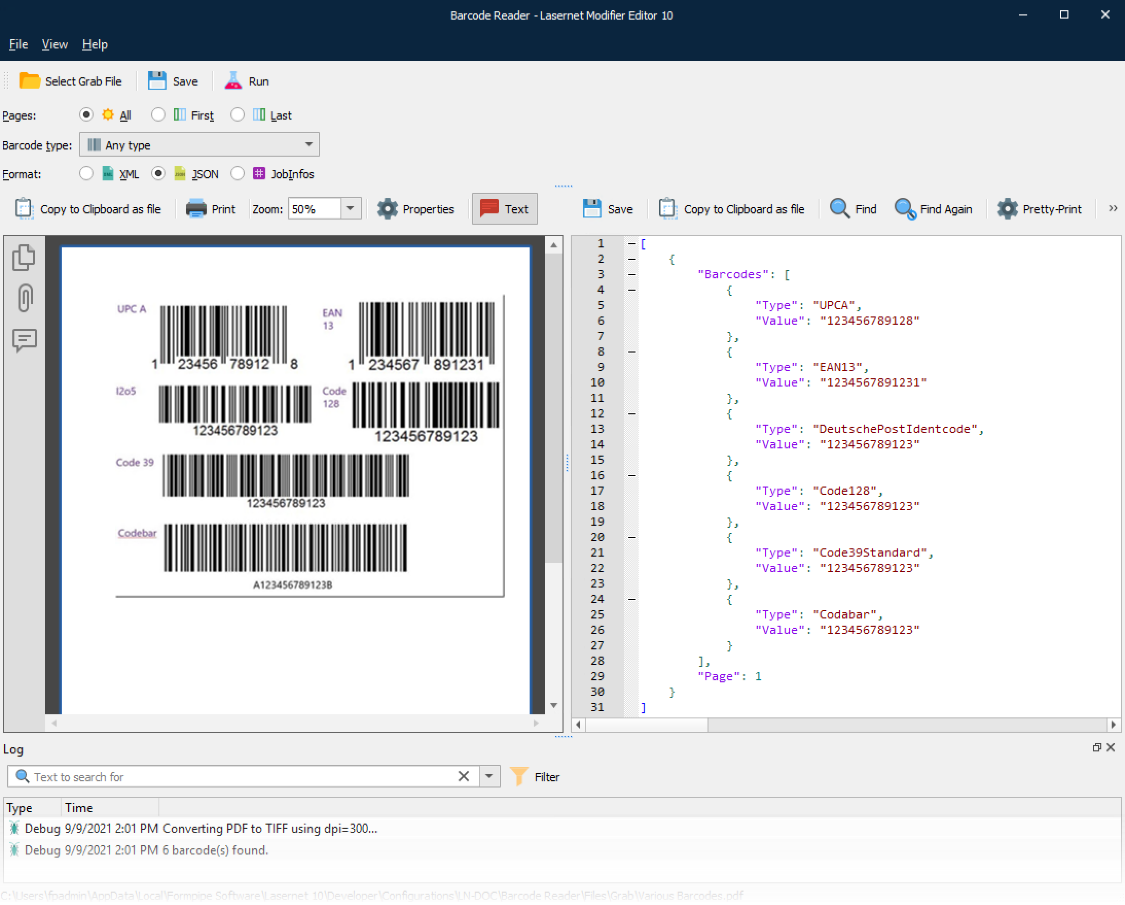
No additional JobInfos are created by the modifier.
The following information is captured and presented in JSON format:
Page
Barcode Type
Barcode Value
JobInfos
The barcode read data will be presented in the Lasernet Core native format.
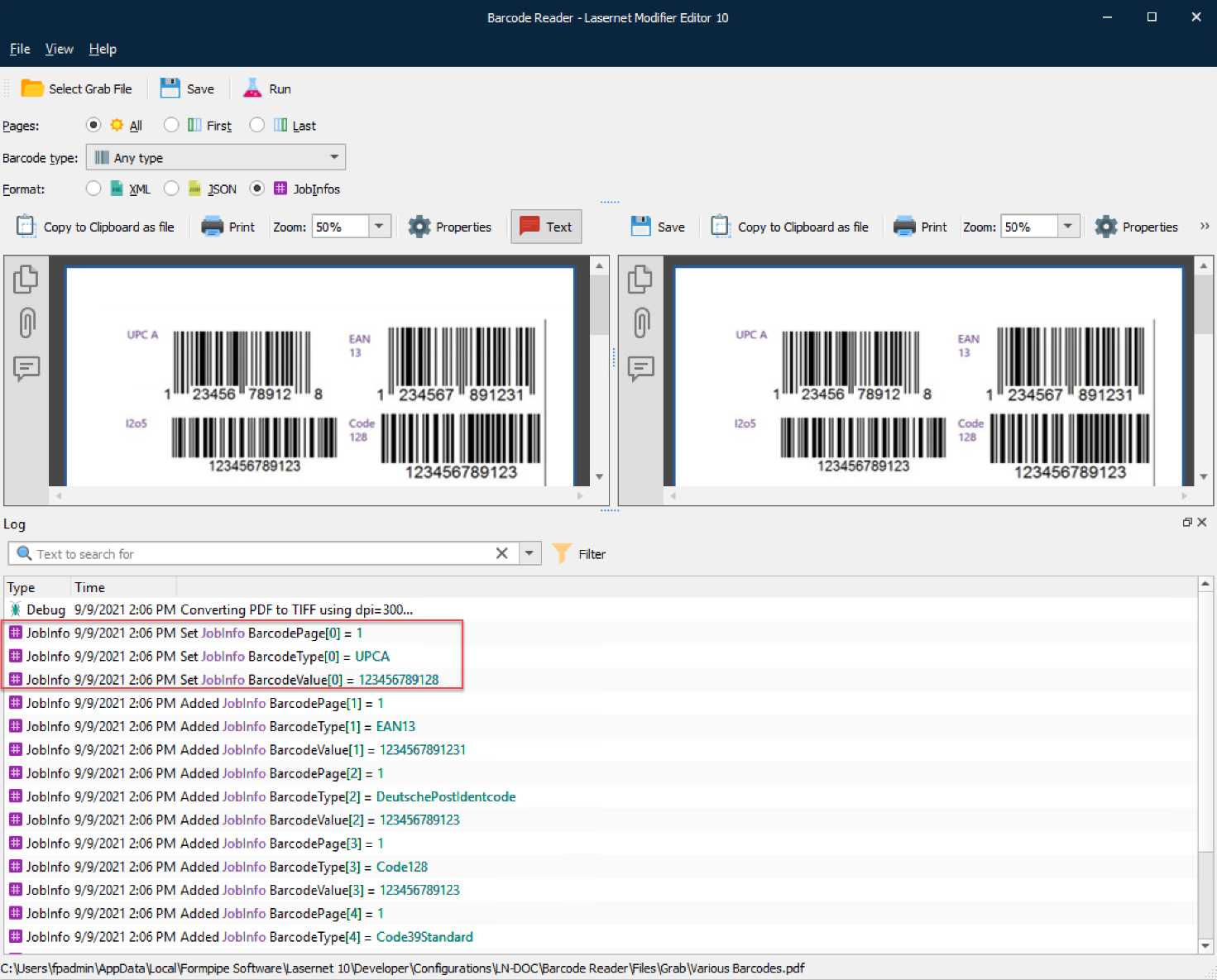
PDF output has an array of JobInfos.
There are names and values for:
BarcodePage
BarcodeType
BarcodeValue