
You can change the configuration of an existing search application or import application. For example, you can change its name, or bind different document definitions or key definitions to it.
To remove an application from Autoform DM, you can delete it.
Modify an Application
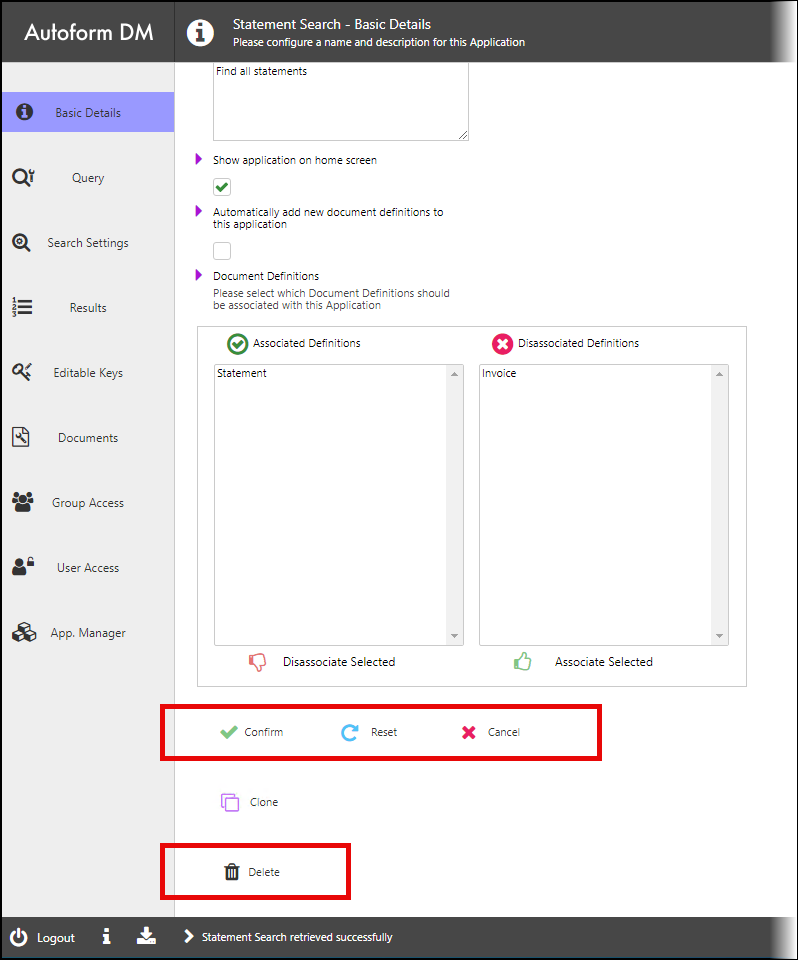
Navigate to the Application Manager in the Administration area, then click the application that you want to modify. Use the left menu to navigate to the page that contains the settings that you want to change, then make those changes.
To save your changes, click Confirm.
To revert your changes, click Reset. The settings on the currently loaded page return to their last-saved values.
To discard your changes and return to the Application Manager, click Cancel.
Confirm, Reset, and Cancel are present on all an application’s settings pages.
Delete an Application
Navigate to the Application Manager in the Administration area, then click the application that you want to modify. On the application’s Basic Details page, click Delete.