Applies to: Lasernet Core 10
Add and license for your instances running on the Lasernet Core 10 server via the Lasernet Server License Manager.


We recommend that you install and run your development and production services on different machines. The image above shows all the Lasernet Core services running on the same server.
By default, Lasernet Config Server connects to the Microsoft SQL Server 2017 LocalDB database to store configurations, revisions and deployment history log.
The database and repository for the Lasernet Config Server are installed in here:
C:\ProgramData\Formpipe Software\Lasernet 10\Config\Default\Databases
We recommend that enterprise users backup this folder or replace it with a Microsoft SQL Server standalone edition.
You can use the Lasernet Server License Manager at any time to migrate the Lasernet Core configuration data from the Microsoft SQL Server 2017 LocalDB to the Microsoft SQL Server. Select the Lasernet Config SQL Server instance, click Edit and SQL Server Standalone with the required connection, authentication and database
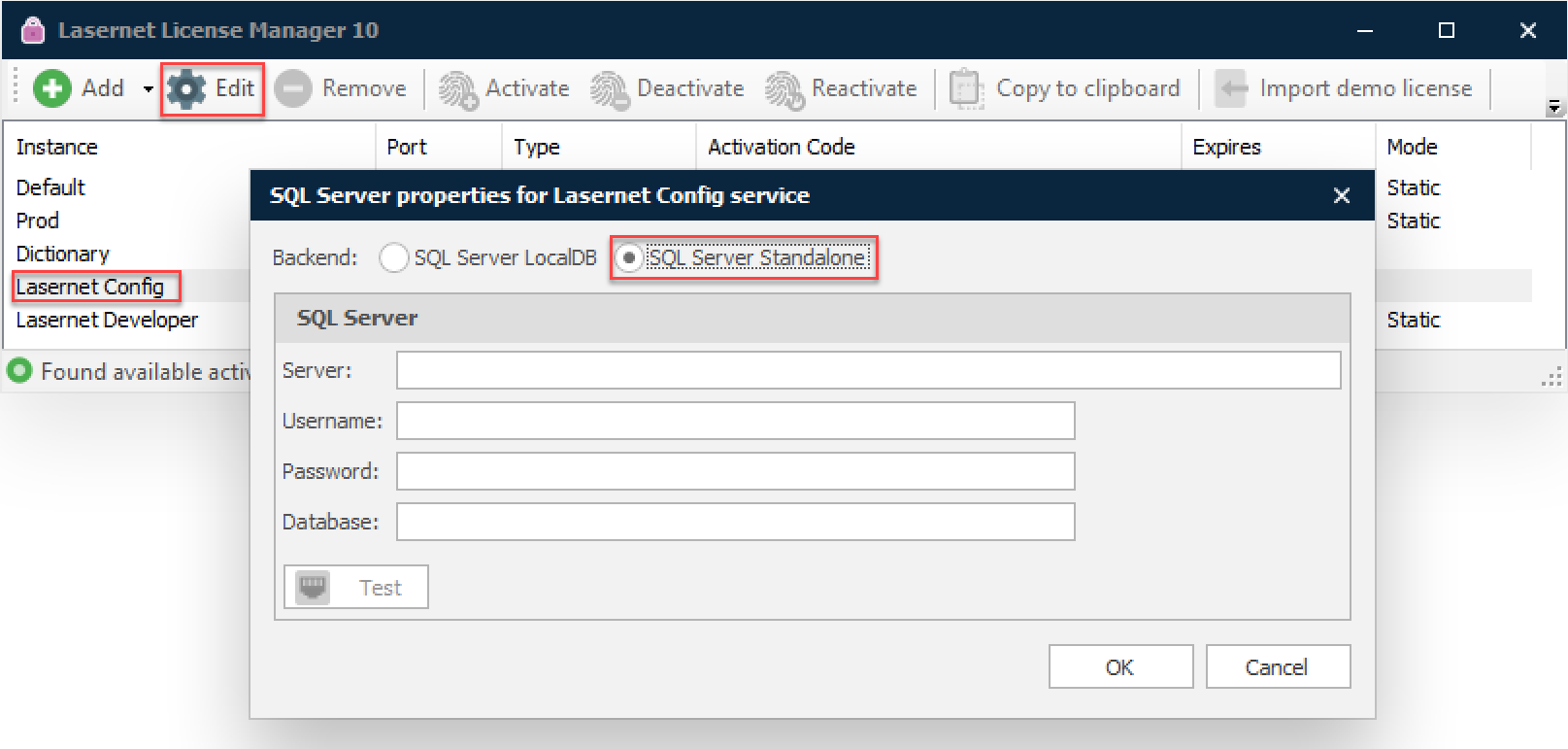
More information about creating a database in Microsoft SQL Server can be found in Migrate to Microsoft SQL Server.