

Applies to: Lasernet Core 11
This page describes how to configure alternative authentication providers. It also describes how users can specify which authentication provider to use when they connect to Lasernet Developer and Lasernet web apps.
Configure Alternative Authentication Providers
To learn how to add additional, alternative authentication providers to Lasernet Core, refer to the Full Installation and Setup Process section of Configure Lasernet Config Server in the Lasernet Core 11 Installation and Setup Guide. Skip to the instructions in that section that describe how to use Lasernet Service Manager to configure external authentication of Lasernet Core users.
However, in systems that are automatically deployed, or if it is not possible to use Lasernet Service Manager, you can configure the Config Server by manually modifying its ServerSettings.json file. For more information, see Lasernet Core 11 Config Server Log File and Server Settings File in the Lasernet Core 11 Installation and Setup Guide. After you modify ServerSettings.json, restart the Lasernet Config 11 Windows service.
Use Alternative Authentication Providers
Use Alternative Authentication Providers in Lasernet Core Windows Applications
To log in using an alternative authentication provider, specify the name of the alternative authentication provider when connecting to the Config Server.
The alternative authentication provider must be specified in the Server field of the Connect to Lasernet page. Use the following syntax:
<servername>:<port>/<provider name>
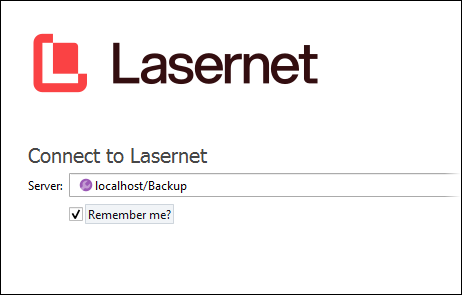
If the Lasernet Config service is running on a port other than the default (443), the port must be specified in the Server field. If it is running on port 443, you can omit the port number.
Use Alternative Authentication Providers in Lasernet Core Web Apps
To log in to a Lasernet web app using an alternative authentication provider, specify the name of the alternative authentication provider in the provider URL parameter.
Important
This provider selection must be done in a browser that you have not previously used to access Lasernet Core web applications, or in an InPrivate browser tab (or similar), because provider selection is stored by the browser. It is not possible to switch providers without closing the browser window and opening a new window.
For example, to use an authentication provider named Backup:
Manage:
https://localhost/lasernet/manage/?provider=BackupOther Lasernet Core web apps (Including the Lasernet Config web app):
https://localhost/lasernet/config?provider=Backup