Applies to: Lasernet Core 10
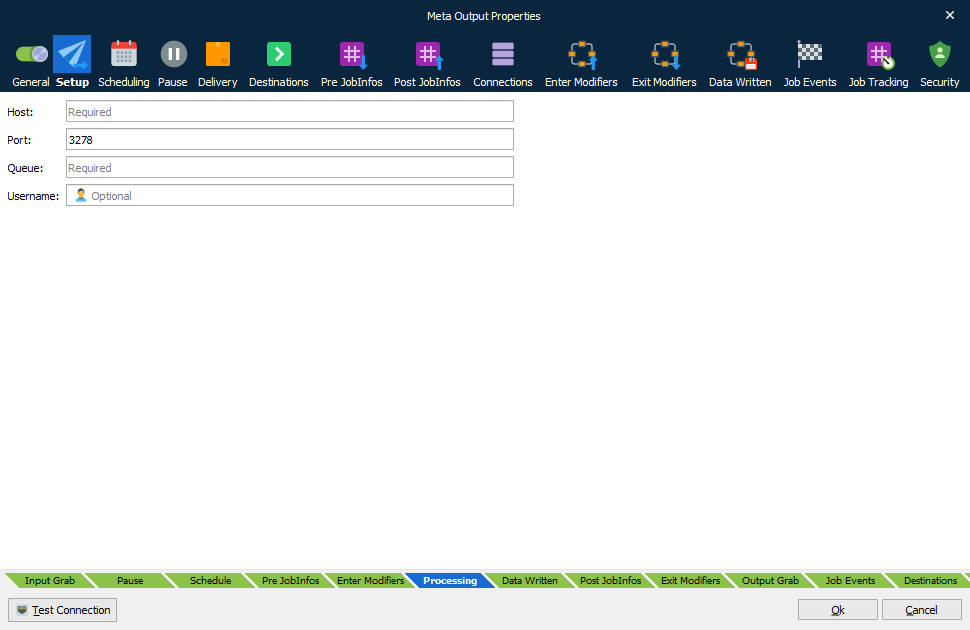
The Meta Output module send jobs to Lasernet Meta. You only have to define a host name, a port number, the name of the Meta queue and a username (optional) to send the job to.
Please refer to the “Lasernet 10 – Meta” manual for more information.
| Host | Name of computer running Lasernet Meta. The field has JobInfo substitution support. Type the name of a JobInfo, enclosed by hash marks e.g., #NameOfHost#, and the value of the JobInfo will be substituted with the host name. IP addresses and localhost as computer name are not supported. |
| Port | The proxy port number (default 3278) to set up a connection between Lasernet Meta Output (server) and Lasernet Meta (client). |
| Queue | Name of Meta queue to send the job to. |
| Username | Name of user to retrieve document. This username is only required/supported if users are running Lasernet Meta in a Citrix or a Windows Terminal Server environment. |
JobInfos
A list of JobInfos overrules the connection settings.
| MetaHost | Name of computer running Lasernet Meta. |
| MetaPort | Listen port for Lasernet Meta clients. |
| MetaQueue | Name of Meta queue to send job to. |
| MetaUsername | Name of user to retrieve document. |