Applies to: Lasernet Core 10
Easily store and share documents in the cloud. Microsoft OneDrive works with Office, so it's easy to create, edit, and share your documents.
Note for Users of Lasernet Core 10.12.1 and Earlier
If you use Lasernet Core 10.12.1 or earlier, and your configuration contains an affected OneDrive, Outlook Mail, or SharePoint module, you must upgrade to Lasernet Core 10.13.3, and then update and redeploy your configurations. If you do not, your Lasernet Core system will stop working on the 1st April 2027.
For more information, see Make Mandatory Configuration Updates Due to OneDrive, Outlook Mail, and SharePoint Module Changes.
If you are upgrading from Lasernet 9 or earlier, see Upgrade from Lasernet 9 to 10.
Output
Save files in a folder in Microsoft OneDrive.
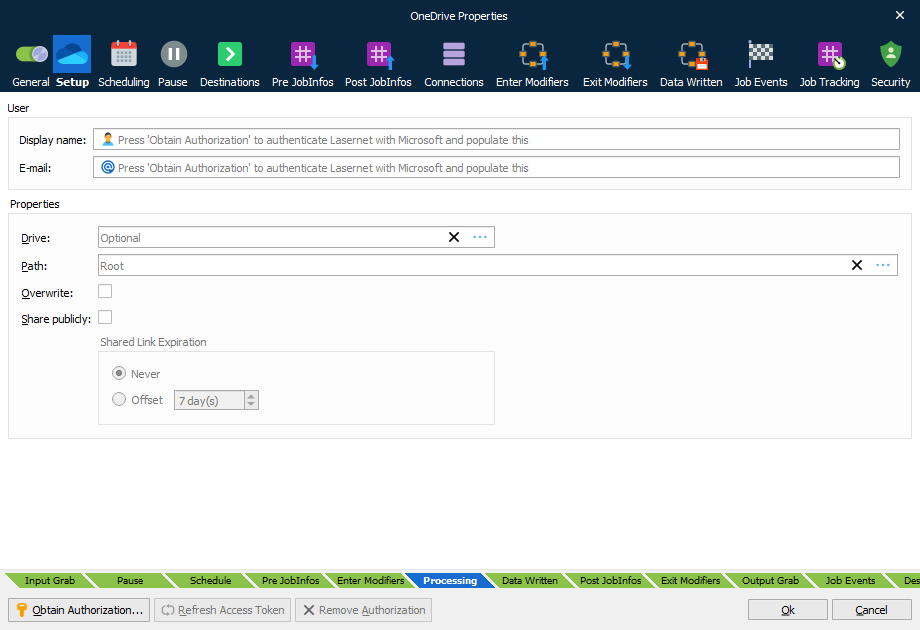
User
Click Obtain Authorization in the OneDrive dialog box to create a new connection.
You get redirected to the Microsoft website to authorize OneDrive for Lasernet Core.
Enter your Microsoft credentials.
Authorize the access request.
The authentication window closes automatically and your Display name and E-mail are added to the dialog.
In the Properties you can set your Drive and Path for where to poll for incoming files.
Doing this stores an encrypted token in the configuration. This token is then used to regain access to the OneDrive later.
Properties
Select the Drive and Path for where to upload the files in your OneDrive file structure.
Activate Overwrite to allow that a file, that already exist, is overwritten during upload.
JobInfos
| OneDriveSharePublicly | Set this JobInfo as a Boolean value to overwrite the setting for Share publicly property. |
| OneDriveURL | URL to publicly shared file returned after upload. The JobInfo is only set when Sharing publicly is enabled in the GUI. |
| OneDriveURLExpiration | This JobInfo overwrites the offset of the Shared Link Expiration defined in the OneDrive module. A expiration time for a shared document must be defined in the format yyyy-MM-ddTHH:mm:ssZ. |