Applies to: Lasernet Core 10
Lasernet Printer Service is an application that can be used to maintain your custom printer settings and deploy these to local printers, or anywhere globally using Microsoft Azure services. You can configure specific printer driver settings and save them as profiles which in turn can be selected for profile settings to be used by Lasernet Core.
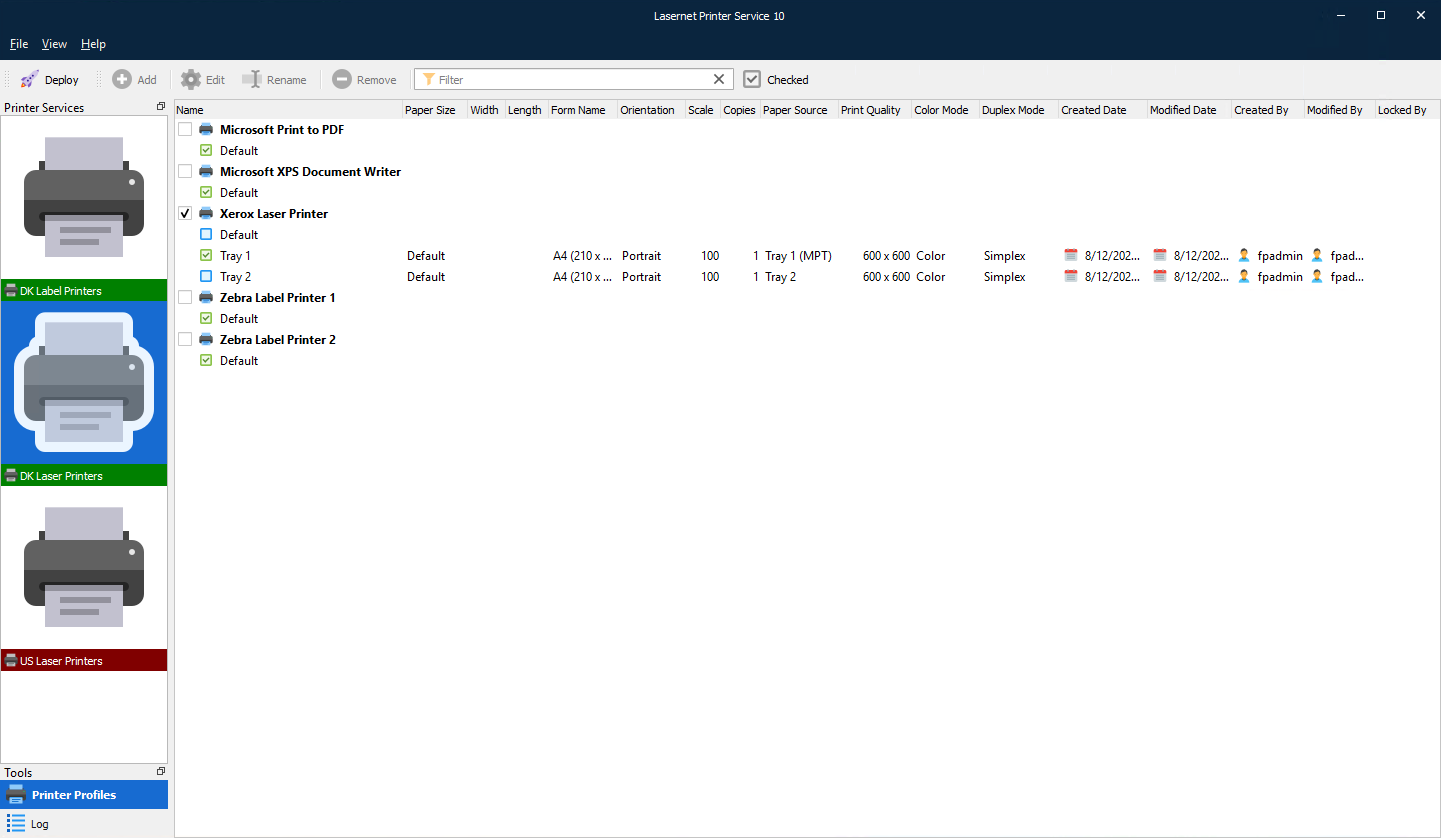
Certain steps must be completed, in a particular order, to configure and run your printer service. The Lasernet Config server is used to add settings. Then the Printer Service application is installed locally, then the workflow is configured in the Lasernet Developer.
Refer to the relevant checklist for the steps required, in the order they need to be completed.
Cloud
Checklist:
Microsoft Azure – both an Azure Storage subscription and an Azure Service Bus are required. For the Service Bus, a connection string is required when you set up Config Server. For the Azure storage account, either a connection string, Shared Access Signature (SAS) token, or app registration details (including client ID and client secret) are required.
Set up the Config Server – printer servers; and optionally, user groups and security roles.
Install the Printer Service application – using the Printer Service MSI installer.
Configure the Printer Service application – activating printers, adding profiles. You must deploy to the configuration server log. This lists transactions and print jobs similarly to Lasernet Monitor but exclusively for this module.
Configure workflows in Lasernet Developer – set up destinations from the drop-down menu in the printer service module.
On-Premises
This method of adding on-premises printers does not replace the previous method where printers and printer profiles are maintained in the Lasernet Developer. This is an additional method that is more consistent with the cloud printing method.
Note: Microsoft Azure is not involved with on-premises setups. Go to Configure Lasernet Core Print Servers and User Access.
Checklist:
Set up the Config Server – printer servers; and optionally, user groups and security roles.
Install the Printer Service application – using the Printer Service MSI installer.
Configure the Printer Service application – activating printers, adding profiles. You must deploy to the configuration server log. This lists transactions and print jobs similarly to Lasernet Monitor but exclusively for this module.
Configure workflows in Lasernet Developer – set up destinations from the drop-down menu in the printer service module.