
Applies to: Lasernet Core 11 and 10 (not Lasernet Essentials / Professional / Advanced)
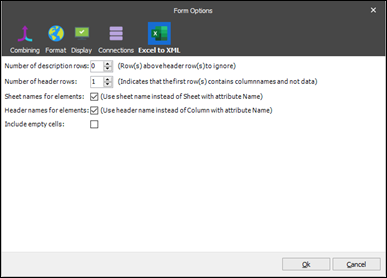
The Number of description rows setting defines the number of rows to ignore before the first row is extracted from the spreadsheet.
The Number of header rows setting affects the final structure of the generated XML file. It determines whether the first row(s) in the Excel spreadsheet should be parsed as column names and not as data. If the description rows are set to be ignored, they are not considered.
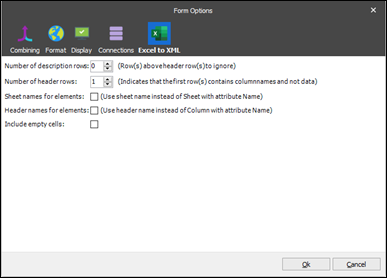
The number of defined rows to be considered as header rows.
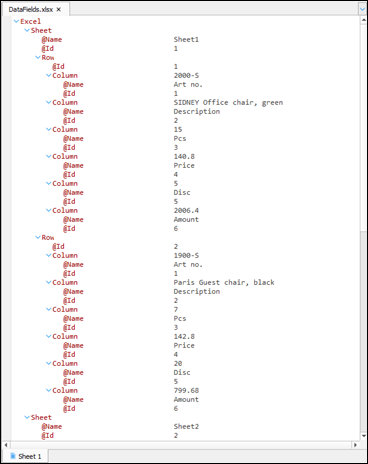
The Sheet names for elements setting is designed to use a sheet name instead of the Sheet node and its Name attribute. To apply the setting, select the corresponding checkbox in the Form Options dialog.
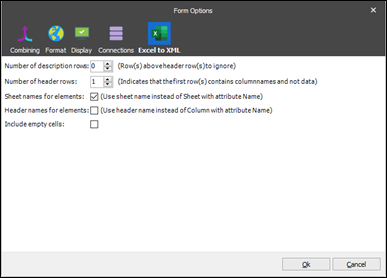
When the setting is applied, it affects the input as follows:
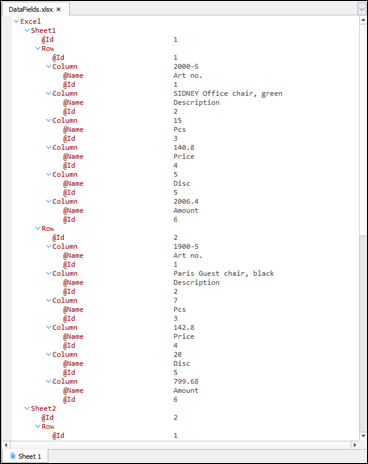
The Header names for elements setting affects the final structure of the generated XML file. If selected, a header name is used instead of a column with attribute Name. To apply the setting, select the corresponding checkbox in the Form Options dialog.
As a result, the input looks as follows:
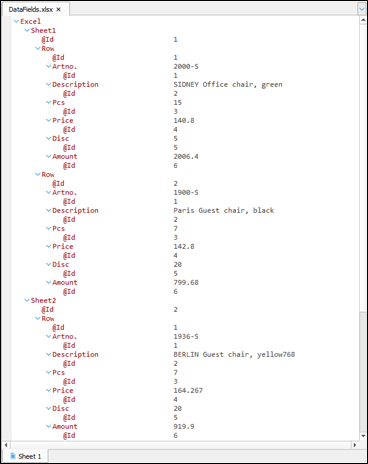
If you select the Include empty cells checkbox in the Form Options dialog to activate the setting, the XML data also includes the cells with empty values. Else, they are ignored and not present in XML.